- NAS
- Unraid
- 15 April 2026 at 10:39 UTC
-

- 1/6

On Unraid, you can very easily create a clone of Google Drive, OneDrive, ... to keep control of your data and free yourself from their limits (notably the disk space available for free).
To do this, simply install a database server (in this case: MariaDB) and the Nextcloud application.
- Create a share on Unraid for Nextcloud
- Download and install the database server: MariaDB
- Download and install Nextcloud
- Configure your Nextcloud server
- Fix 504 gateway time-out error with Nextcloud
- Nextcloud file explorer
- View media files (tab: Photos)
- Activities (history of actions performed)
- Discussion
- Mail (check external emails)
- Contacts
- Calendar
- Enable Nextcloud dark theme
- Customize the Nextcloud web interface
1. Create a share on Unraid for Nextcloud
To get started, go to the "Shares" tab of your Unraid server and click: Add share.

Specify "nextcloud" for the name of this share, then if you have a cache on your Unraid server, preferably choose "Use cache pool (for new files/directories): Prefer" to improve the performance of your future Nextcloud server when file storage on it.
Then, click on the "Add share" button at the bottom of the page.

2. Download and install the database server: MariaDB
To work, Nextcloud can use an internal database or an external database (created on a separate database server).
So you will need MariaDB in this case.
To do this, go to the "APPS" tab, search for "mariadb" and install the "mariadb" application from the "linuxserver" repository.
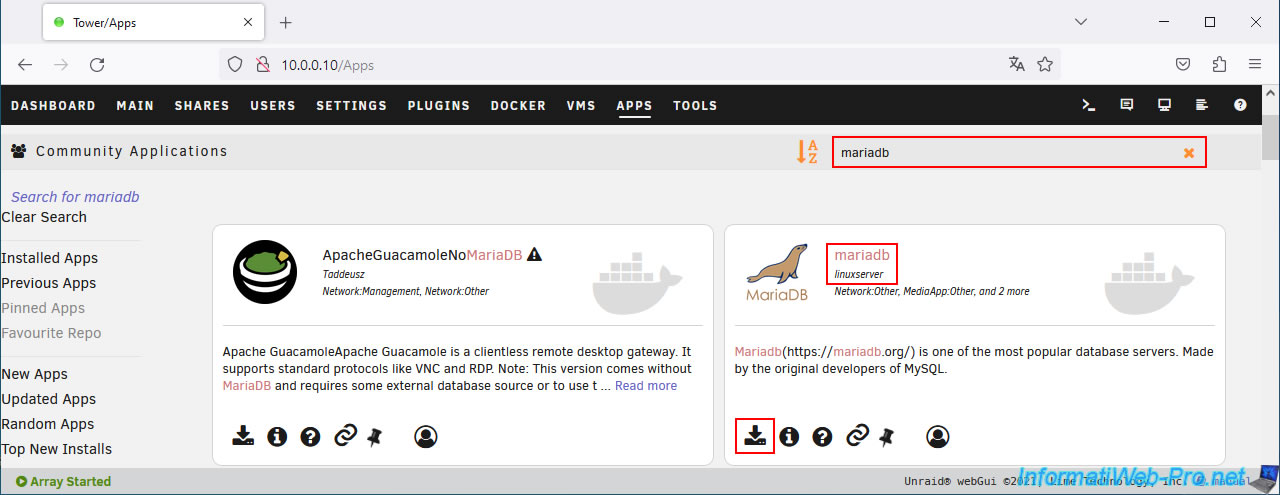
This form appears.
Note that, by default, mariadb will be connected to the physical network using Unraid's network bridge.
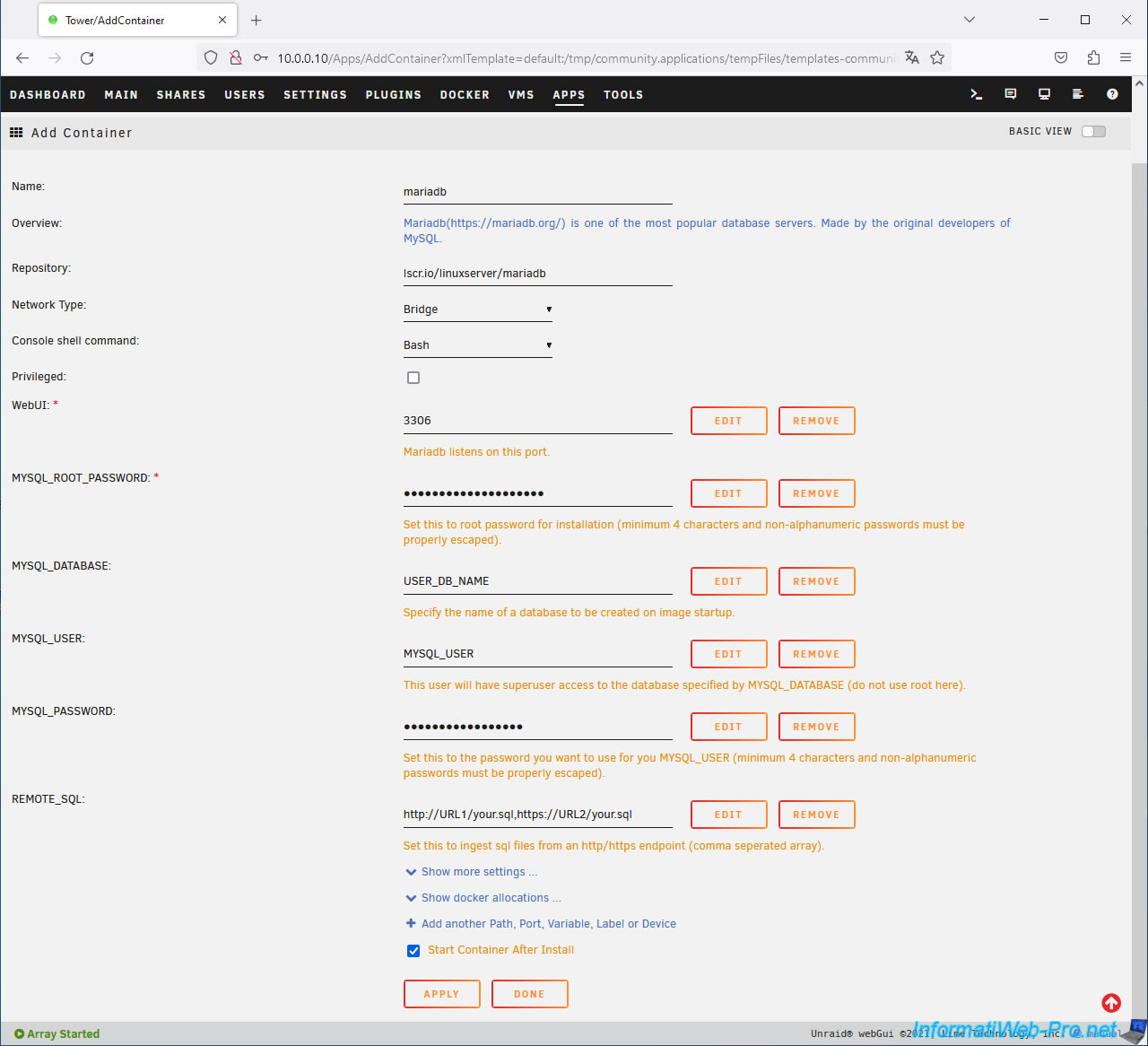
In this form, modify these fields:
- MYSQL_ROOT_PASSWORD: provide a password for the "root" account of this "MariaDB" database server.
- MYSQL_DATABASE: allows you to create a first database on this server (without having to use the command line).
In this case, specify "nextcloud". - MYSQL_USER: allows you to create a user who will have all rights to the database indicated above.
Again, specify "nextcloud" in this case. - MYSQL_PASSWORD: provide a password for this new user account.
Next, click the "Apply" button.
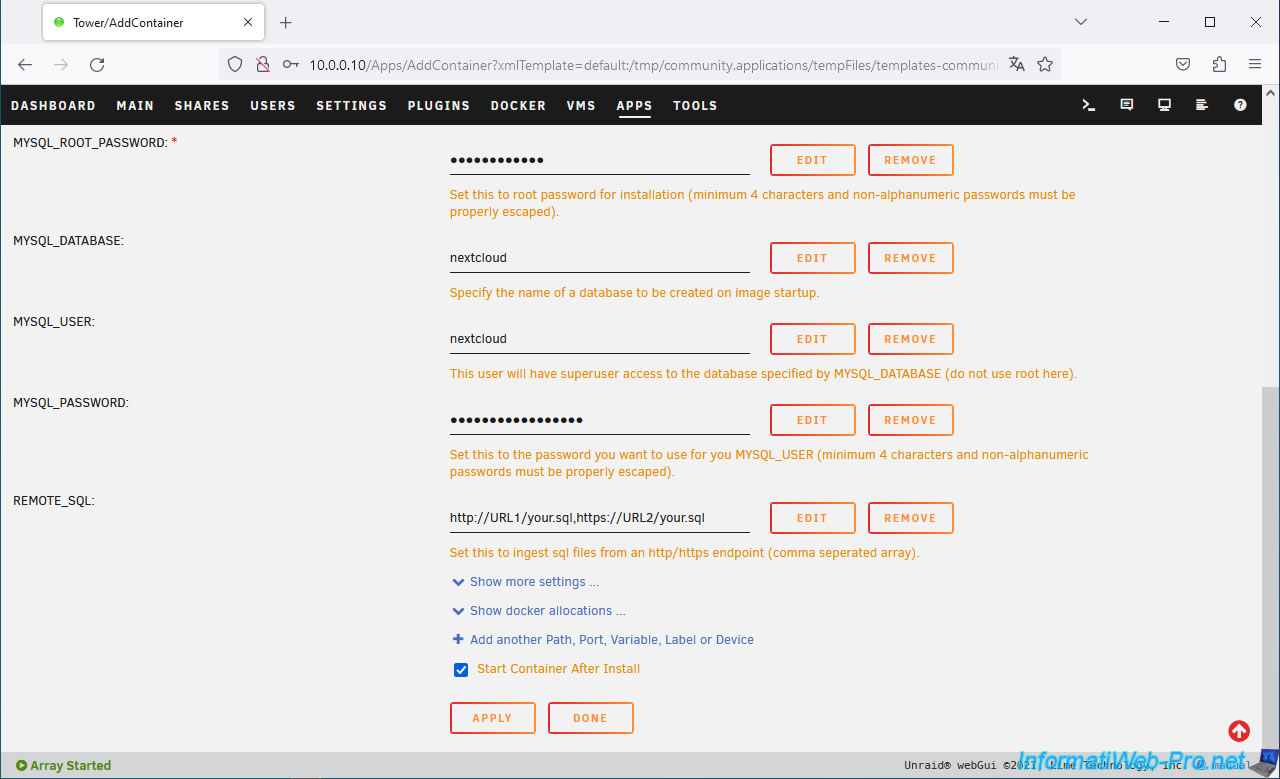
Wait while MariaDB downloads and installs.
Then, click: Done.
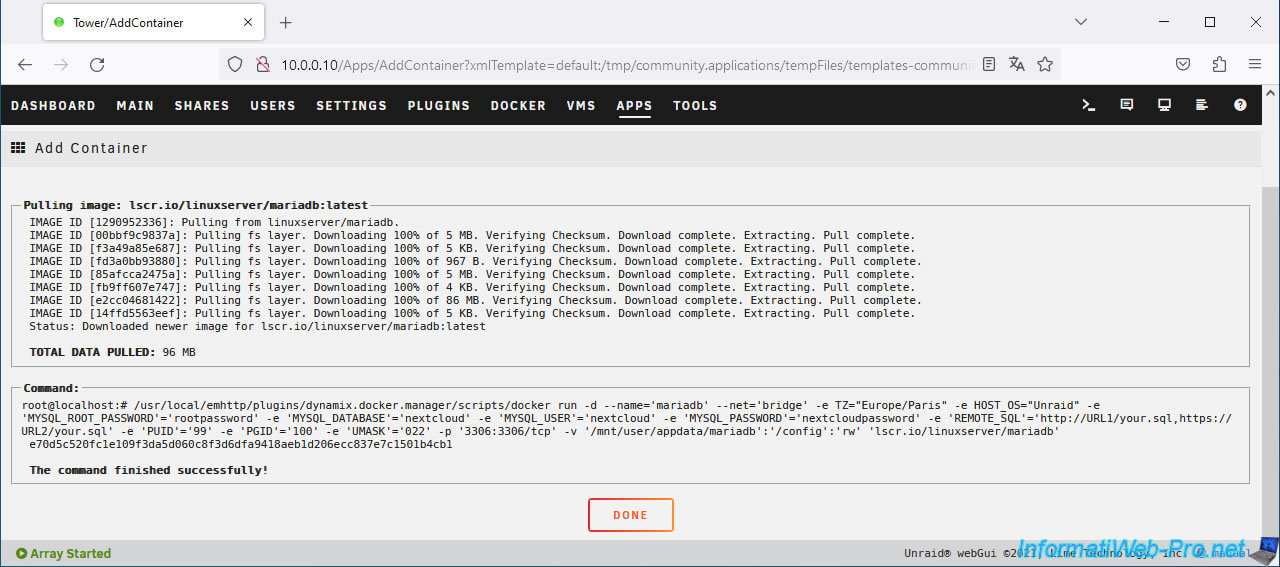
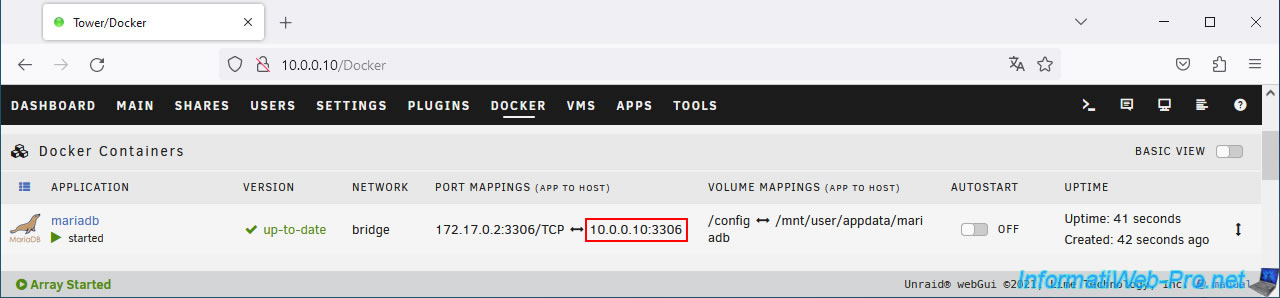
In the "Docker" tab of your Unraid server, you will see the "mariadb" container appear.
In the "Port mappings" column, you will see the IP address and port of this database server.
Important : you will need this information which you will have to indicate when configuring Nextcloud so that it can create the necessary data for its database.
3. Download and install Nextcloud
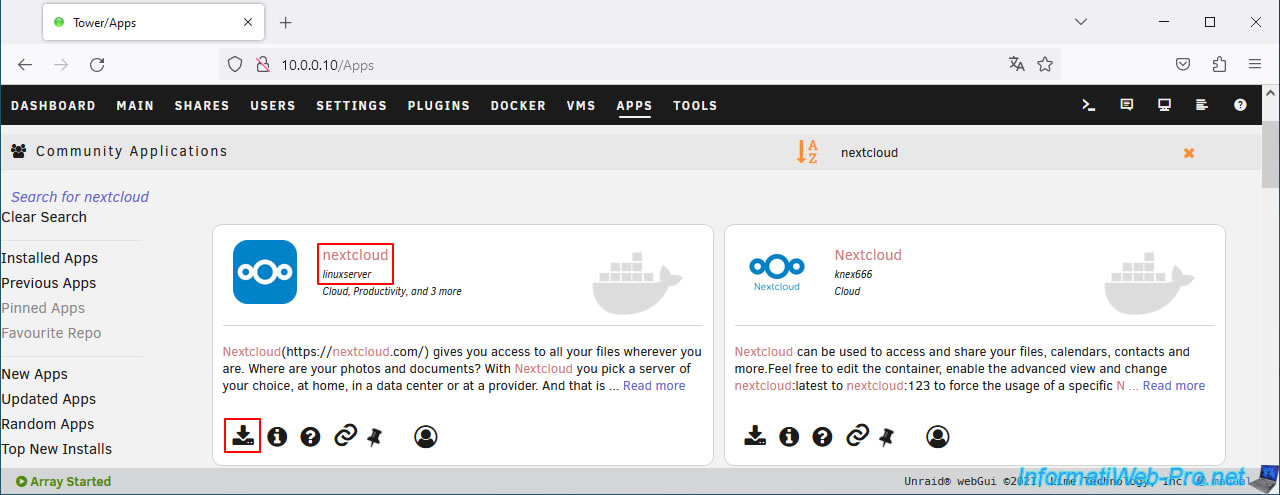
To download and install Nextcloud, go to the "APPS" tab, search for "nextcloud" and install the "nextcloud" application from the "linuxserver" repository.
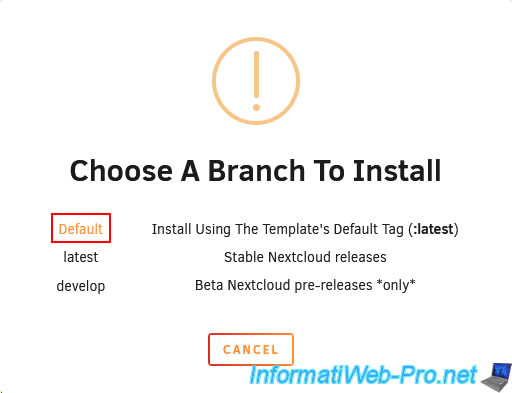
Click "Default" for the branch to install.
The configuration form for the "nextcloud" container appears.
As you can see, by default, Nextcloud uses port 443 for its web interface.
However, this will conflict with the Unraid web interface, so you will have to change it to another number (of your choice).
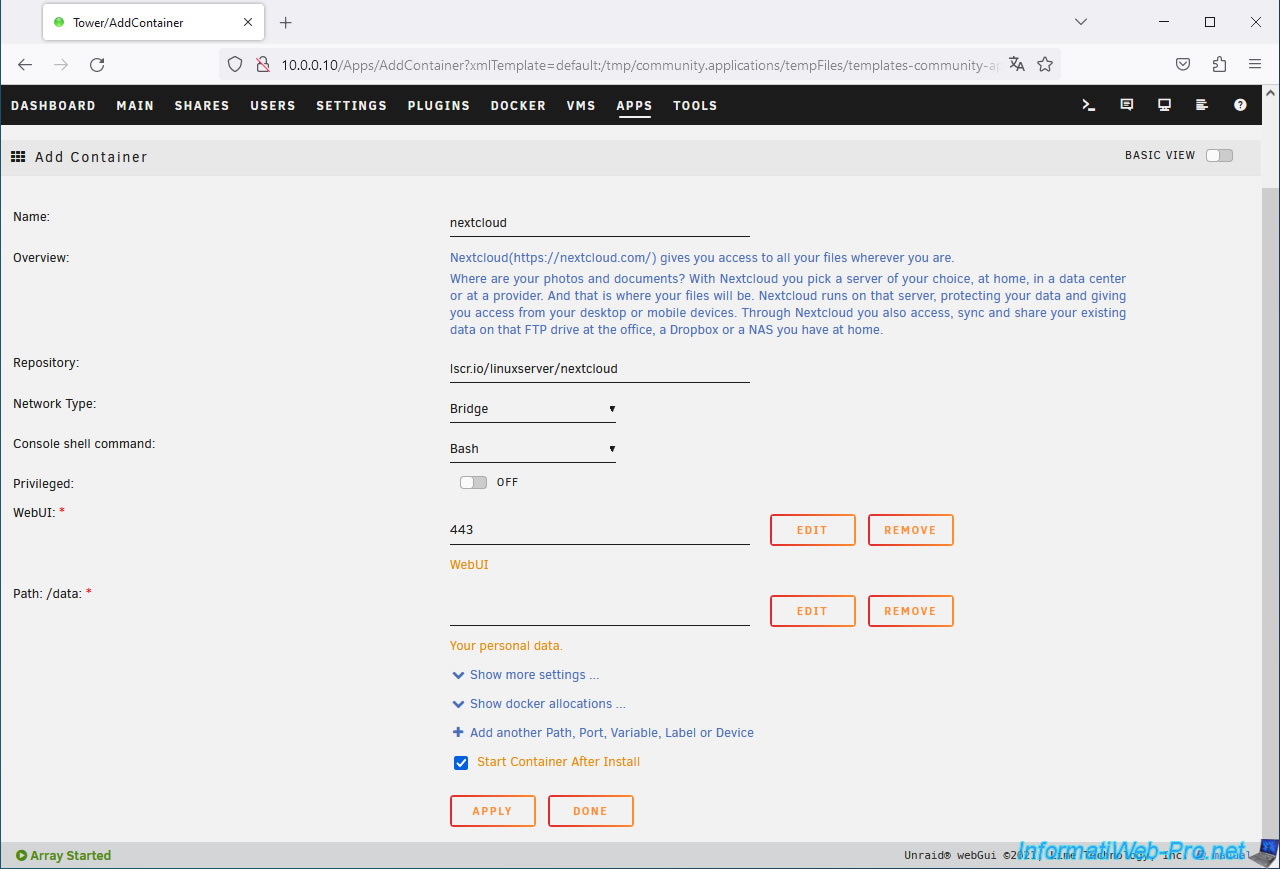
Change the port to use for the Nextcloud web interface (WebUI) to 4443 for example.
Then, select your "nextcloud" share for the NextCloud "/data" folder.
Which gives: /mnt/user/nextcloud.
Then, click Apply.
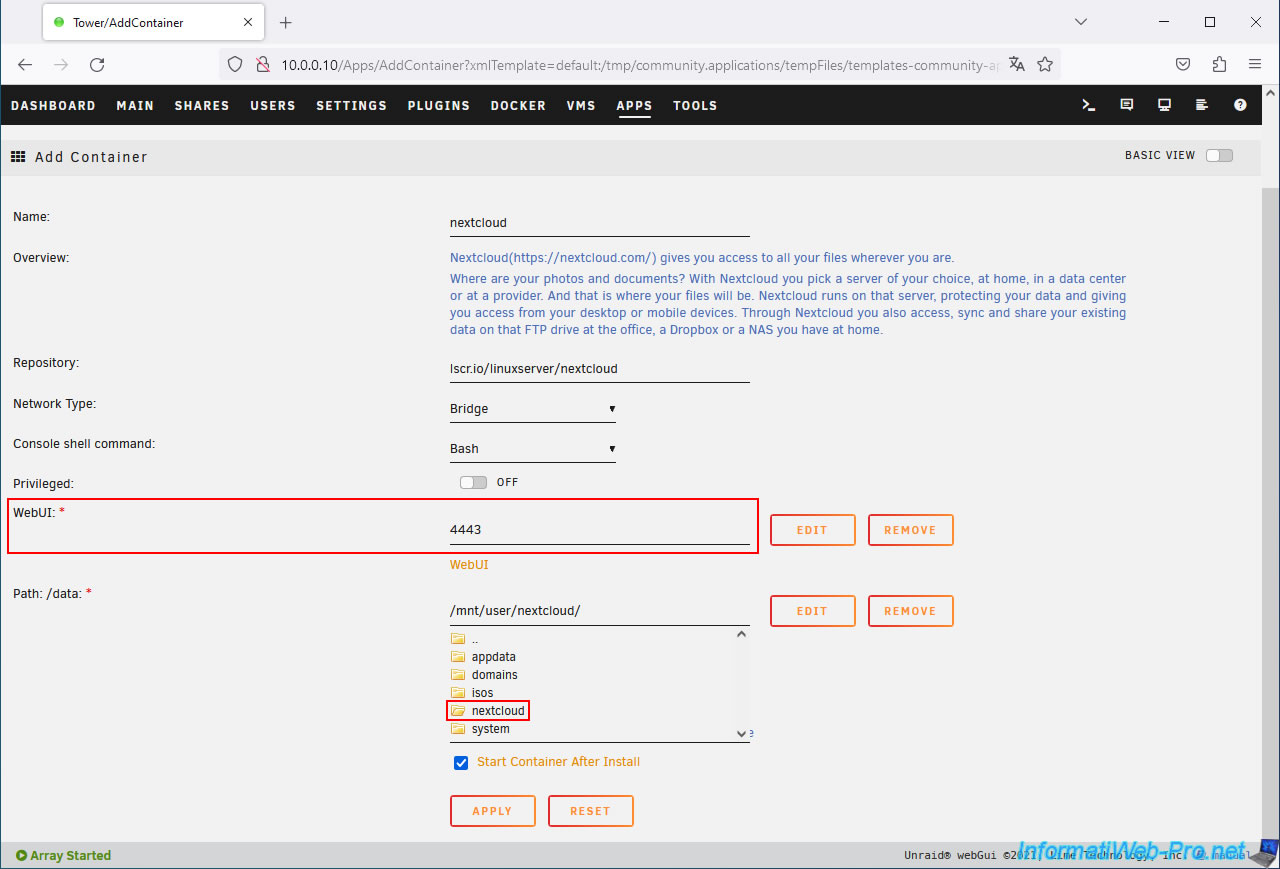
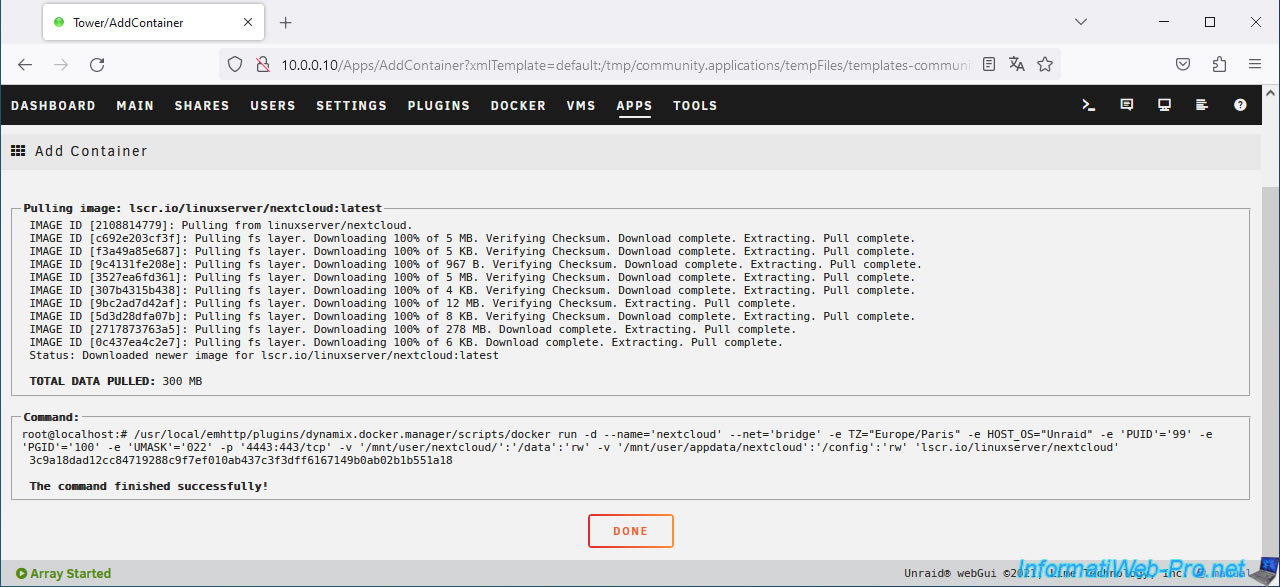
Wait while Nextcloud downloads and installs.
Then, click: Done.
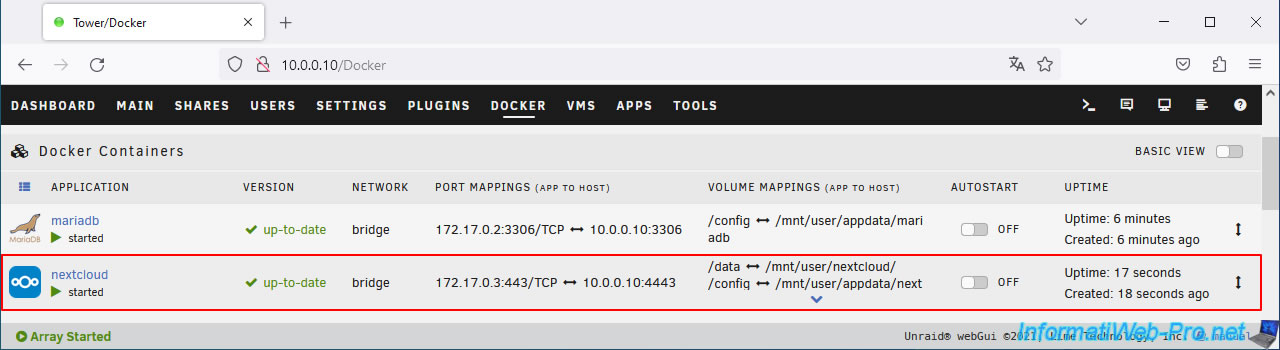
In the "Docker" tab of your Unraid server, you will see the "nextcloud" content appear.
Share this tutorial
To see also
-
NAS 1/8/2026
Unraid 6.9.2 - Add a storage disk
-
NAS 1/15/2026
Unraid 6.9.2 - Change the parity disk
-
NAS 1/28/2026
Unraid 6.9.2 - Replace the parity disk
-
NAS 7/1/2026
Unraid 6.9.2 - SWAG - Use a personal domain with a dynamic WAN IP
You must be logged in to post a comment