- NAS
- Unraid
- 18 March 2026 at 10:36 UTC
-


If you're new to Unraid, here's a plugin that will allow you to automatically fix the most common issues and better configure your Unraid server.
The first plugin you should install is Community Apps. To do this, refer to our tutorial: Unraid 6.9.2 - Install the "Community Applications" (CA) plugin.
Note that this plugin is also useful if you've been using Unraid for a while, as it allows you to check many things.
- Install the plugin: Fix Common Problems
- Problems detected
- What does this plugin check: Fix Common Problems?
- Change how often Fix Common Problems checks for problems
1. Install the plugin: Fix Common Problems
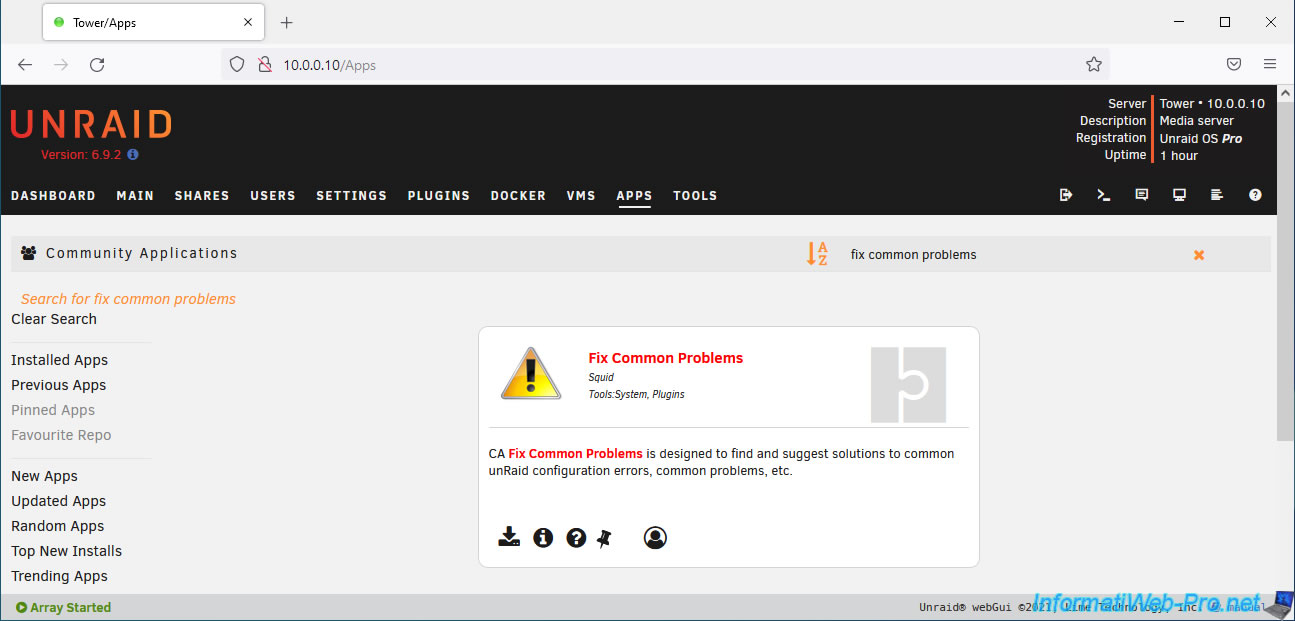
To begin, go to the "Apps" tab of your Unraid server and search for the "Fix Common Problems" plugin.
Then, click the download icon for it.
Please wait while this plugin is downloaded and installed.
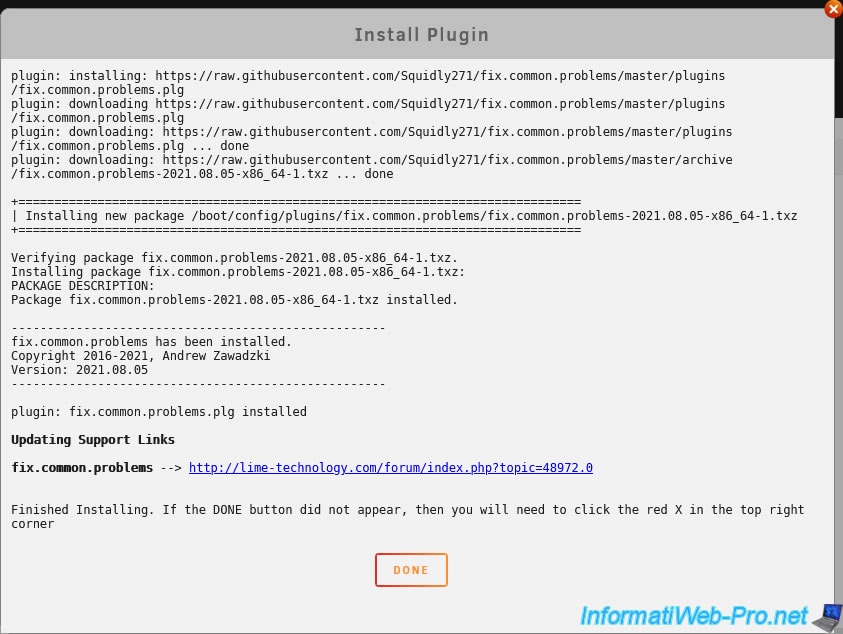
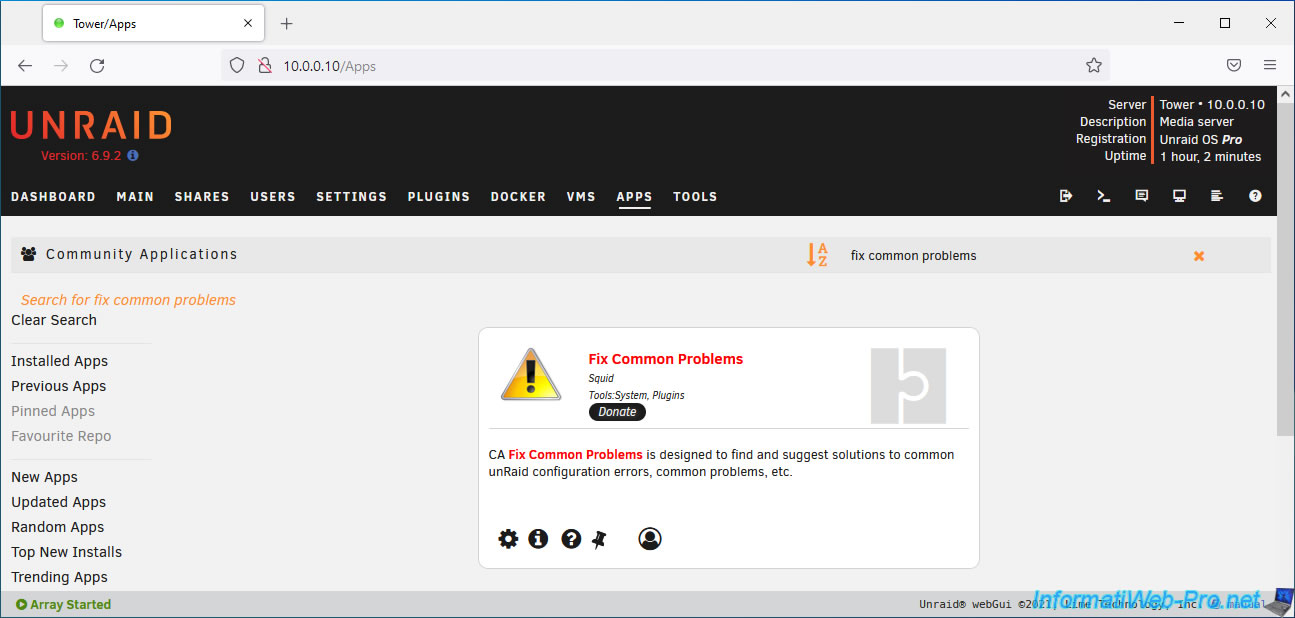
The plugin is installed.
2. Problems detected
To see what issues this plugin has potentially detected, go to the "Plugins" tab of your Unraid server and click on the triangular icon for this plugin "Fix Common Problems".
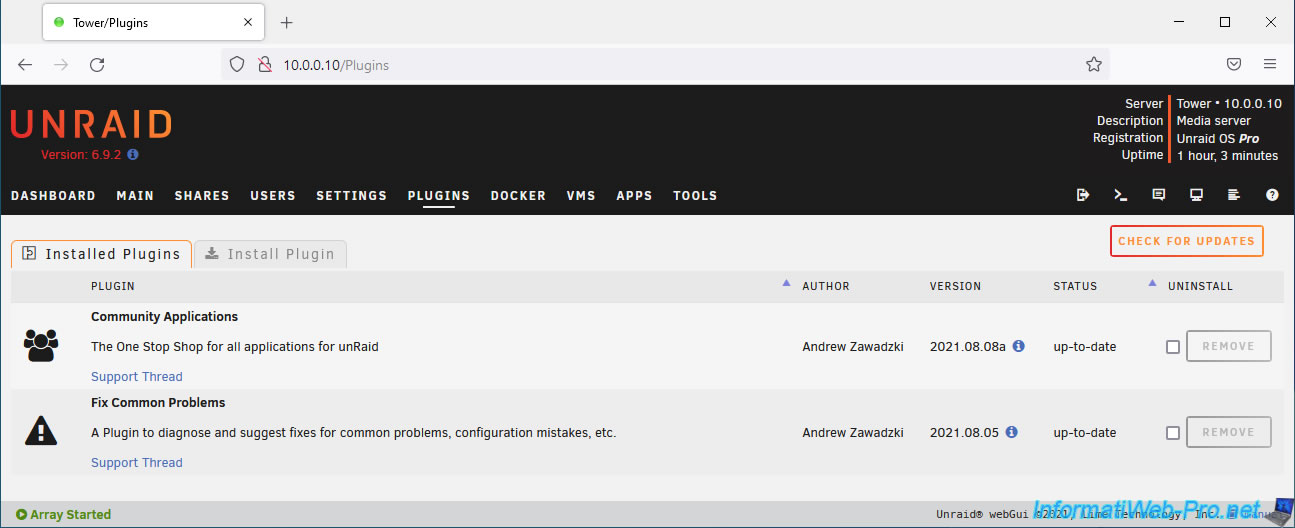
The first time you access this plugin's page, it will scan your system for common issues.
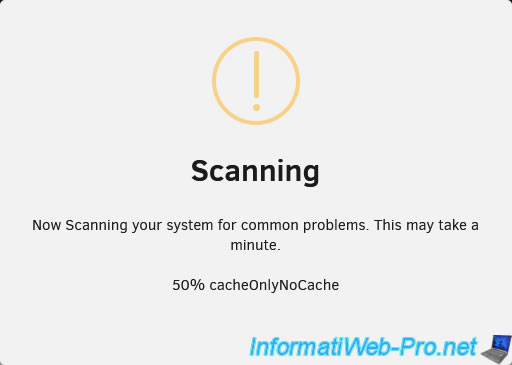
Then, the "Scanning" frame will disappear.
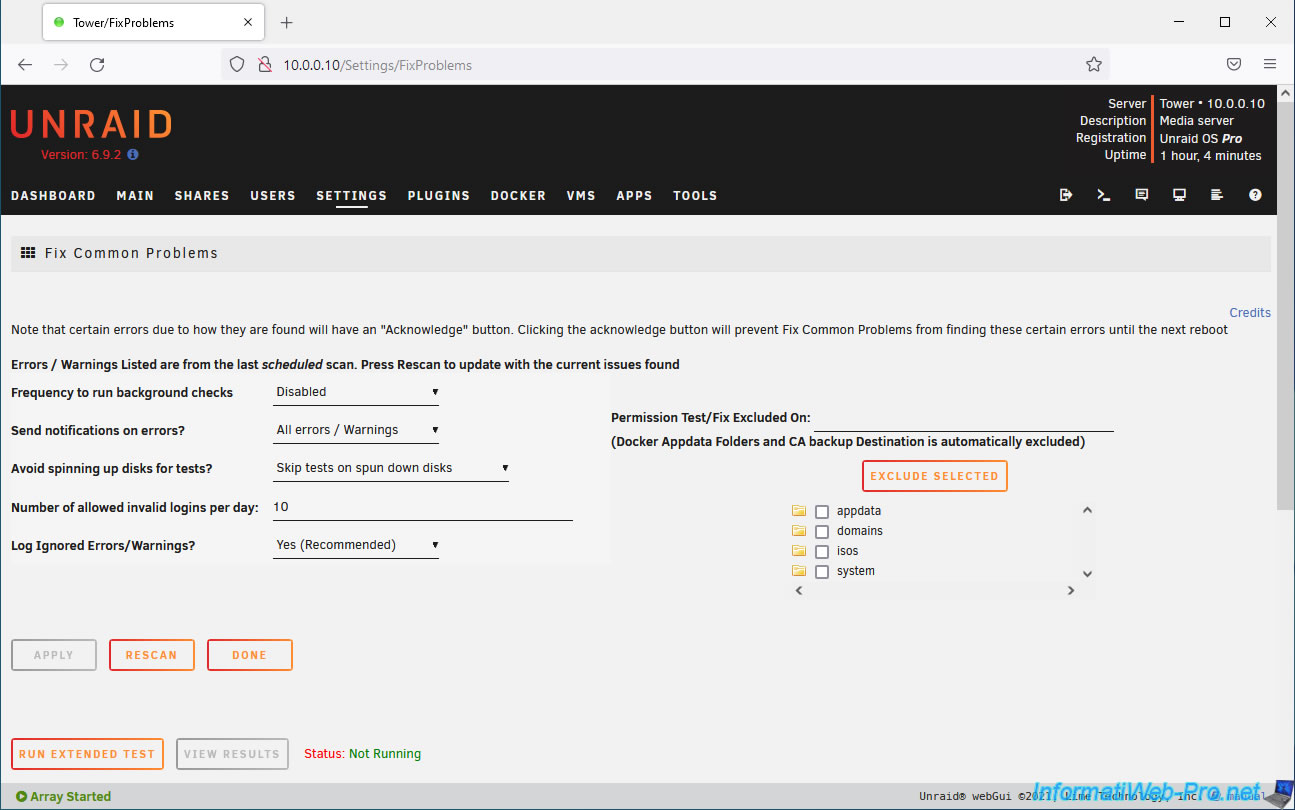
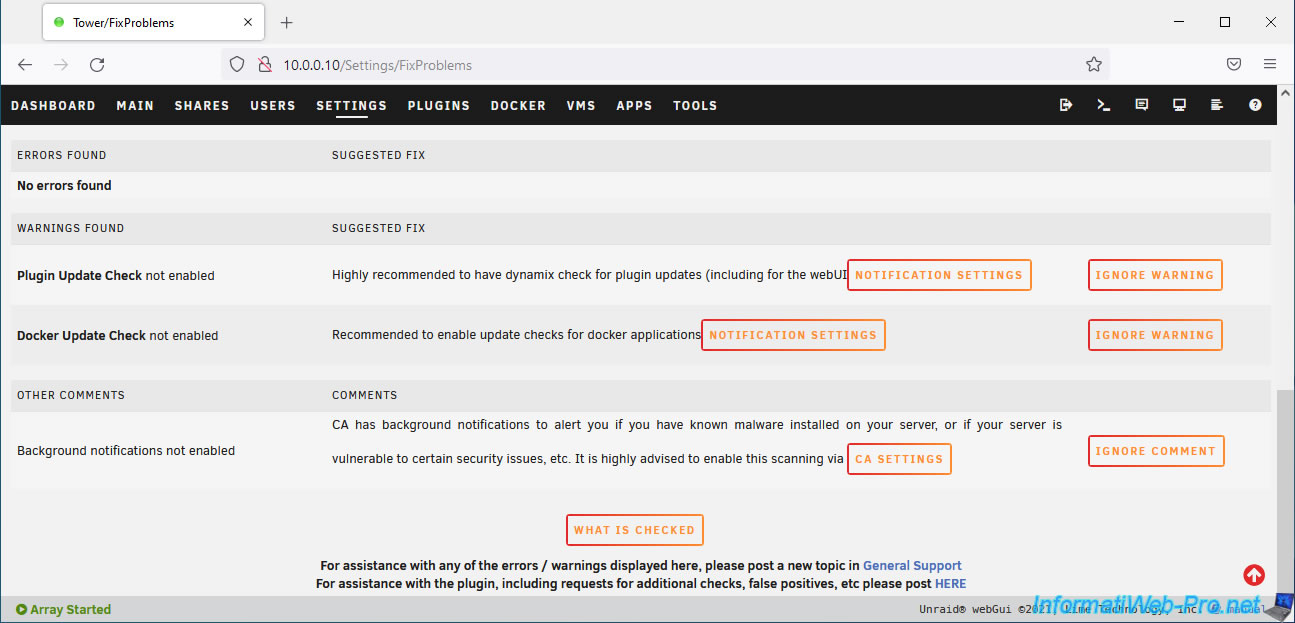
A little further down this page, you will find:
- Errors found: the list of errors and therefore problems detected by this plugin.
- Warnings found: the list of warnings generated by this plugin to help you better configure your Unraid server.
- Other comments: suggestions to improve your server configuration and/or enhance your user experience with Unraid.
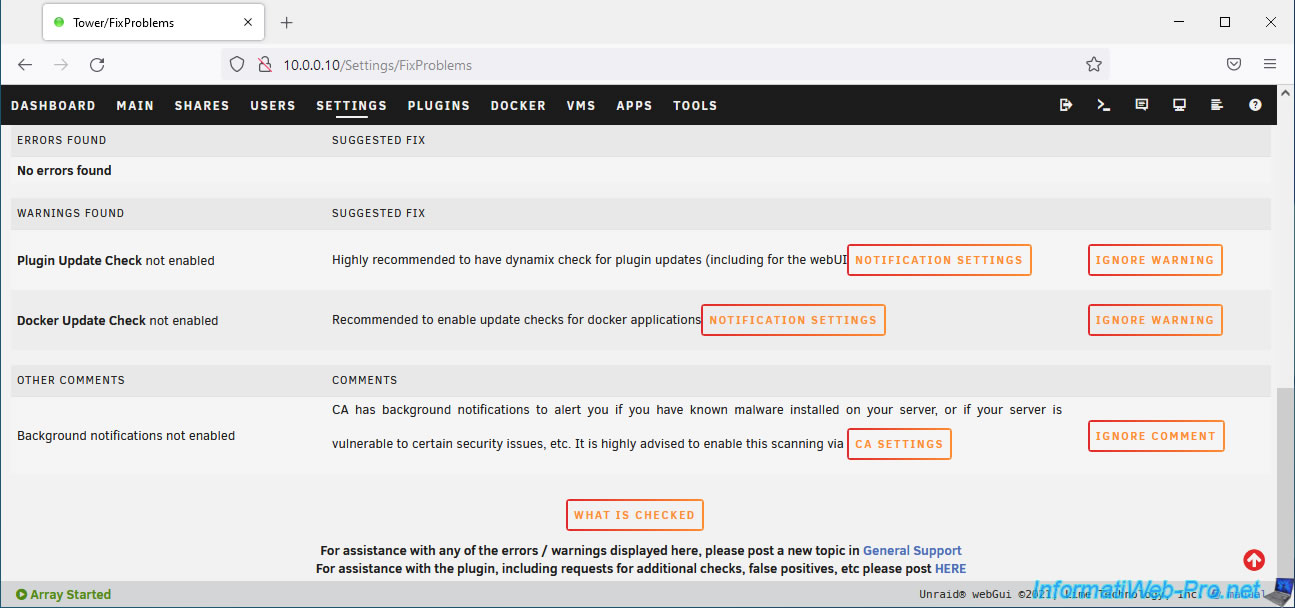
In our case, on a new installation of Unraid 6.9.2, this "Fix Common Problems" plugin generated two warnings and one comment.
For the two warnings, we have:
- Plugin Update Check not enabled: by default, automatic update checking for installed plugins is not enabled.
This plugin therefore recommends that you enable update checking for these plugins. - Docker Update Check not enabled: same as the previous warning, but for Docker containers.
The comment reads "Background notifications not enabled".
This "Fix Common Problems" plugin therefore recommends that you enable background notifications for the "Community Apps" plugin so that you are notified in the event of:
- Malware detection (malicious software) installed on your server
- Vulnerability detection (security flaw)
- and more.
To get started, enable automatic update checks for plugins and Docker containers by clicking the "Notification Settings" button.
The "Notification Settings" page will appear.
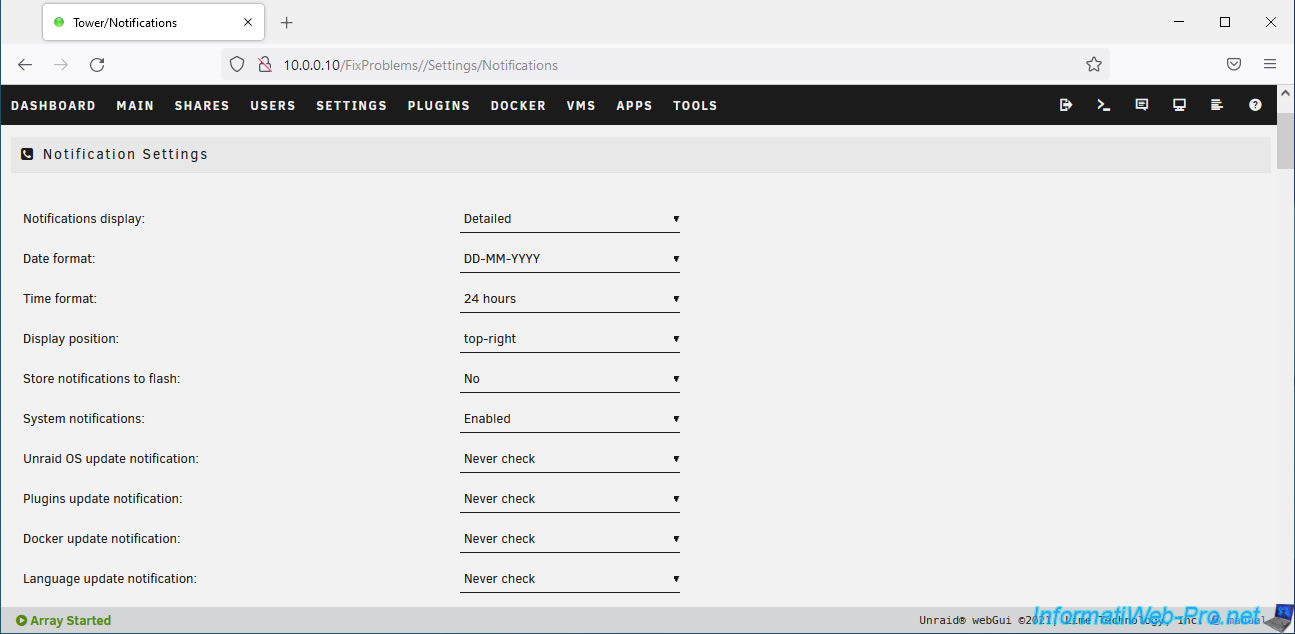
On this "Notification Settings" page, enable automatic check for updates for:
- Plugins by changing the "Plugins update notification" setting.
- Docker containers by changing the "Docker update notification" setting.
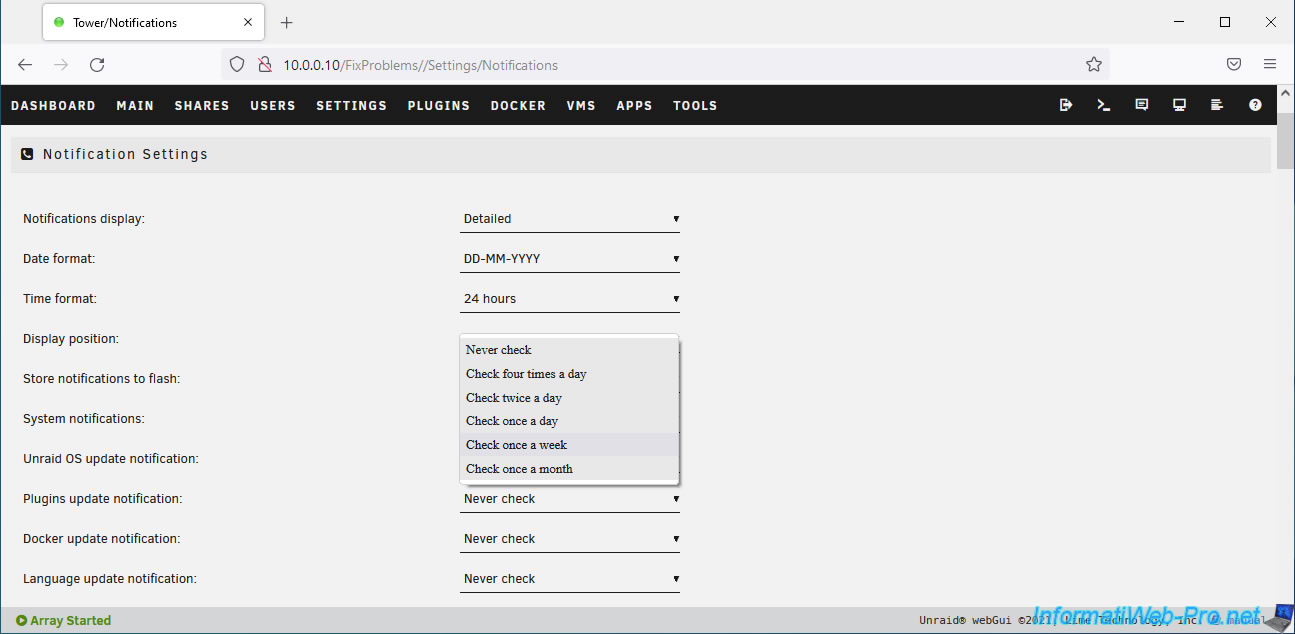
The proposed values for these 2 parameters are:
- Never check: never check for updates.
- Check four times a day: check for updates 4 times a day.
- Check twice a day: check for updates twice a day.
- Check once a day: check for updates every day.
- Check once a week: check for updates once a week.
- Check once a month: check for updates once a month.
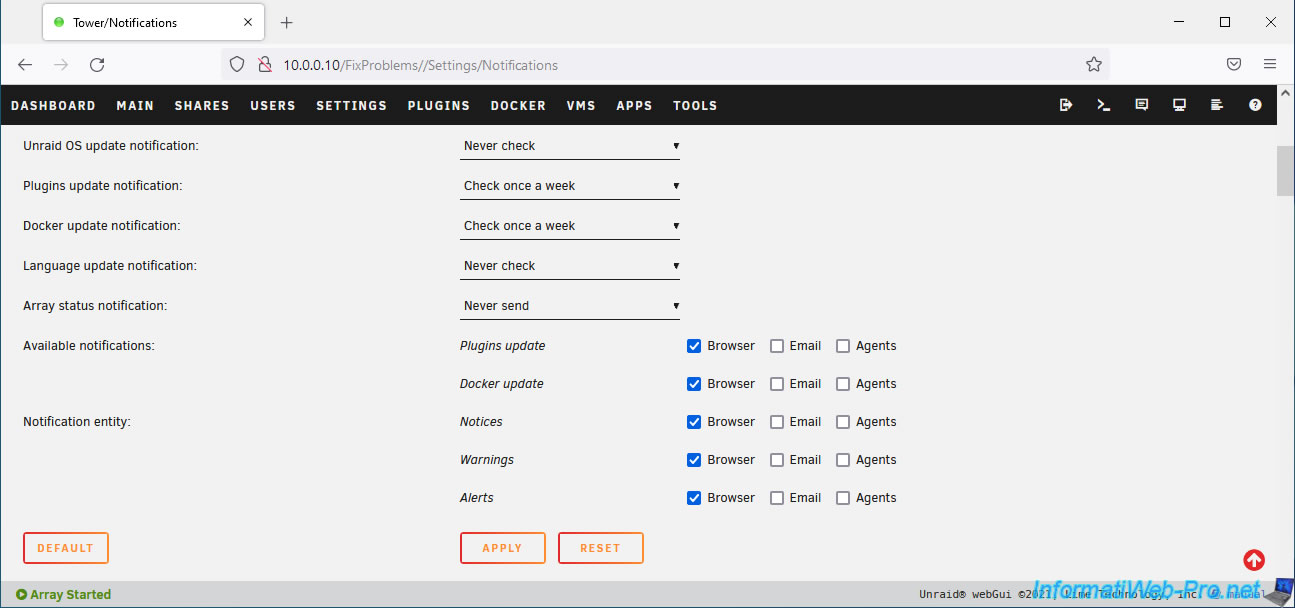
In our case, we chose "Check once a week" (= 1 time per week).
Then, click "Apply" to save the changes.
For the comment about background notifications, click on the "CA settings" button provided.
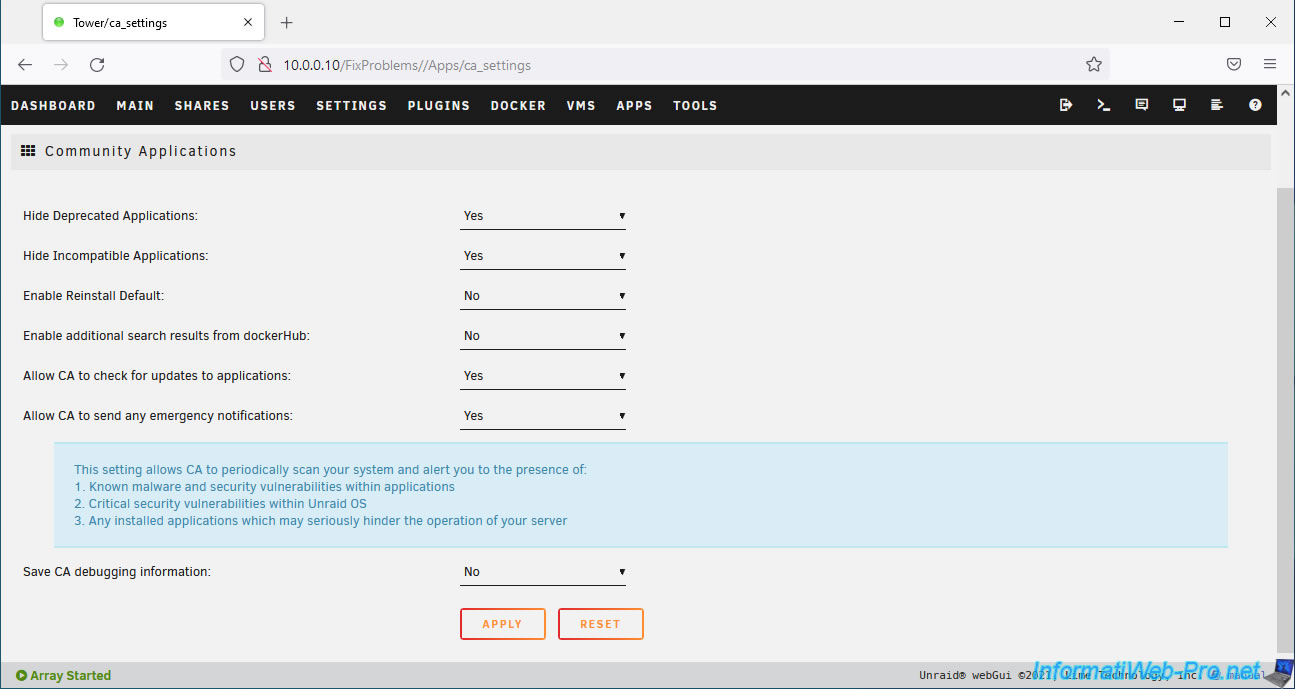
On the "Community Applications" page, select "Yes" for the "Allow CA to send any emergency notifications" setting, then click Apply.
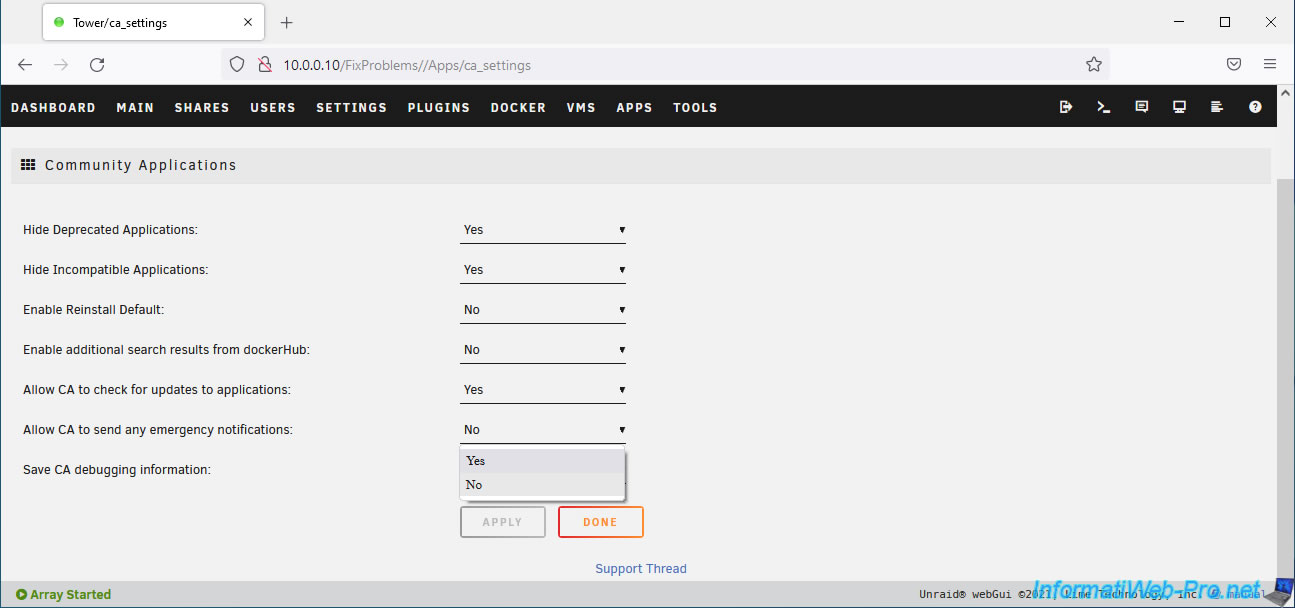
If you click on the name of this setting "Allow CA to send any emergency notifications", Unraid will tell you that this setting allows the CA (Community Applications) plugin to analyze your system and notify you if there are:
- known malware.
- vulnerabilities (security holes) with applications installed on your Unraid server.
- vulnerabilities (security holes) in the Unraid operating system.
- applications that may prevent your server from functioning properly.
If you return to the "Fix Common Problems" page via the "Settings" tab and then click on the plugin icon, you'll see that the problems you just fixed are still displayed.
This page is not updated in real time.
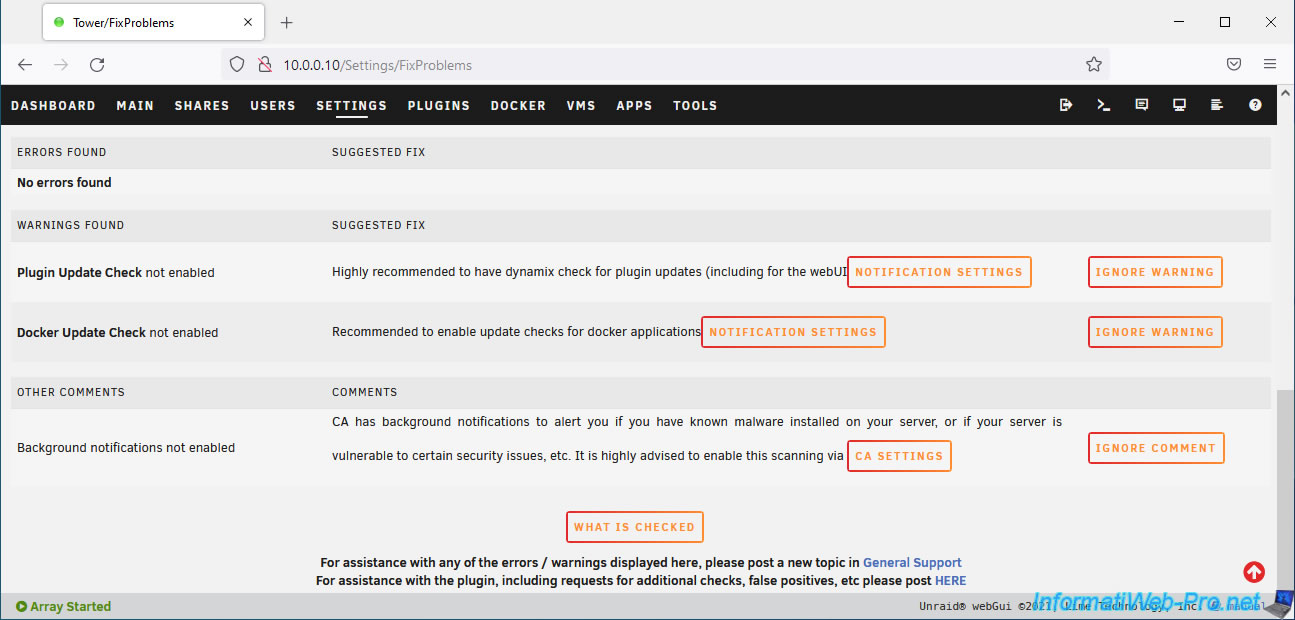
To make the resolved problems disappear, click the "Rescan" button.
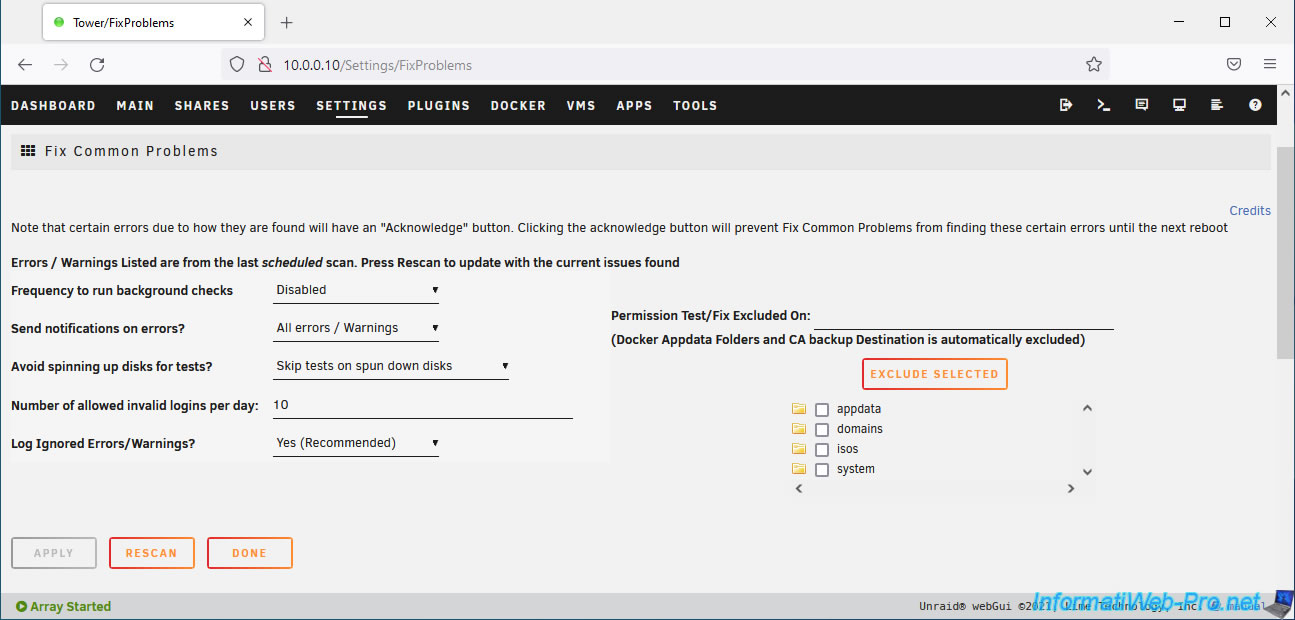
Once the scan is complete, you will see that the previous issues will be gone.
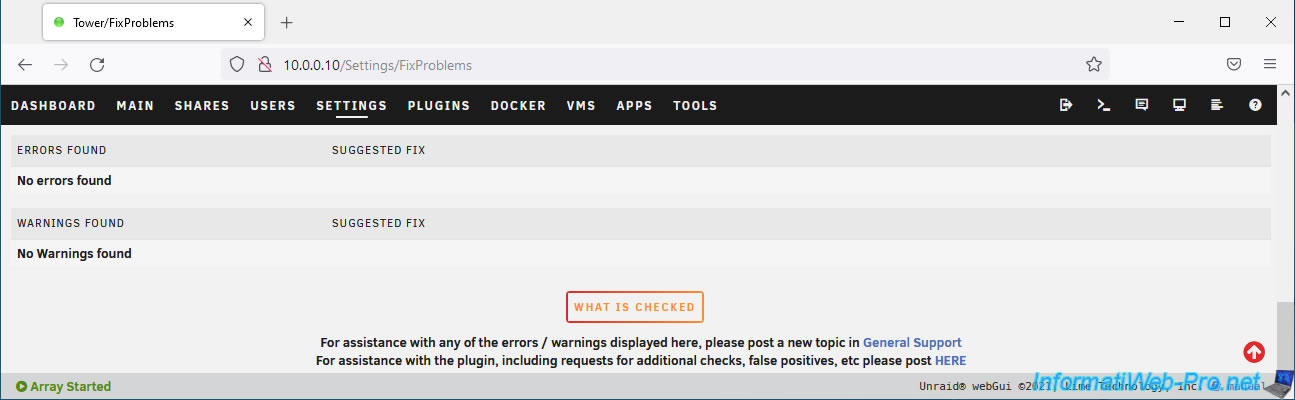
3. What does this plugin check: Fix Common Problems?
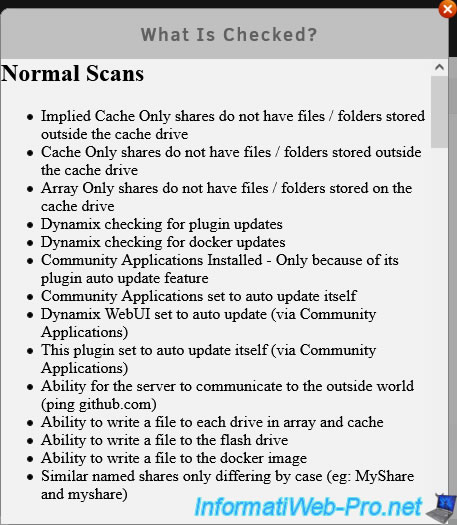
At the bottom of the "Fix Common Problems" page, you'll find a "What is checked" button that you can click to see what plugins check when you run a normal scan.
Note that this list is also available in the "[Plugin] CA Fix Common Problems" post on the official Unraid forum.
4. Change how often Fix Common Problems checks for problems
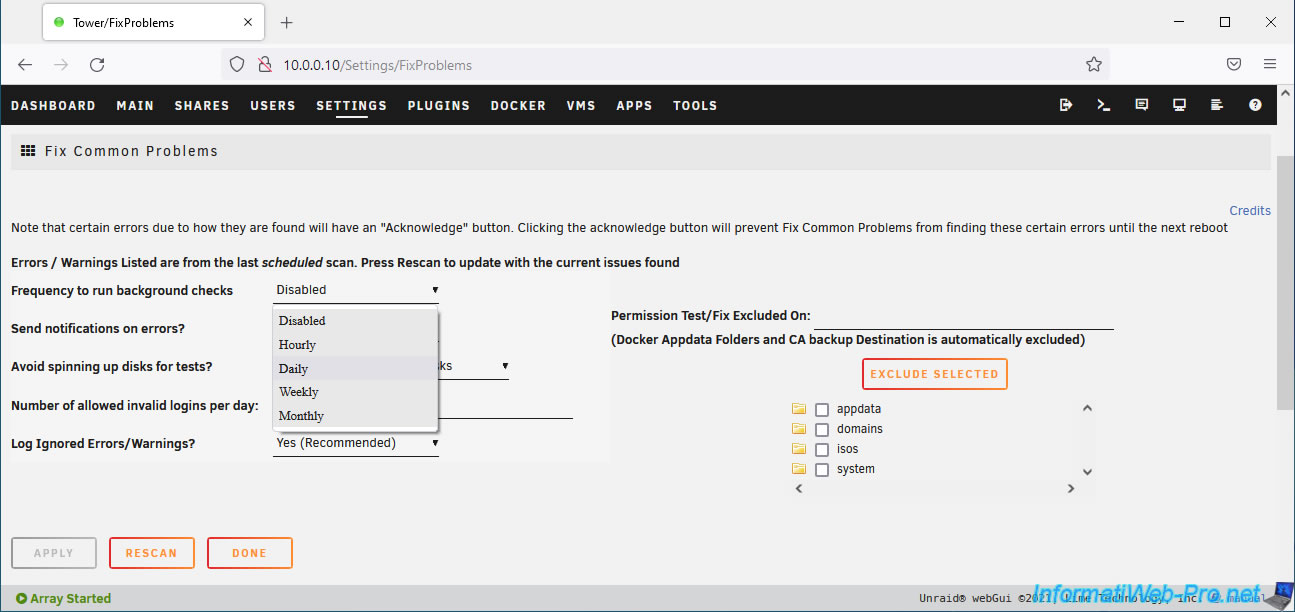
To have the "Fix Common Problems" plugin periodically scan your server for issues in the background, go to the plugin's settings and configure the "Frequency to run background checks" setting.
By default, this setting is disabled.
Instead of this value, select one of the following:
- Hourly: Every hour. Warning: This may affect your server's performance.
- Daily: Every day.
- Weekly: Every week.
- Monthly: Every month.
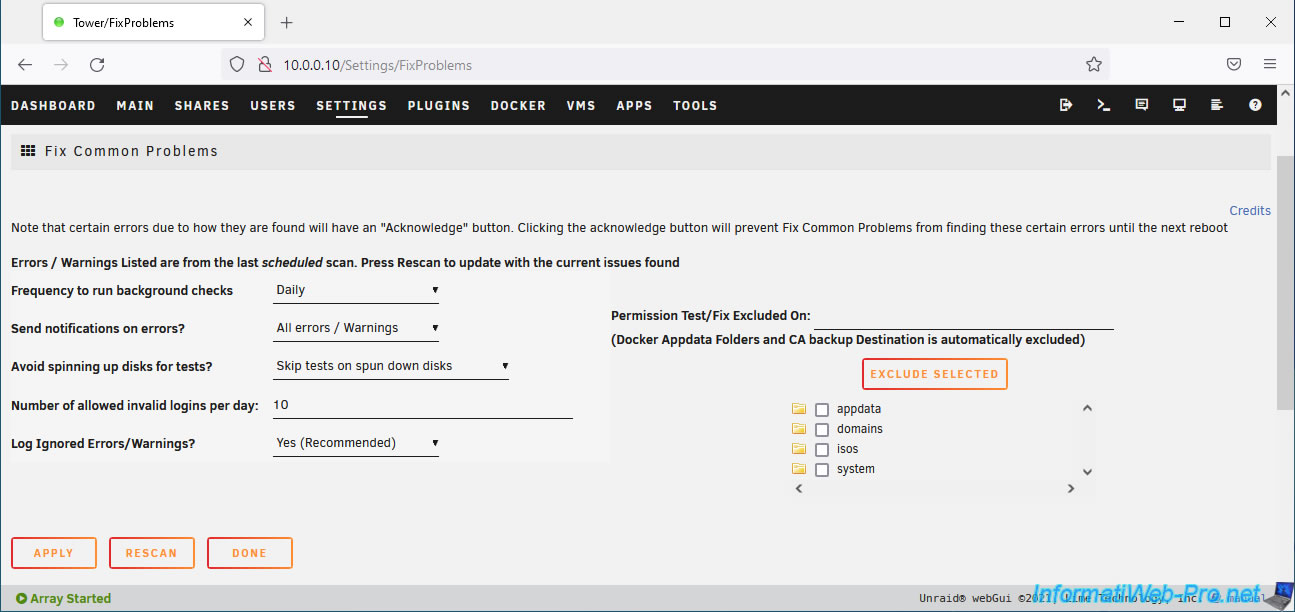
Then, click on: Apply.
Share this tutorial
To see also
-

NAS 1/15/2026
Unraid 6.9.2 - Change the parity disk
-
NAS 1/1/2026
Unraid 6.9.2 - Disable flash network sharing
-

NAS 1/28/2026
Unraid 6.9.2 - Replace the parity disk
-
NAS 5/27/2026
Unraid 6.9.2 - SWAG - Use a DDNS client (Duck DNS)
You must be logged in to post a comment