- NAS
- Unraid
- 18 February 2026 at 08:50 UTC
-


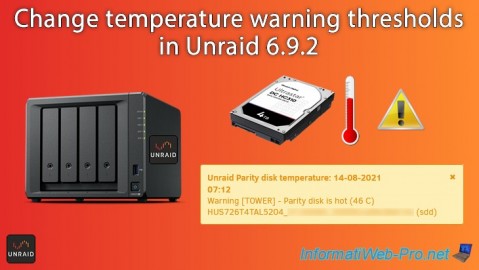
To ensure the stability and security of your data, Unraid monitors the temperature of your drives based on default values.
However, to avoid receiving warnings when the temperature is correct for your hard drive model, it is possible to modify the values (thresholds) used.
Plain Text
Unraid Parity disk temperature: 14-08-2021 07:12.
Warning [TOWER] - Parity disk is hot (46 C).
HUS726T4TAL5204_... (sdd).
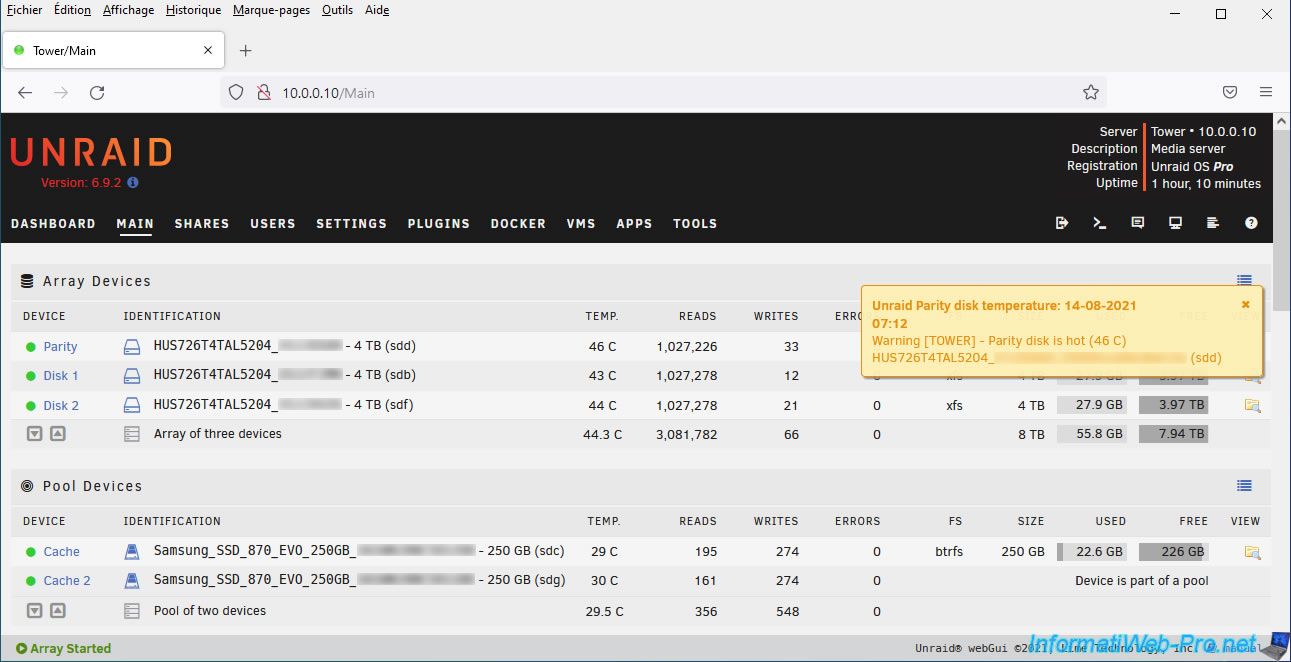
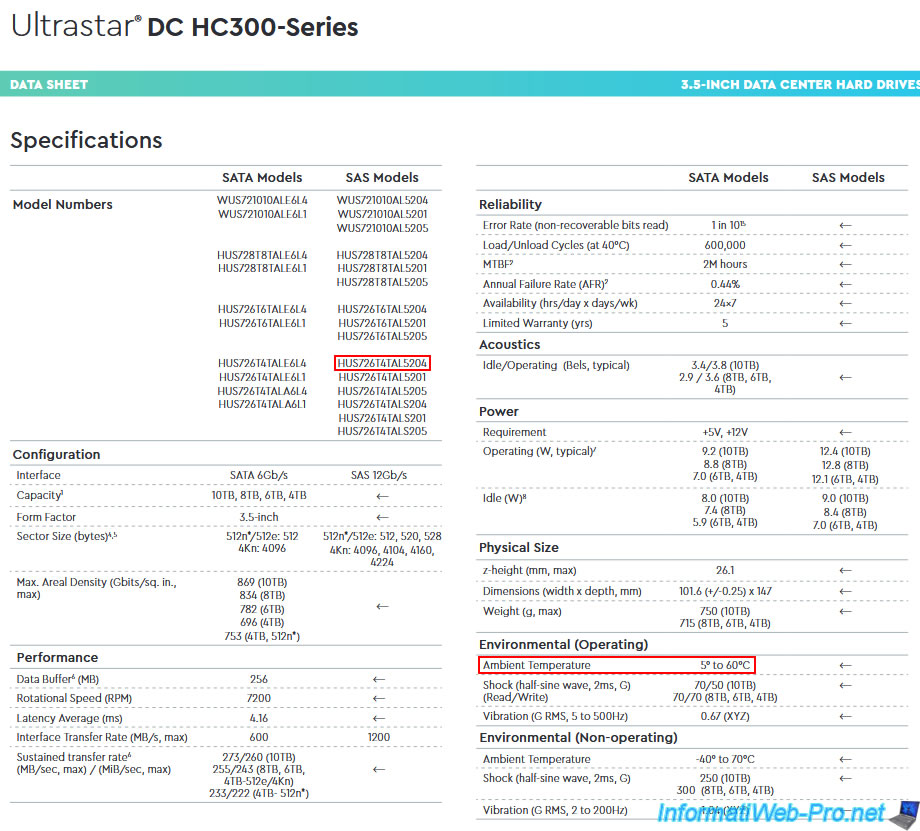
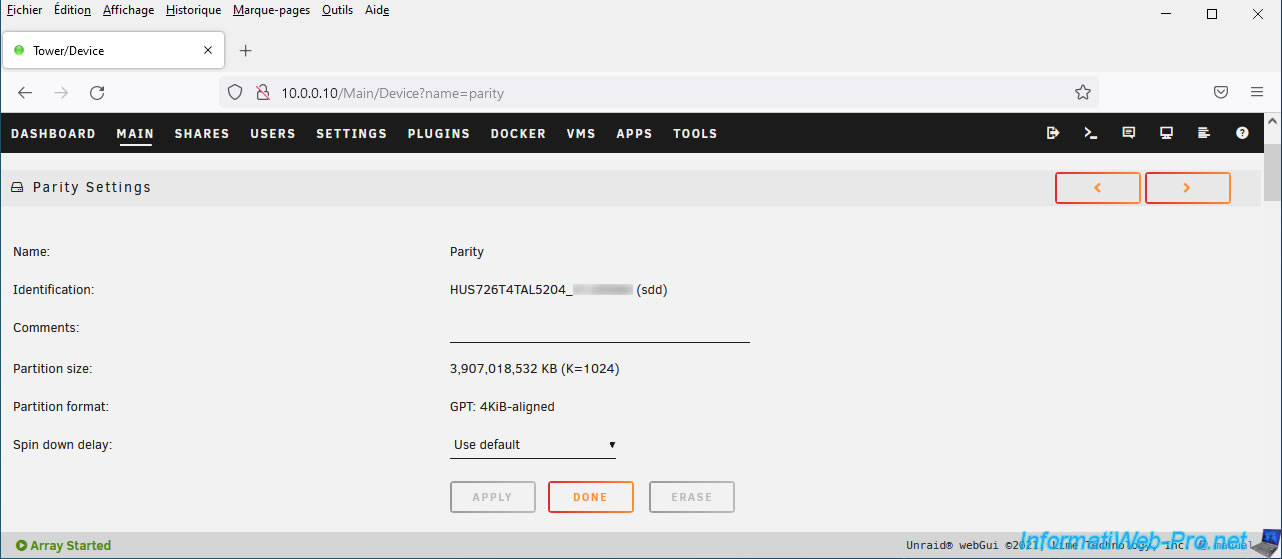
As you can see in the image below, we have 4 TB "Western Digital - Ultrastar DC HC310" hard drives (the exact reference is "HUS726T4TAL5204").
If you check the technical sheet of this hard drive (available on the Western Digital website), you will see that its operating temperature can vary between 5° and 60°C without this being a problem.
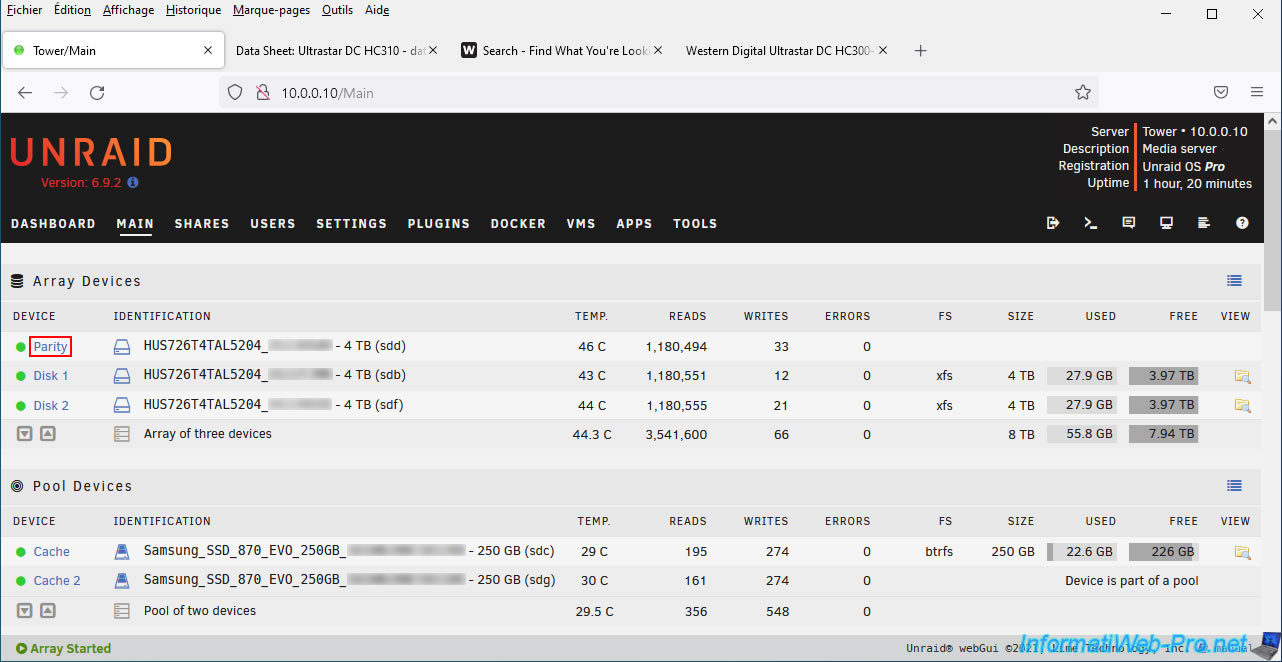
To modify this warning threshold on Unraid, click on the name of the device concerned (in our case: Parity).
A page is displayed with different sections.
Scroll down a little on this page.
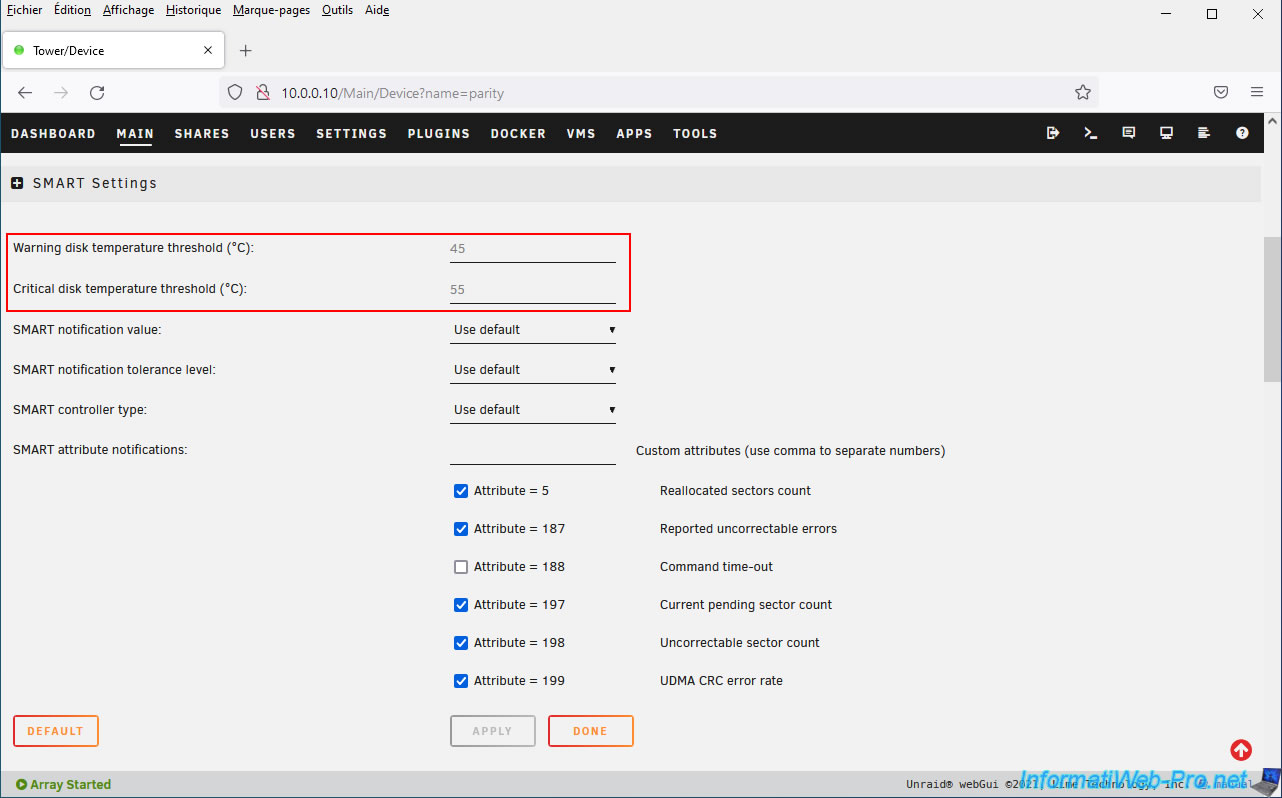
In the "SMART Settings" section, all you need to do is modify the first 2 settings:
- Warning disk temperature threshold (°C): threshold in degrees Celsius above which Unraid will display a warning regarding the temperature of this hard drive.
Default: 45°C. - Critical disk temperature threshold (°C): the same, but to display that the state of this hard disk is critical.
Default: 55°C.
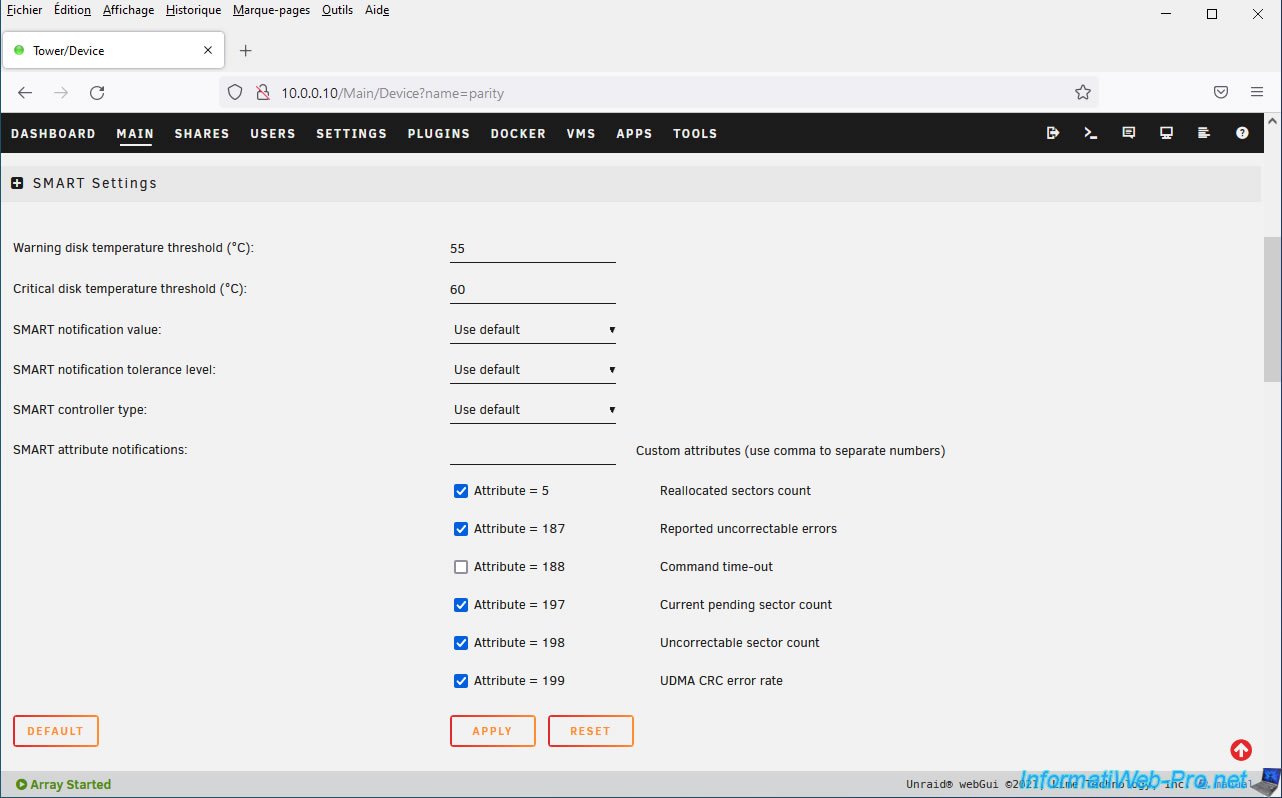
In our case, we modified these values like this (for our hard drive model):
- Warning disk temperature threshold (°C) : 55.
- Critical disk temperature threshold (°C) : 60.
Share this tutorial
To see also
-

NAS 5/6/2026
Unraid 6.9.2 - SWAG - Install a reverse proxy (SWAG)
-

NAS 5/20/2026
Unraid 6.9.2 - SWAG - Locally access the reverse proxy (SWAG) via NAT reflection
-

NAS 9/2/2026
Unraid 6.9.2 - VMs - Create a gaming virtual machine (accessible via Parsec)
-

NAS 9/23/2026
Unraid 6.9.2 - VMs - Hotplug USB devices (USB Manager plugin)
You must be logged in to post a comment