Install a file server (Nextcloud) on Unraid 6.9.2 via Docker
- NAS
- Unraid
- 15 April 2026 at 10:39 UTC
-

- 2/6

4. Configure your Nextcloud server
Once Nextcloud is downloaded and installed, you must configure it via its web interface.
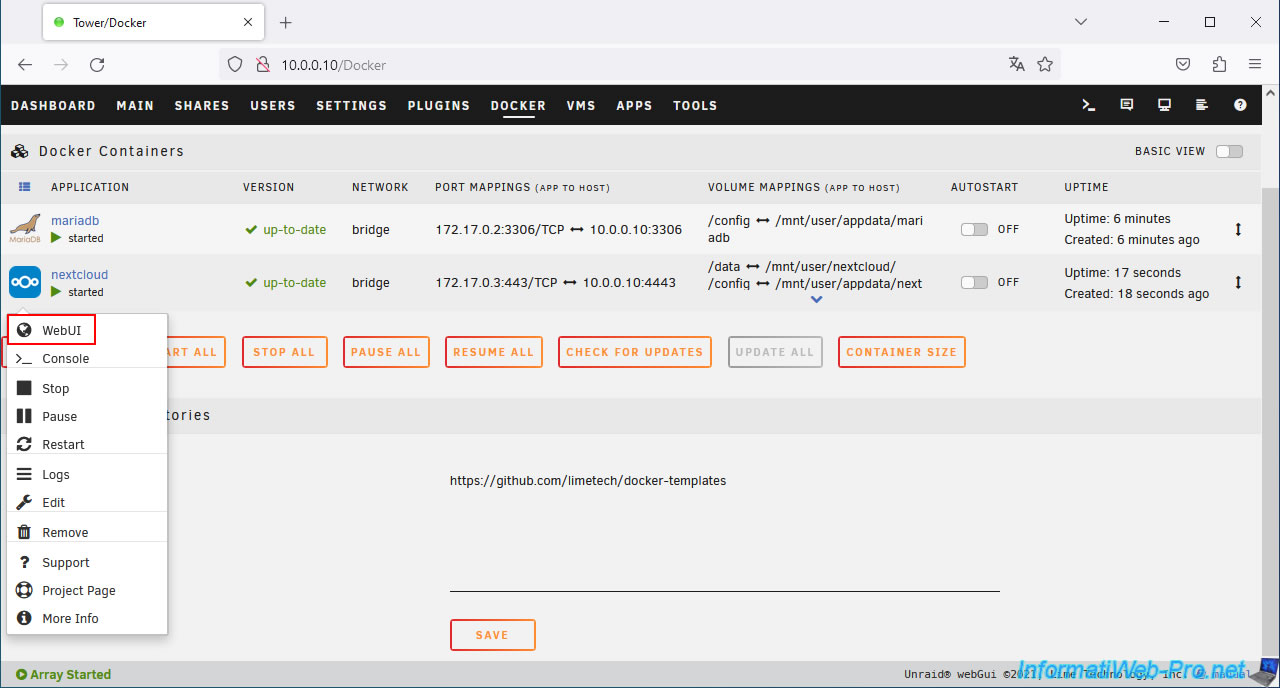
To do this, click on the Nextcloud icon, then on: WebUI.
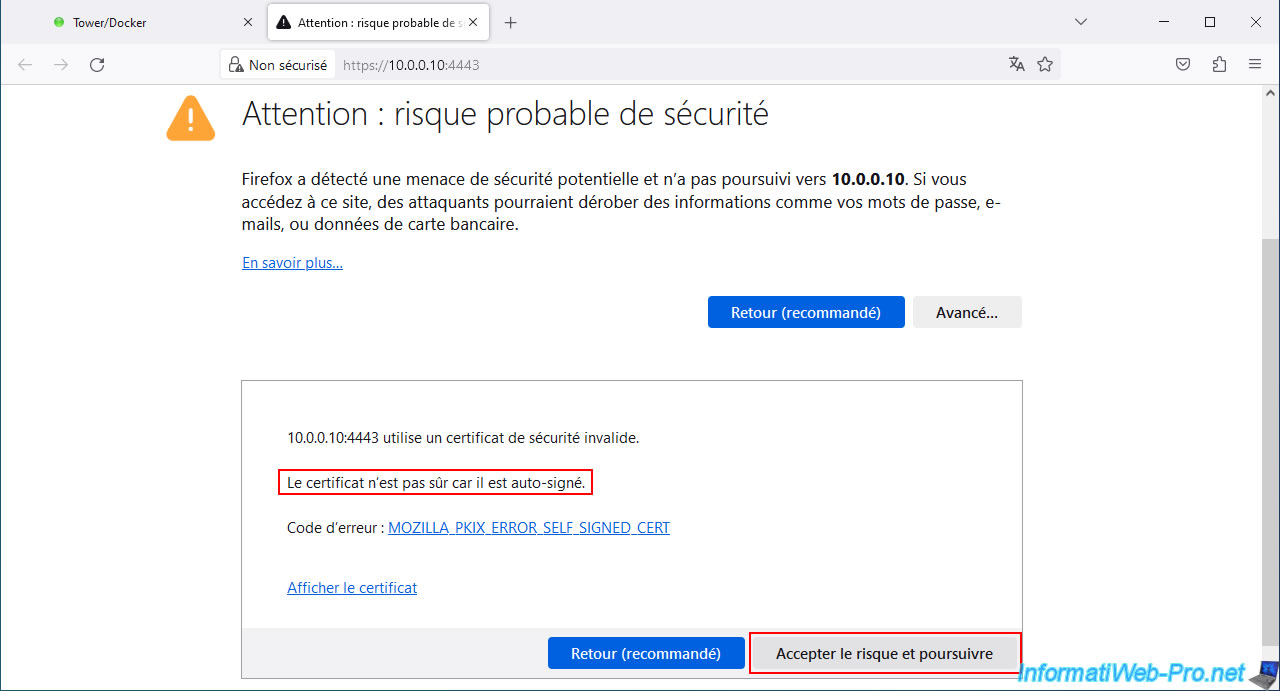
Ignore the warning about the certificate being invalid.
Indeed, the Nextcloud web interface is secured in HTTPS with a self-signed certificate (as is the case with other software).
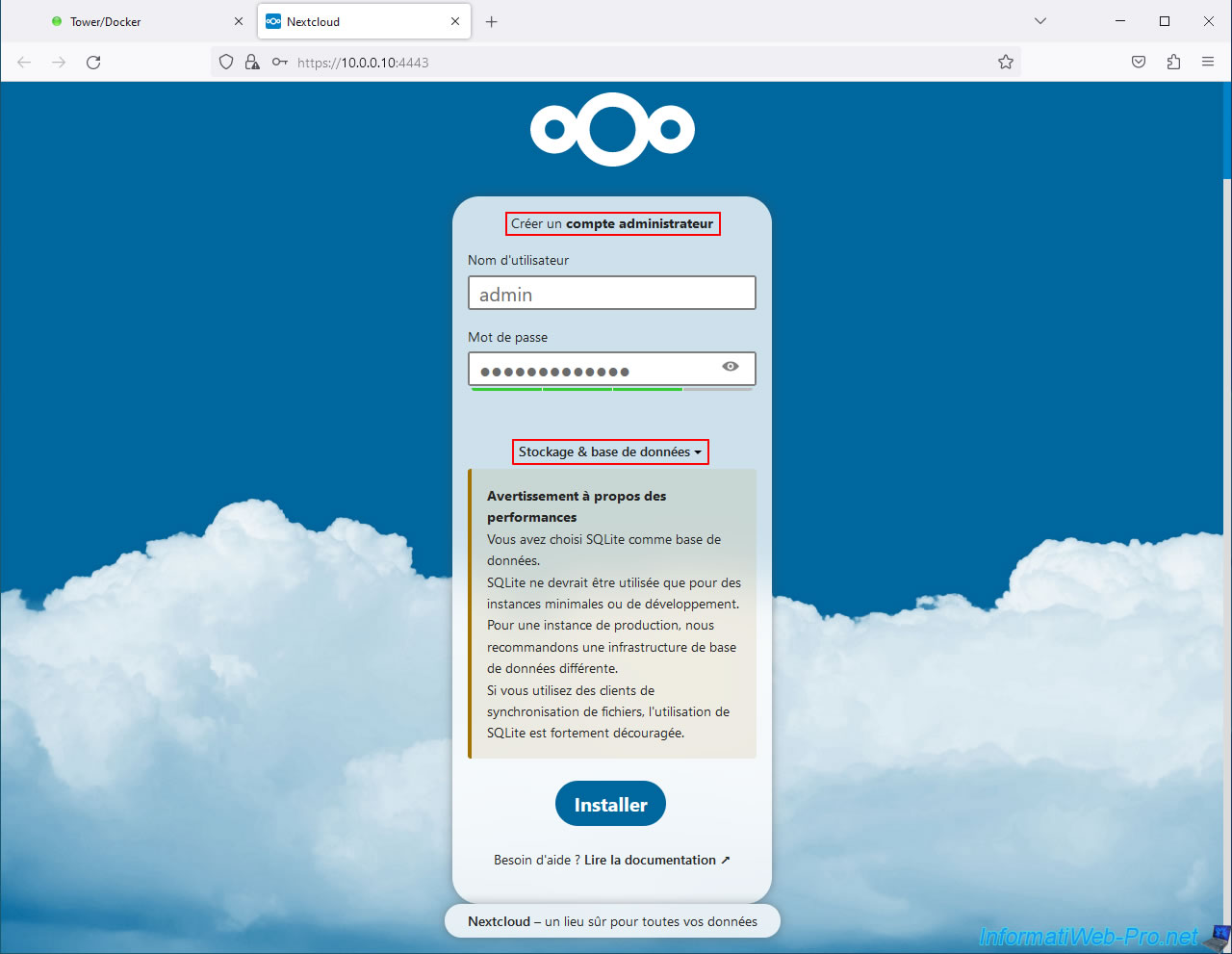
To get started, Nextcloud will ask you to create an administrator account.
In our case, we named it "admin" for convenience. But in the case of a production server, choose a different name that has nothing to do with an administrator.
This will allow you to avoid attacks on an administrator account named: admin, administrator, etc.
Additionally, choose a strong password to prevent a hacker from doing anything with your data.
Then, click on "Storage & Database".
Note: as you can see, by default, Nextcloud uses an SQLite database.
However, this is rather intended for development or small installations.
In production, it recommends that you use a real database server (in our case: MariaDB).
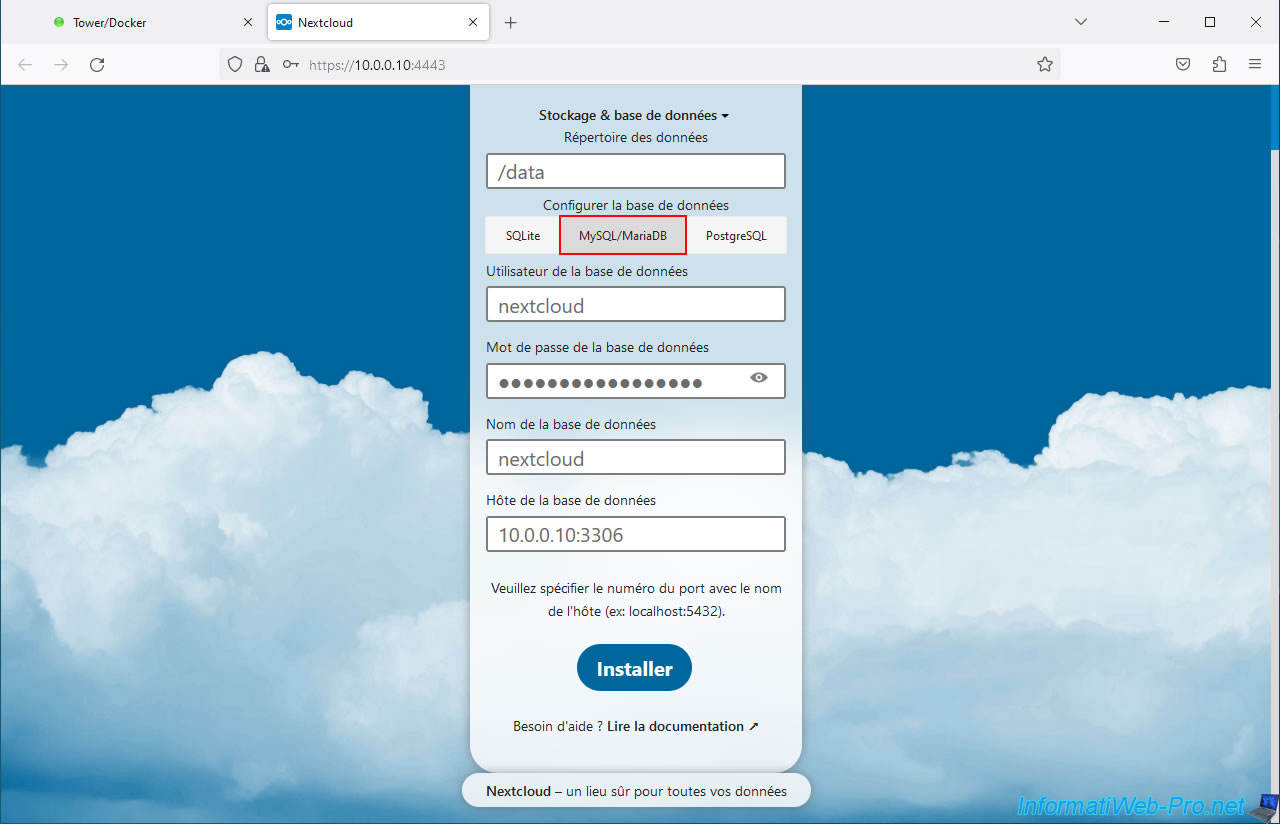
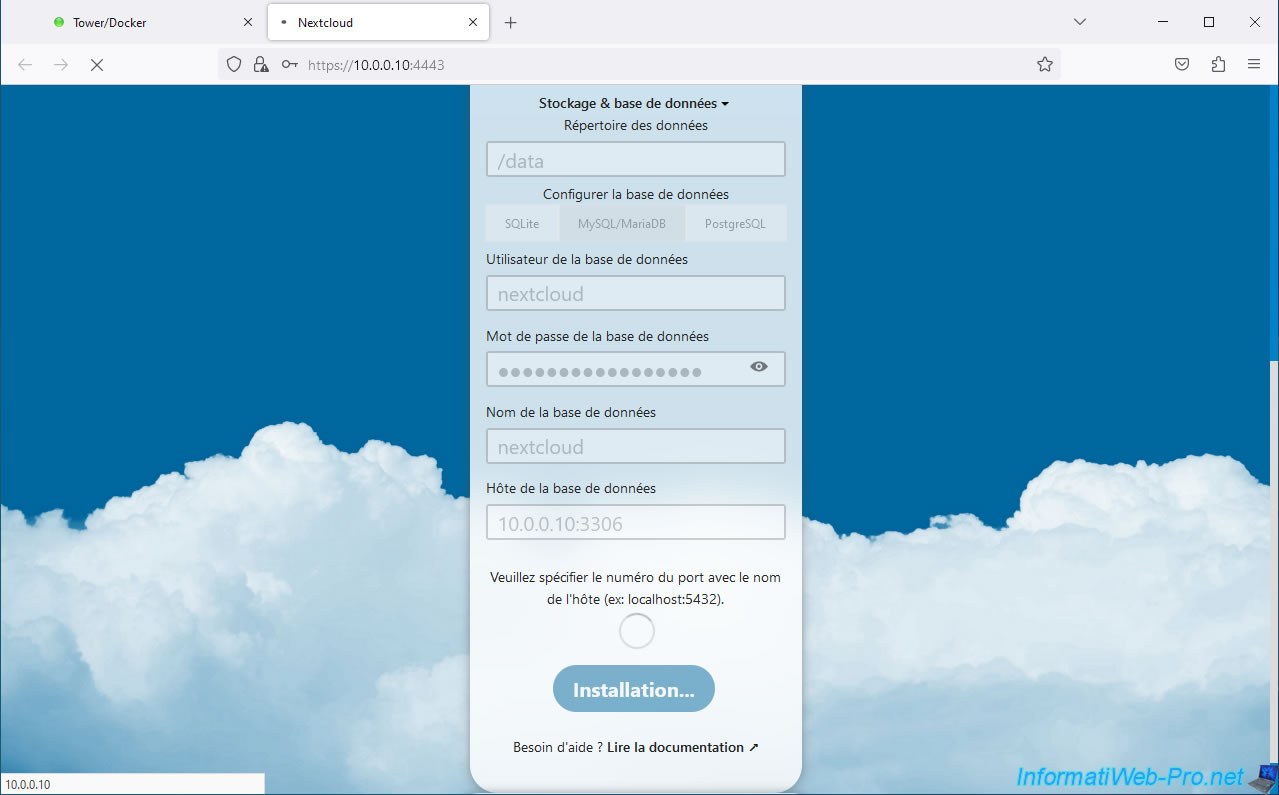
In this "Storage & database" section, specify :
- Data directory: /data.
This is the default and this "/data" path corresponds to the "/nmt/user/nextcloud" path configured on Unraid when installing the "nextcloud" container. - Configure the database: MySQL/MariaDB.
- Database user: nextcloud.
This is the user account you specify when installing the "mariadb" container. - Database Password: the password for this "nextcloud" user account.
- Database name: nextcloud.
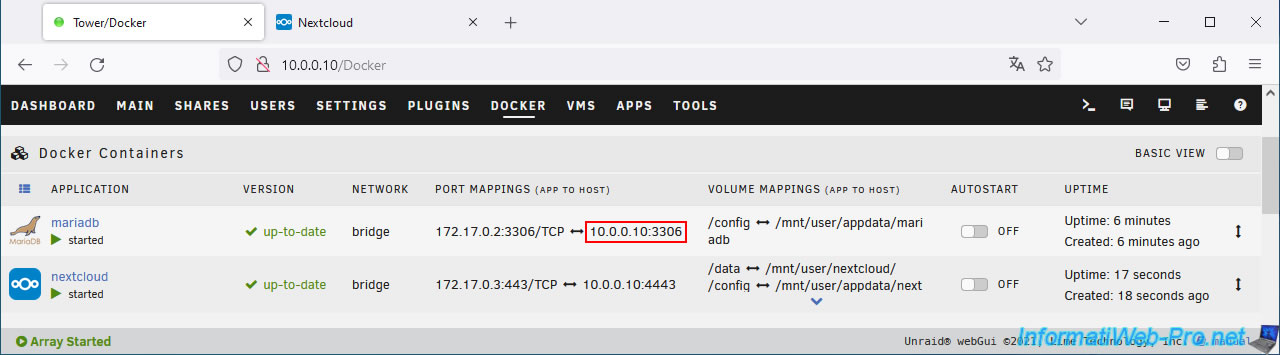
Again, this is the database specified during the installation of the "mariadb" container. - Database Host: the IP address and port of your MariaDB server.
In our case: 10.0.0.10:3306.
Once these fields have been completed correctly, click on: Install.
The IP address and port of your "MariaDB" database server are visible in the "Docker" tab of your Unraid server.
Wait while configuring your Nextcloud server.
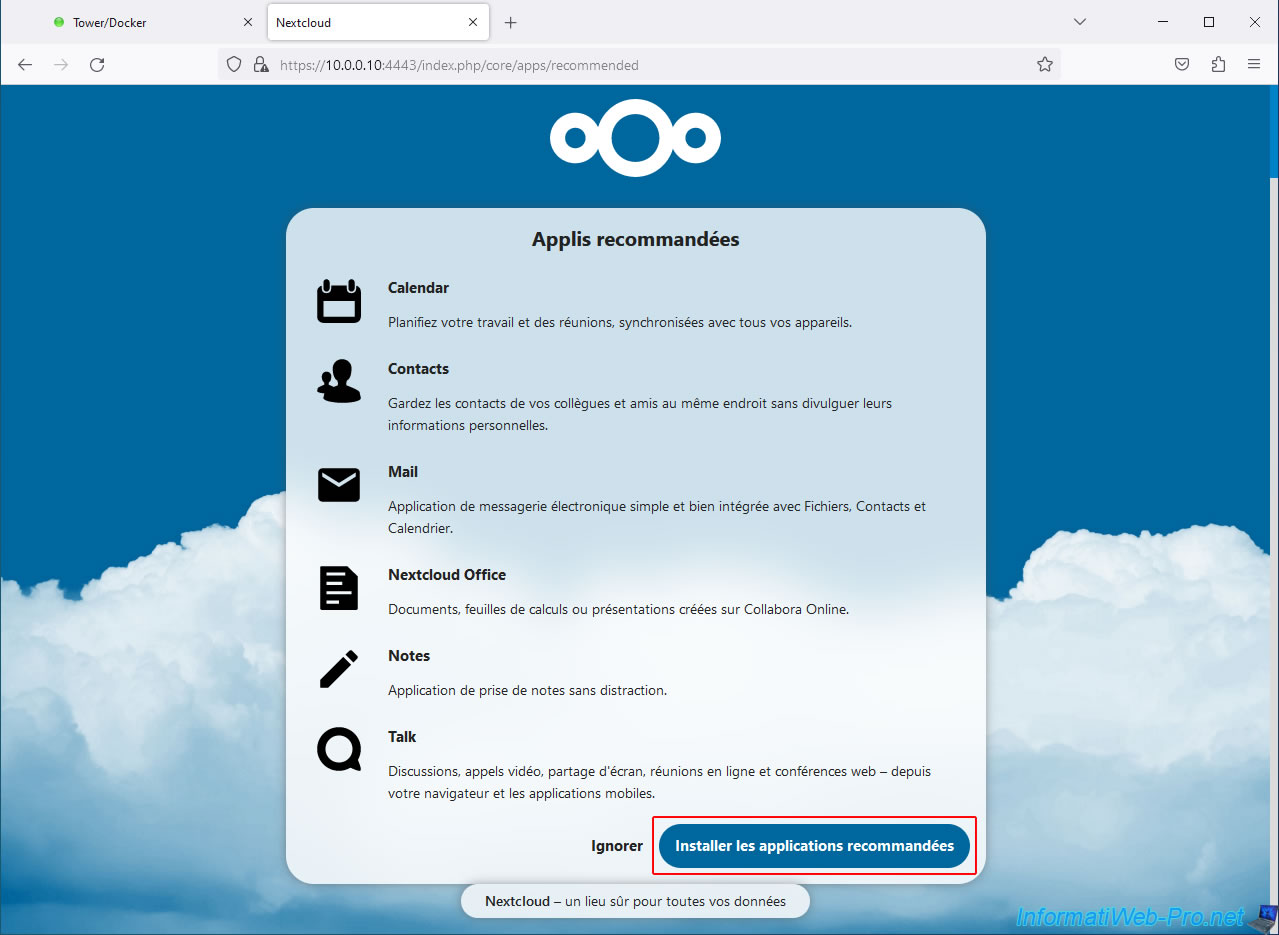
By default, Nextcloud only allows you to manage files.
You therefore have access to a file explorer to be able to list your files, add them, modify them, ...
But, you can also add the recommended applications to also benefit from a calendar, a "Contacts" section, ... or even check your emails from the Nextcloud web interface.
To do this, click on the button: Install recommended applications.
Otherwise, click "Skip" to only use Nextcloud's file explorer.
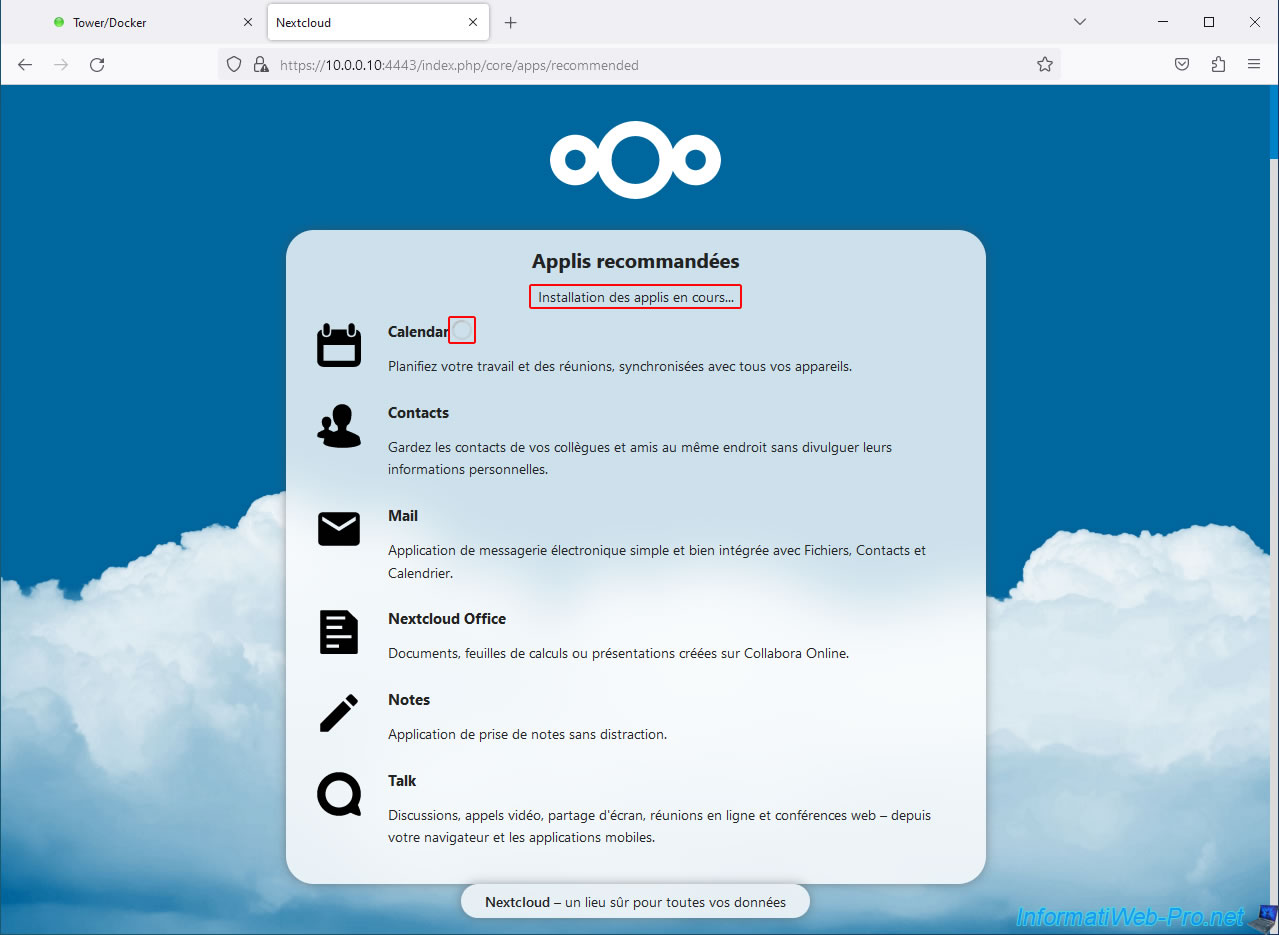
If applicable, wait while the recommended Nextcloud apps install.
A loading icon will appear next to each application as it installs.
Once the installation is complete, you will see this appear.
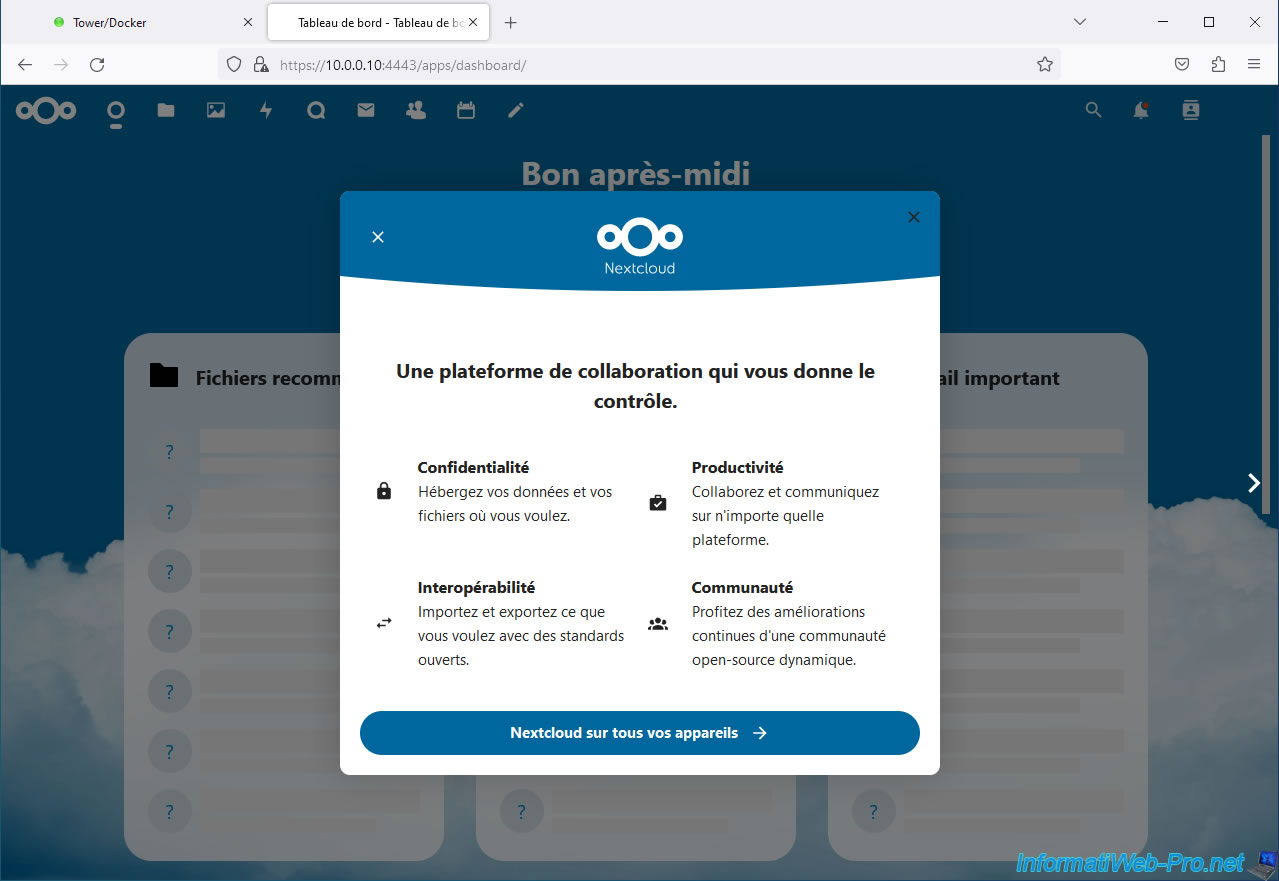
As you can see, Nextcloud allows you to:
- host your files on your own server.
This allows you to no longer depend on a third-party platform and protect your privacy. - easily add files and folders to your server, as well as download them from it.
You will also be able to share files with others (without them needing an account on your Nextcloud server) or allow them to add files to a specific folder on your server. - communicate with other users via Nextcloud features.
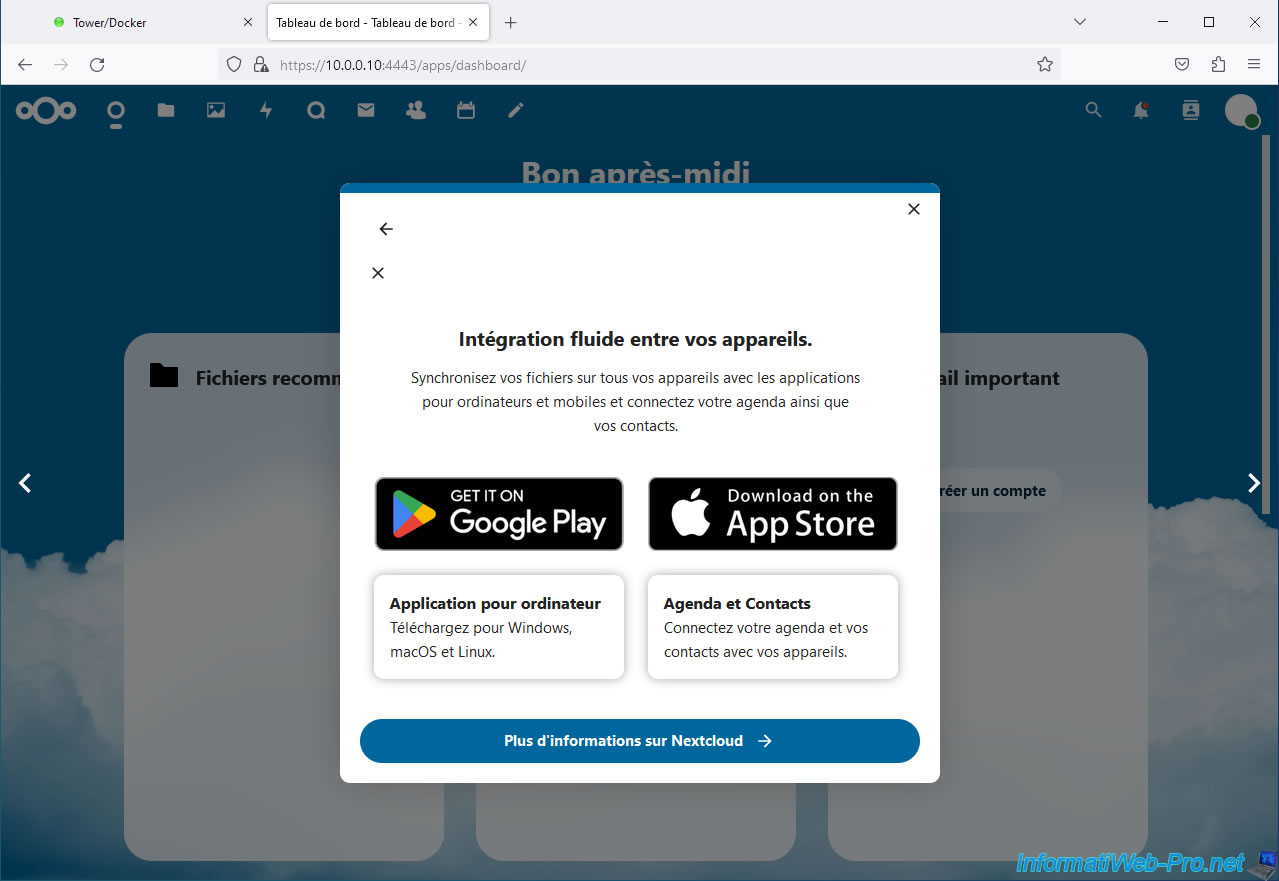
You will also be able to access your folders and files from your Nextcloud server from your computer or from your smartphone using the applications available for Windows, Linux, Android, ...
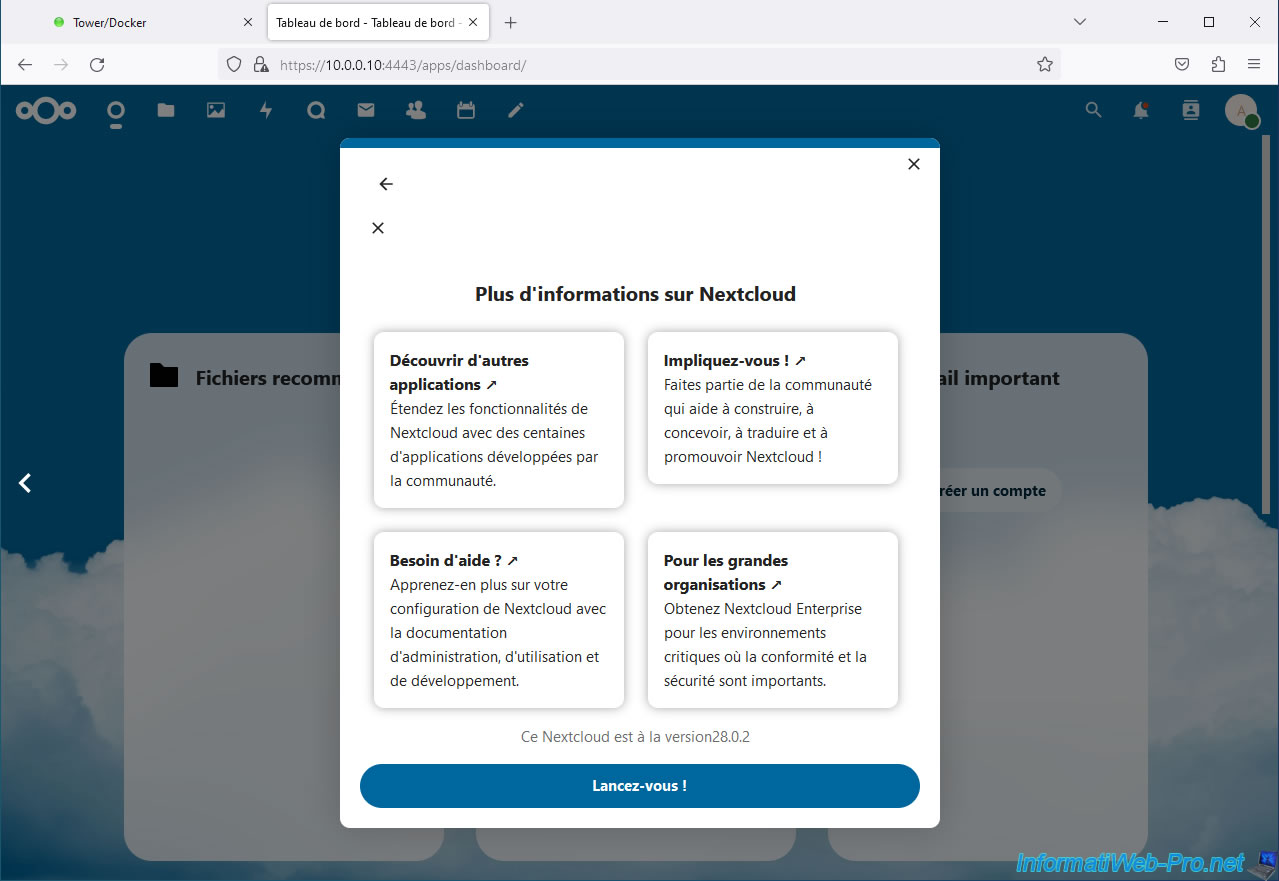
Thanks to the community around Nextcloud, you can very easily install additional applications on your Nextcloud server to benefit from additional features.
You can also use Nextcloud in business thanks to the "Nextcloud Enterprise" edition.
This allows you to benefit from:
- improved stability: regardless of the number of simultaneous users.
- advanced security: thanks in particular to regular updates.
- support with the Nextcloud Enterprise subscription.
- compliance with the standards required for compliance (such as: GDPR, CCPA, ISO certifications, ...).
- ...
Click on: Get started!
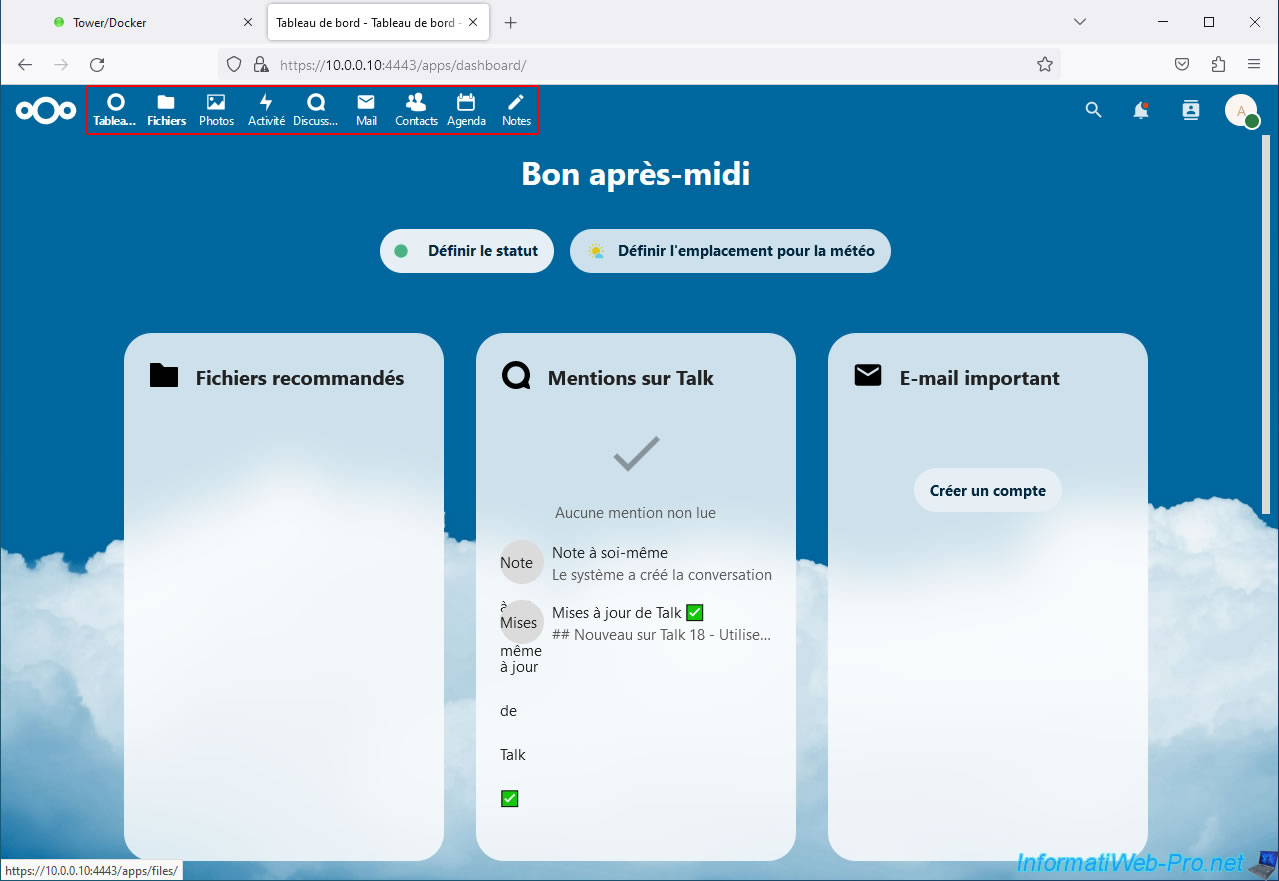
The Nextcloud dashboard appears.
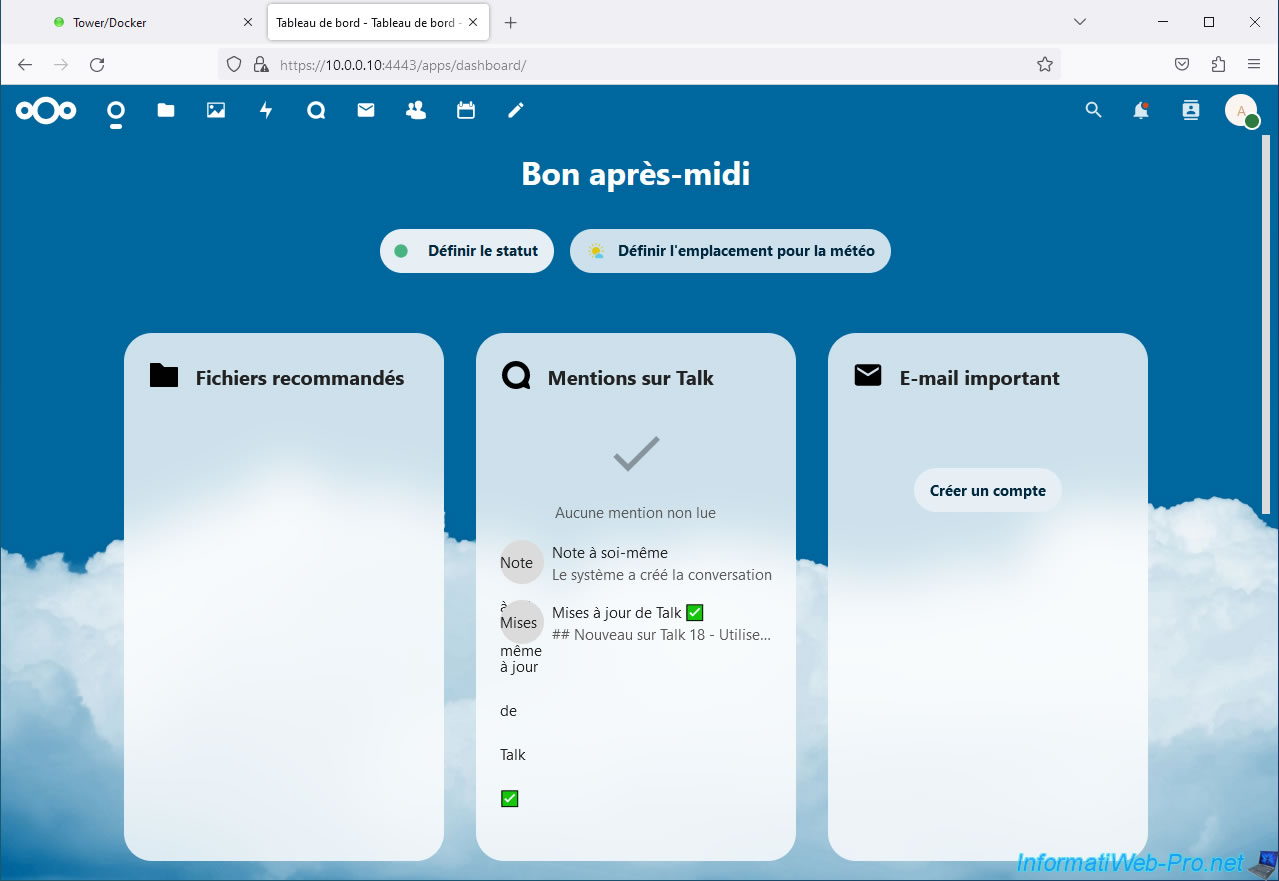
Note that the name of the icons located at the top will be automatically displayed when hovering over them.
The most important tab being the "Files" tab.
Share this tutorial
To see also
-
NAS 3/25/2026
Unraid 6.9.2 - Change web interface ports
-
NAS 1/1/2026
Unraid 6.9.2 - Disable flash network sharing
-
NAS 7/29/2026
Unraid 6.9.2 - VMs - Backing up a VM automatically
-
NAS 9/16/2026
Unraid 6.9.2 - VMs - Hotplug USB devices (Libvirt Hotplug USB plugin)
No comment