Access media server (Jellyfin) via reverse proxy (SWAG) and Duck DNS (DDNS) on Unraid 6.9.2
- NAS
- Unraid
- 03 June 2026 at 16:03 UTC
-

- 2/2

5. Add the subdomain for Jellyfin in the certificate generated via the swag container
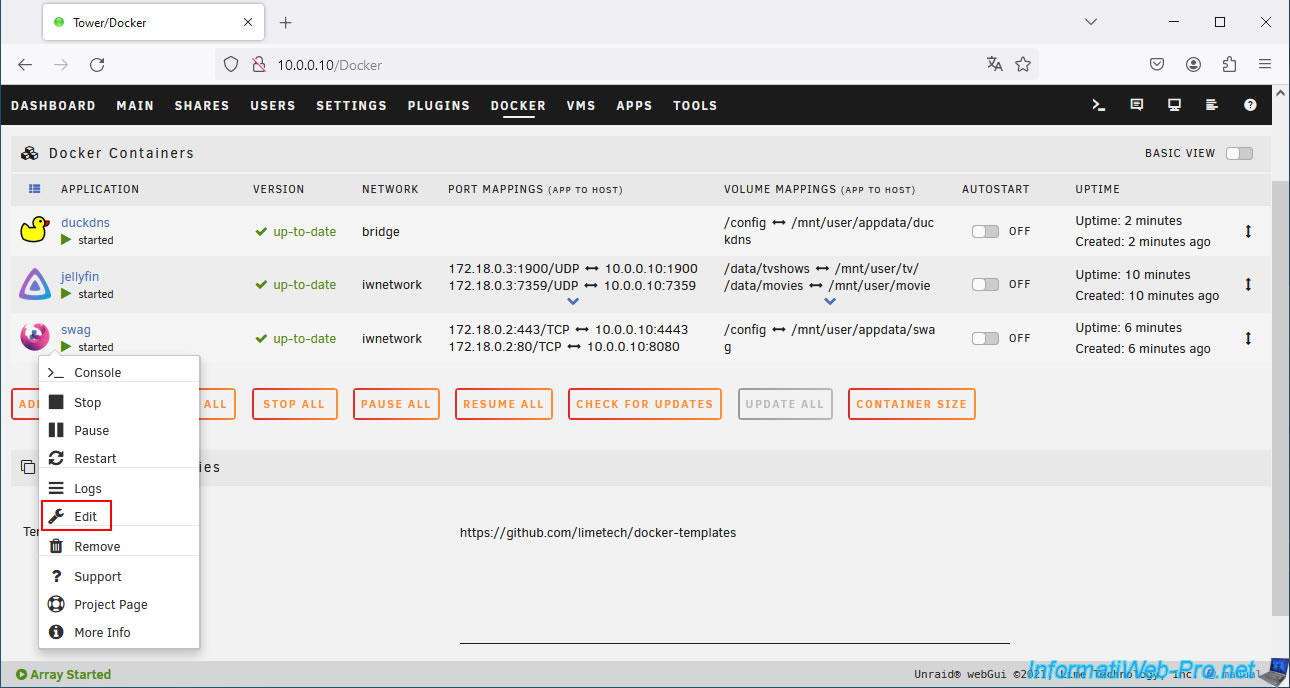
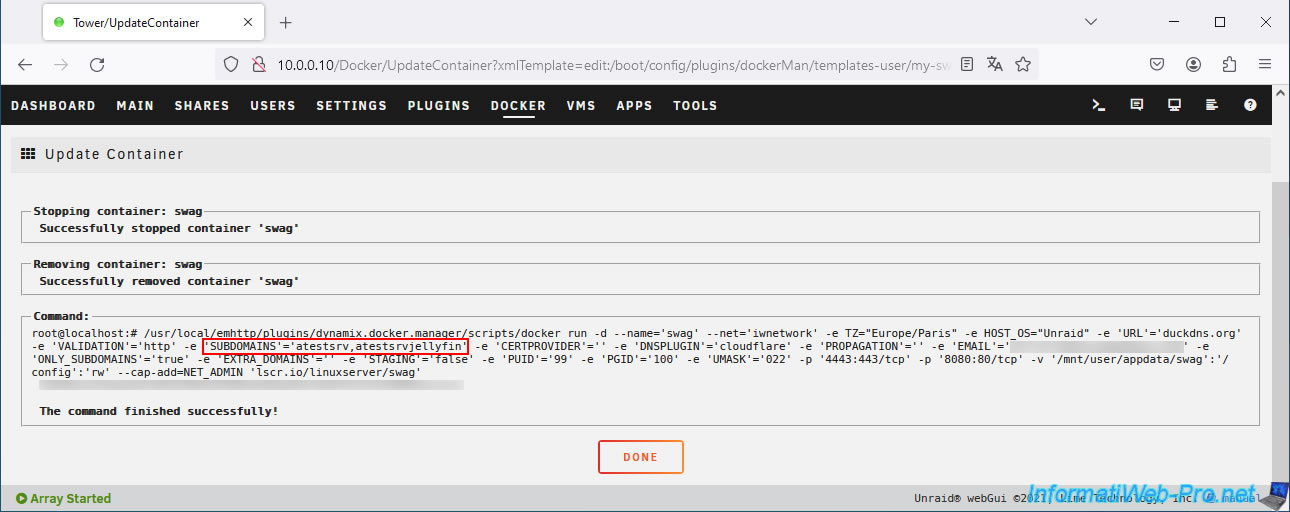
Once the configuration file has been added for the desired service, modify the configuration of the "swag" container by clicking on its icon, then on: Edit.
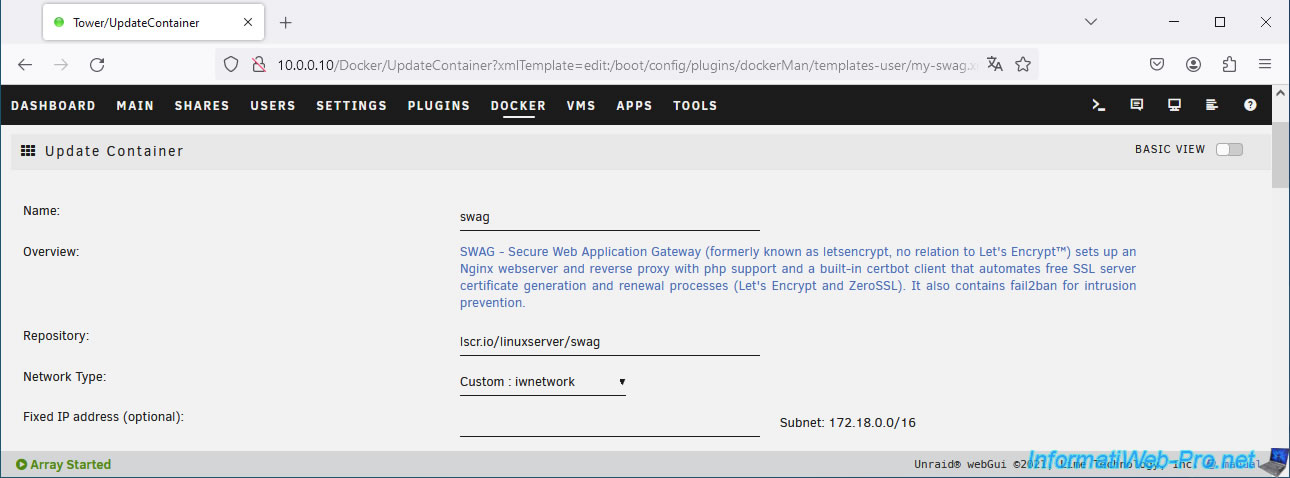
The "Update Container" page for "swag" appears.
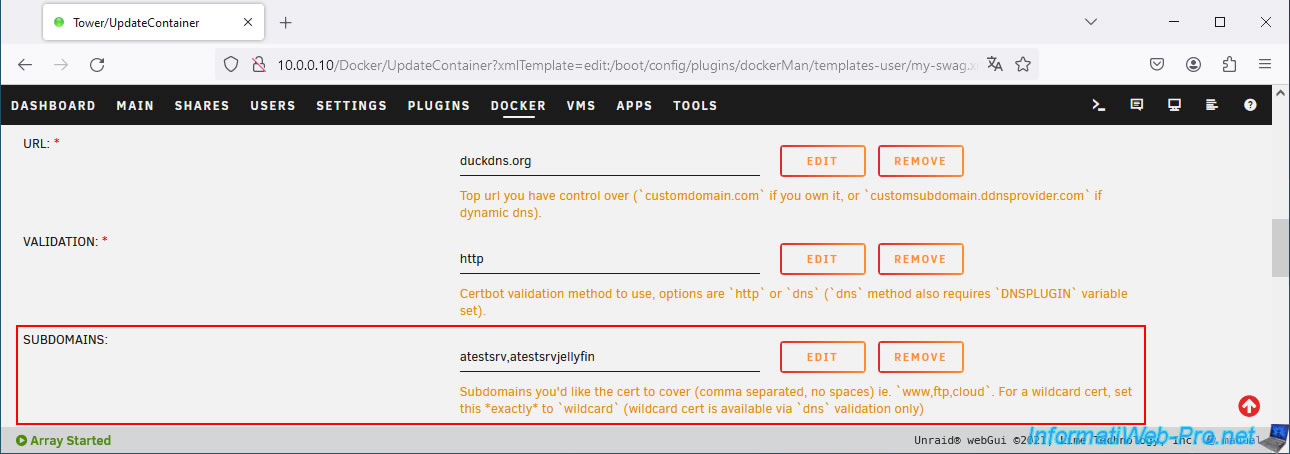
In the "SUBDOMAINS" box, add the subdomain previously created at Duck DNS for your new service (in this case: Jellyfin) by separating your subdomains with a comma.
In our case, this gives: atestsrv,atestsrvjellyfin.
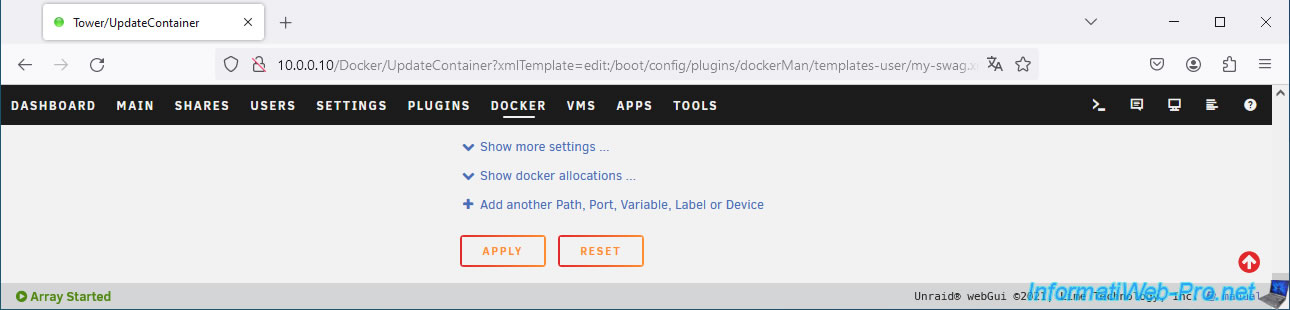
At the bottom of the page, click: Apply.
Once the configuration of the "swag" container has been updated, click on: Done.
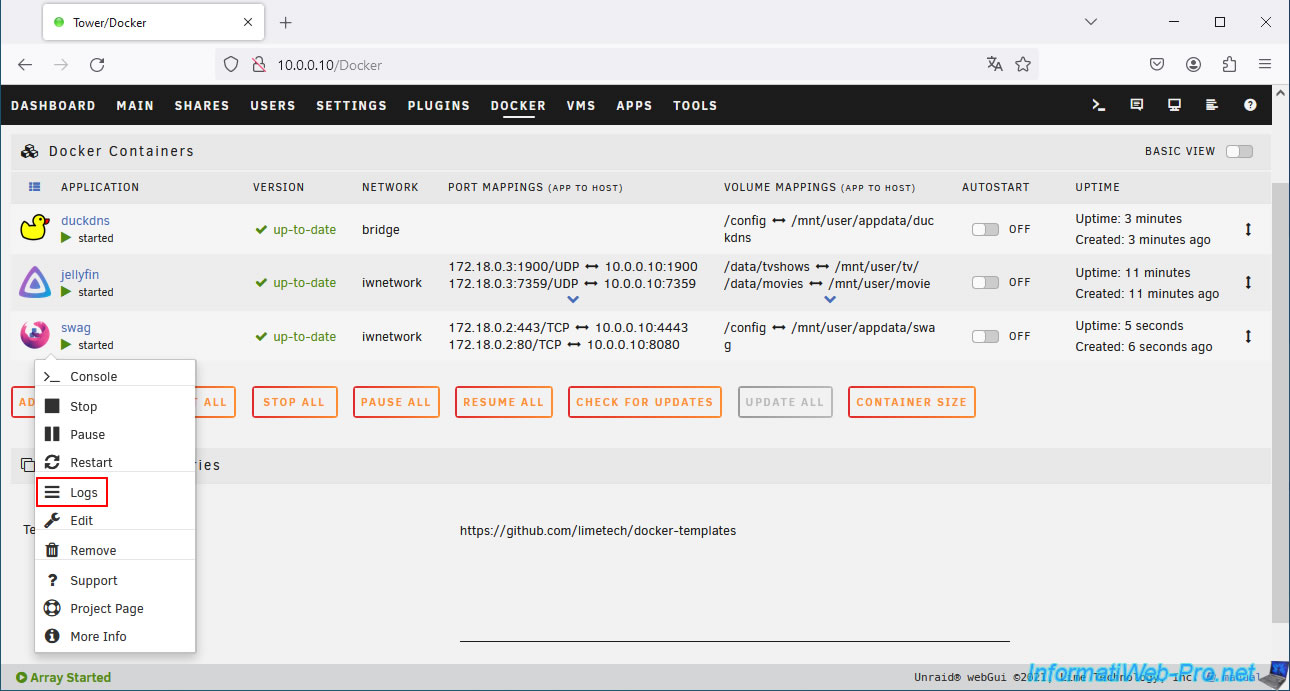
Check the swag logs to be sure everything is good.
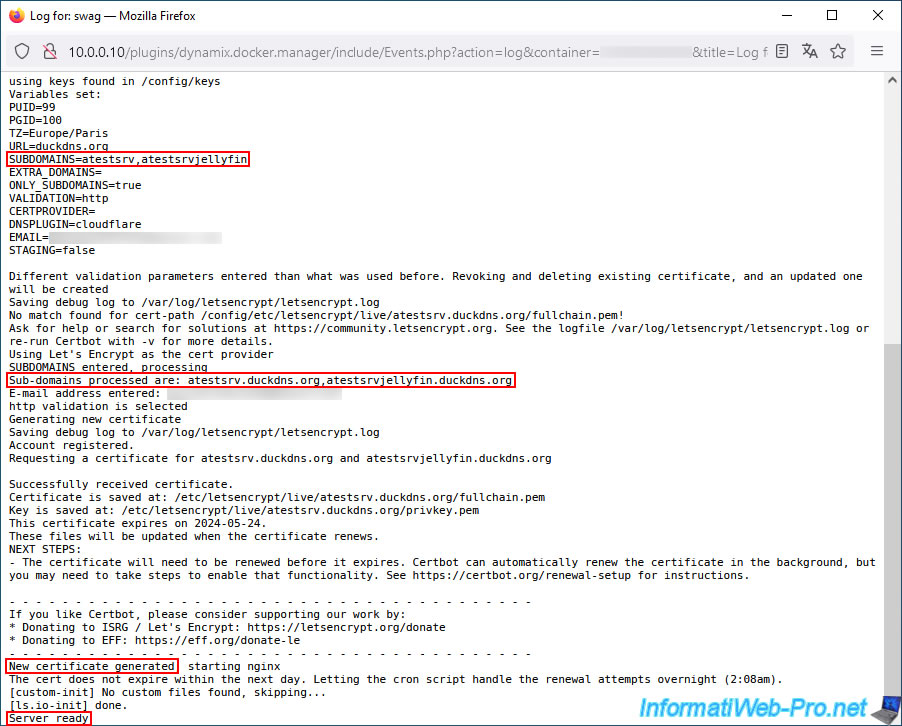
If all goes well, a new certificate valid for all your subdomains created at Duck DNS will be generated.
Then, the message "Server ready" will appear.
In case of errors, refer to:
- step 7 of our tutorial "Unraid 6.9.2 - SWAG - Install a reverse proxy (SWAG)" to check your network configuration.
- step 3 of our tutorial "Unraid 6.9.2 - SWAG - Use a DDNS client (Duck DNS)" for potential issues with using subdomains created at Duck DNS.
6. Configure Jellyfin for use via proxy
As explained previously, for Jellyfin, swag asks you to modify a parameter in the configuration of your Jellyfin media server so that it is aware of your reverse proxy.
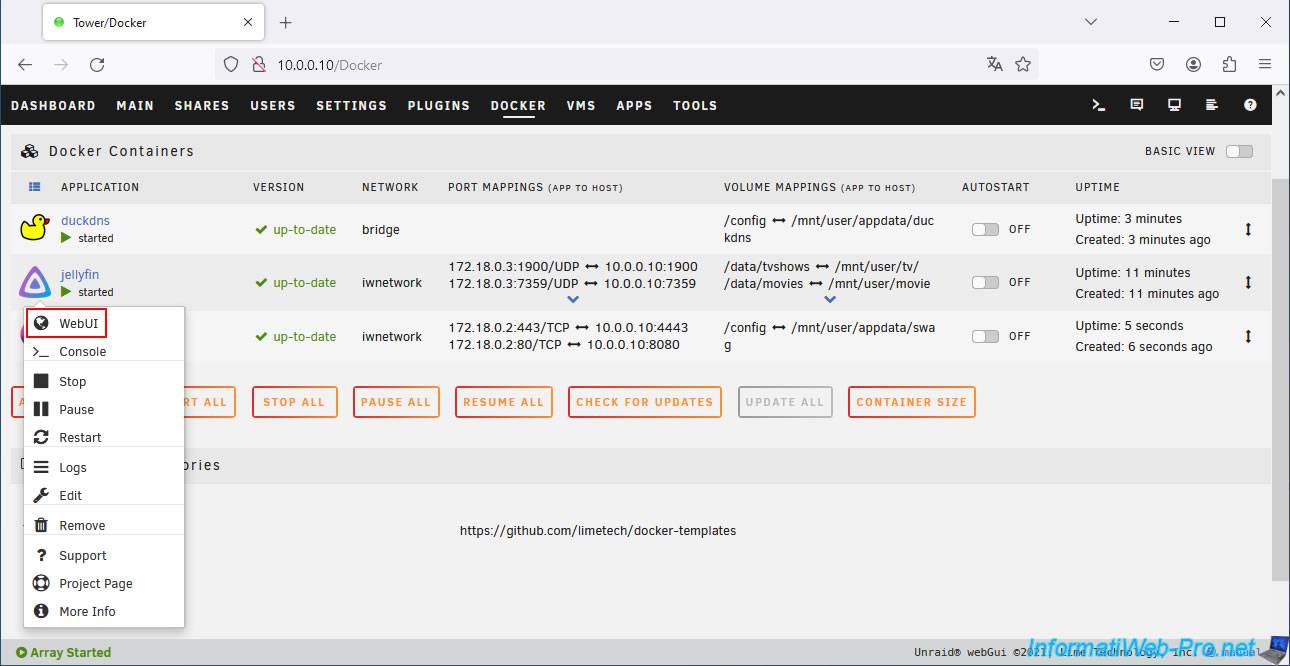
To do this, click on the "jellyfin" icon, then click on: WebUI.
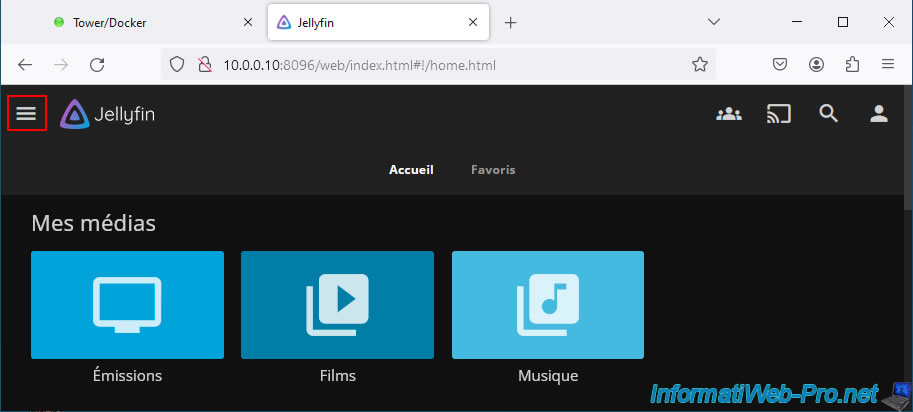
Click on the "Menu" icon located at the top right.
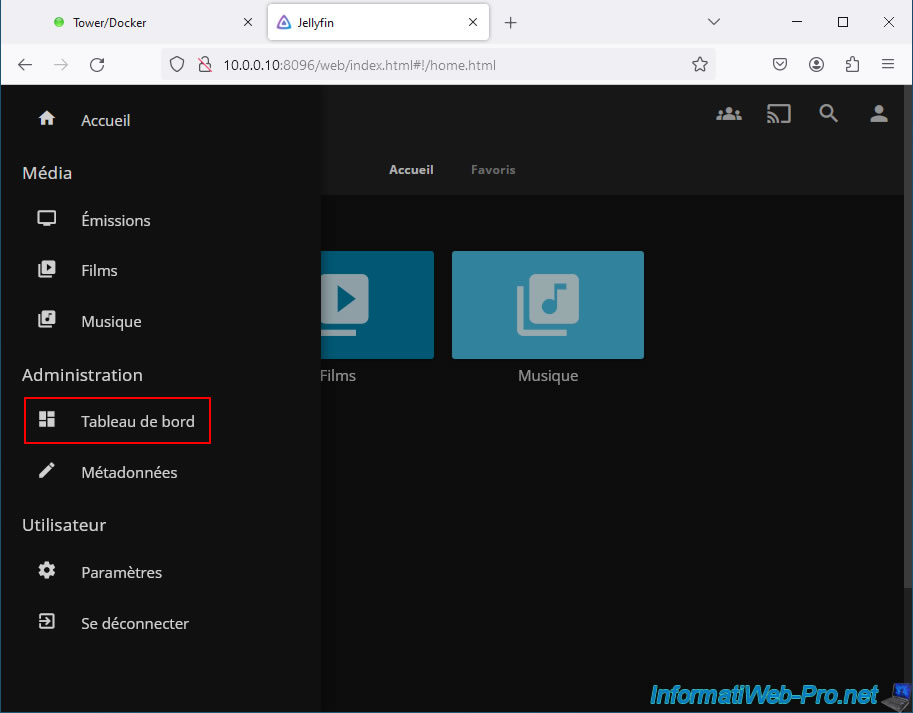
In the "Administration" section of the menu, click on: Dashboard.
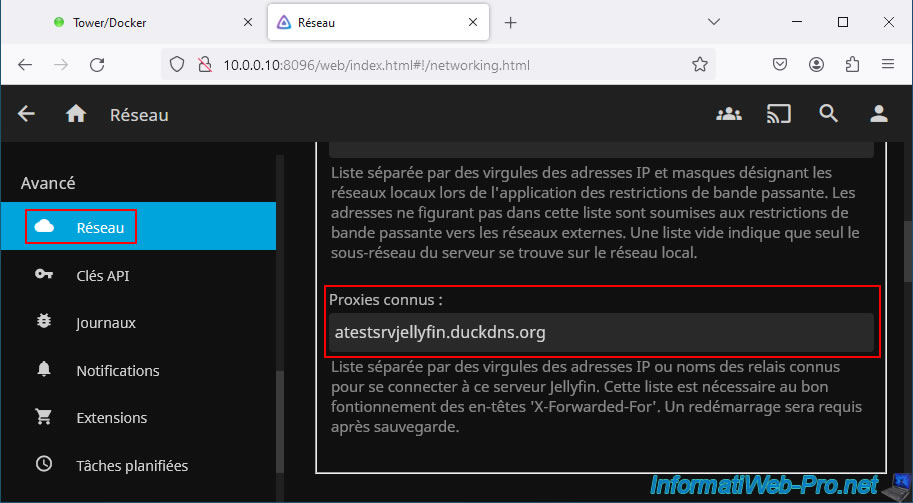
In the "Advanced" section of the left menu, click: Network.
Then, in the right part, locate the "Consumed proxies" parameter and indicate your subdomain created at Duck DNS.
In our case: atestsrvjellyfin.duckdns.org.
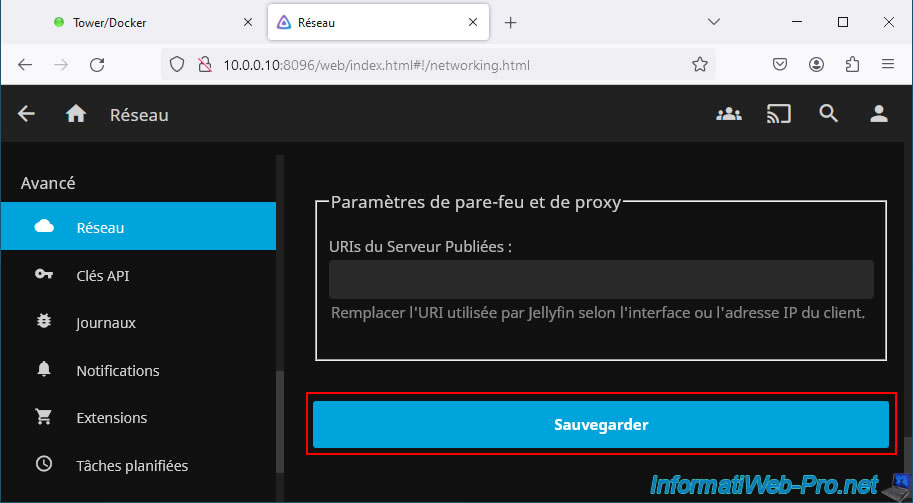
Then, click on the "Save" button at the bottom of the page.
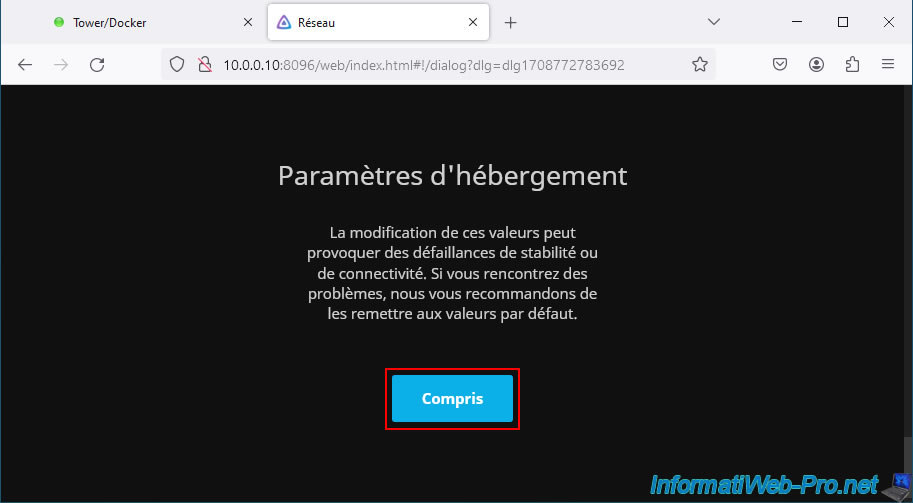
For the "Hosting Settings" message that appears, click: Understood.
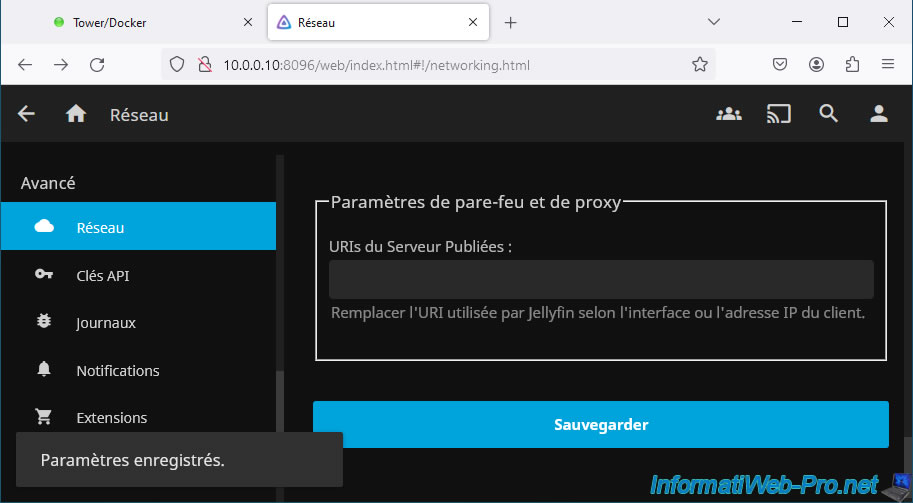
A "Settings Saved" notification appears at the bottom left.
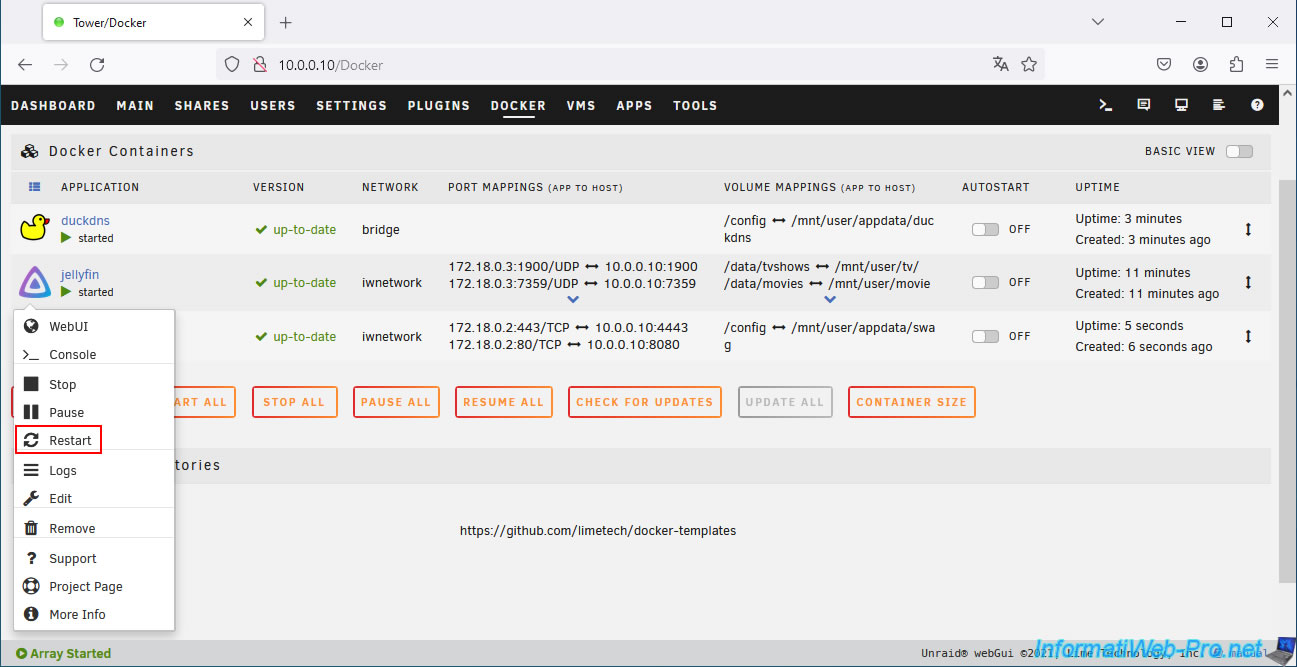
Restart the "jellyfin" container.
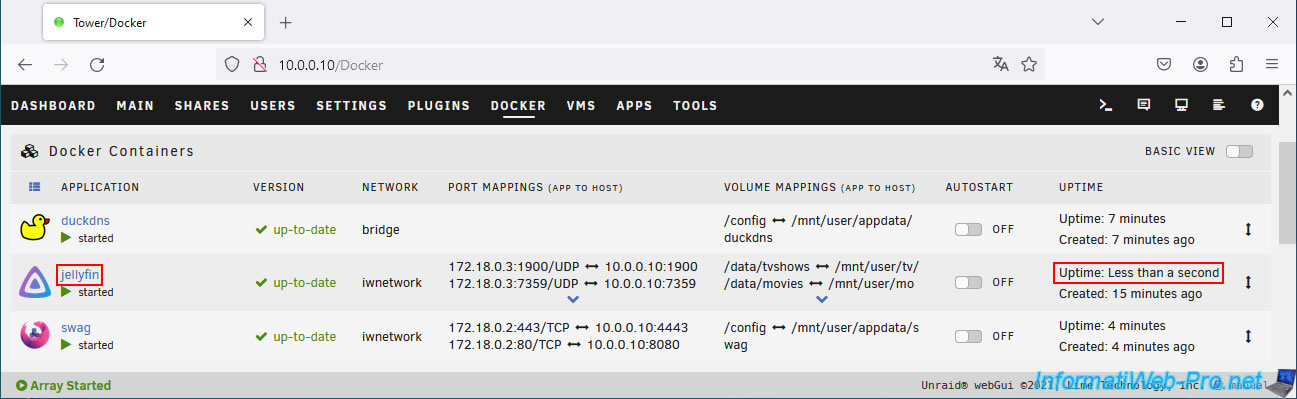
Your "jellyfin" container has been restarted.
7. Remotely access Jellyfin via swag reverse proxy
Try accessing your new Duck DNS subdomain via a 3G connection on your smartphone or using the Opera web browser with its built-in free VPN.
If your configuration is correct, you will see the Jellyfin login page appear.
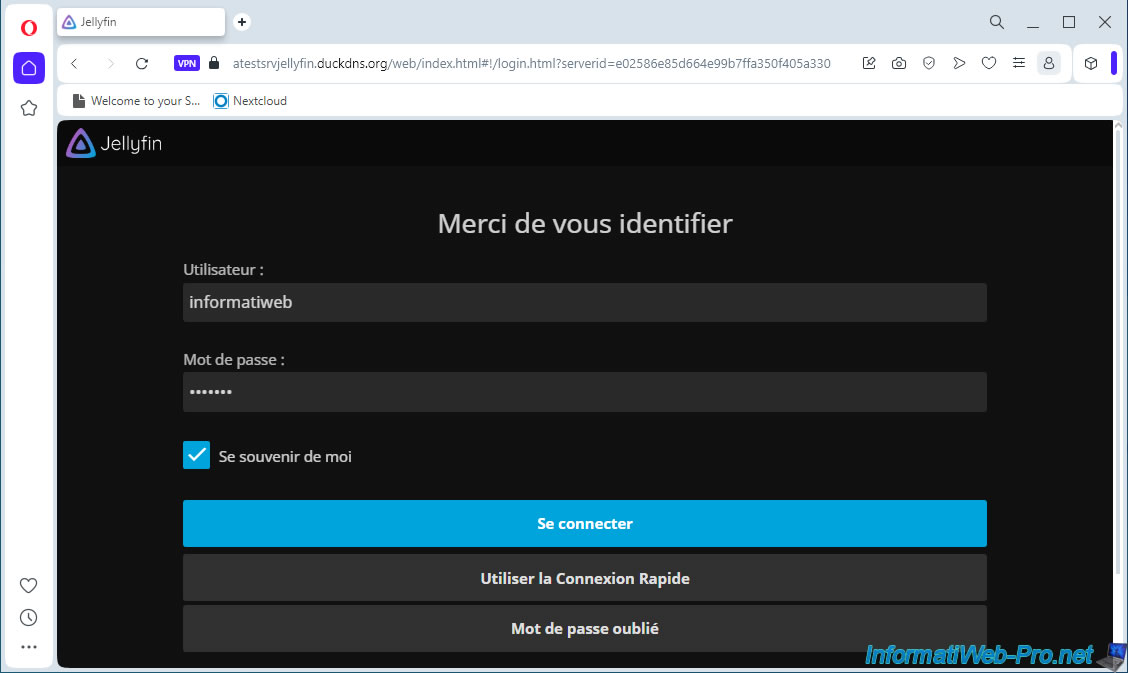
Your libraries appear.
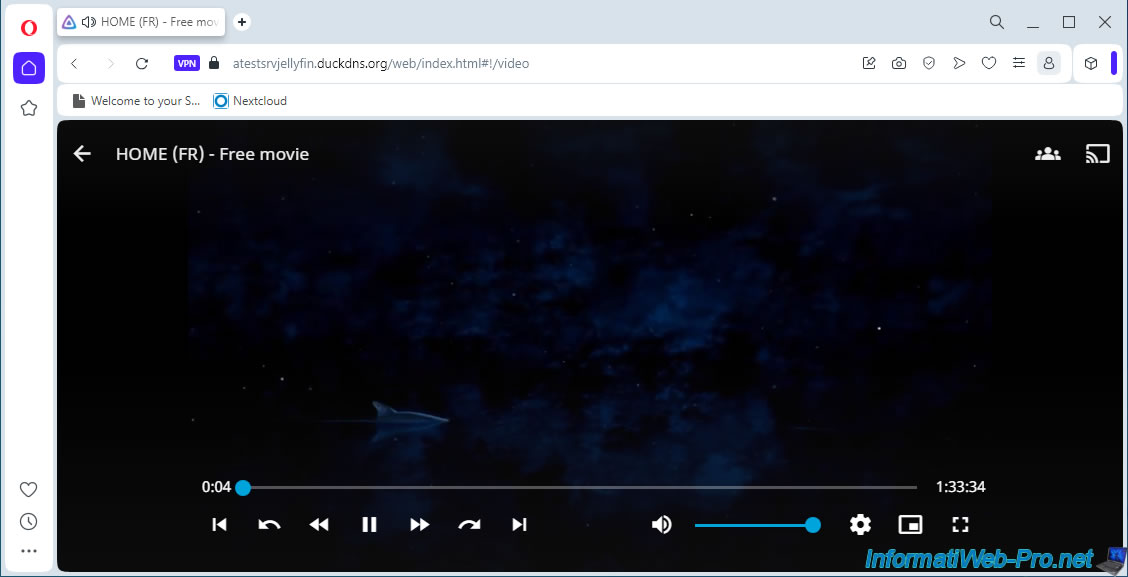
Try playing a film or any other media available in your libraries.
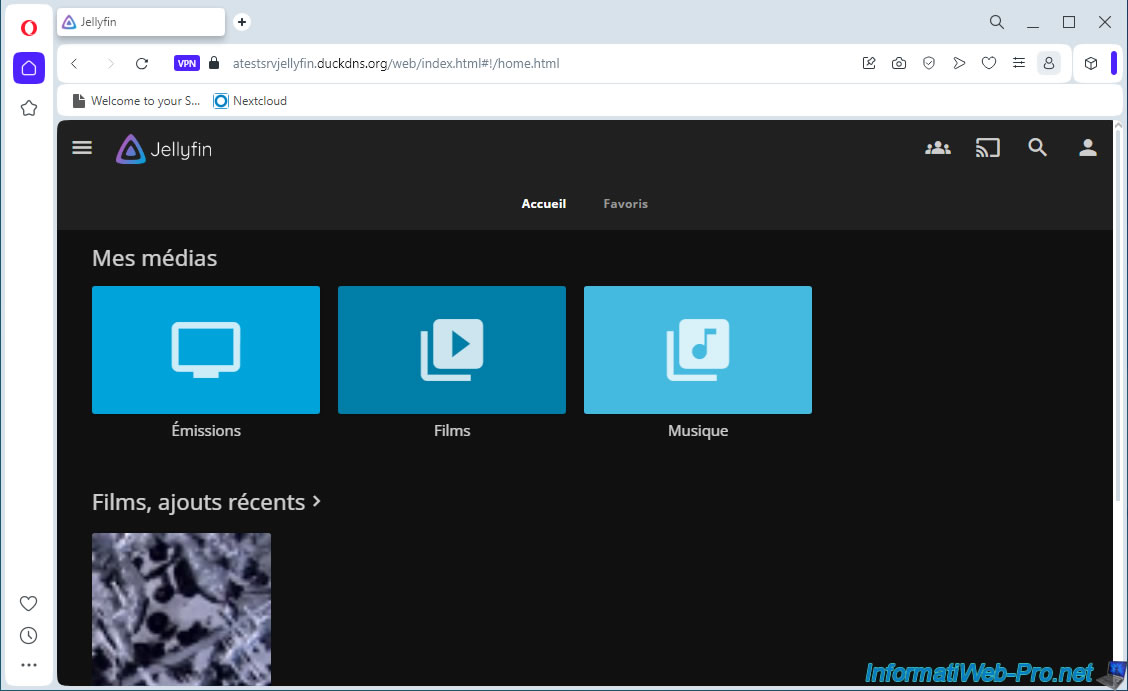
In our case, the free movie hosted on this Jellyfin test server works without problems via the Internet.
Share this tutorial
To see also
-
NAS 3/25/2026
Unraid 6.9.2 - Change web interface ports
-

NAS 4/23/2026
Unraid 6.9.2 - Docker - Install a media server (Plex)
-
NAS 6/17/2026
Unraid 6.9.2 - SWAG - Access Nextcloud via reverse proxy and personal domain
-

NAS 7/22/2026
Unraid 6.9.2 - VMs - Backing up a VM manually
No comment