- NAS
- Unraid
- 04 March 2026 at 09:46 UTC
-


When you install Unraid, you can use your server as a NAS and easily create virtual machines on it if you wish.
However, you can also install plugins and applications via Docker.
To make it easier to find and install plugins and applications via Docker, there is a well-known plugin called "Community Applications".
By default, simply specify the address of the "community.applications.plg" file available on the Unraid forum to automatically install the latest version of this plugin on your Unraid server.
The problem is that if you are using an older version of Unraid and reinstall it to be able to reuse the same plugins and applications on your Unraid server, you will notice that installing this "Community Applications" plugin may no longer be possible.
Indeed, your version of Unraid may no longer be supported by the latest version of this plugin.
In this tutorial, you will see how to find and install an older version of this plugin that is compatible with your version of Unraid.
- Latest version of the Community Applications plugin incompatible with your version of Unraid
- View plugin history: Community Applications
- Some older versions are not available
- Download an older, compatible and available version of Community Applications on Unraid
1. Latest version of the Community Applications plugin incompatible with your version of Unraid
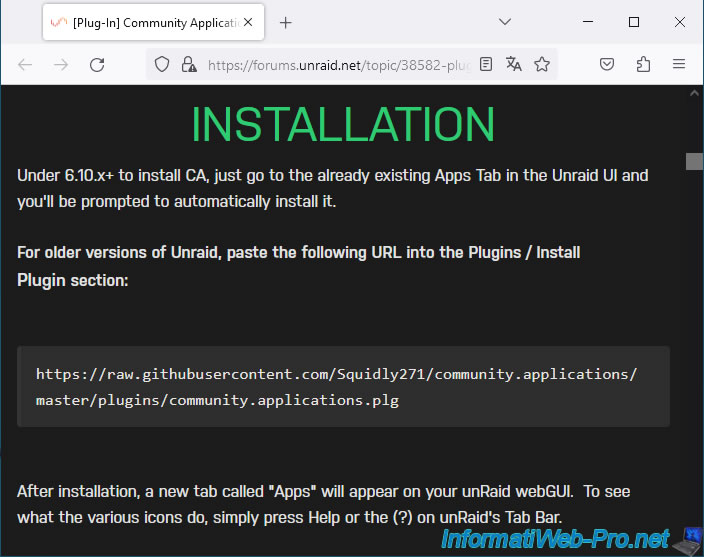
As explained previously, by default, you simply need to go to the "[Plug-In] Community Applications - Plugin Support - Unraid" page of the Unraid forum.
This page is also referenced in the "Product -> Apps" section of the Unraid website.
On this page, you will find an "Installation" section with the download link for the latest plugin version.
Plain Text
https://raw.githubusercontent.com/Squidly271/community.applications/master/plugins/community.applications.plg
As you can see, the file for this plugin is hosted on "Squidly271's" GitHub.
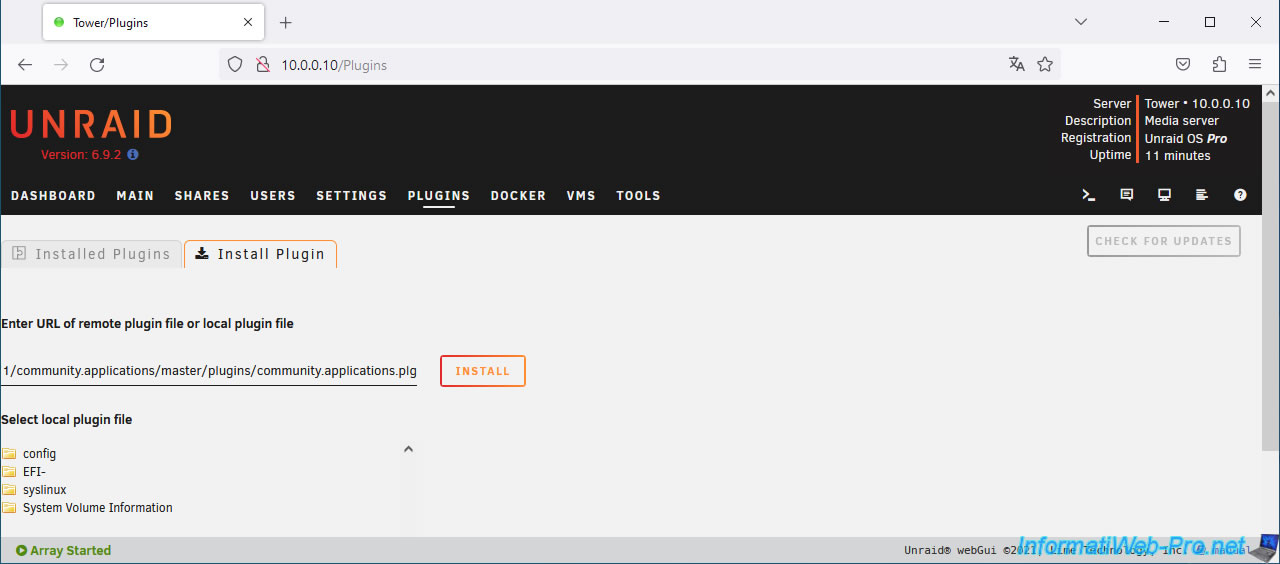
Typically, to install this plugin, go to the "Plugins -> Install Plugin" section of your Unraid server and paste this URL.
Then, click Install.
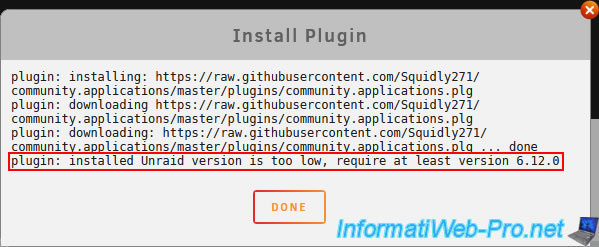
However, if your version of Unraid is no longer supported by the latest version of this plugin, the installation will fail.
You will therefore no longer have access to the catalog of applications available for Unraid.
Plain Text
plugin: downloading: https://raw.githubusercontent.com/Squidly271/community.applications/master/plugins/community.applications.plg ... done.
plugin: installed Unraid version is too low, require at least version 6.12.0.
Click "Done" to hide this message.
2. View plugin history: Community Applications
To find out which version of this plugin you can potentially install on your Unraid server, you first need to know when your version of Unraid was released.
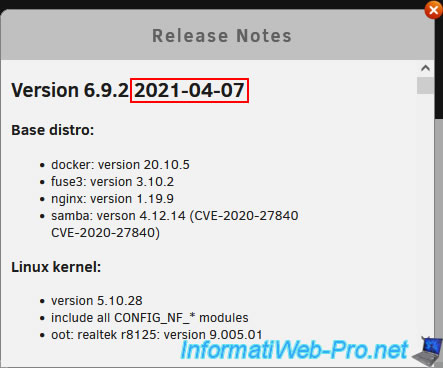
To do this, simply click on the small blue "i" in the top left corner, right next to your version of Unraid.

As you can see, in our case we have Unraid version 6.9.2 which was released on 04/07/2021.
As previously explained, this plugin is developed by user "Squidly271" on GitHub.
You can access the "GitHub - Squidly271/community.applications" page and navigate to the "plugins" folder (indicated in the URL mentioned above).
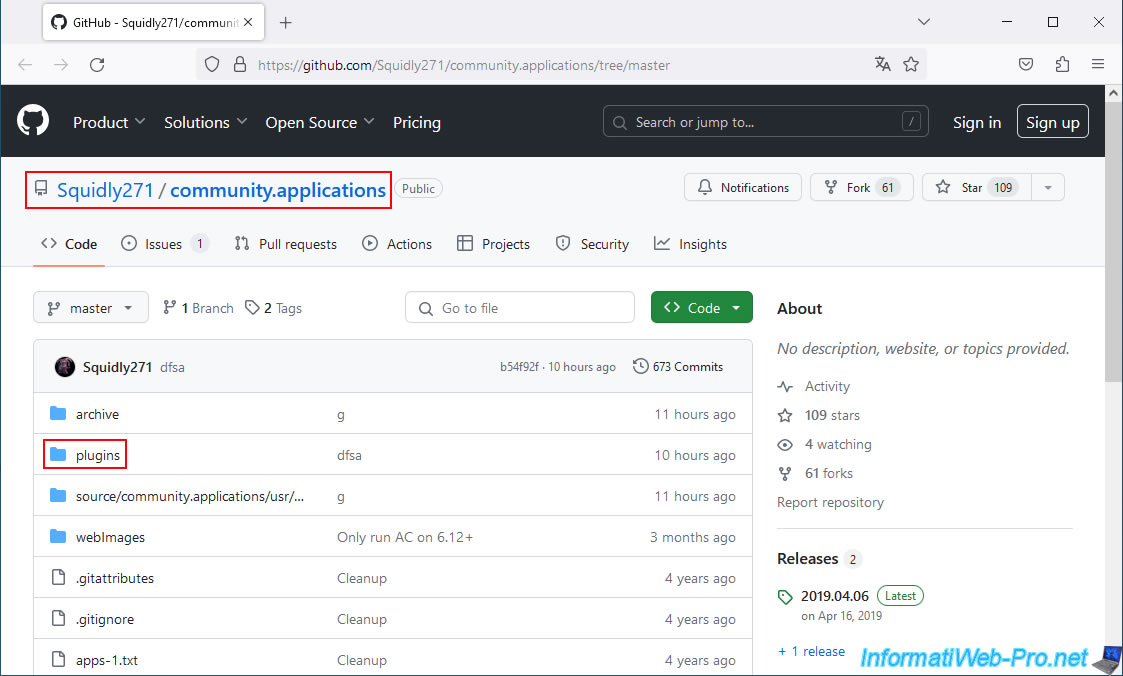
As expected, in this folder you will find the file for this plugin: community.applications.plg.
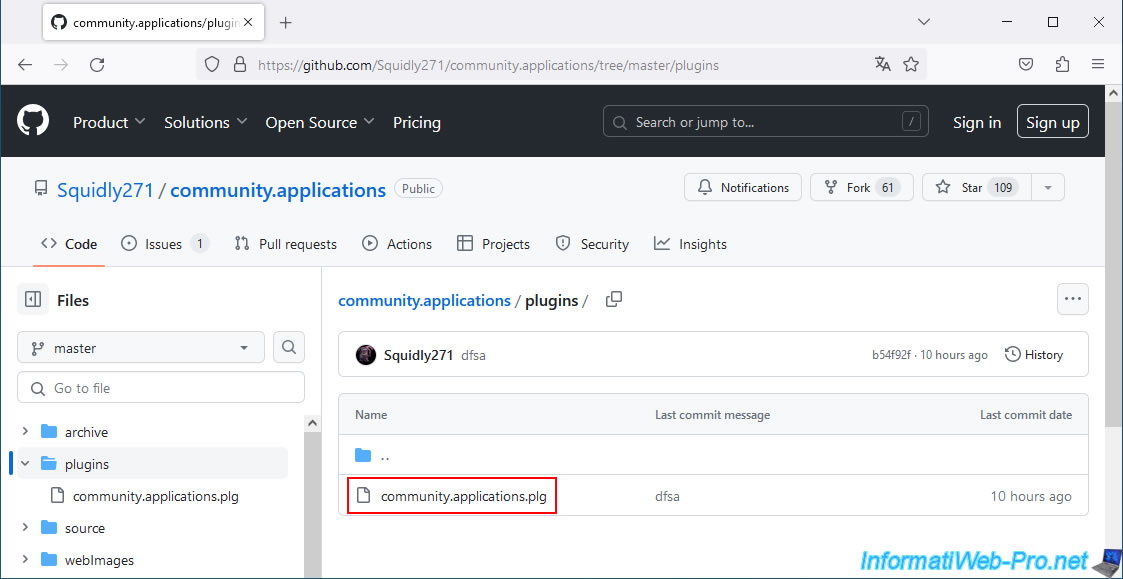
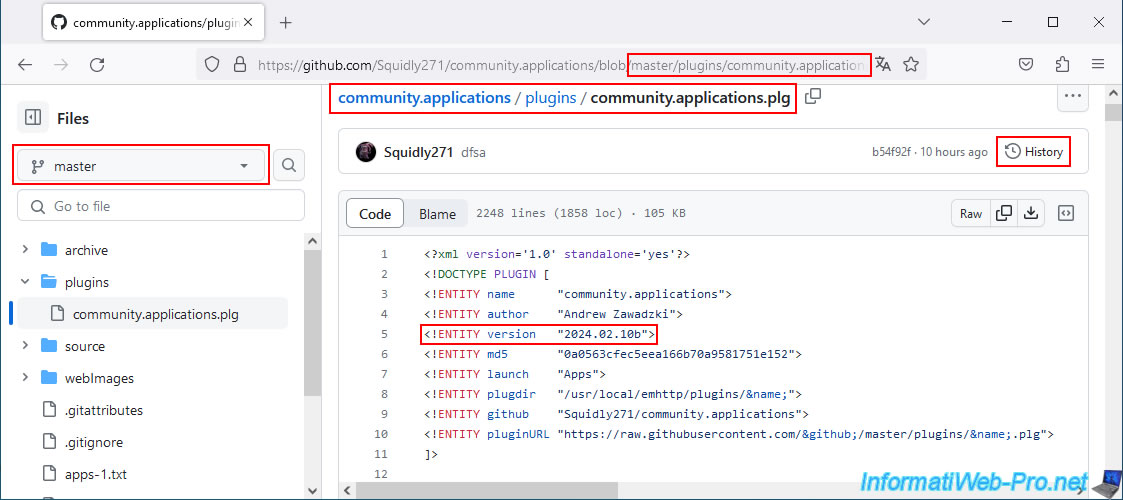
As you can see, the URL mentioned above allows you to always download the latest version of this plugin.
Indeed, you are in the "master" branch.
To install an older version of this plugin, simply view the history of this file by clicking on "History" (top right).
Indeed, GitHub always keeps track of the changes submitted by the developer concerned for each file modified in a repository (here: the "community.applications" repository of "Squidly271").
As you can see, the history of the file "community.applications.plg" appears with the list of dates when this file was modified one or more times.
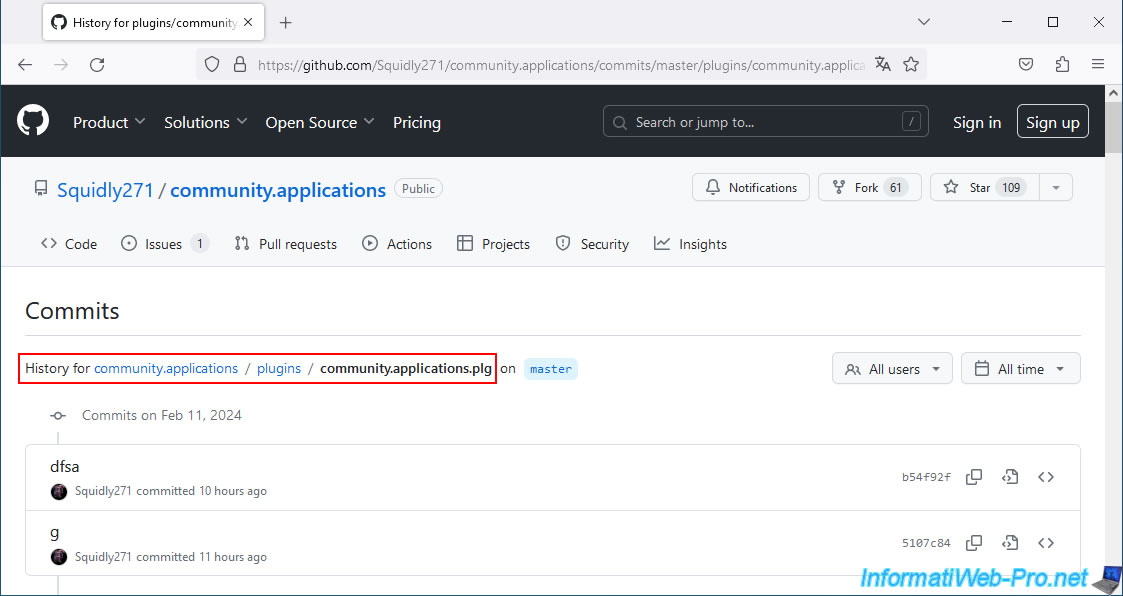
3. Some older versions are not available
Although it's possible to view the complete history of changes made to the "community.applications.plg" file, this doesn't mean that all older versions of this file will work.
Indeed, the associated archive for this plugin must also be available in the same repository.
To begin, look for an older version of the file that was released just after the release date of your version of Unraid.
In our case, we have version 6.9.2 of Unraid, which was released on April 7, 2021.
Therefore, we tried to use the version dated May 6, 2021 for this plugin.
To do this, locate the desired commit, then click on the second icon (representing a file with source code) to the right of it.

As you can see, this commit would allow us to install the version of this plugin dated 05/05/2021, which requires at least Unraid 6.4.0.
Which is good in our case.
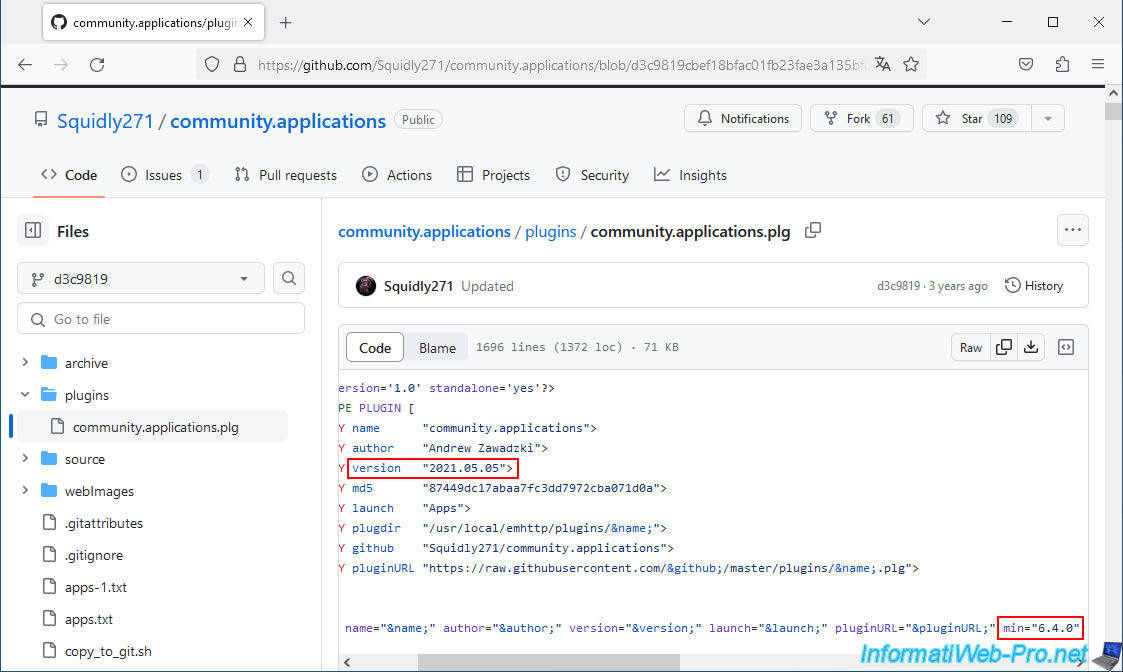
However, if you look further down in the plugin source code, you'll notice that this plugin requires the associated archive, whose name contains the version (and therefore the date) of the plugin.
This is not the case for this older version.
To obtain the URL of this file to enter in the Unraid web interface, you must click the "Raw" button located in the top right corner.
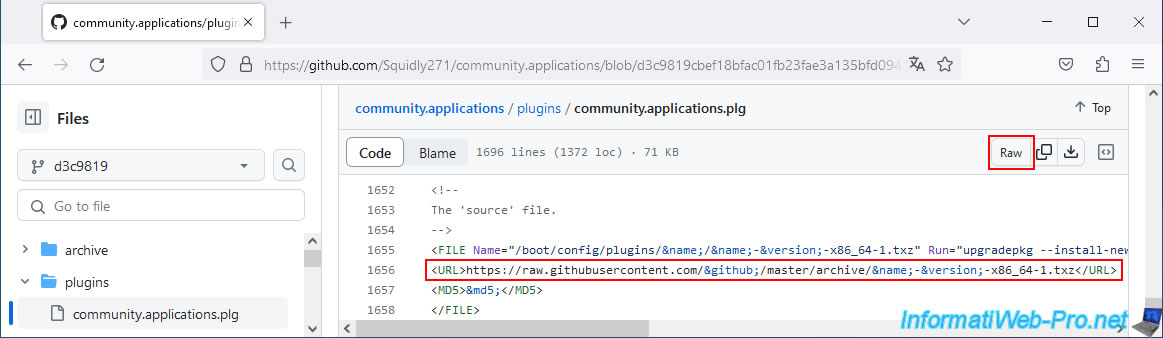
As you can see, the file itself appears.
Simply copy and paste the address displayed in your web browser into the "Plugins" tab of Unraid.
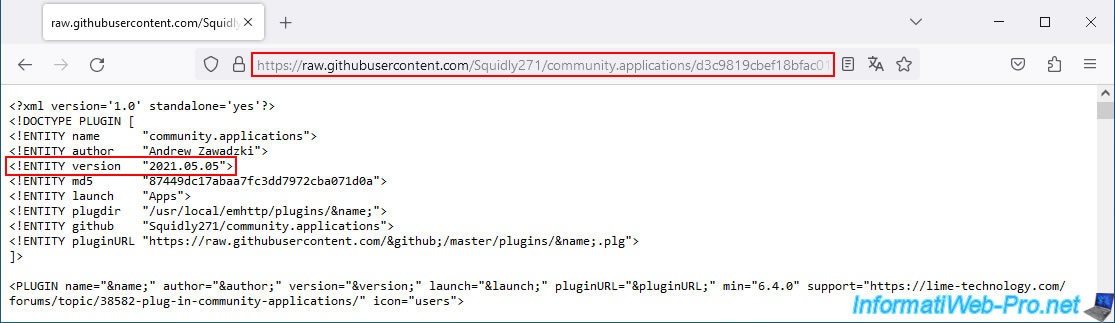
Go to the "Plugins -> Install Plugin" section of your Unraid server, paste the URL obtained above, then click: Install.
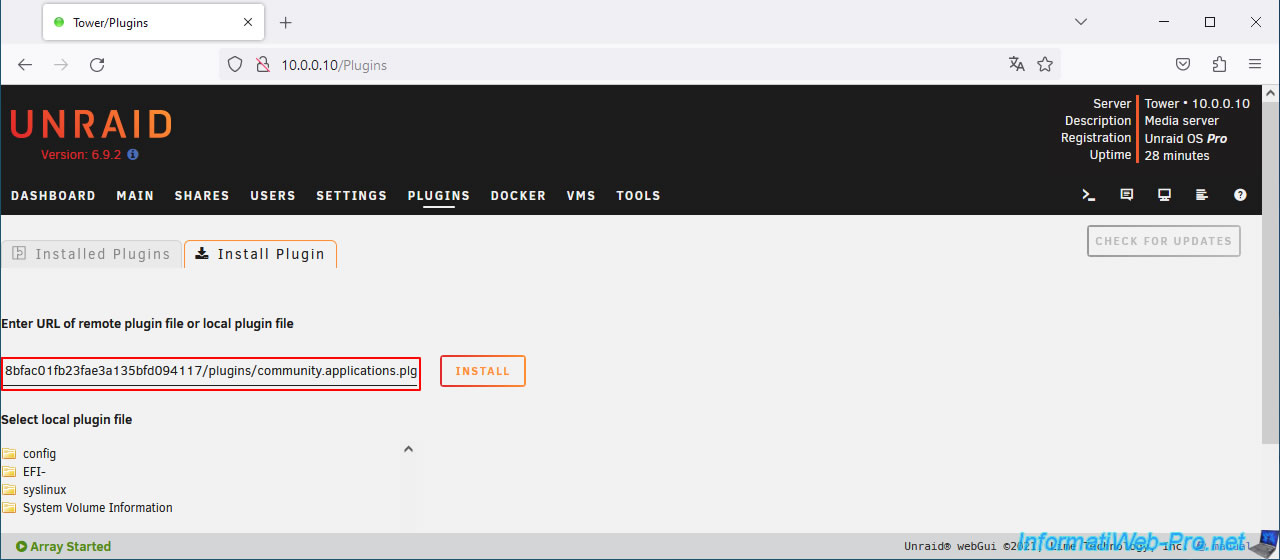
Plain Text
plugin: downloading: .../master/archive/community.applications-2021.05.05-x86_64-1.txz ... failed (Invalid URL / Server error response).
plugin: .../master/archive/community.applications-2021.05.05-x86_64-1.txz ... download failure (Invalid URL / Server error response).
Click "Done" to hide this message.
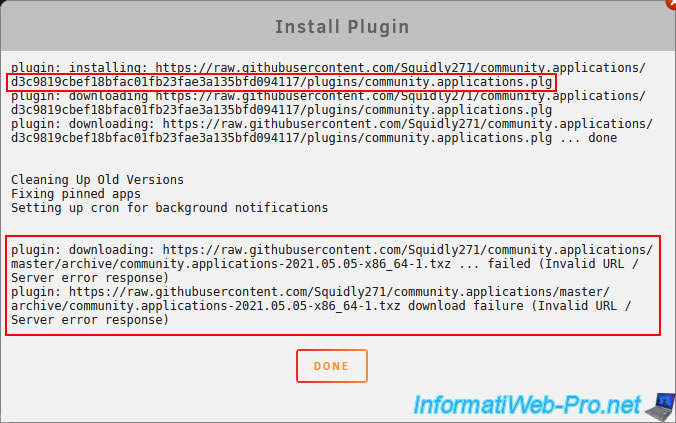
4. Download an older, compatible and available version of Community Applications on Unraid
To ensure you can install an older version of the "Community Applications" plugin for Unraid, you must go to the "archive" folder.
In this "archive" folder, we found an older version dated 08/31/2021. This is the first archive of this plugin published after the release of our version of Unraid (04/07/2021).
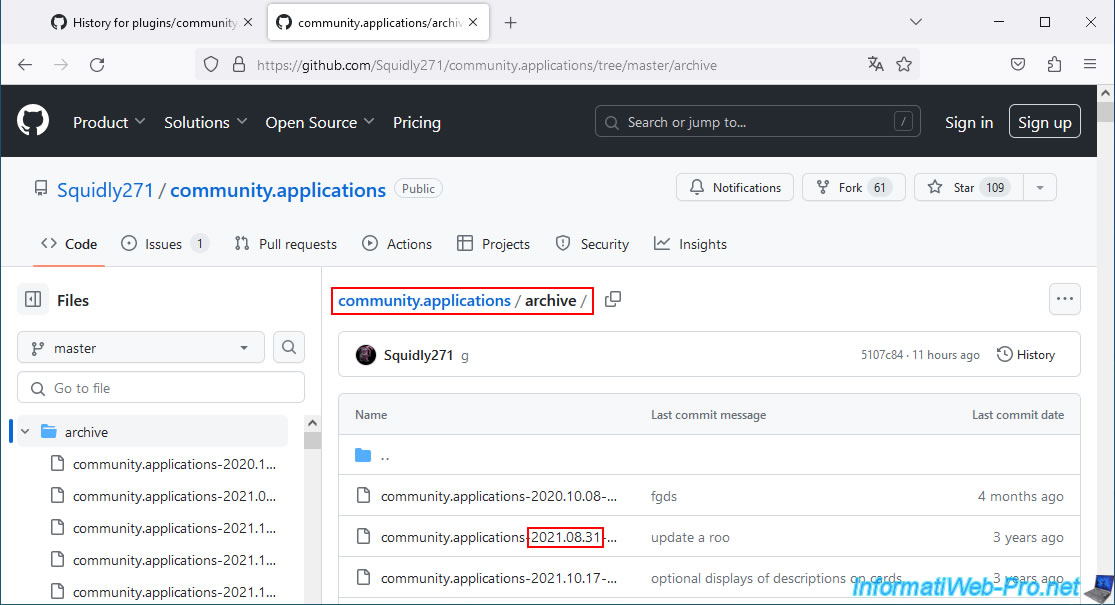
In the history of the "plugins\community.applications.plg" file in this GitHub repository, look for a commit with the same date.
In our case, the commit from 08/31/2021 (Aug 31, 2021).
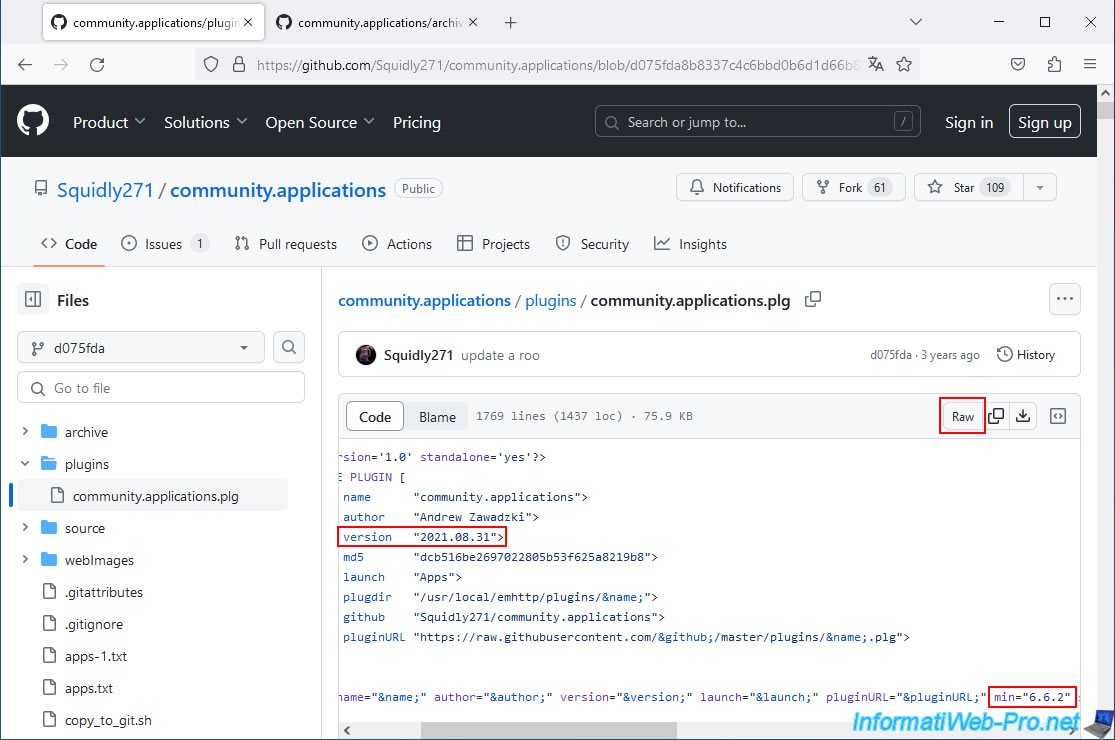
Click the second icon to its right.
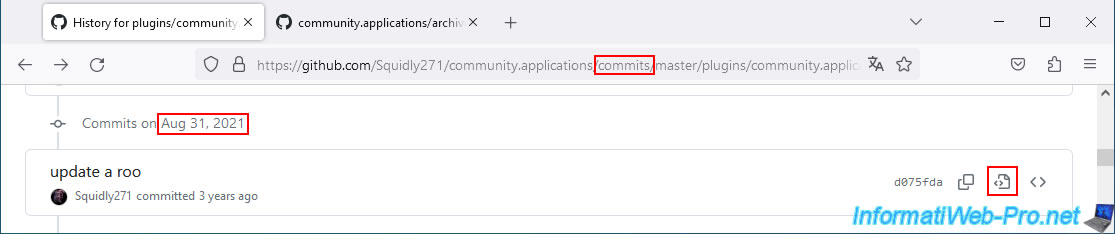
As expected, this version is dated August 31, 2021, and you can see that the minimum version required for Unraid is 6.6.2.
This is compatible with our version of Unraid: 6.9.2.
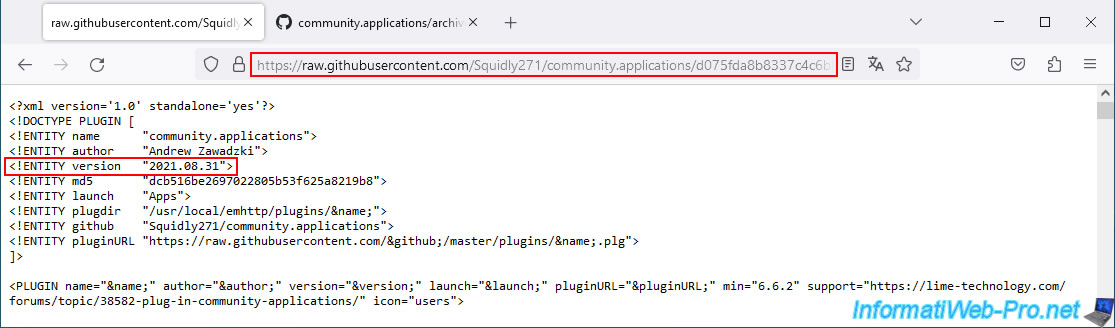
Click the "Raw" button to see the URL of this "community.applications.plg" file.
Copy the URL "https://raw.githubusercontent.com/Squidly271/community.applications/.../plugins/community.applications.plg" displayed in your web browser's address bar.
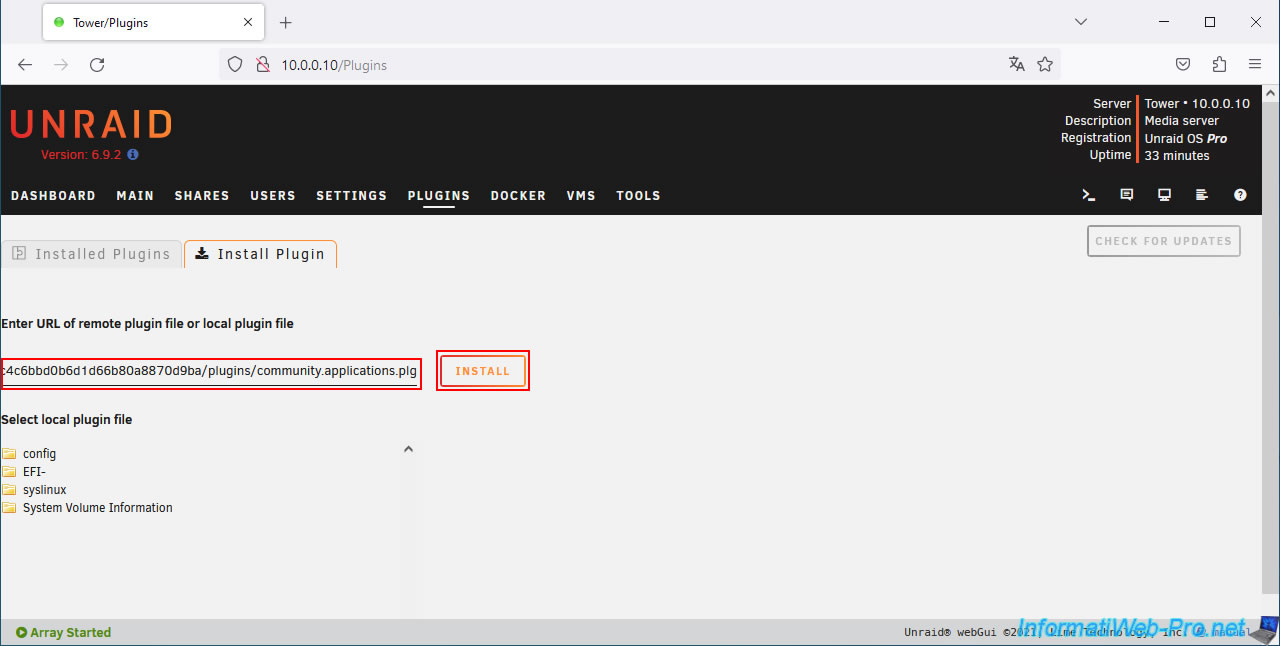
Paste this into the "Plugins -> Install Plugin" section of your Unraid server and click: Install.
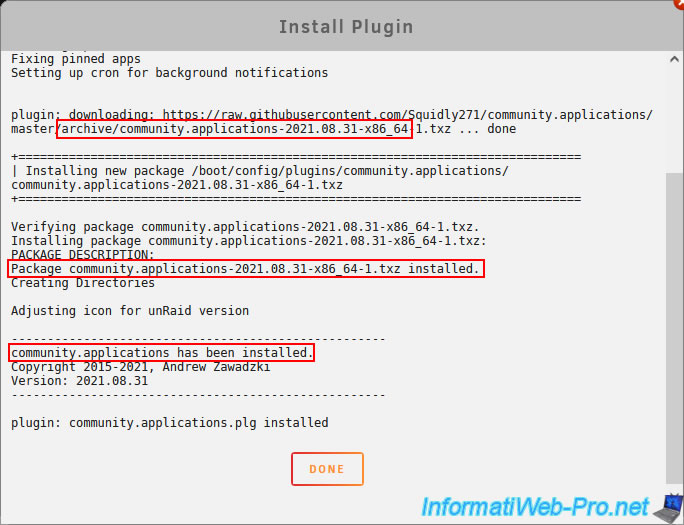
This time the old version of the "community.applications.plg" file is downloaded correctly and the corresponding archive is also downloaded and installed correctly.
Plain Text
plugin: downloading: https://raw.githubusercontent.com/Squidly271/community.applications/master/archive/community.applications-2021.08.31-x86_64-1.txz ... done.
...
Package community.applications-2021.08.31-x86_64-1.txz installed.
...
community.applications has been installed.
Once the installation is complete, click on: Done.
Refresh the page and you'll see the "Apps" tab appear.
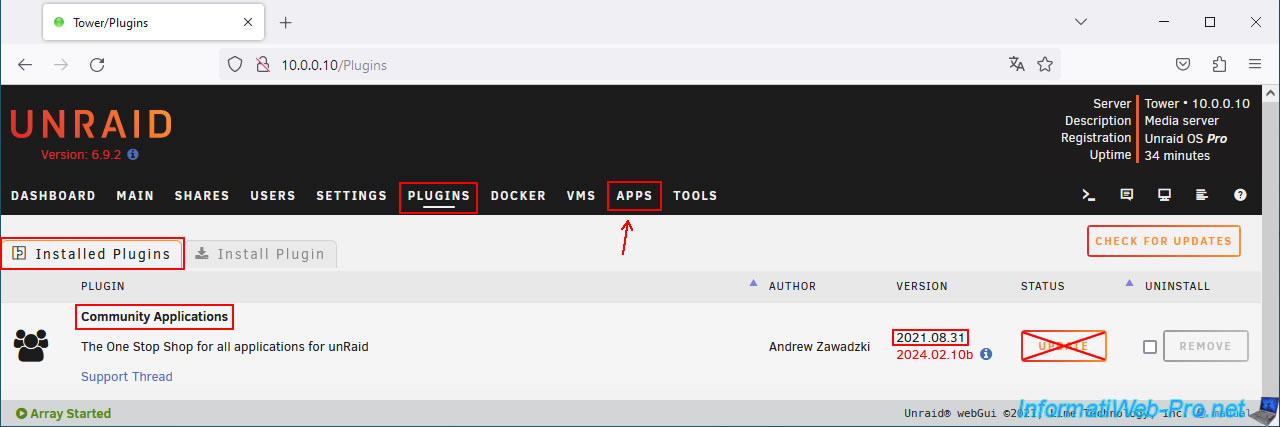
If you go to the "Plugins -> Installed Plugins" section of your Unraid server, you'll see that an older version of the "Community Applications" plugin has been installed.
Warning : do not update this plugin, as the latest version is not compatible with your version of Unraid.
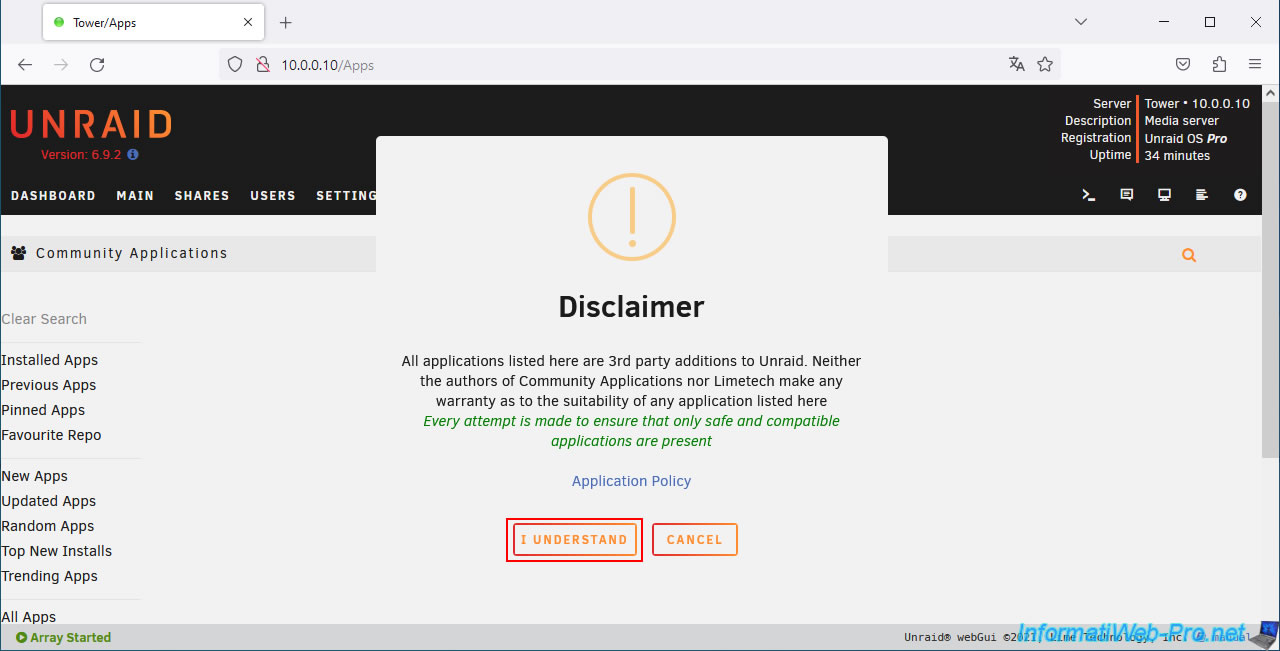
As you can see, if you go to the "Apps" tab, the usual messages will appear.
Ignore them as usual.
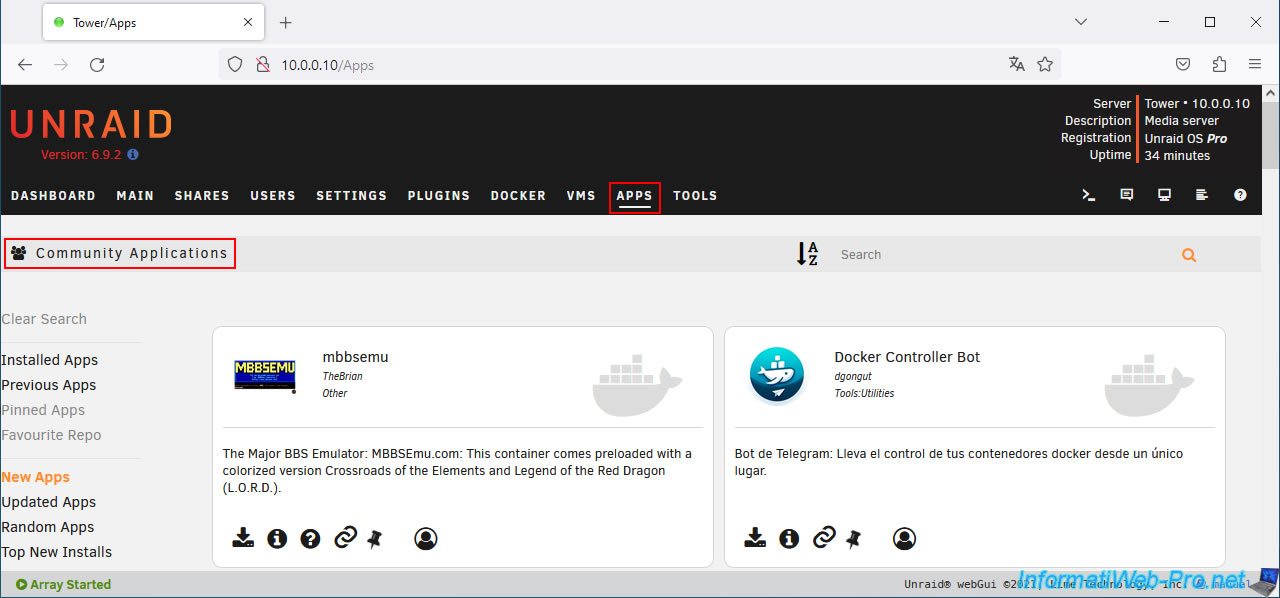
The "Community Applications" page appears.
Share this tutorial
To see also
-
NAS 1/30/2026
Unraid 6.9.2 - Create shares (network / user)
-
NAS 4/15/2026
Unraid 6.9.2 - Docker - Install a file server (Nextcloud)
-
NAS 6/24/2026
Unraid 6.9.2 - Docker - Install the office suite (Collabora) for Nextcloud
-
NAS 10/14/2026
Unraid 6.9.2 - VMs - Virtualize Hyper-V (nested virtualization)
You must be logged in to post a comment