Virtualize Hyper-V using nested virtualization on Unraid 6.9.2
- NAS
- Unraid
- 14 October 2026 at 11:05 UTC
-

- 2/3

3. Install VirtIO drivers on Windows Server 2016
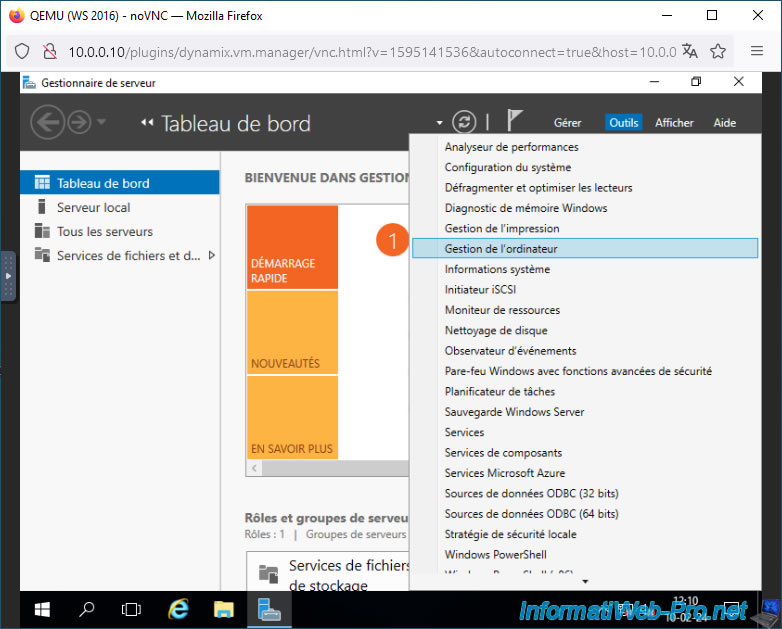
To install VirtIO drivers on Windows Server 2016, go to the "Tools -> Computer Management" menu in Server Manager (which opens automatically when you log in).
Next, go to the "Device Manager" section.
Right-click "Update Driver" on the three devices visible in the "Other Devices" section.
Next, choose to update the driver from your computer and select the CD drive containing the VirtIO drivers.
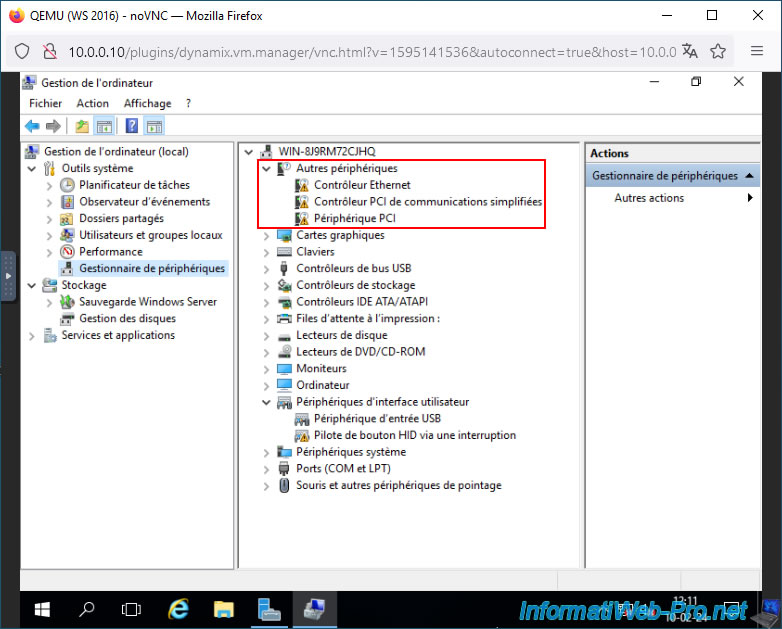
Once the VirtIO drivers for these three devices are installed, the "Other Devices" section will disappear.
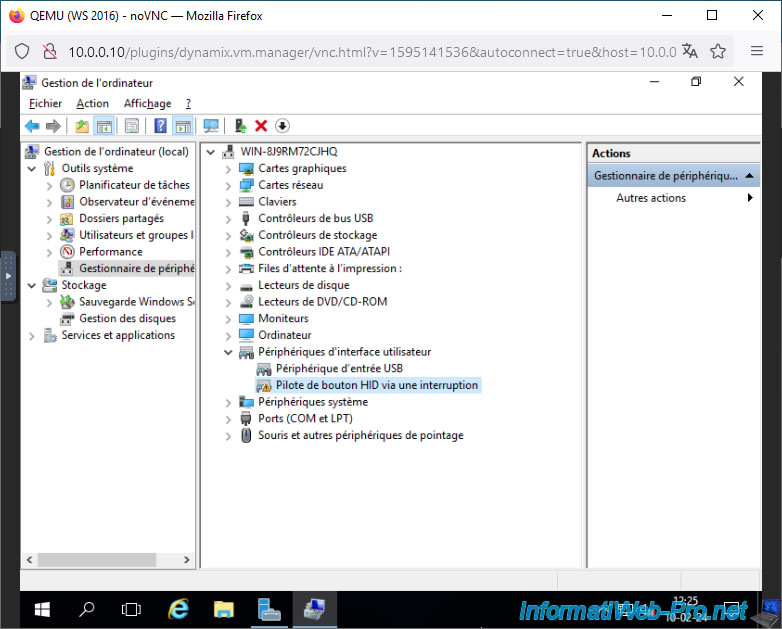
However, when Windows Server 2016 is virtualized via QEMU (which is used in the background by Unraid), you will notice a warning for the "HID Button Driver via Interrupt" device.
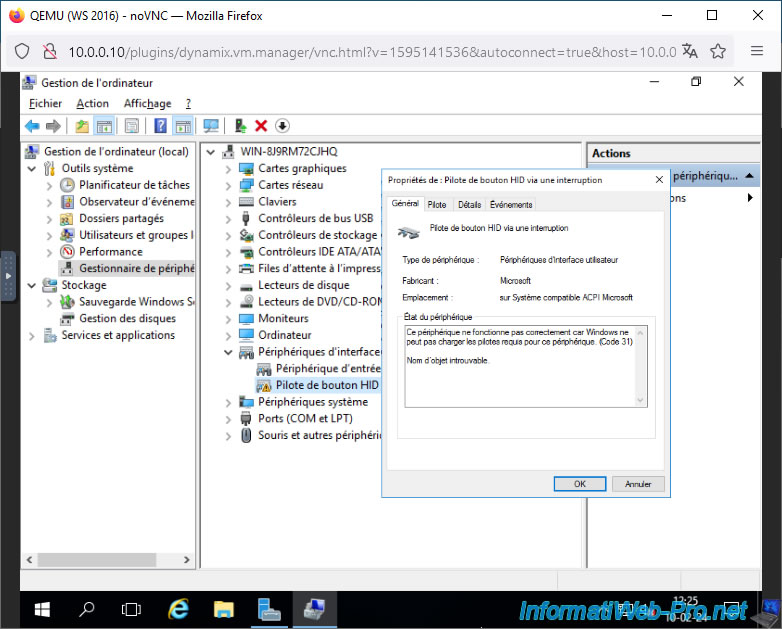
If you double click on this device "HID Button Driver via Interrupt", you will see that the device status is:
Plain Text
This device is not working properly because Windows cannot load the drivers required for this device (Code 31).

Object Name not found.
If you go to the "Details" tab and select the "Hardware ID Numbers" property, you will see that the value is: ACPI\VEN_ACPI&DEV_0010.
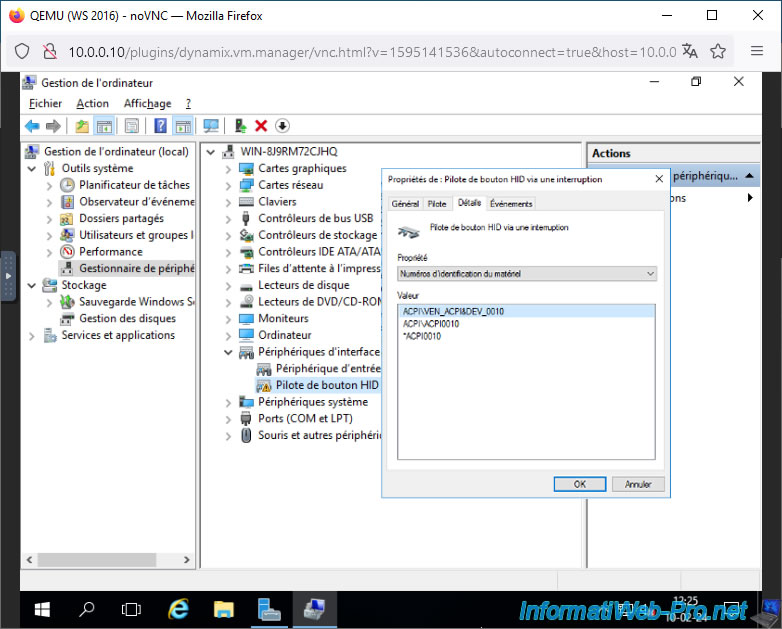
To solve this problem, just uninstall this device "HID Button over Interrupt Driver" and then delete some data in the registry as explained on the page "1377155 - HID Button over Interrupt Driver not working properly in windows10 and win2016".
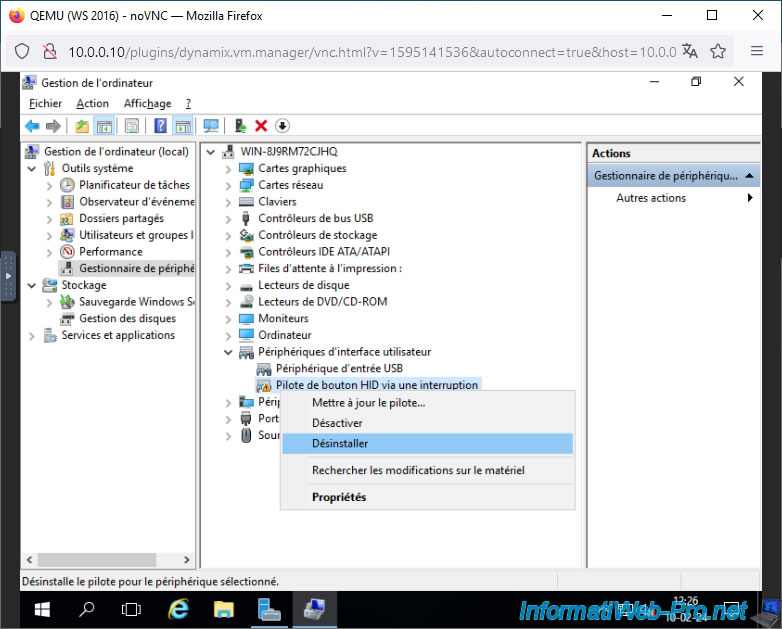
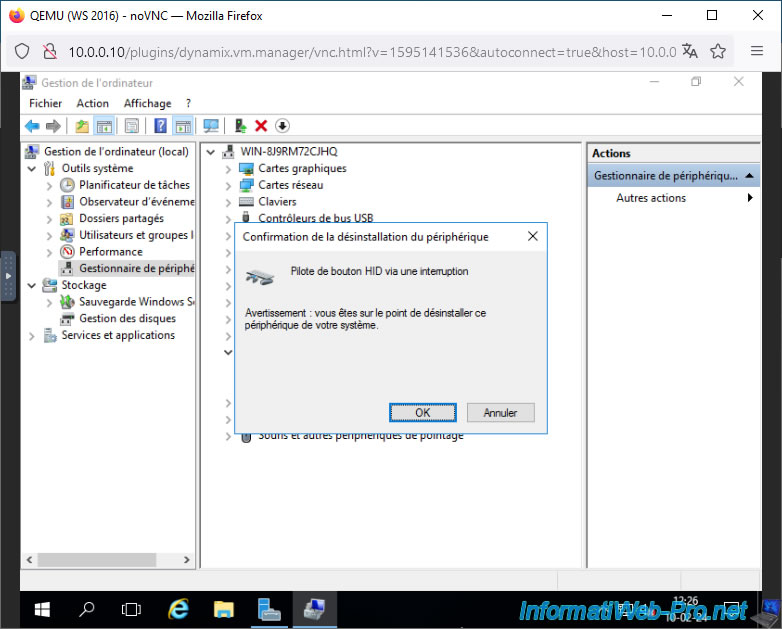
Confirm uninstallation of the "HID Button Driver via Interrupt" device by clicking OK.
Next, download the "PsTools" program created by Microsoft.
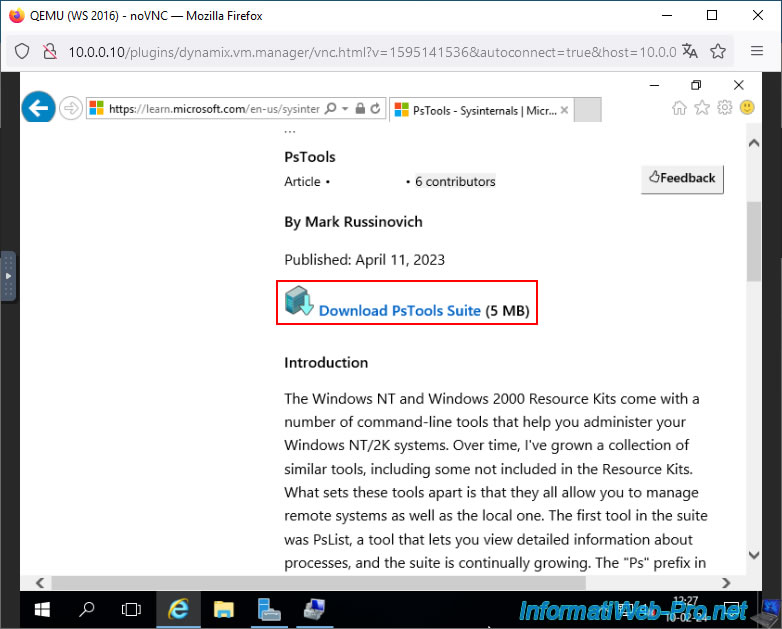
Unzip the downloaded "PSTools.zip" file.
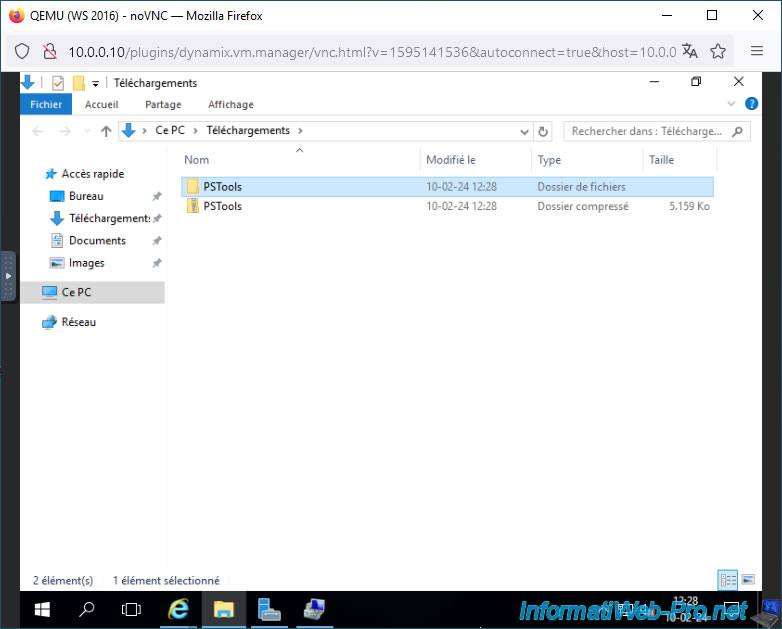
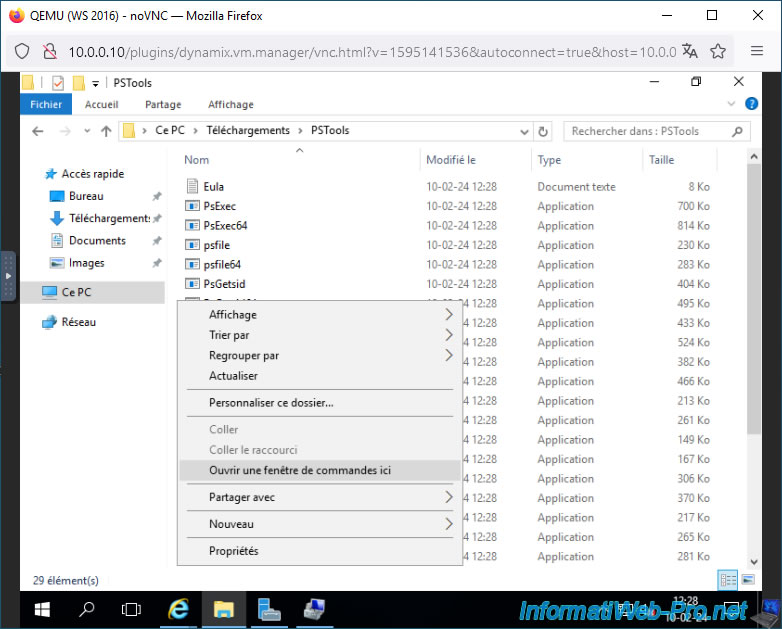
Open the "PSTools" folder, hold down the SHIFT key and right-click "Open a command window here" (in the empty space of the folder).
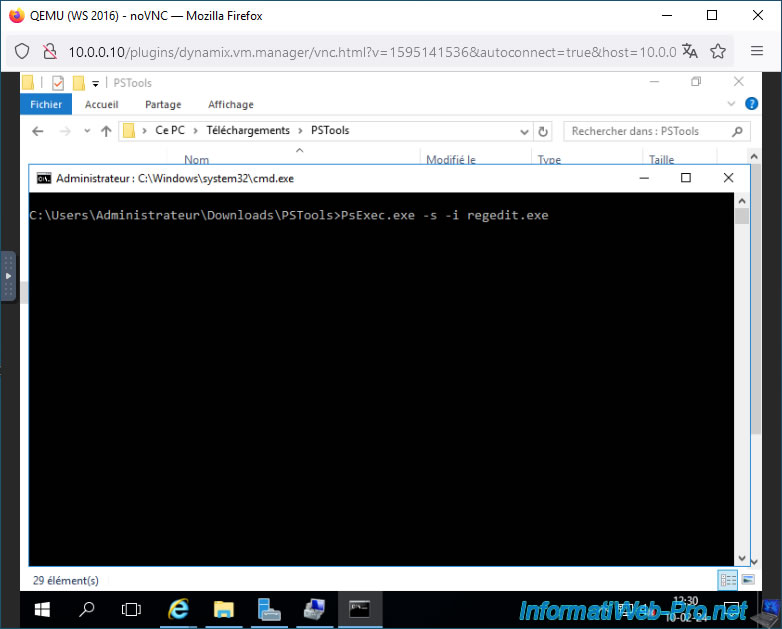
Type the command below.
Batch
PsExec.exe -s -i regedit.exe
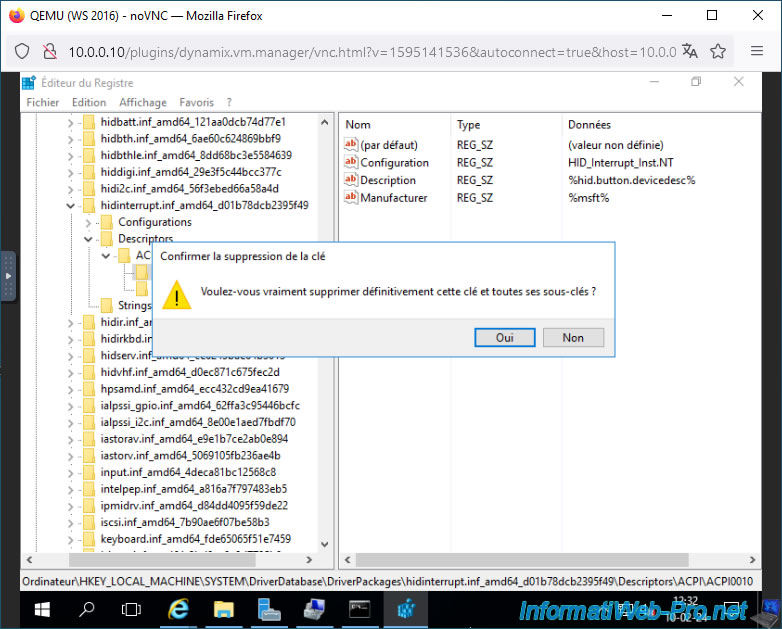
In the Registry Editor that appears, navigate to the registry key "HKEY_LOCAL_MACHINE\SYSTEM\DriverDataBase\DriverPackages\hidinterrupt.inf_amd64_<some instance ID>\Descriptors\ACPI0010".
Then, delete this key (folder) "ACPI0010".
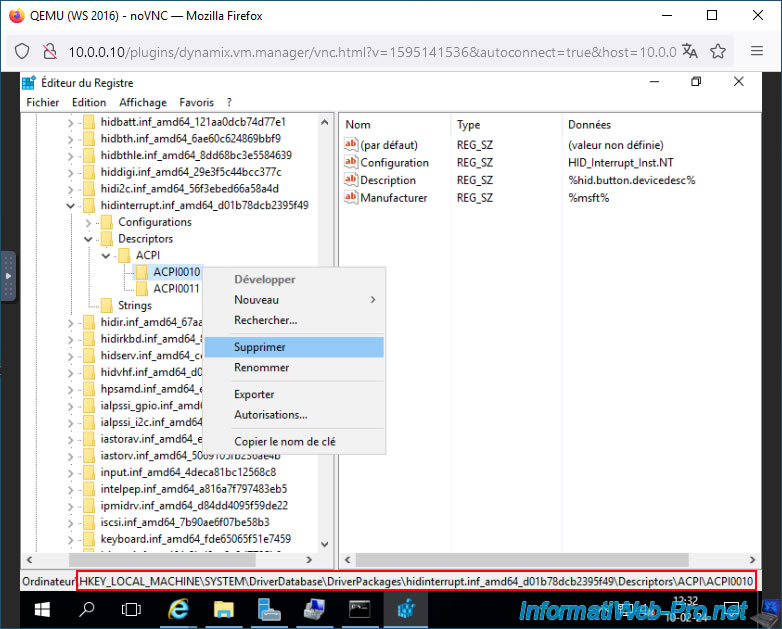
Confirm the deletion of this registry key by clicking Yes.
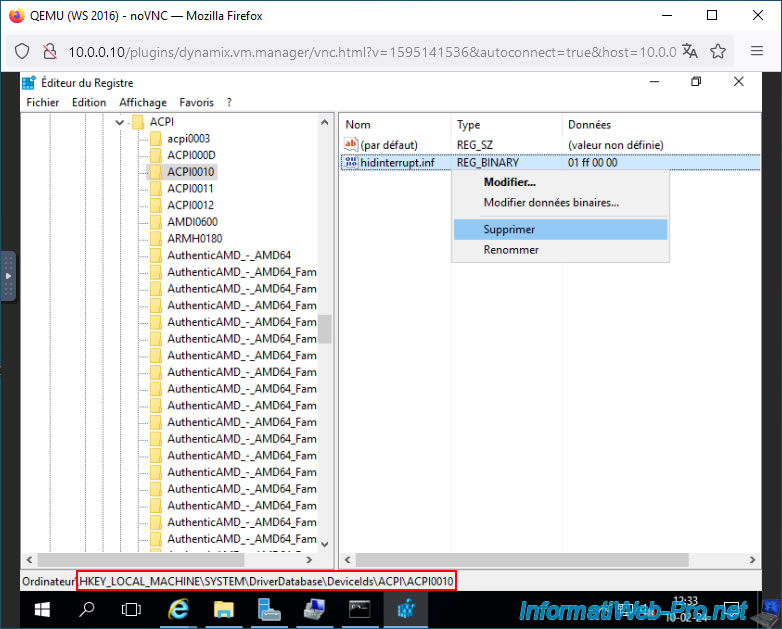
Next, go to the registry key "HKEY_LOCAL_MACHINE\SYSTEM\DriverDataBase\DeviceIds\ACPI\ACPI0010" and delete the "hidinterrupt.inf" data there.
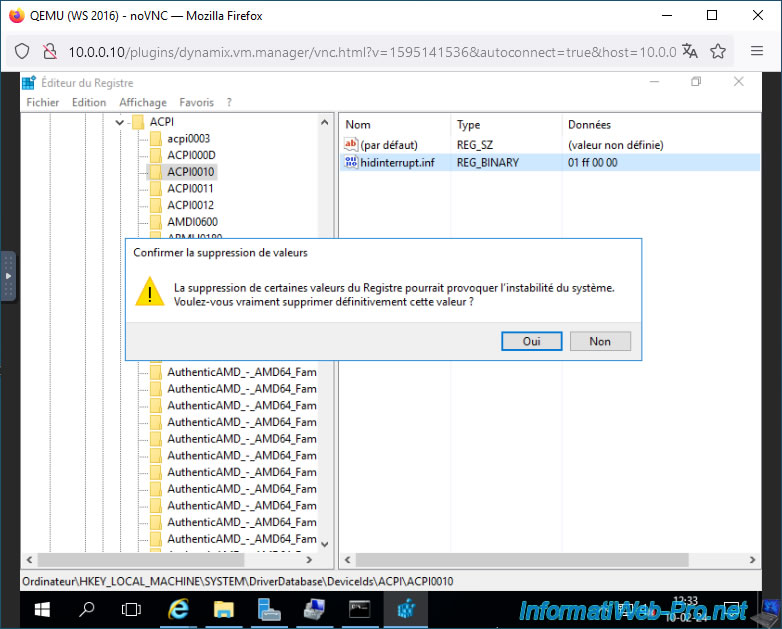
Confirm the deletion of this data by clicking Yes.
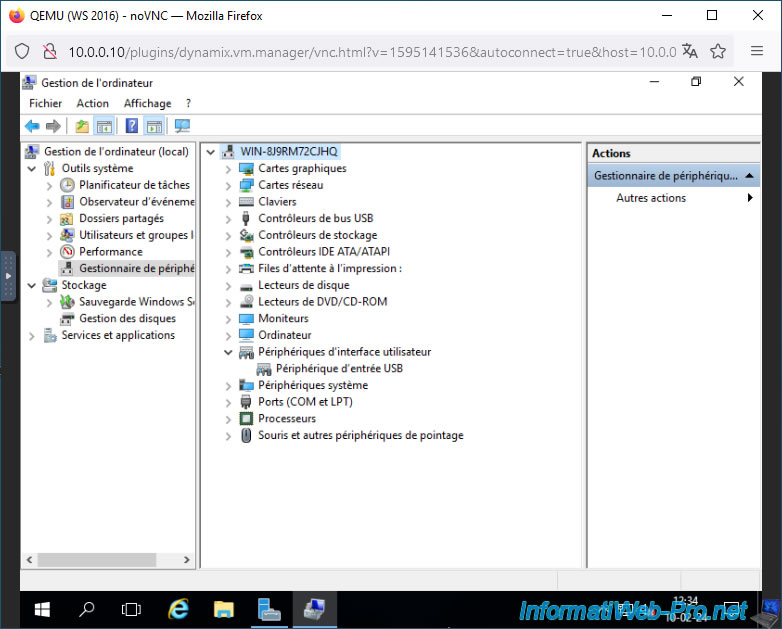
Close the Registry Editor and return to Device Manager.
Right-click "Scan for hardware changes" on your server name.
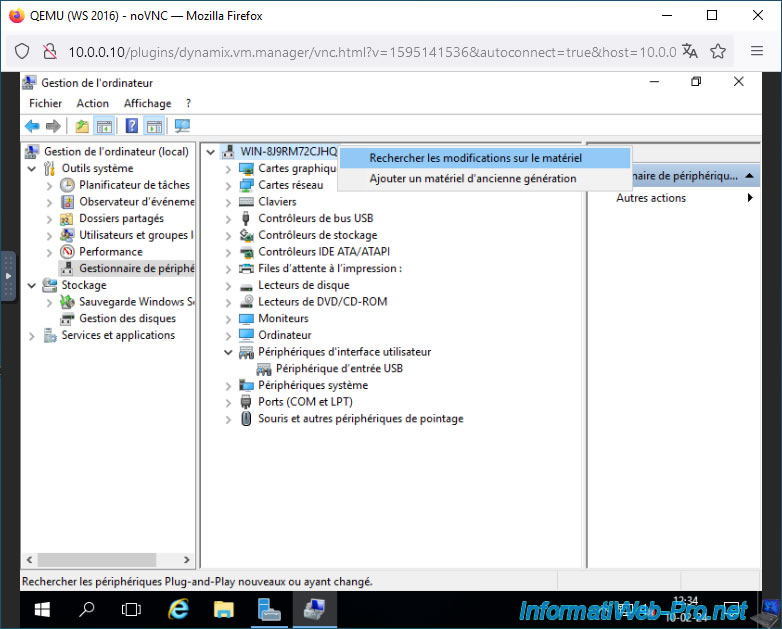
As expected, this device no longer appears.
Share this tutorial
To see also
-

NAS 1/30/2026
Unraid 6.9.2 - Create shares (network / user)
-

NAS 1/21/2026
Unraid 6.9.2 - Replace a storage disk
-

NAS 6/10/2026
Unraid 6.9.2 - SWAG - Access Jellyfin via reverse proxy and personal domain
-

NAS 9/9/2026
Unraid 6.9.2 - VMs - Create a gaming virtual machine (without ACS support)
No comment