Install the free office suite (Collabora CODE) for Nextcloud on Unraid 6.9.2
- NAS
- Unraid
- 24 June 2026 at 07:56 UTC
-

- 3/6

7. Configure Nextcloud to use your independent Collabora server
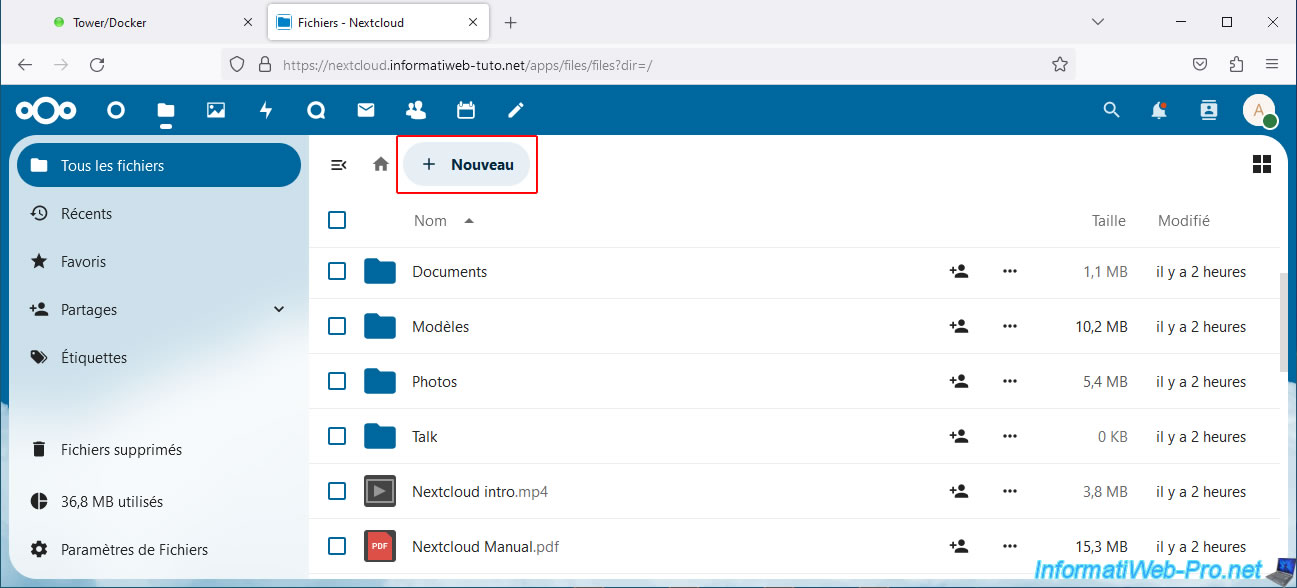
In the "Files" section of Nextcloud, click New -> New Folder.
Note: when you want to use the "Nextcloud" Office suite (which relies on a Collabora server), you will need to select a folder where the Office templates will be stored.
Hence, creating a folder here.
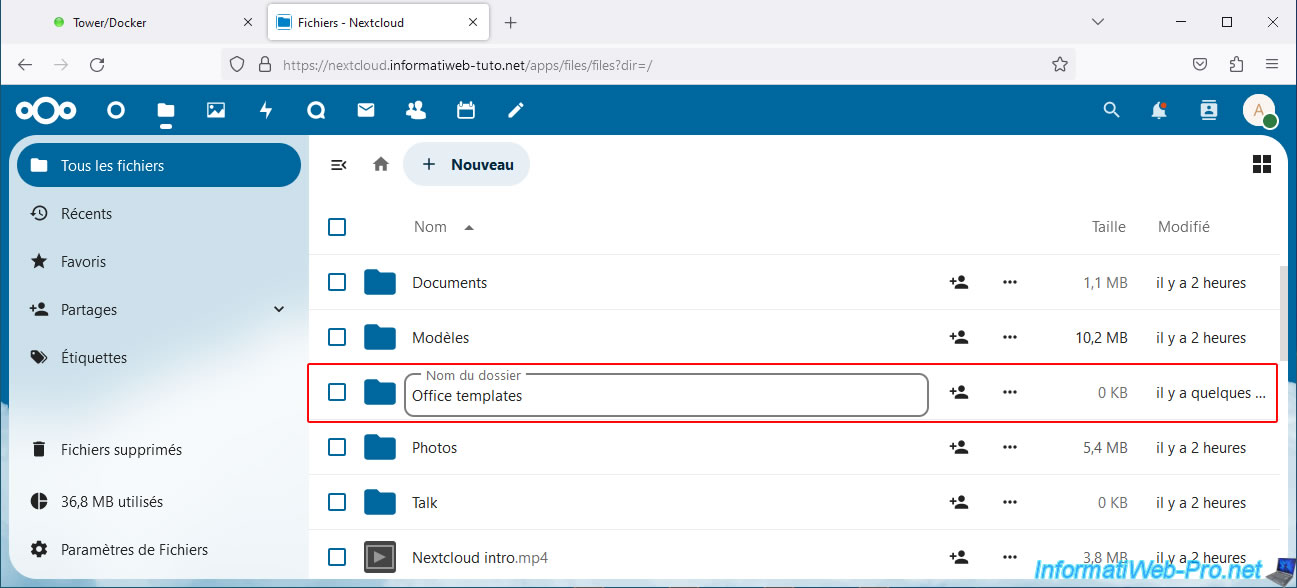
Name this new folder "Office templates" (for example).
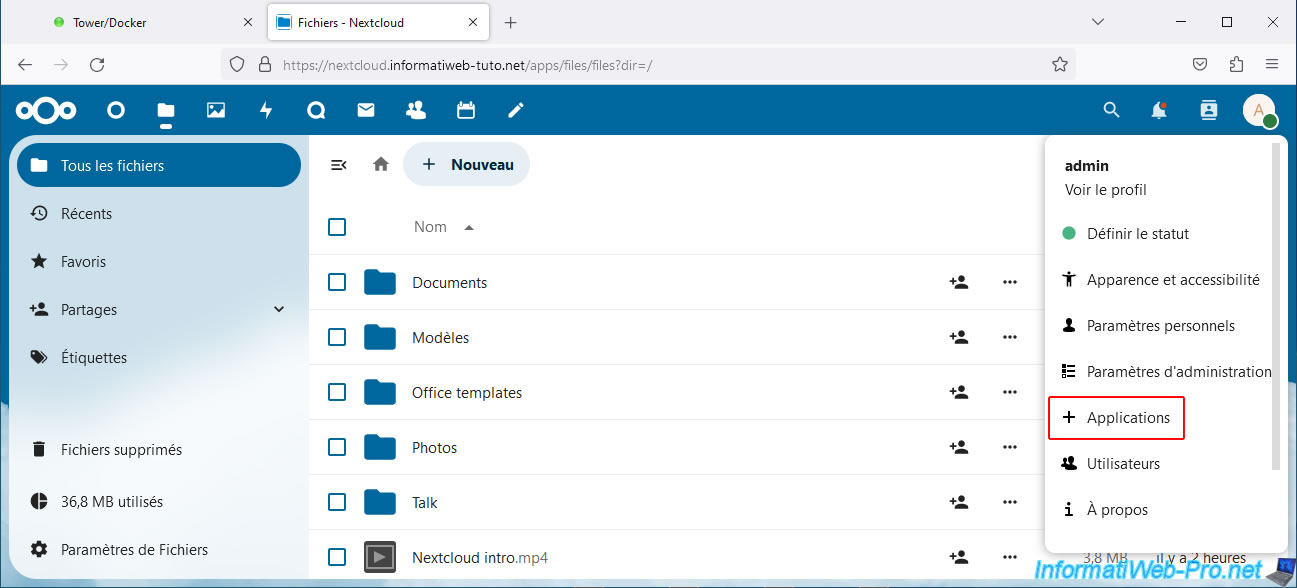
Then, click on the icon in the top right corner, then on: Applications.
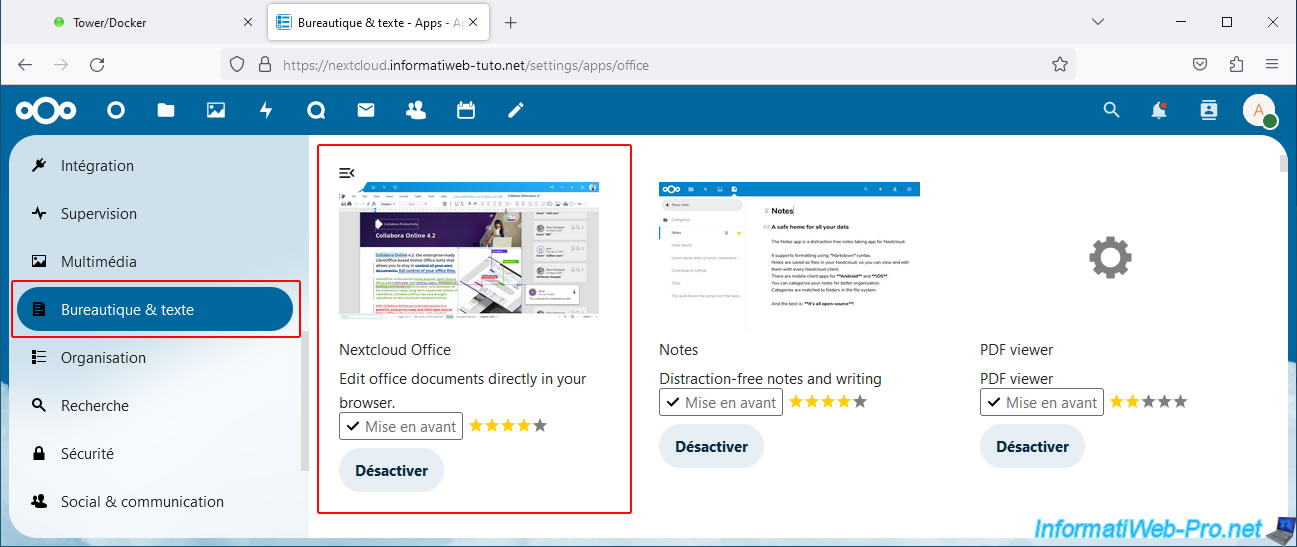
In the "Your Apps" section of the left menu, make sure the "Nextcloud Office" app is installed.
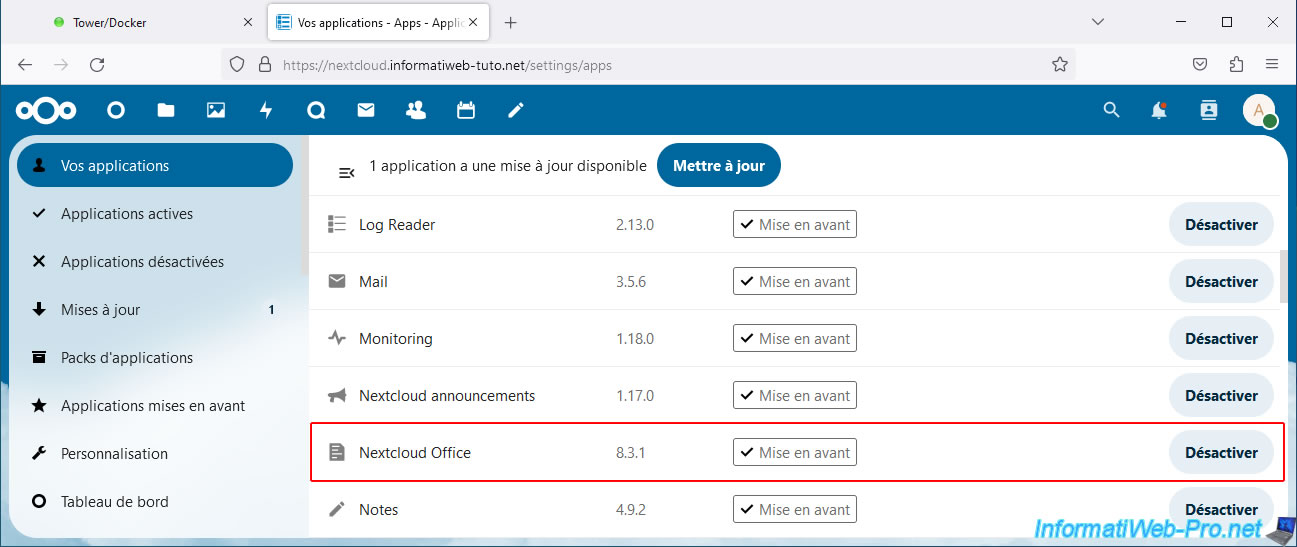
Otherwise, go to the "Office & Text" section and activate this "Nextcloud Office" application.
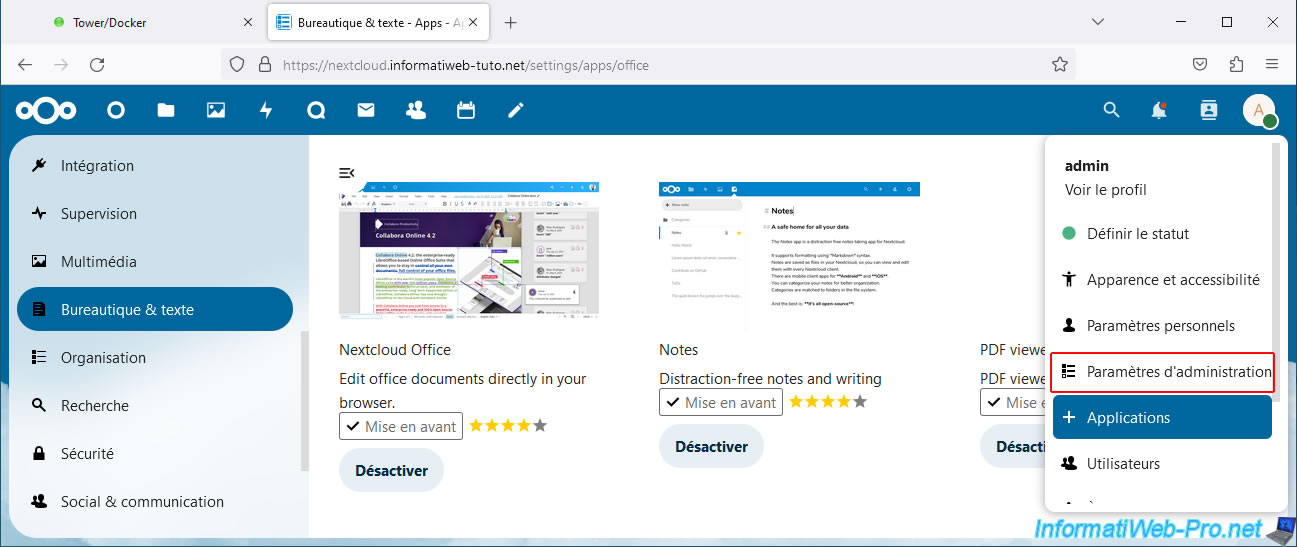
Next, go to Nextcloud's administration settings.
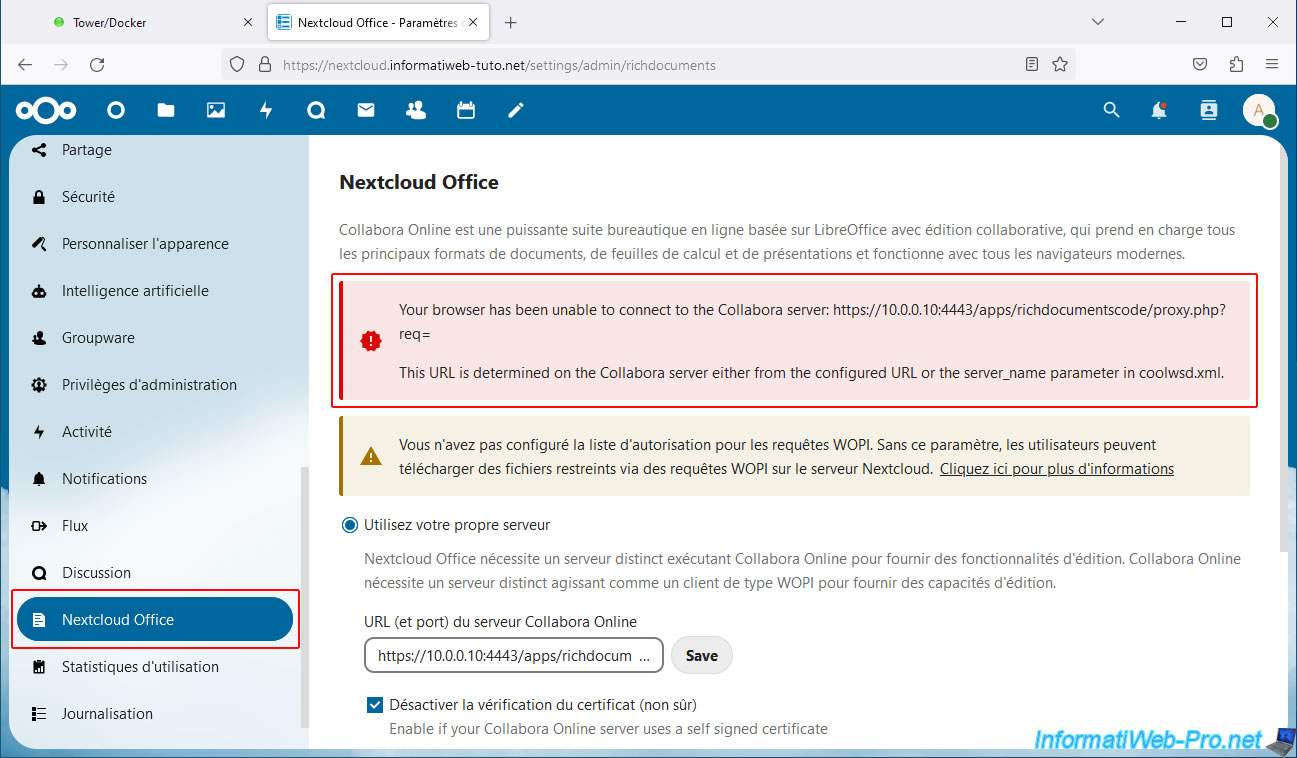
In the "Administration" section of the left menu, go to "Nextcloud Office" and you will probably see an error message indicating that your web browser is unable to contact the Collabora server.
Plain Text
Your browser has been unable to connect to the Collabora server: https://10.0.0.10:4443/apps/richdocumentscode/proxy.php?req=
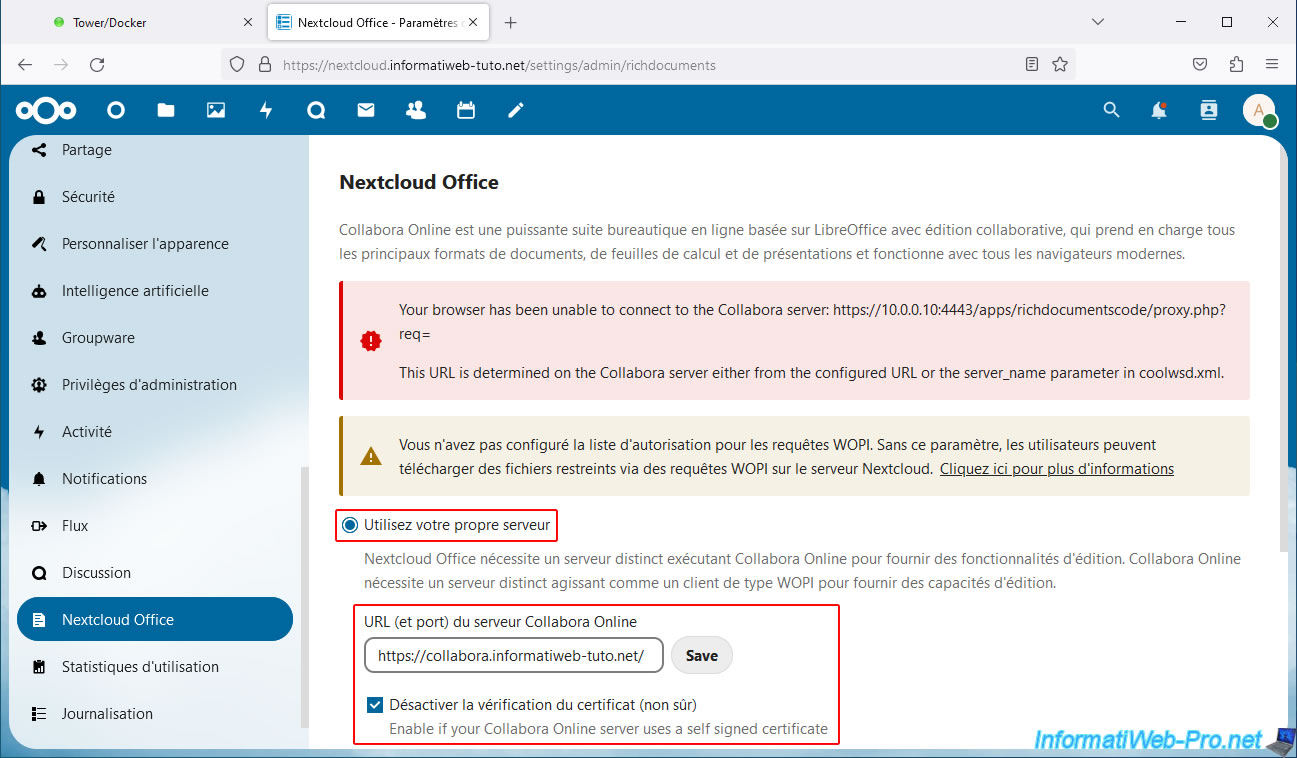
To solve this problem, you need to:
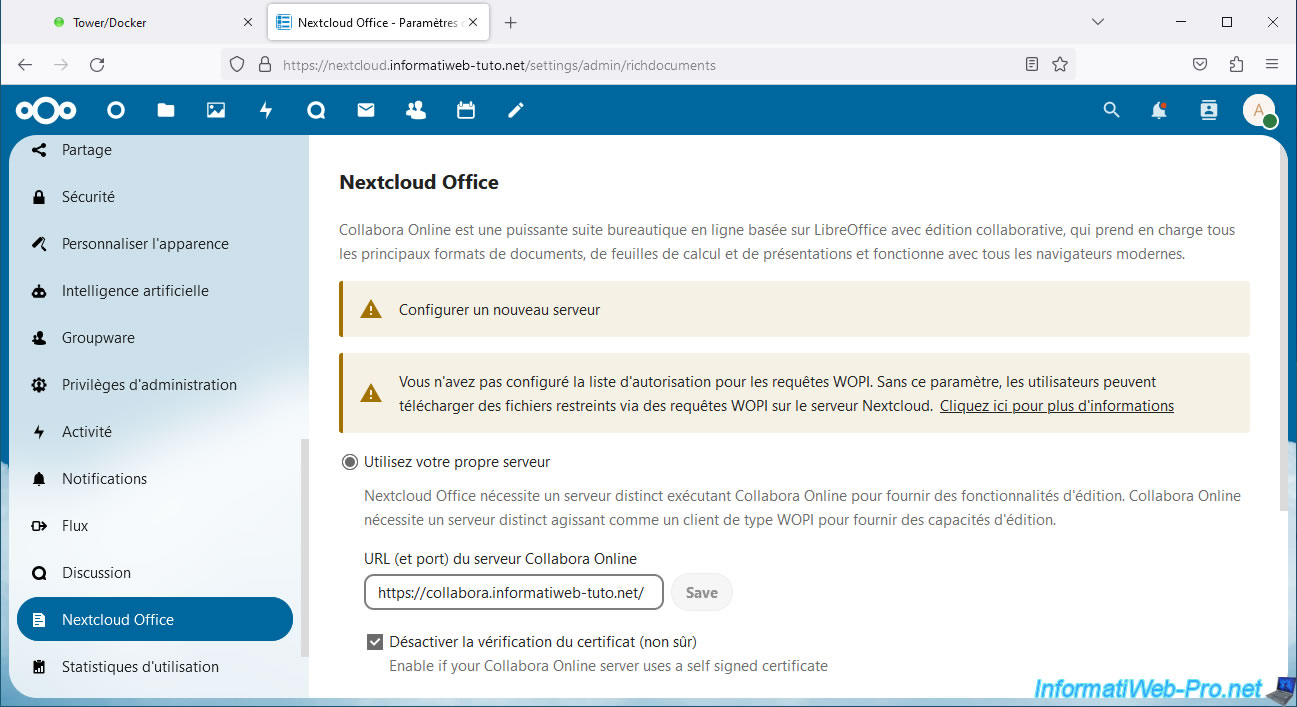
- Select the "Use your own server" option.
- Enter only "https://collabora.[your domain]/" (in our case "https://collabora.informatiweb-tuto.net/") in the "Collabora Online server URL (and port)" box.
- Check the "Disable certificate verification (not secure)" box, as Collabora uses a self-signed certificate locally (although the certificate sent via swag is valid).
- Click "Save".
A "Configure a new server" warning appears.
Wait 1 to 2 minutes and refresh this page.
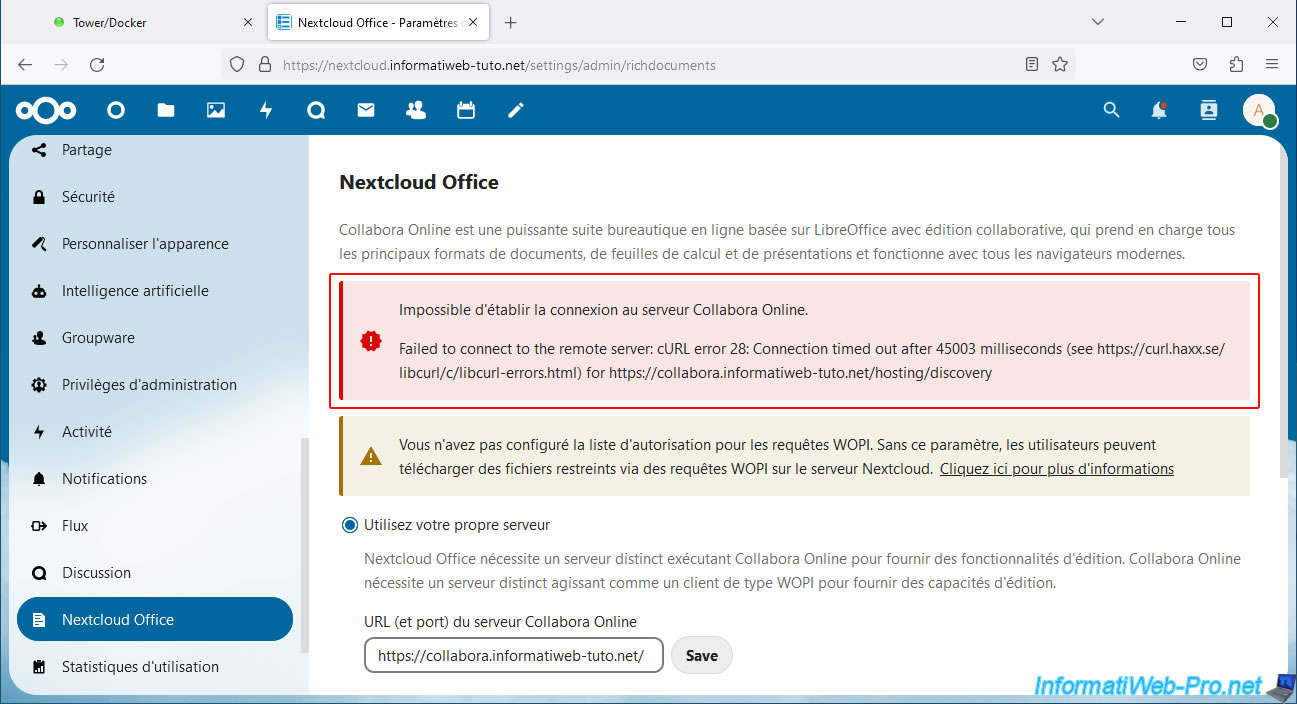
As you can see, the error displayed is different.
Plain Text
Unable to establish connection to the Collabora Online server.

Failed to connect to the remote server: cURL error 28: Connection timed out after 45003 milliseconds (see https://curl.haxx.se/libcurl/c/libcurl-errors.html) for https://collabora.informatiweb-tuto.net/hosting/discovery.
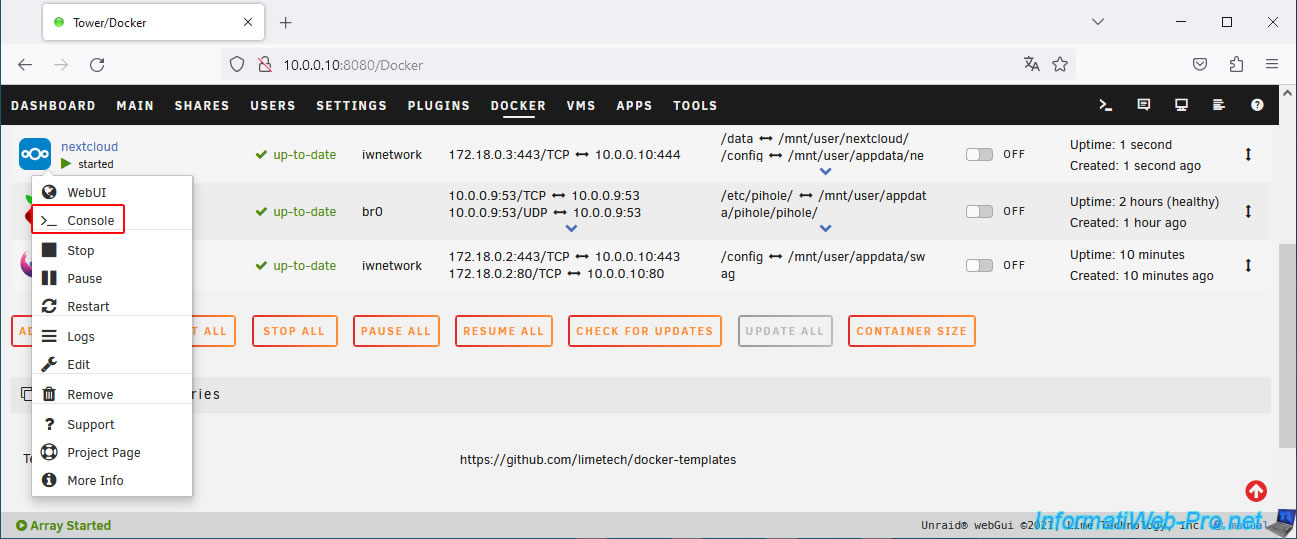
To understand where this problem comes from, you need to open the Nextcloud console.
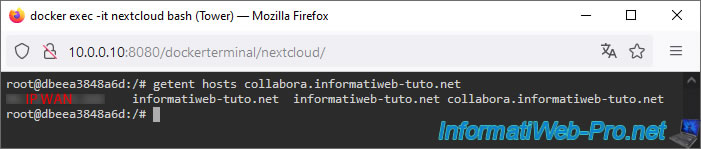
Type the command below and you'll see that Nextcloud receives your external IP address when it tries to find the IP address associated with your domain "collabora.[your domain]."
However, as you already know, you can't access your external IP address from your own local network. This is why we use the VPN built into the Opera web browser in our tutorials so that you're virtually outside your home when you try to access your external IP address (via your domain "nextcloud.[your domain]" or "collabora.[your domain]," for example).
Bash
getent hosts collabora.informatiweb-tuto.net
To find out which DNS server your "Nextcloud" container is using, simply open the "/etc/resolv.conf" file of this container.
Bash
nano /etc/resolv.conf
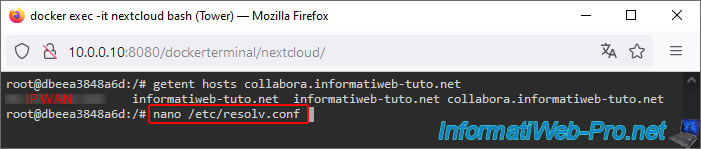
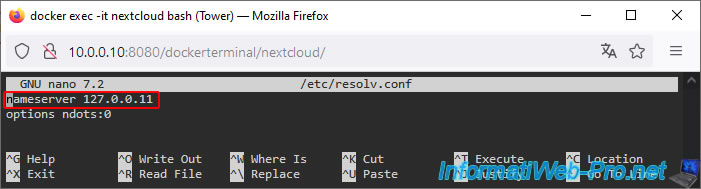
As you can see, this Docker container uses the local DNS server "127.0.0.11."
In other words, the one used by your Unraid server or the one manually set for this container if you use the additional "--dns" parameter available for Docker containers.
Plain Text
nameserver 127.0.0.11
Share this tutorial
To see also
-

NAS 11/21/2025
Unraid 6.9.2 - Install and configure Unraid 6.9.2
-

NAS 2/25/2026
Unraid 6.9.2 - Install the "Community Applications" (CA) plugin
-

NAS 1/21/2026
Unraid 6.9.2 - Replace a storage disk
-
NAS 7/29/2026
Unraid 6.9.2 - VMs - Backing up a VM automatically
No comment