Add a site to a site-to-site (S2S) VPN infrastructure via PPTP/L2TP on Windows Server 2022

6.3.4. Create the VPN tunnel between site 2 (Paris) and site 3 (Nice) using PPTP
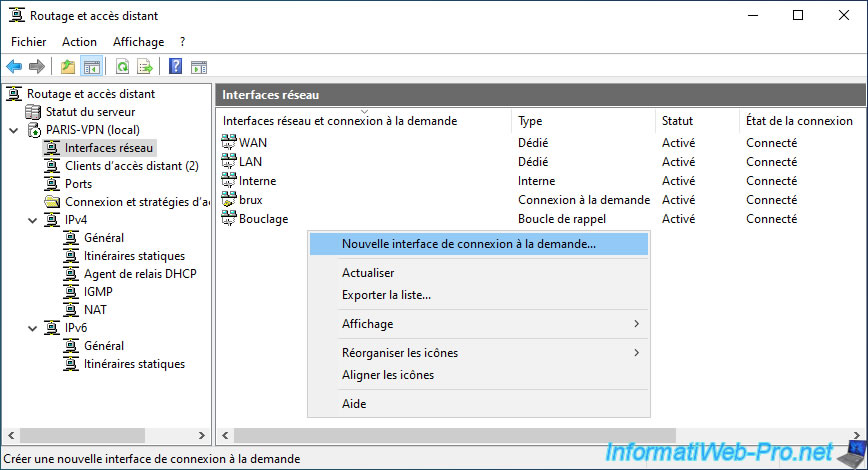
Similar to the VPN server at site 1 (Brussels), now go to your VPN server at site 2 (Paris).
Then, in the "Network Interfaces" section, right-click and select "New On-Demand Connection Interface".
Enter the name of the remote router.
Again, it's "nice" since the VPN server in Paris (site 2) will connect to the one in Nice (site 3).

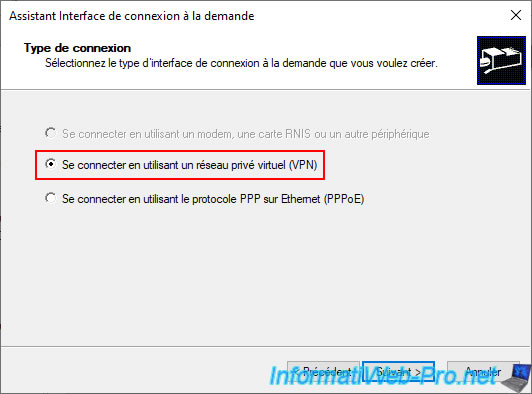
Select the "Connect using a virtual private network (VPN)" option again.
Then, select your preferred VPN protocol (either PPTP or L2TP).
Enter the public IP address of the remote VPN server.
In our case, this would be the public IP address (provided by the ISP) for our VPN server "NICE-VPN".

Click "Add" to add a static route.
Again, the subnet used at our site 3 (Nice) is "10.0.3.X".

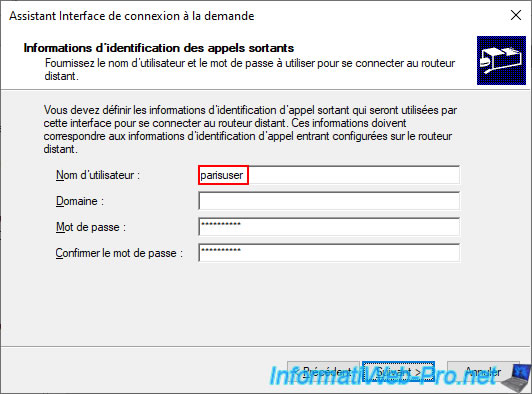
Enter the credentials for the user account "parisuser" created on the remote VPN server "NICE-VPN".
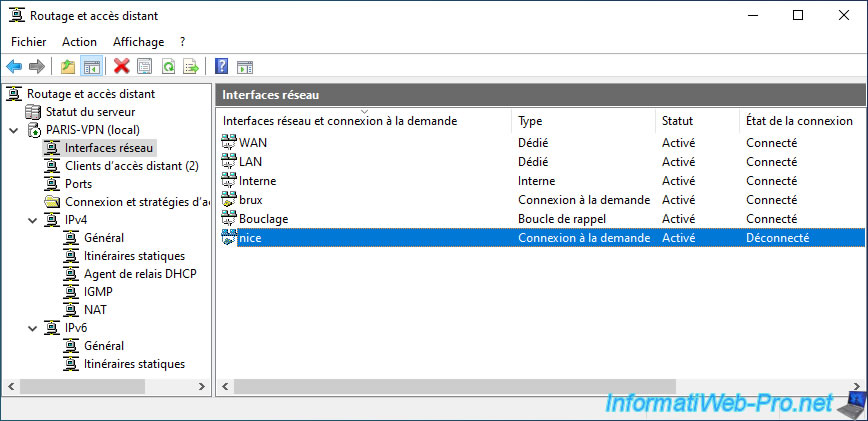
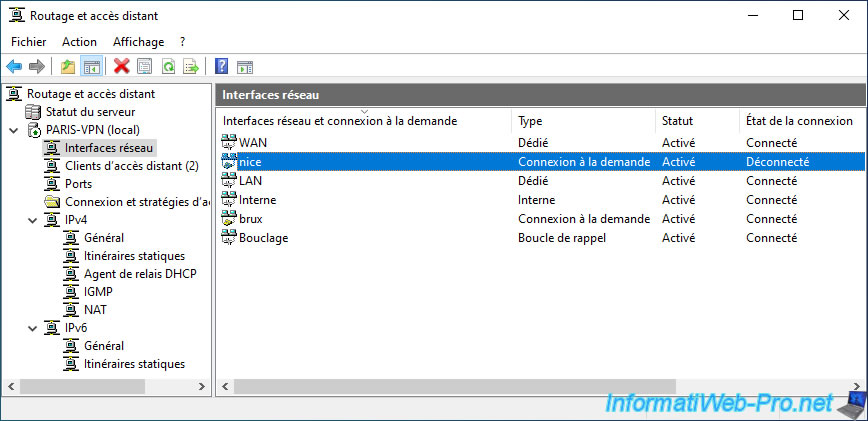
Your new on-demand connection "nice" appears in the list of network interfaces of your VPN server "PARIS-VPN".
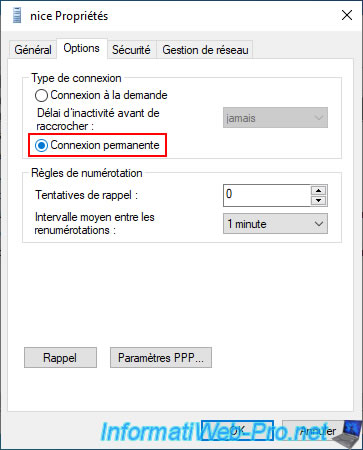
In the "Options" tab, select the "Permanent connection" option again.
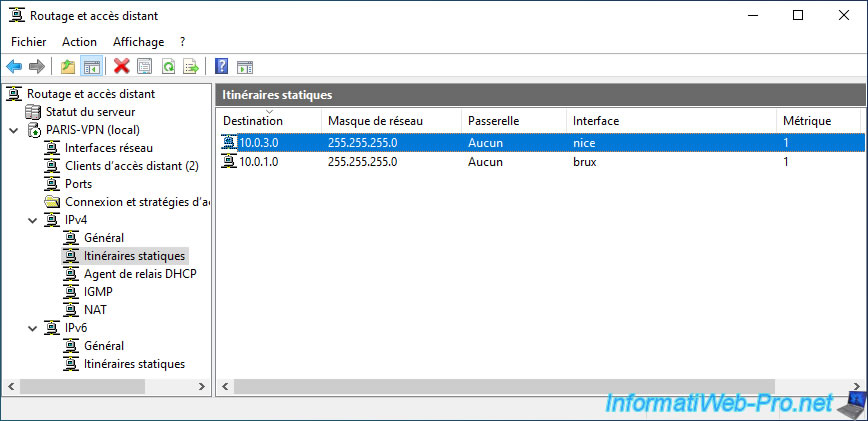
In the "Static Routes" section, a new route will appear.
Therefore, this VPN server "PARIS-VPN" now knows that:
- the "10.0.1.X" network is accessible via its "brux" network interface.
- the "10.0.3.X" network is accessible via its "nice" network interface.
6.3.5. Configure the VPN tunnel between site 2 (Paris) and site 3 (Nice) to use L2TP
Again, to use the L2TP protocol instead of PPTP, double-click on the "nice" request connection you just created.
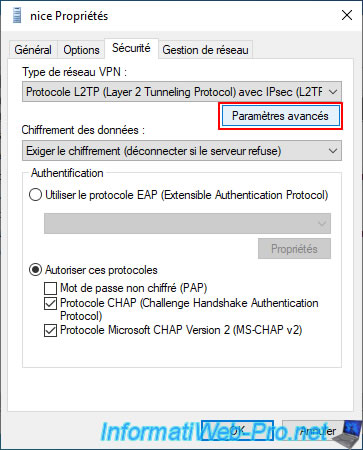
In the "Security" tab, select the VPN network type "L2TP Protocol...", then click the "Advanced Settings" button.
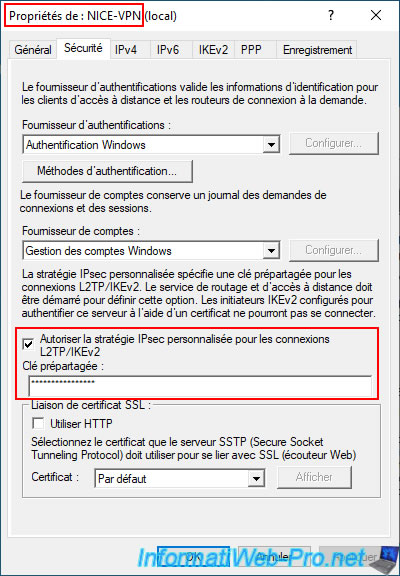
Select the "Use a pre-shared key for authentication" option and specify the pre-shared key of the remote VPN server (in our case: NICE-VPN).
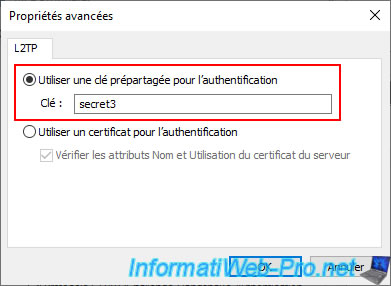
Again, this is defined in the "Security" tab of the remote VPN server properties.
6.3.6. Configure the routing between site 2 (Paris) and site 3 (Nice)
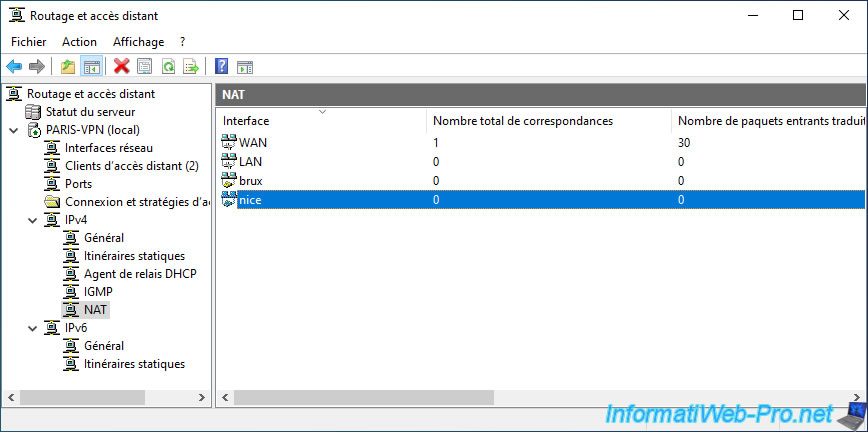
Again, in the "IPv4 -> NAT" section, right-click and select "New Interface".
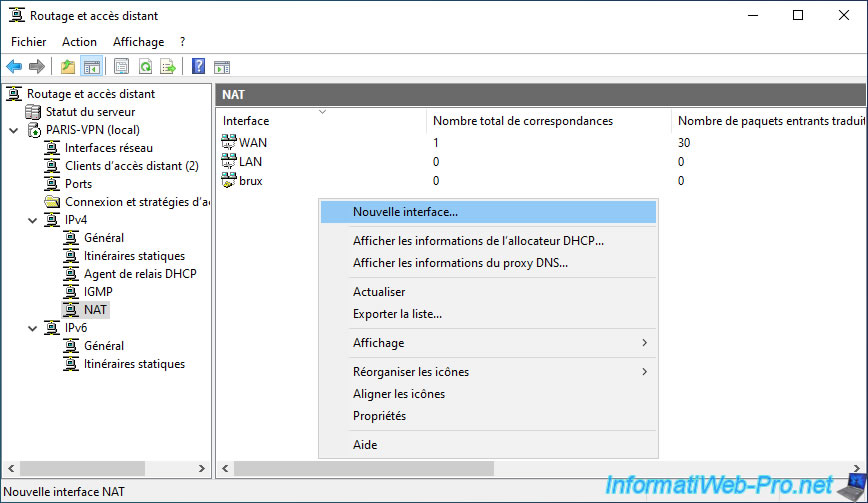
Select the "nice" interface you just created.

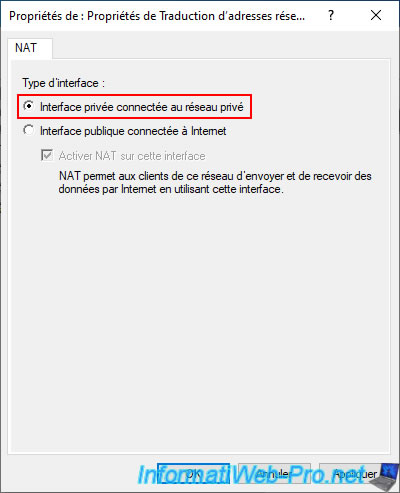
As usual for on-demand connection interfaces, select the interface type "Private interface connected to the private network".
The new "nice" interface appears in the "NAT" section of your server.
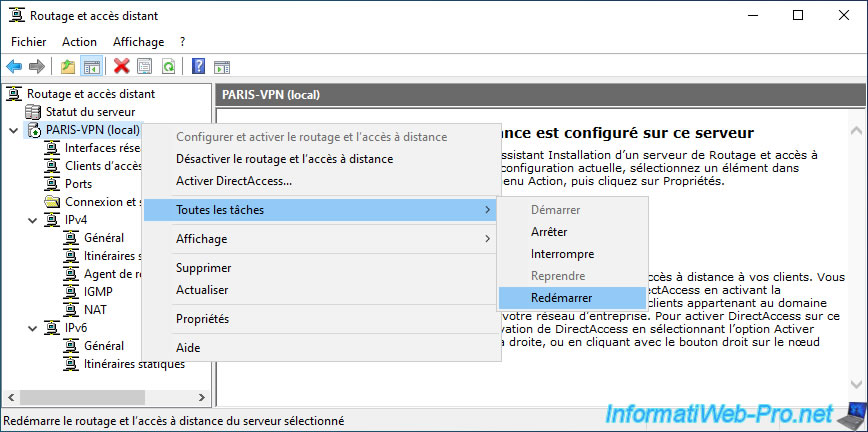
Restart your VPN server.
Share this tutorial
To see also
-

Windows Server 4/28/2012
WS 2003 - NAT and network routing
-

Windows Server 8/8/2012
WS 2008 - NAT and network routing
-
Windows Server 11/23/2017
WS 2012 / 2012 R2 - Dynamic routing (RIPv2)
-

Windows Server 12/9/2016
WS 2022 / 2016 / 2012 - Create a site-to-site (S2S) VPN tunnel via PPTP/L2TP
No comment