Create a high-performance virtual machine (with the OS on SSD) on Unraid 6.9.2
- NAS
- Unraid
- 19 August 2026 at 07:48 UTC
-

- 2/2

4. Install VirtIO drivers on Windows 10
As usual, you'll need to install the missing VirtIO drivers from the VirtIO drivers virtual CD using Windows Device Manager.
To do this, open file explorer and right-click "Manage" on "This PC" (or "Computer").
Then, go to "Device Manager" and you'll see a warning for three devices.
Right-click on them, then click "Update Driver" each time.
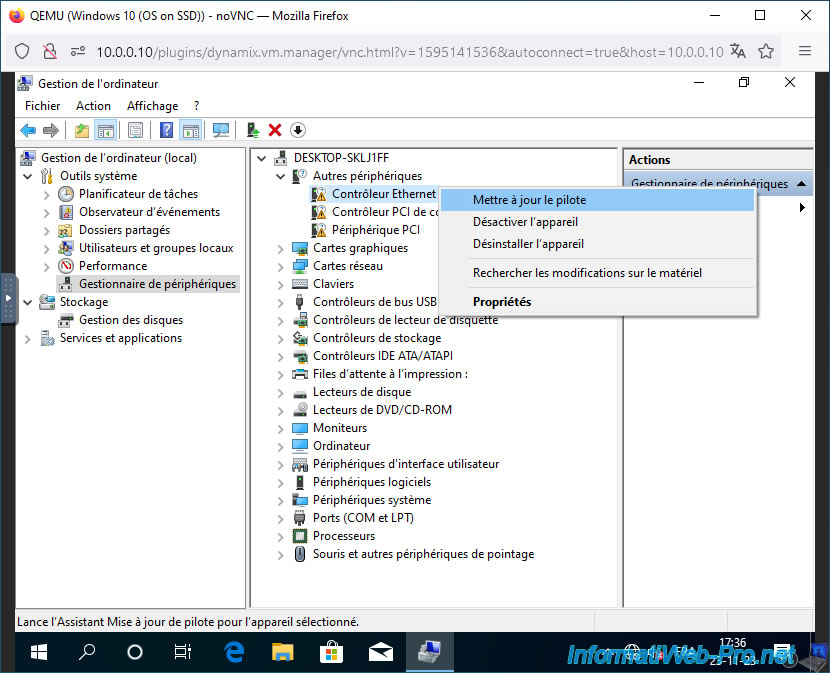
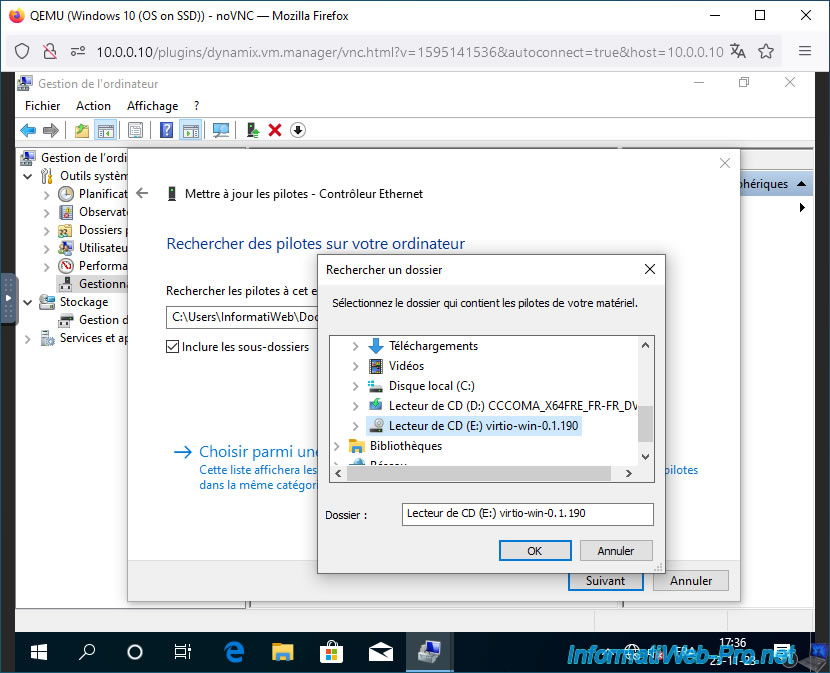
Choose to search for drivers on your computer and select the "virtio-win-..." CD drive.
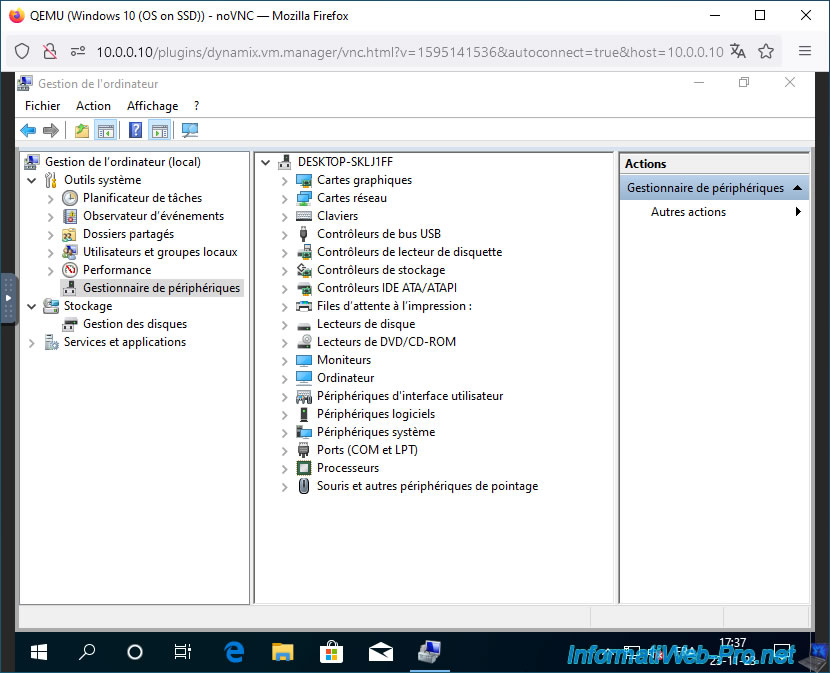
Once the drivers are installed, the warnings will be gone.
5. Partition the disk for data
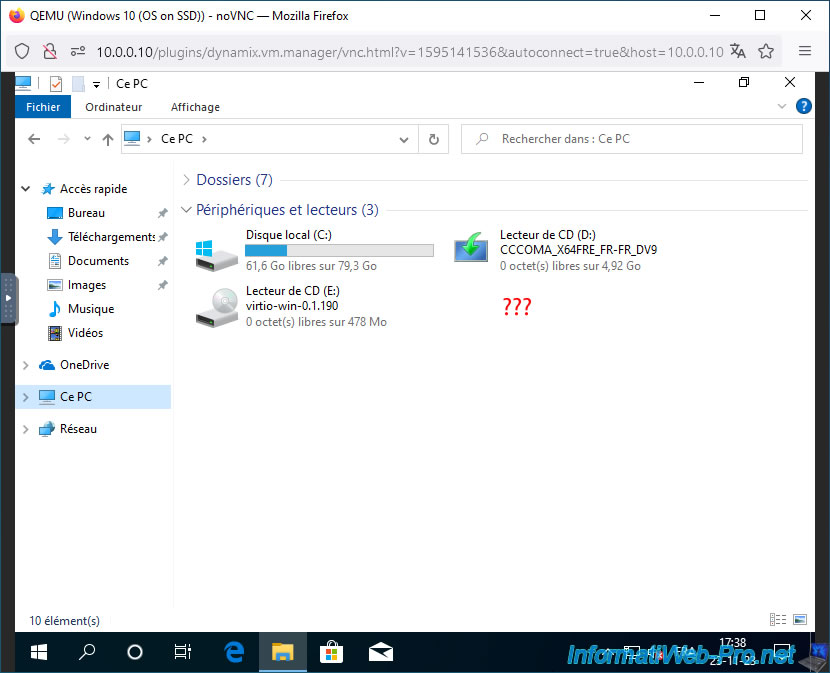
If you look at the disks displayed in File Explorer, you may have noticed that your second virtual hard drive isn't showing up.
This is normal since we haven't partitioned it yet.
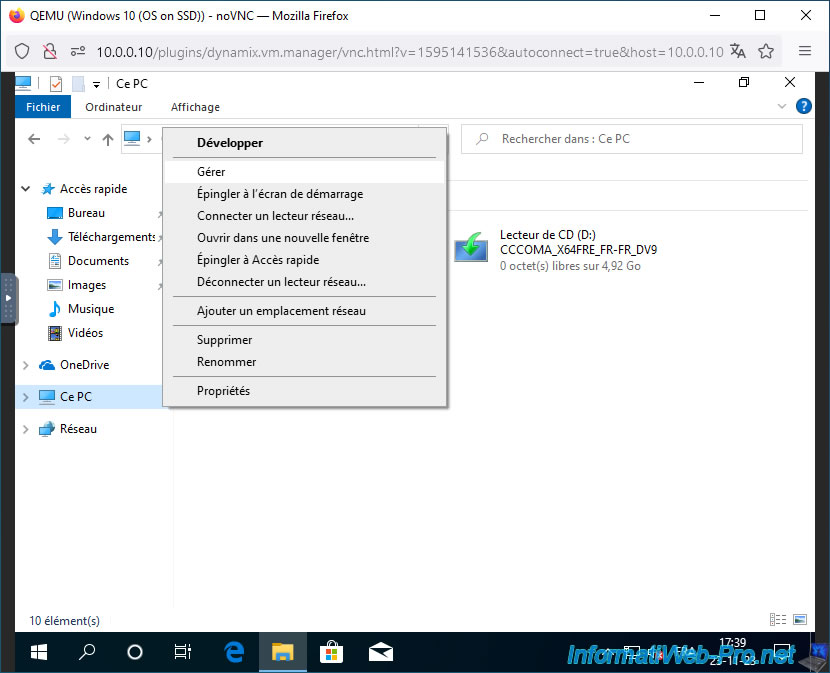
To partition your 2nd hard drive, right-click "Manage" on "This PC".
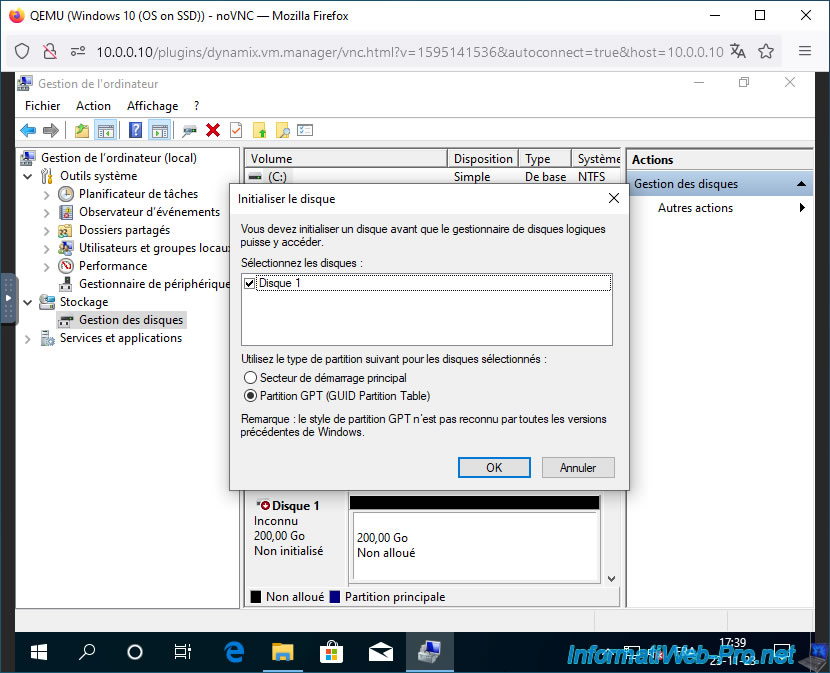
Go to "Disk Management" and you'll see an "Initialize Disk" window appear.
Select the partition type to use.
Note: the GPT partition type is required for booting in UEFI mode (if the OS is installed on this disk), but also to support disks with a capacity greater than 2TB.
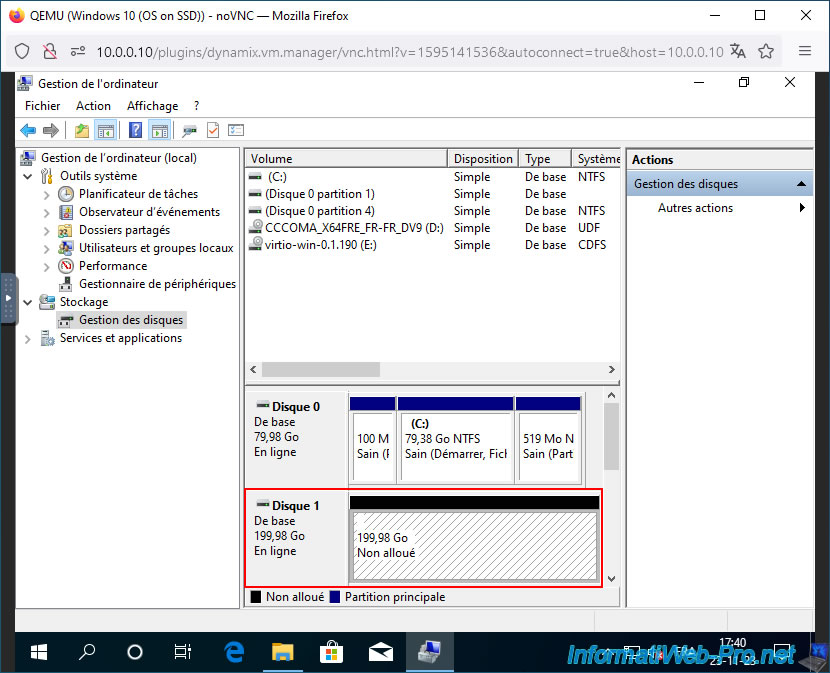
The disk appears with only unallocated space.
Before creating your partitions, free up the necessary letters by changing the ones assigned to your virtual CD drives.
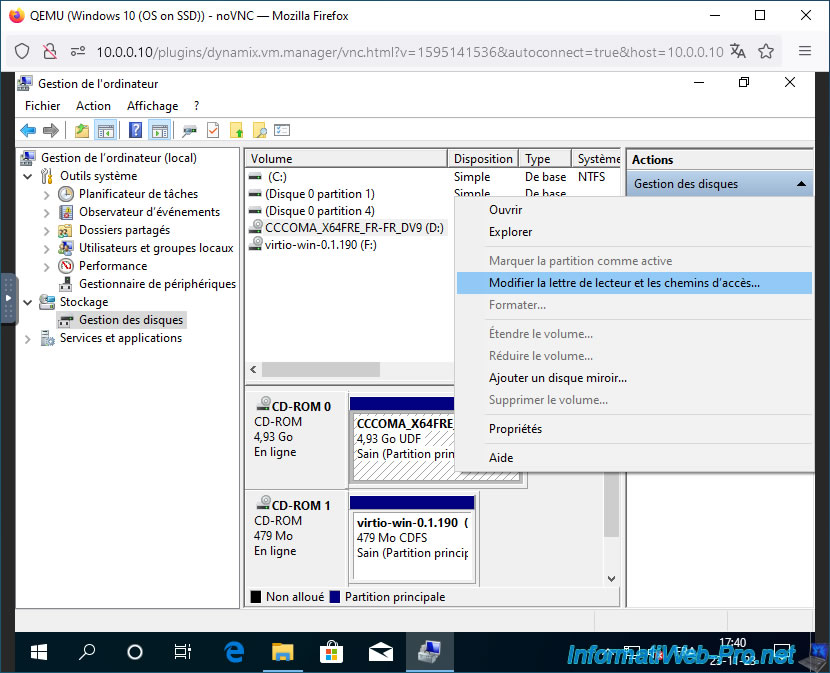
To do this, right-click on your CD drive and select "Change drive letter and paths".
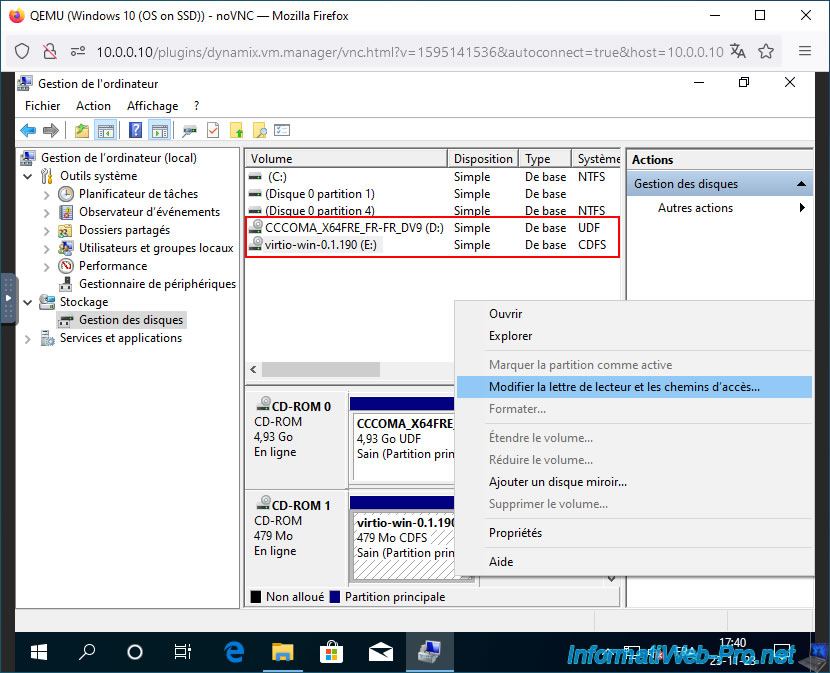
Click on "Edit".
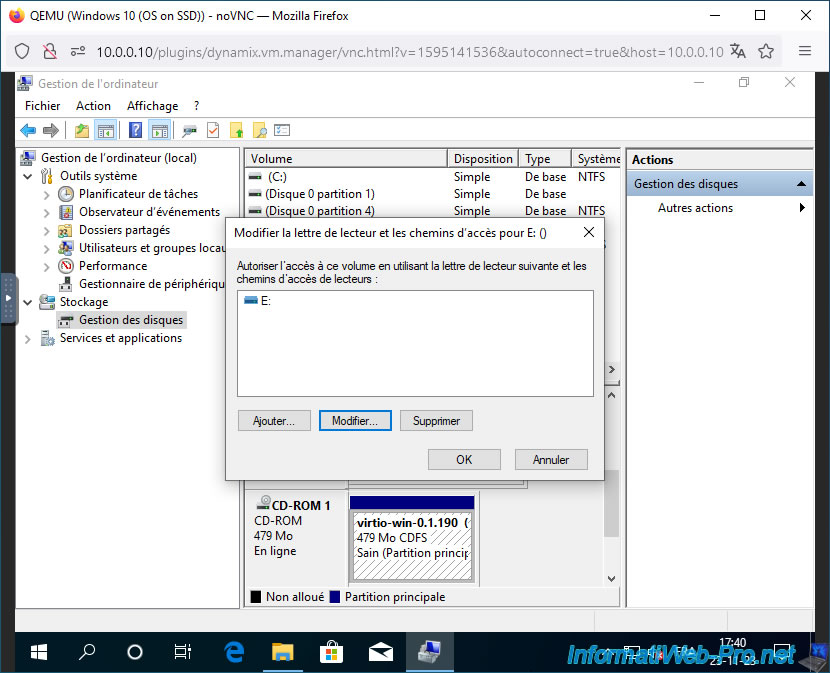
Select another letter, then click OK.
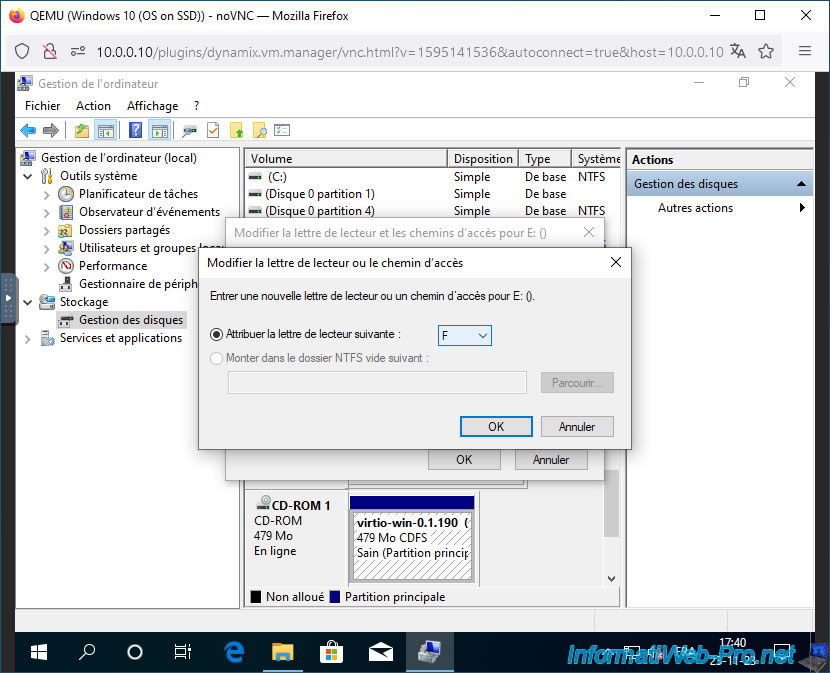
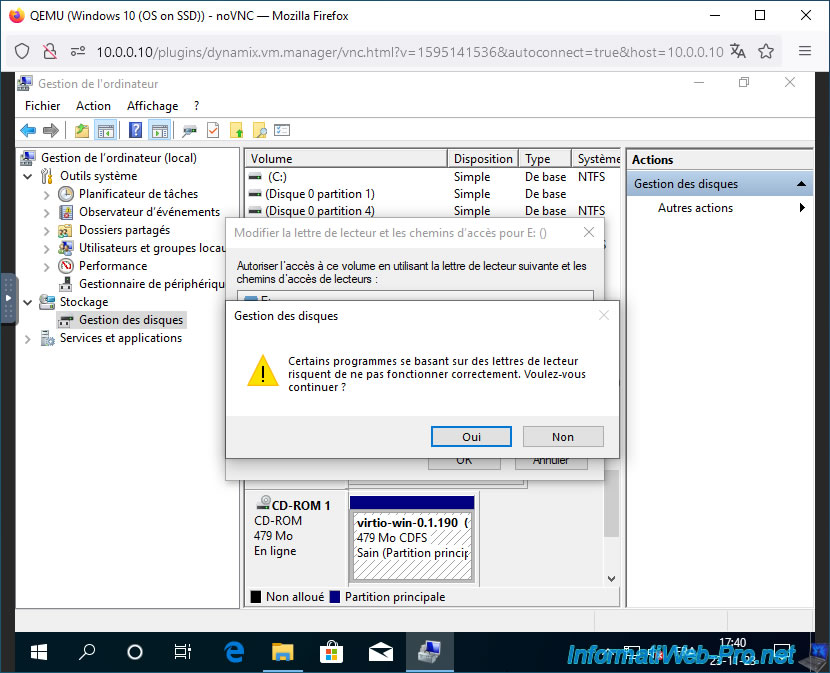
Ignore the displayed warning.
The letter has changed to your CD drive "virtio-win-...".
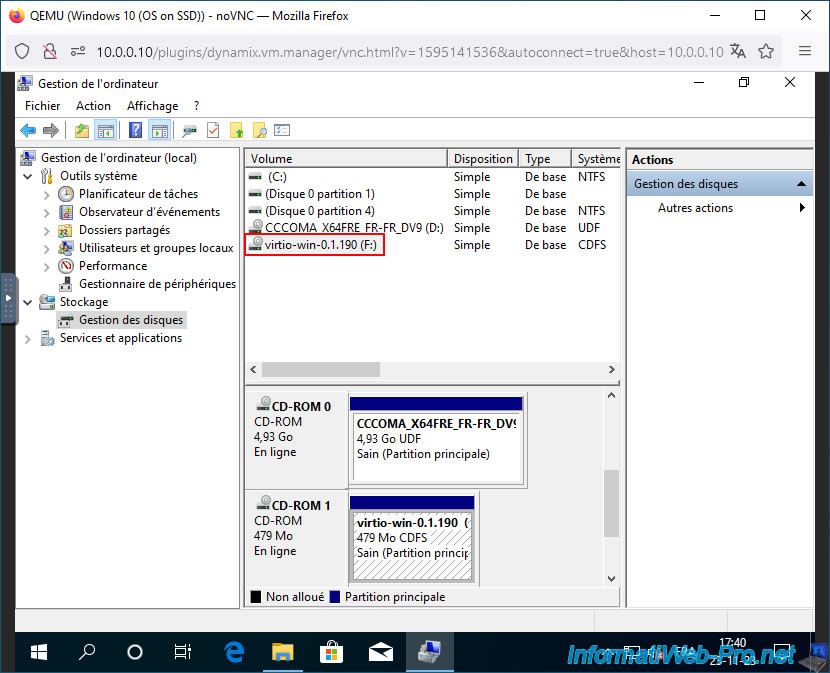
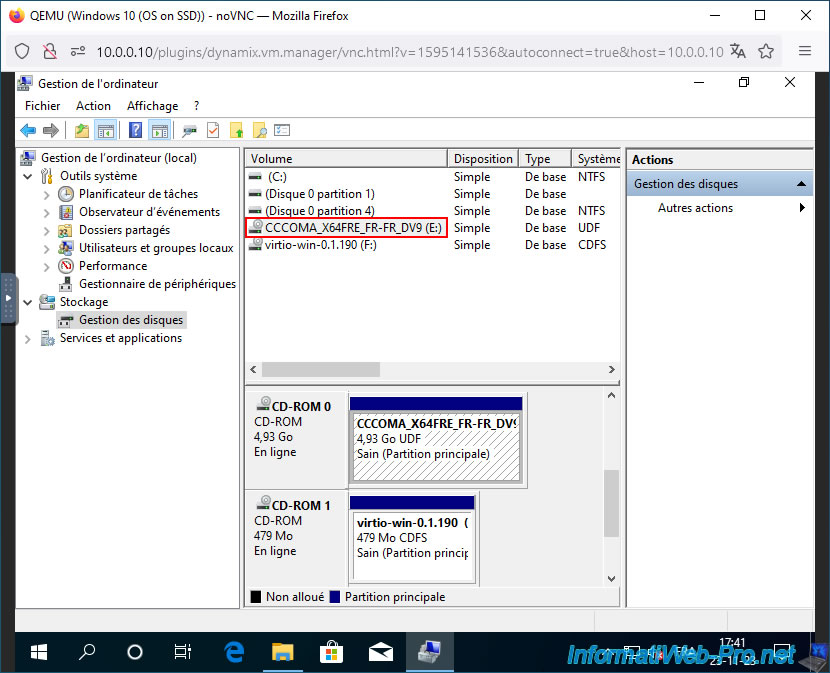
Also change the CD drive letter where your Windows ISO is located (in our case).
This letter has also changed.
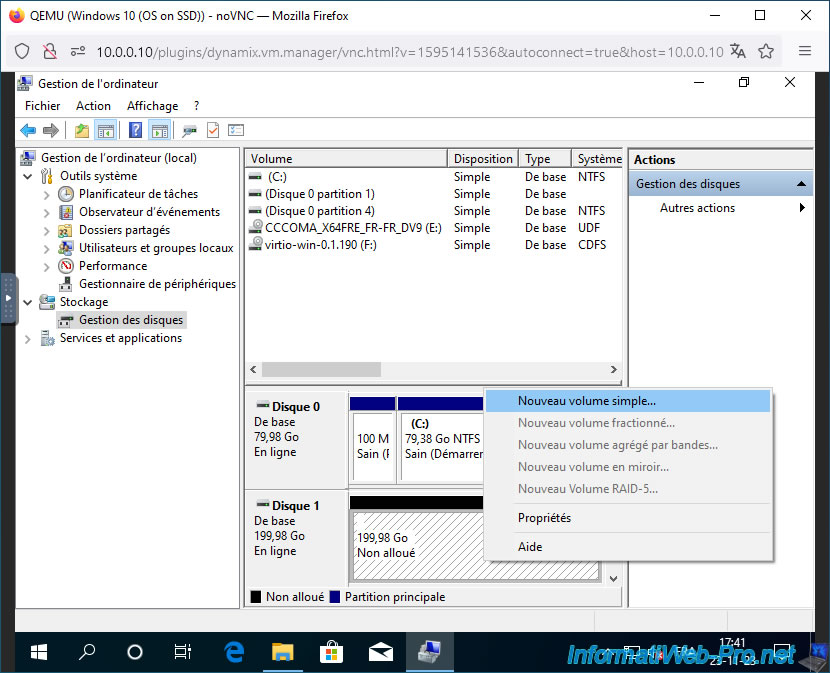
Now, partition your virtual hard disk by right-clicking "New Simple Volume" on its unallocated space
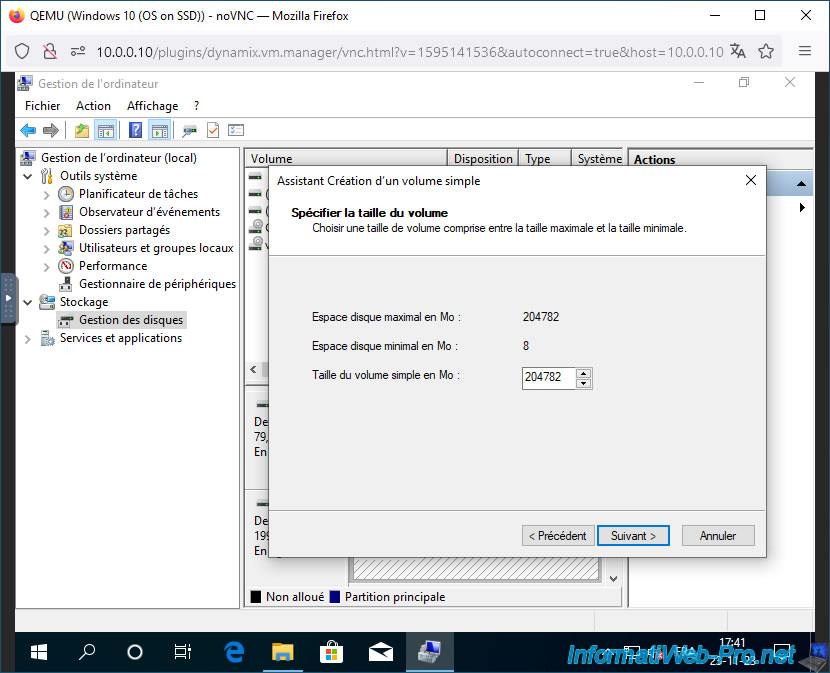
Leave the default size to create a single partition on your virtual disk.
Specify "Data" as the volume name (for example).
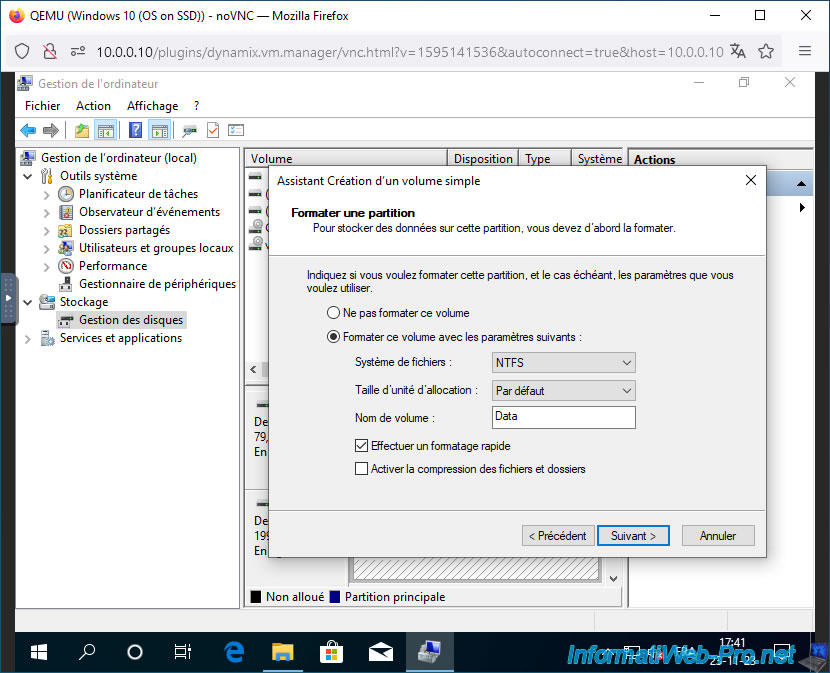
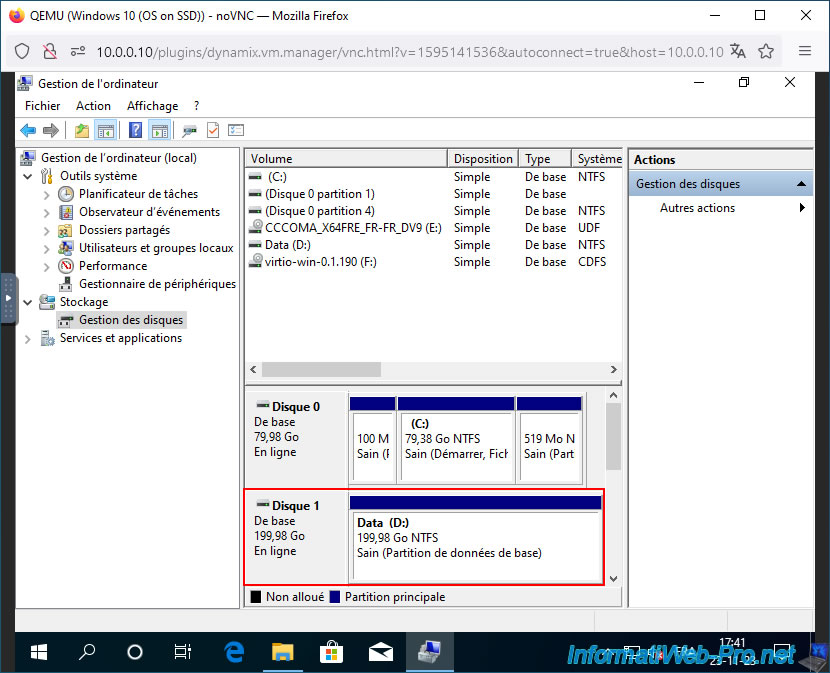
Your 2nd virtual disk is partitioned.
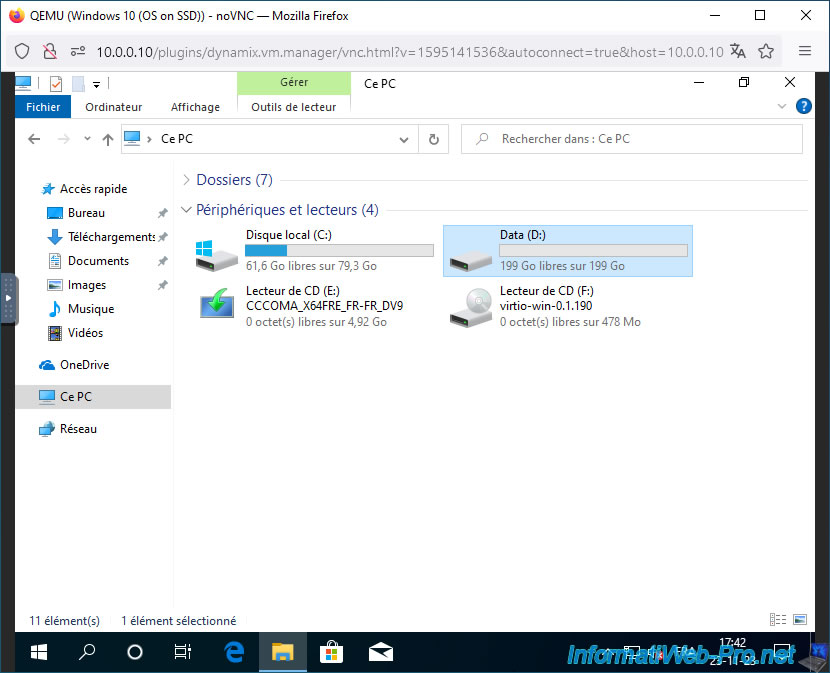
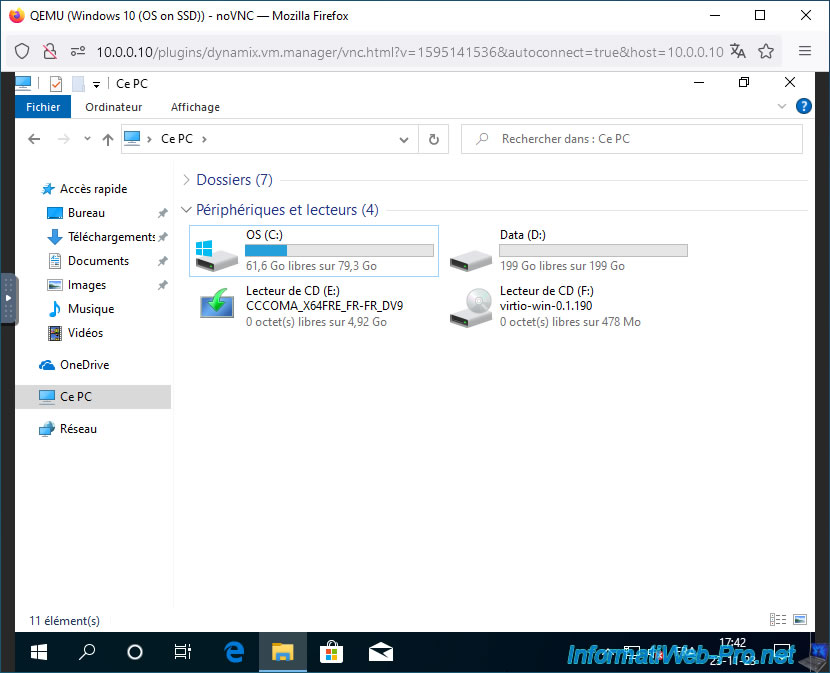
In file explorer, you will see your new "Data" partition appear.
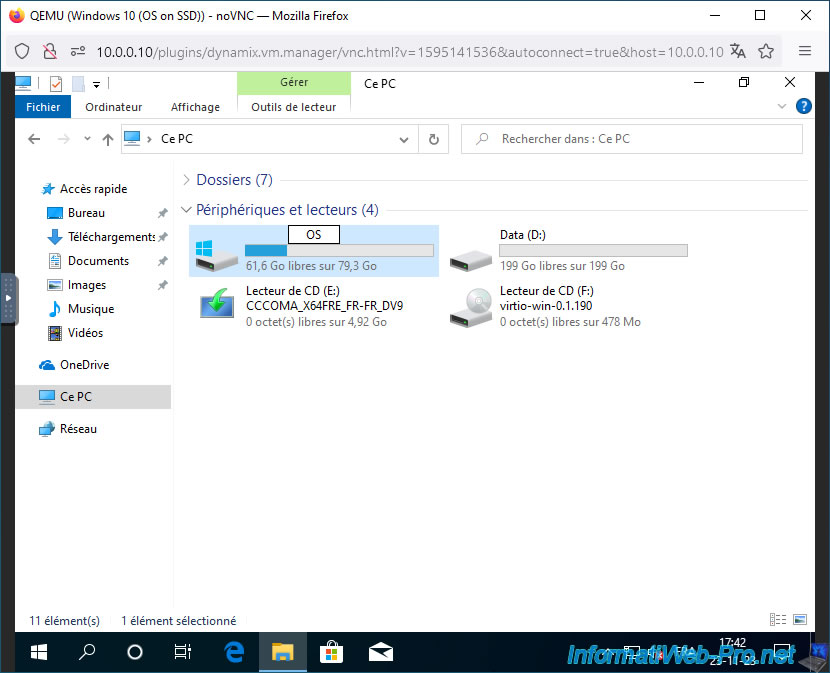
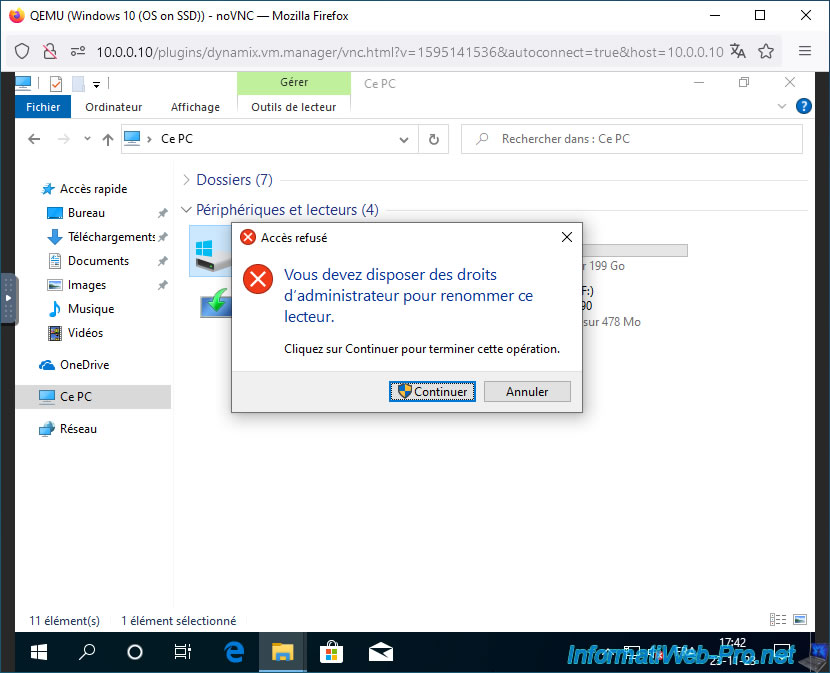
If you wish, rename the partition where Windows is installed to "OS."
To do this, right-click "Rename" on it or slowly double-click on its name.
Click "Continue".
Windows 10 will perform better because the virtual disk where the "OS (C:)" partition is located is stored on your Unraid server's SSDs.
The large data you store in the "Data (D:)" partition will be stored in the second virtual disk, which is stored on your Unraid server's hard drives.
Share this tutorial
To see also
-
NAS 1/8/2026
Unraid 6.9.2 - Add a storage disk
-

NAS 1/15/2026
Unraid 6.9.2 - Change the parity disk
-
NAS 3/25/2026
Unraid 6.9.2 - Change web interface ports
-
NAS 4/8/2026
Unraid 6.9.2 - Docker - Install a media server (Jellyfin)
No comment