- NAS
- Unraid
- 25 February 2026 at 17:22 UTC
-


Thanks to the community around Unraid, you can install many plugins and/or many Docker containers on your Unraid server.
Plugins will allow you to add functionality to your server's "Unraid Server OS". While Docker containers will allow you to provide different services from your Unraid server.
By default, installing plugins is only possible by specifying the URL or file of the plugin you want to install on your Unraid server.
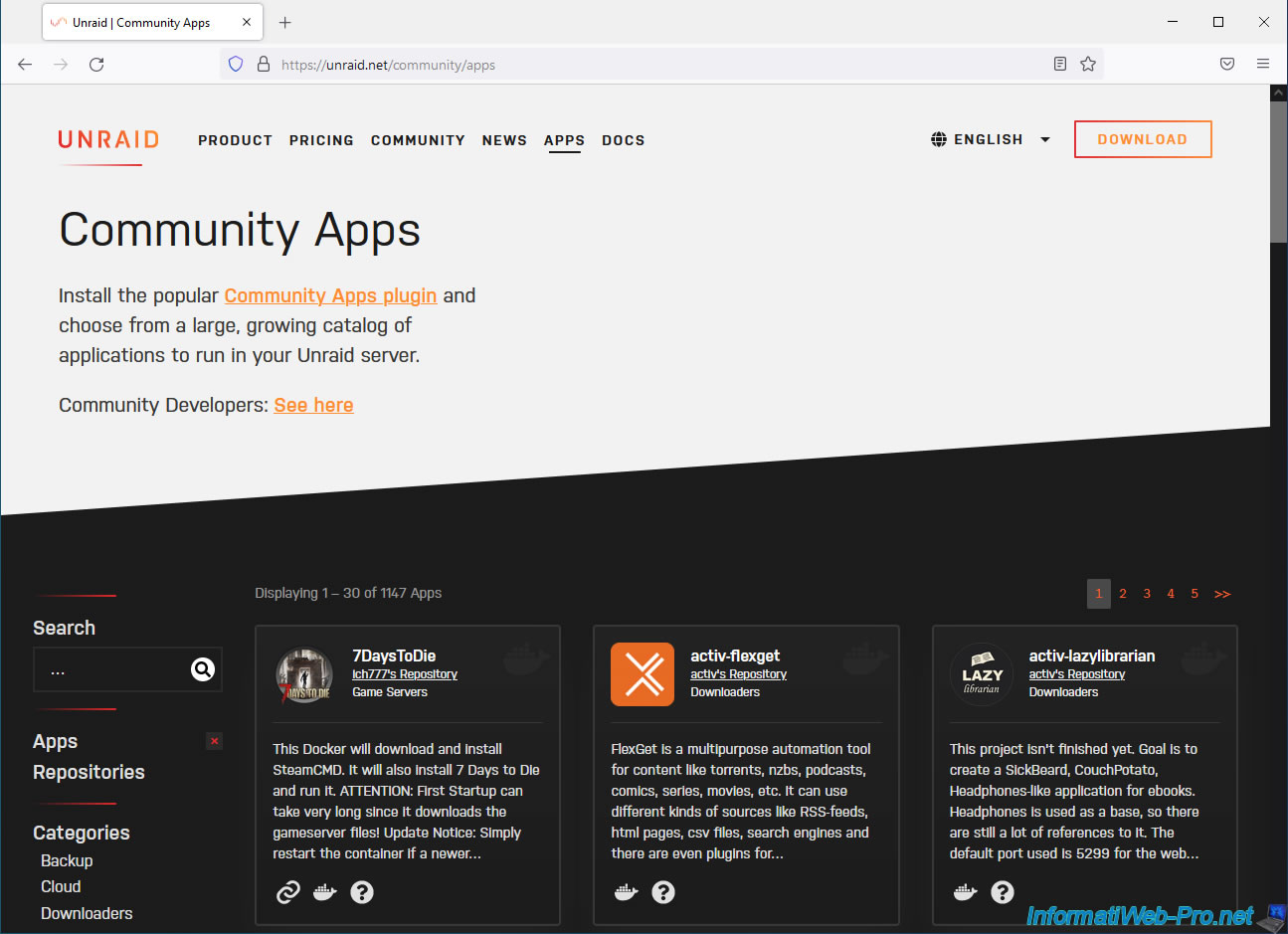
However, if you look in the "Apps" section of the official Unraid website, you will see that you can also install the various applications from the Unraid community more easily thanks to the "Community Apps plugin" (Community Applications).
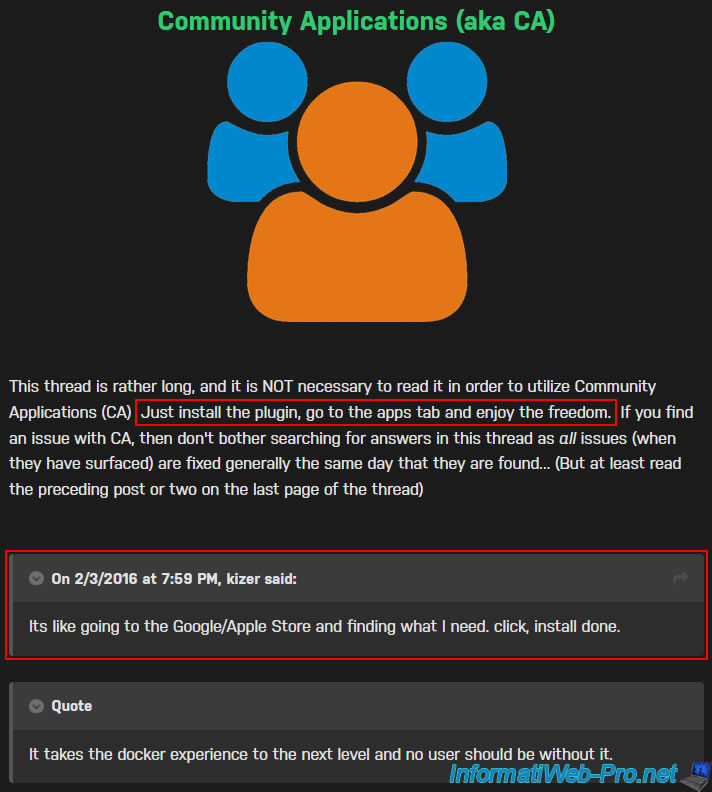
As stated on this plugin's page "Community Applications" (formerly: CA) is similar to a Google/Apple Store, but for your Unraid server.
To take advantage of it, simply install this first plugin and then go to the "Apps" tab which will appear on your Unraid server.
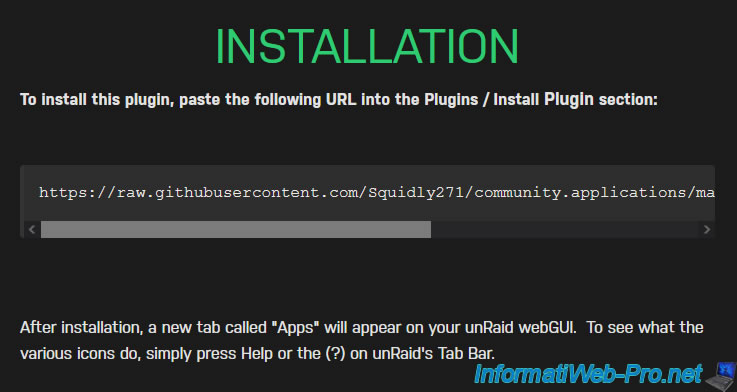
To install this plugin developed by Squidly271, find the link in the post available on the forum.
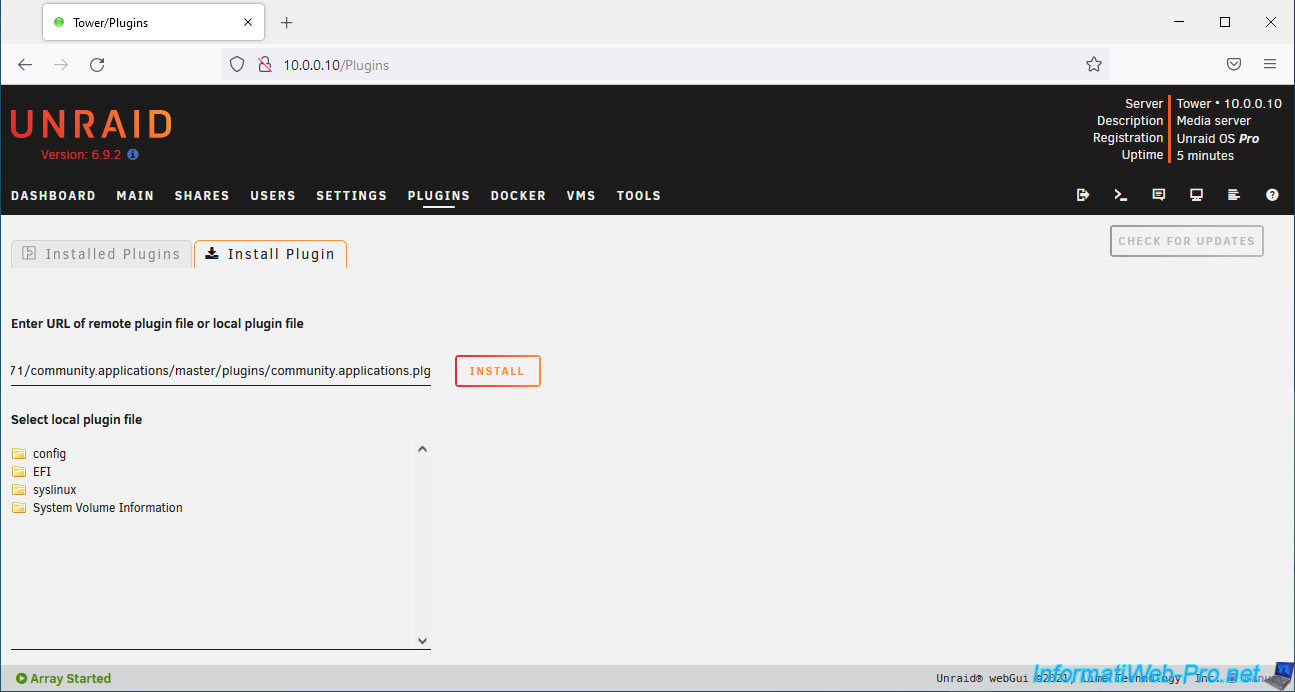
Currently this link is: https://raw.githubusercontent.com/Squidly271/community.applications/master/plugins/community.applications.plg
Note: for Unraid version 6.9.2, you will need to use an older version (dated 08/31/2021) of this plugin.
To do this, use the address "https://raw.githubusercontent.com/Squidly271/community.applications/d075fda8b8337c4c6bbd0b6d1d66b80a8870d9ba/plugins/community.applications.plg".
To install this "Community Apps" plugin, go to the "Plugins" tab of your Unraid server and provide the link mentioned above.
Then, click: Install.
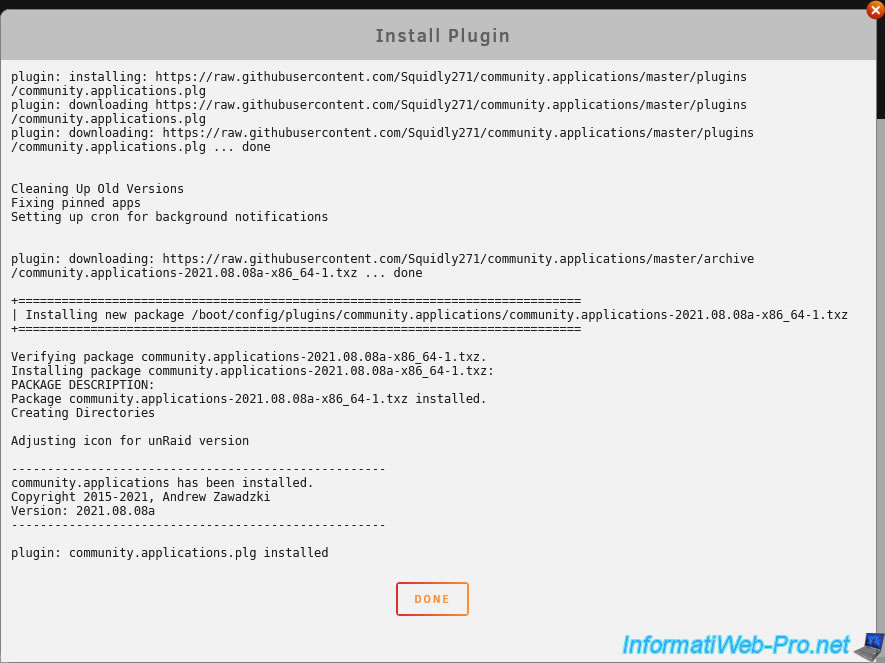
Wait while this "Community Apps" plugin downloads and installs.
Once the download and installation of this "Community Applications (Community Apps)" plugin is complete, click Done.
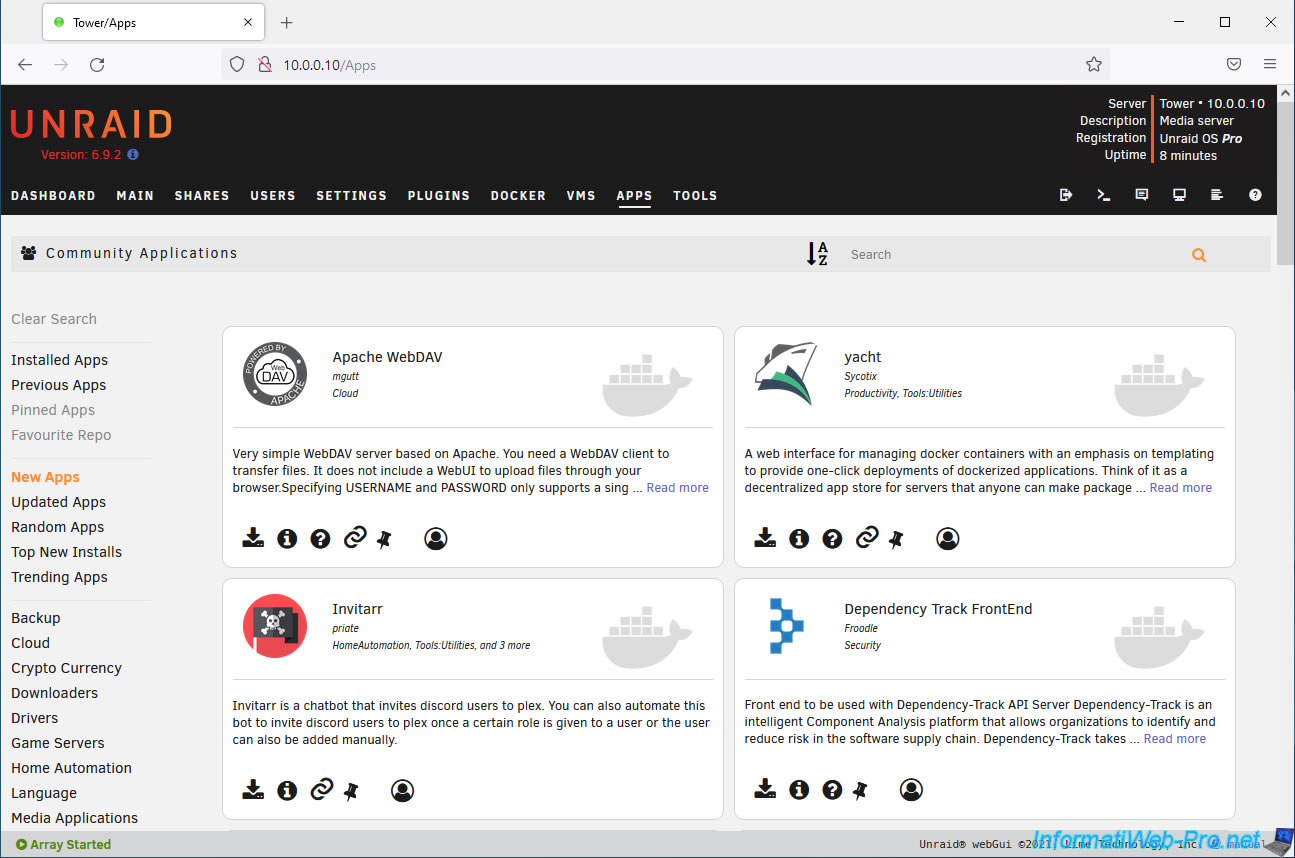
As you can see, a new "Apps" tab has appeared.
Click on it to display the "Community Applications" page with, by default, the new applications (plugins or Docker containers) referenced.
In the left menu, you can choose to display:
- Installed Apps: apps you have already installed
- Previous Apps: Apps that you installed in the past but then uninstalled
- Pinned Apps: applications that you have pinned (via the pin available at the bottom of each result)
- Favourite Repo: your favorite repository
- New Apps: the new applications referenced by this plugin
- Updated Apps: the latest updated apps
- Random Apps: a random list of apps
- Top New Installs: the most installed applications
- Trending Apps: the most popular applications of the moment
- Backup, Cloud, ...: the list of available application categories
At the top right you will have a search box that will allow you to quickly find the plugin or application you want.
If the message below appears at the top of the page, the Docker service is currently stopped.
As indicated, in this case, only plugins can be installed or managed.
Plain Text
Docker Service Not Enabled - Only Plugins Available To Be Installed Or Managed.
If so, re-enable Docker by going to "Settings -> Docker", then select the value "Yes" for the "Enabled Docker" option and click Apply.

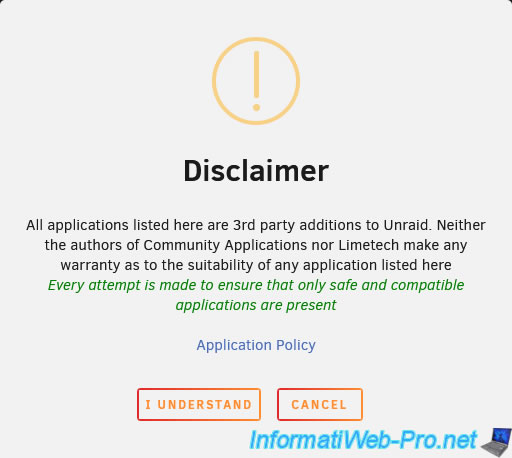
When you first access this "Apps" tab, you will see a warning displayed telling you that the applications referenced on this page are third-party applications (plugins / Docker containers) and that Lime Technology does not provide any guarantee for them.
However, everything is done to ensure that these applications cannot cause problems with your server, in particular by trying to only offer applications compatible with your version of Unraid.
Accept this by clicking on: I understand.
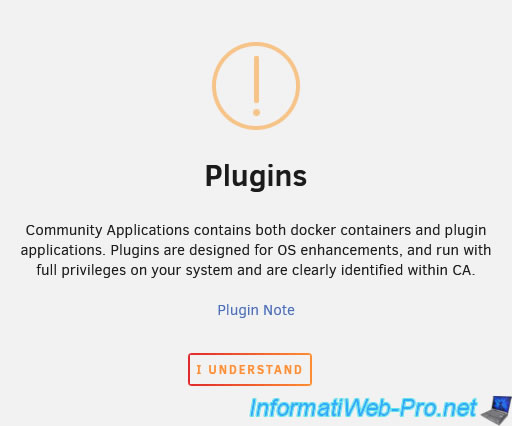
Then, a 2nd warning will appear to tell you that "Community Applications" contains:
- plugins: these allow you to add functionality to the Unraid operating system, but therefore have all the rights to your Unraid server.
- Docker containers: which definition, will be applications that will run in an environment isolated from the system thanks to Docker.
Accept this also by clicking on: I understand.
Share this tutorial
To see also
-
NAS 4/1/2026
Unraid 6.9.2 - Docker - Install a file explorer (CloudCommander)
-
NAS 4/15/2026
Unraid 6.9.2 - Docker - Install a file server (Nextcloud)
-

NAS 11/26/2025
Unraid 6.9.2 - Manually install Unraid 6.9.2
-
NAS 7/1/2026
Unraid 6.9.2 - SWAG - Use a personal domain with a dynamic WAN IP
You must be logged in to post a comment