Virtualize Unraid 6.9.2 with VMware ESXi 6.7
- VMware
- VMware ESXi
- 17 December 2025 at 14:08 UTC
-

- 4/4

8. Install the plugin: Community Applications
Go to "Plugins -> Install Plugin" and install the "Community Applications" plugin by typing the address "https://raw.githubusercontent.com/Squidly271/community.applications/master/plugins/community.applications.plg".
Note: for Unraid version 6.9.2, you will need to use an older version of this plugin (dated 08/31/2021) by typing the address "https://raw.githubusercontent.com/Squidly271/community.applications/d075fda8b8337c4c6bbd0b6d1d66b80a8870d9ba/plugins/community.applications.plg".

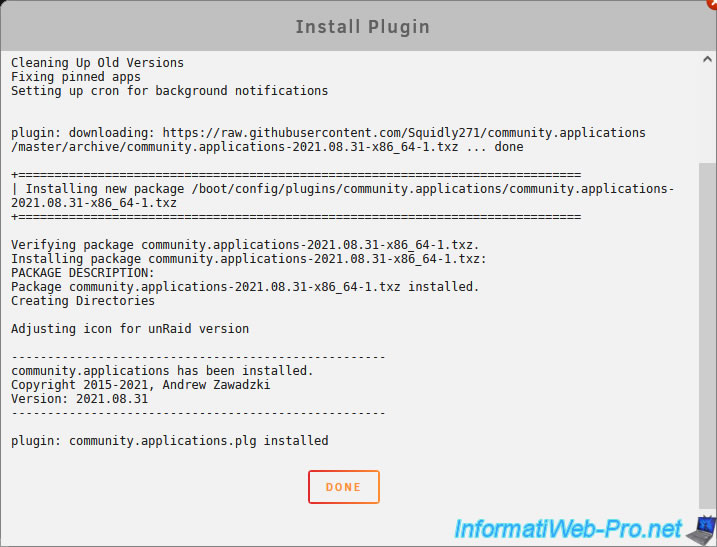
The "Community Applications" plugin has been installed.
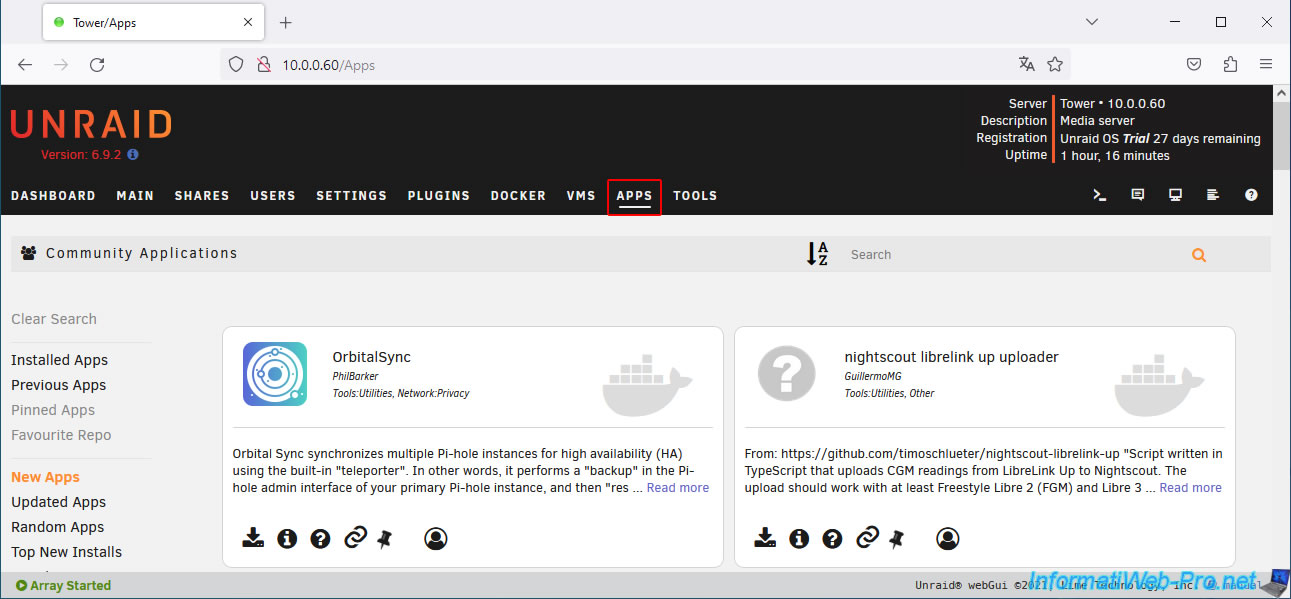
Refresh the page and you will see an "Apps" tab appear.
9. Install VMware Tools on Unraid
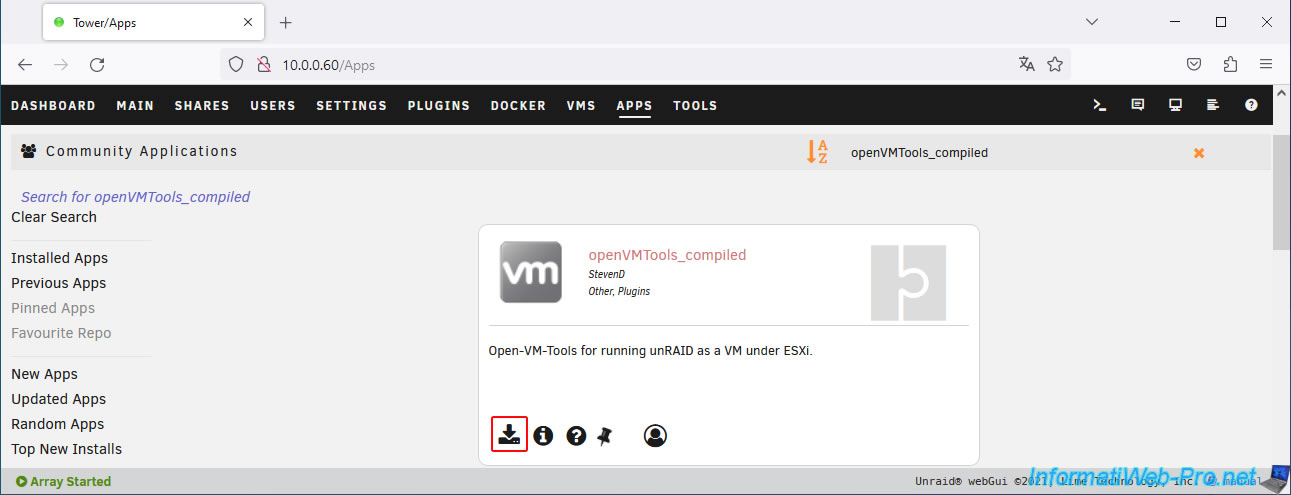
Search for the "openVMTools_compiled" plugin via the "Apps" tab and install it.
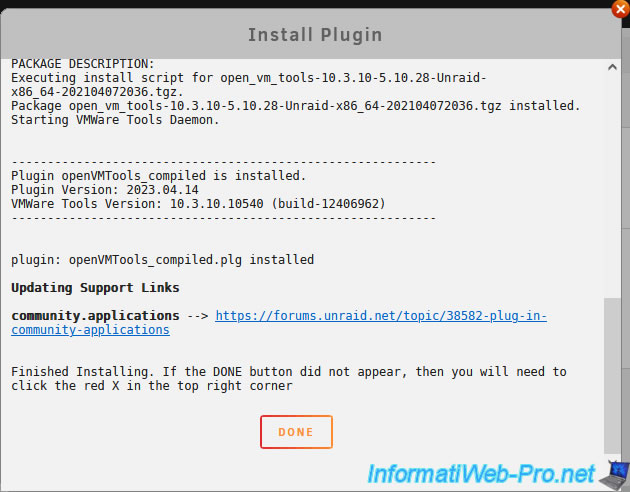
The "openVMTools_compiled" plugin has been installed.
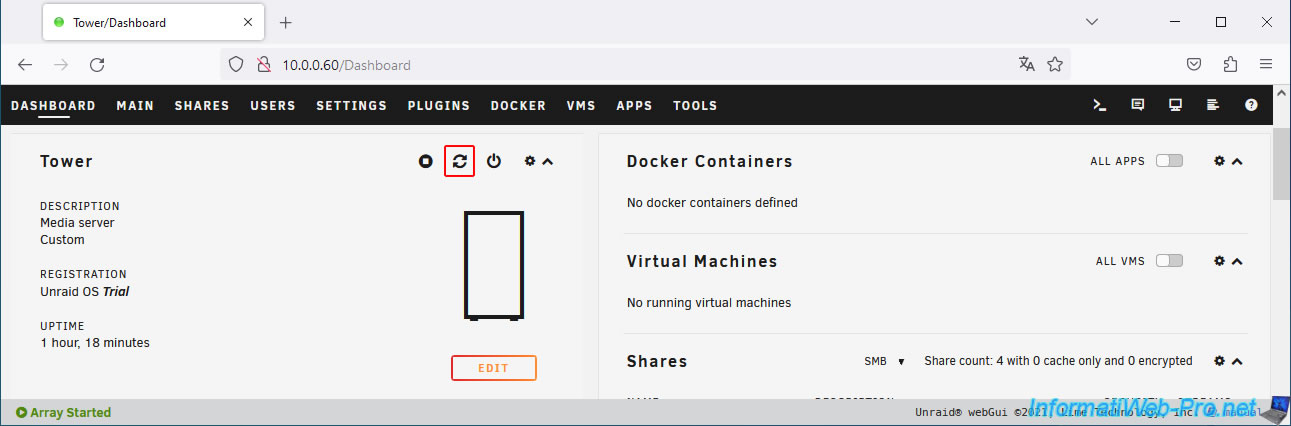
Restart your Unraid server via the "Dashboard" tab to ensure that the VMware Tools drivers are loaded correctly.
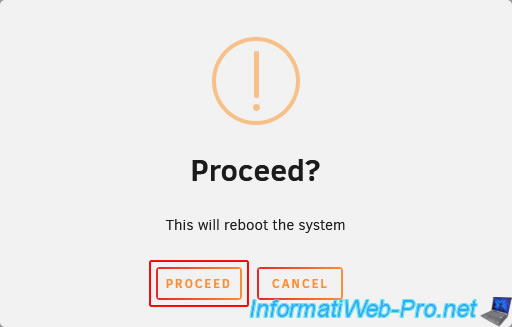
Click "Proceed" to confirm restarting Unraid.
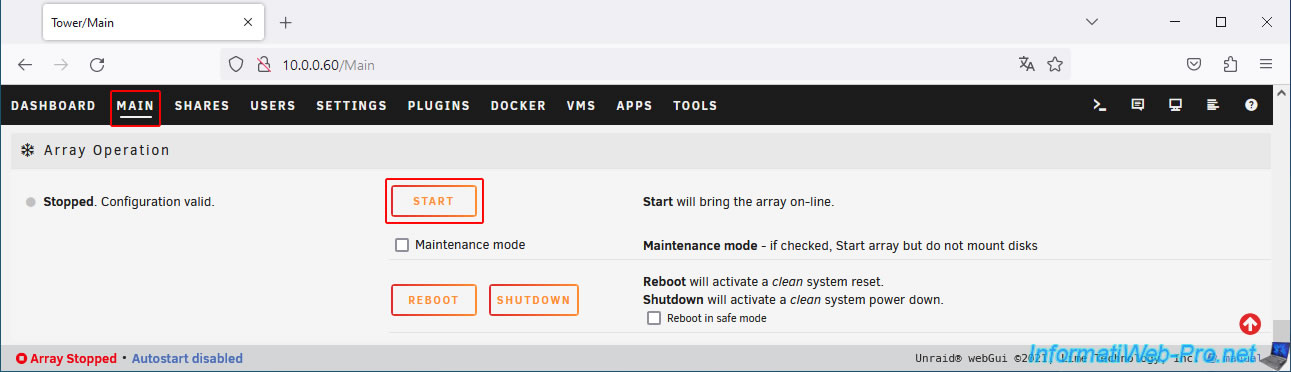
Once your Unraid server has restarted, go to the "Main" tab and click the "Start" button at the bottom of the page.
10. Enable automatic array startup
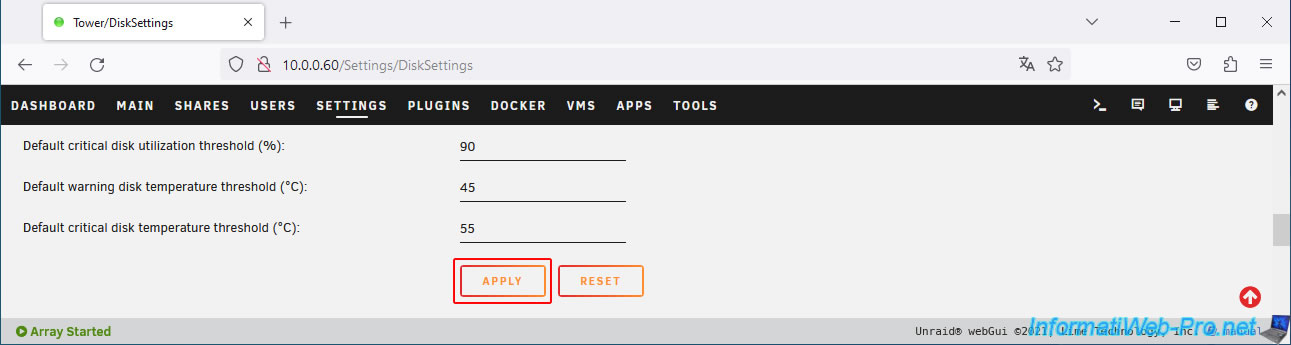
To avoid manually starting the array each time, enable the "Enable auto start" setting in "Settings -> Disk Settings".
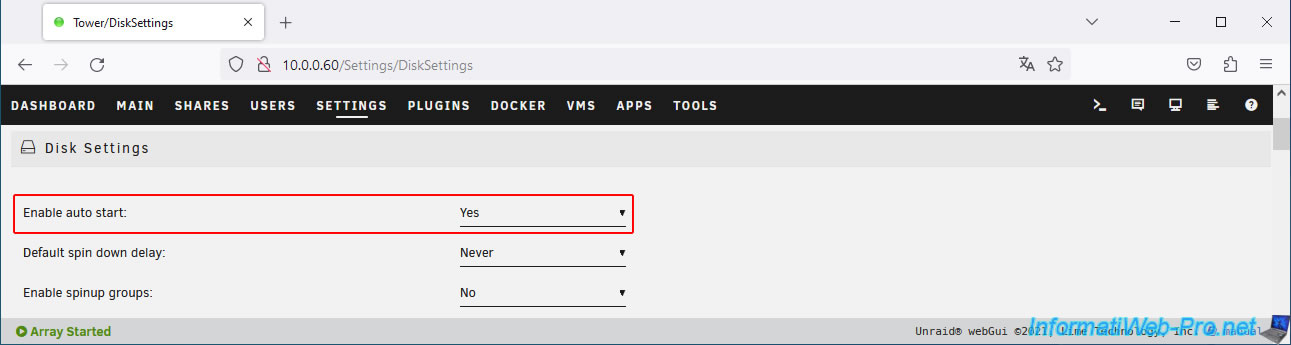
At the bottom of this form, click "Apply".
11. Test VMware Tools
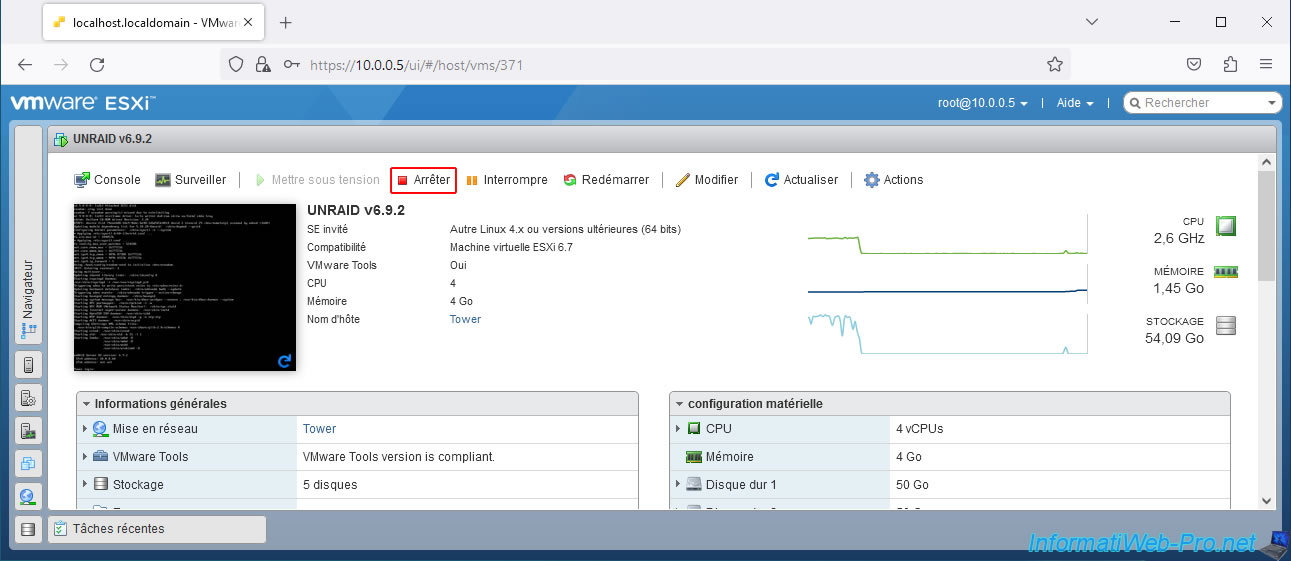
To test that VMware Tools is working properly, use an option to shut down the guest operating system from a VMware interface.
For example, the "Shut Down" option (if it appears on the web interface for your virtual machine).
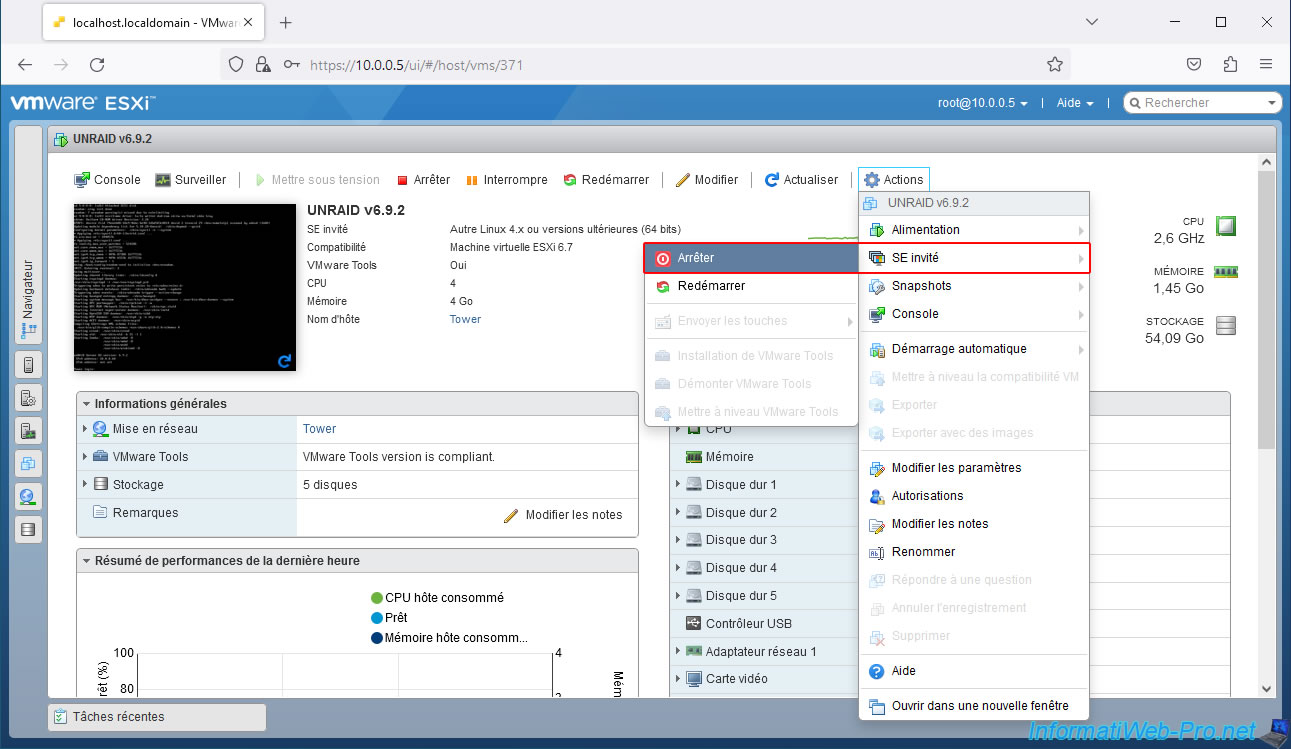
The option to shut down the guest operating system (Unraid) is also located in the "Actions" menu.
Simply click "Actions -> Guest OS -> Shut Down."
In the VMware Remote Console (VMRC), click the power icon, then click: Shut down guest.
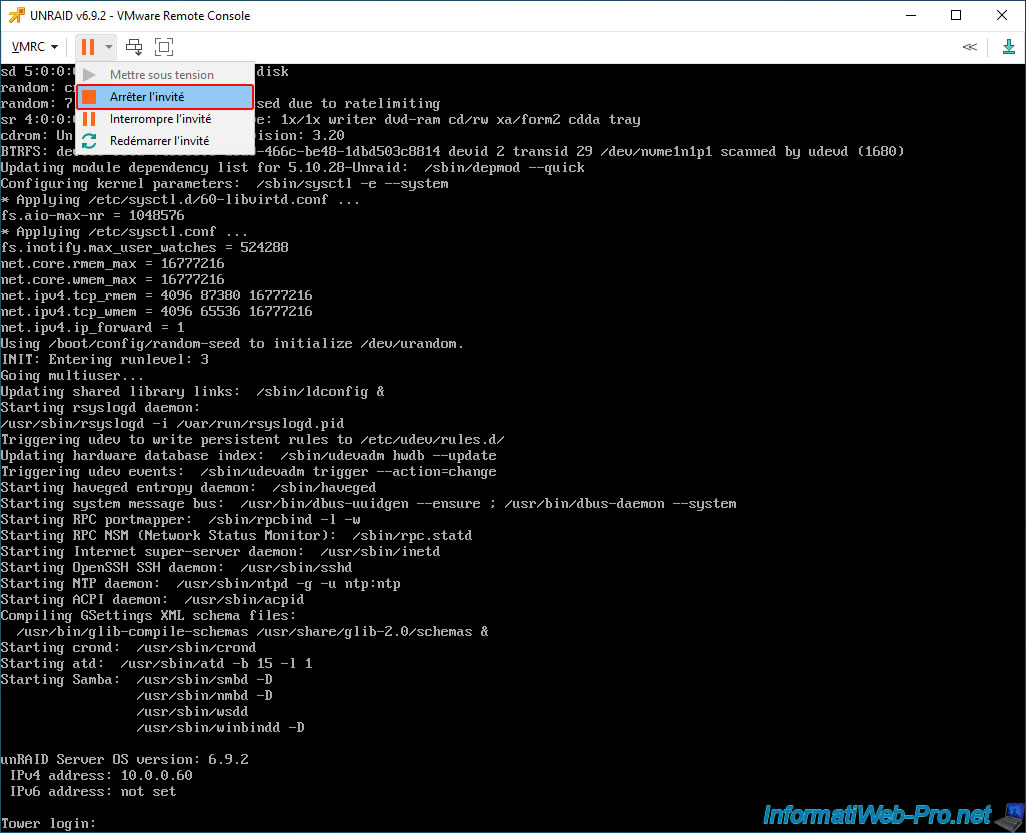
In all 3 cases, you should see Unraid shut down successfully.
Plain Text
Running shutdown script ...
...
Waiting up to 90 seconds for graceful shutdown...
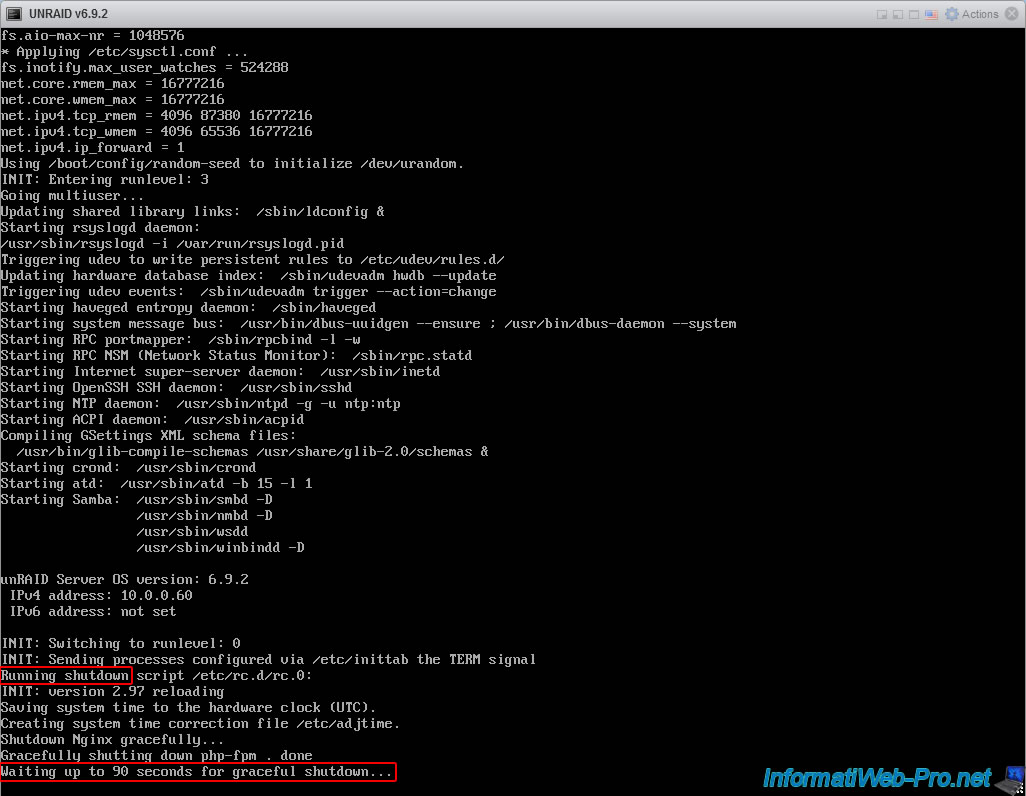
Once your Unraid virtual machine is powered off, click "Power On" to power it back on.

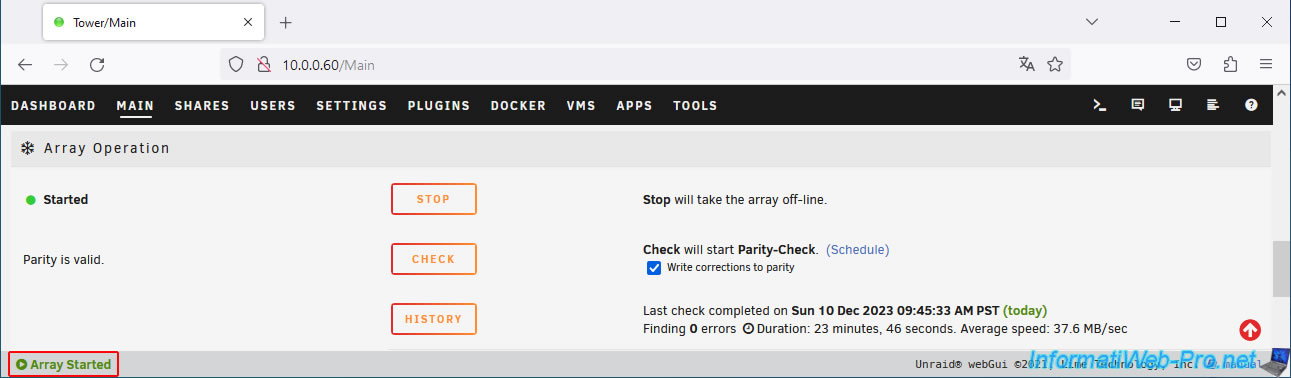
Once Unraid has finished booting, you'll see at the bottom of the page that the array started without any issues.
Note: without the VMware Tools drivers, the Unraid virtual machine would have crashed, and Unraid would have had to recalculate the parity disk (which can take a long time depending on its capacity).
Share this tutorial
To see also
-
VMware 10/19/2022
VMware ESXi 6.7 - DirectPath I/O (PCI passthrough)
-
VMware 7/20/2022
VMware ESXi 7.0 / 6.7 - Change the identifier (UUID) of a virtual hard disk (VMDK)
-
VMware 6/15/2022
VMware ESXi 7.0 / 6.7 - Enable SSH protocol
-
VMware 9/14/2022
VMware ESXi 7.0 / 6.7 - Install VMware PowerCli (with or without Internet)
No comment