- NAS
- Unraid
- 07 October 2026 at 13:07 UTC
-


On Unraid, you can create virtual machines, or even virtualize hypervisors if you enable nested virtualization.
However, to enable nested virtualization, you'll need a script and a plugin to use it (as you'll see in this tutorial).
- Install the plugin: User Scripts
- Download the script to enable nested virtualization
- Edit the script (for AMD only)
- Add the scripts on Unraid
- Enable nested virtualization on Unraid
1. Install the plugin: User Scripts
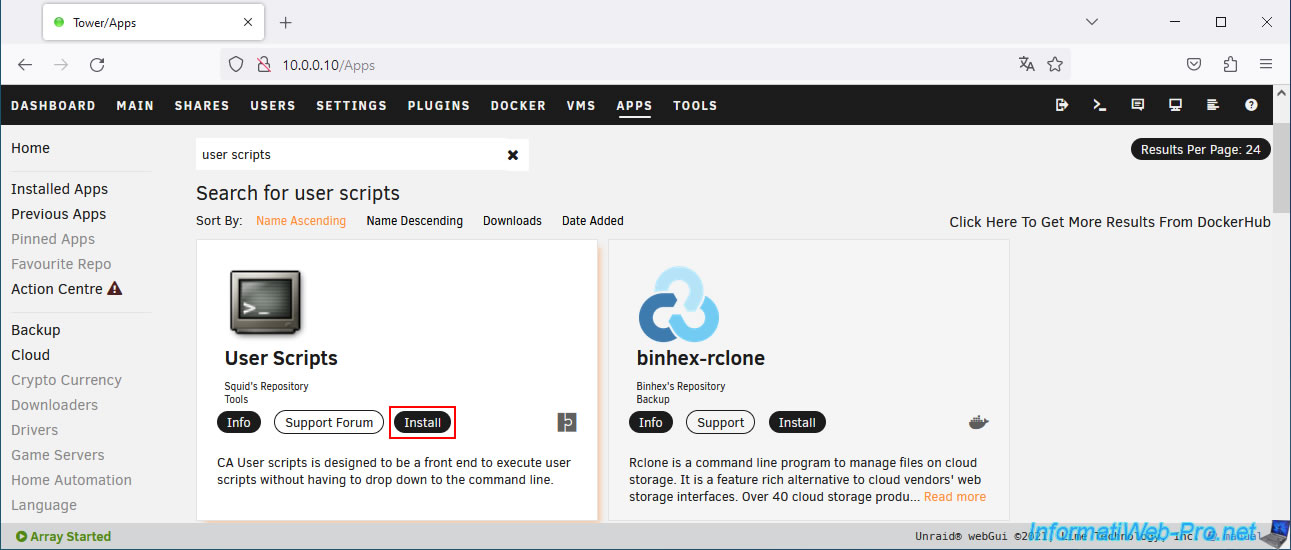
To begin, go to the "Apps" tab and search for "user scripts".
Then, install the "User Scripts" plugin that appears.
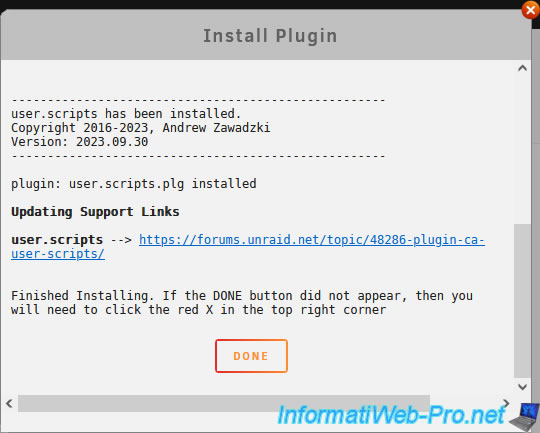
Wait while the "user.scripts.plg" plugin is downloaded and installed.
Once the download and installation are complete, click Done.
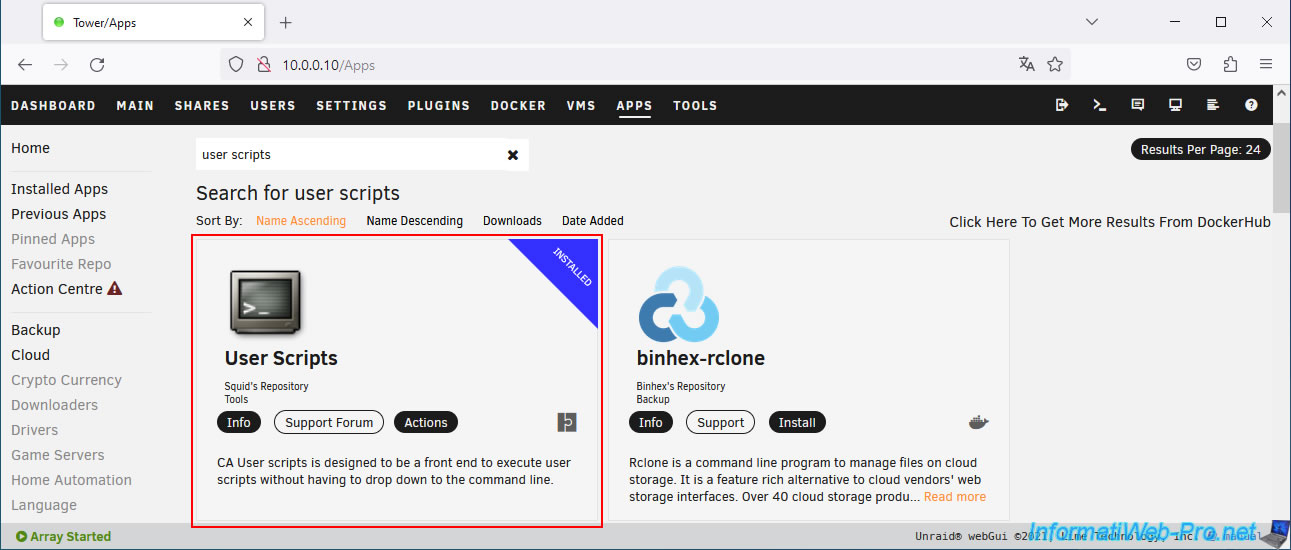
The "User Scripts" plugin is installed.
2. Download the script to enable nested virtualization
To enable nested virtualization in Unraid, download the file "nested vms scripts.zip" (hosted on Dropbox).
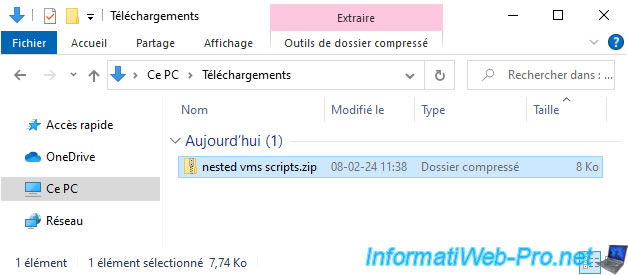
Unzip this file "nested vms scripts.zip" and you will see 2 folders appear:
- nested off: script to disable nested virtualization in Unraid.
- nested on: script to enable it.
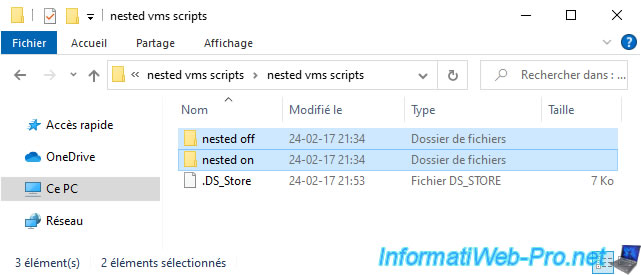
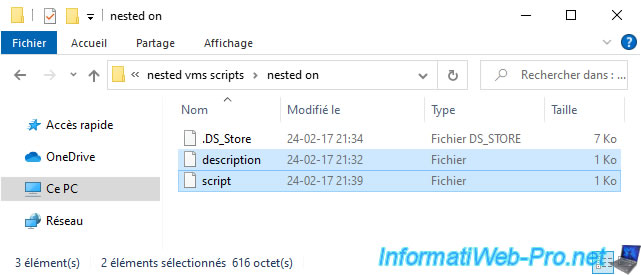
In each folder, you will find 2 files:
- description: a text describing this script.
- script: the script itself.
Note: the folder and file structure is as expected by the "User Scripts" plugin.
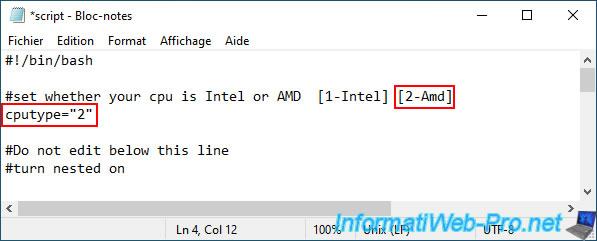
3. Edit the script (for AMD only)
By default, the script is configured to enable nested virtualization for Intel processors.
Plain Text
cputype="1"
But, if your Unraid server has an AMD processor, you will need to specify the value "2" for the "cputype" variable.
Plain Text
cputype="2"
4. Add the scripts on Unraid
To add these scripts to your Unraid server, copy the "nested off" and "nested on" folders.
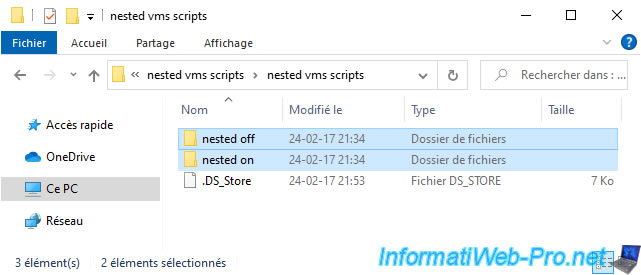
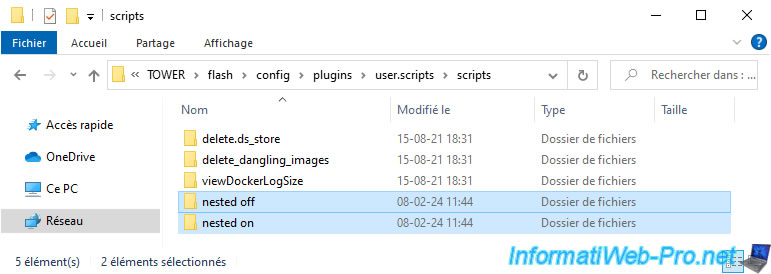
Then, paste these folders into the network share "TOWER\flash\config\plugins\user.scripts\scripts".
Note: the "Export" option for your Unraid server's "flash" share must be set to "Yes".
If it isn't, go to the "Main" tab of your Unraid server, then click the "Flash" link to change this option.
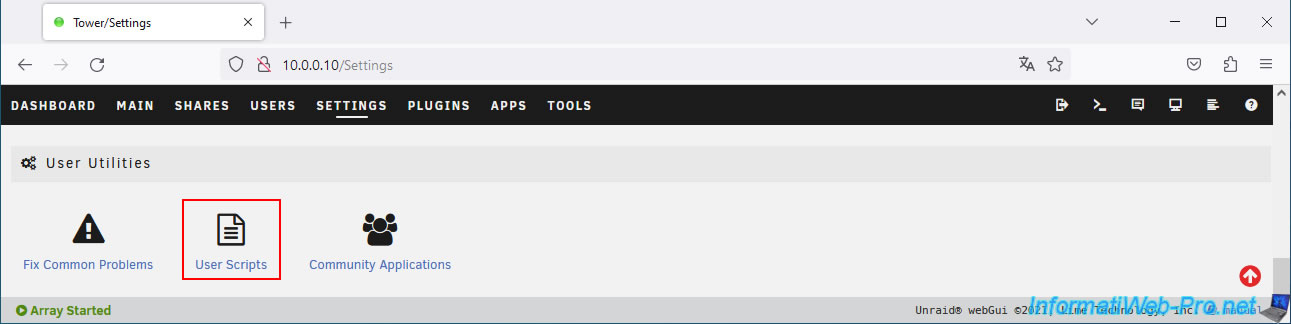
Now, go to: Settings -> User Scripts.
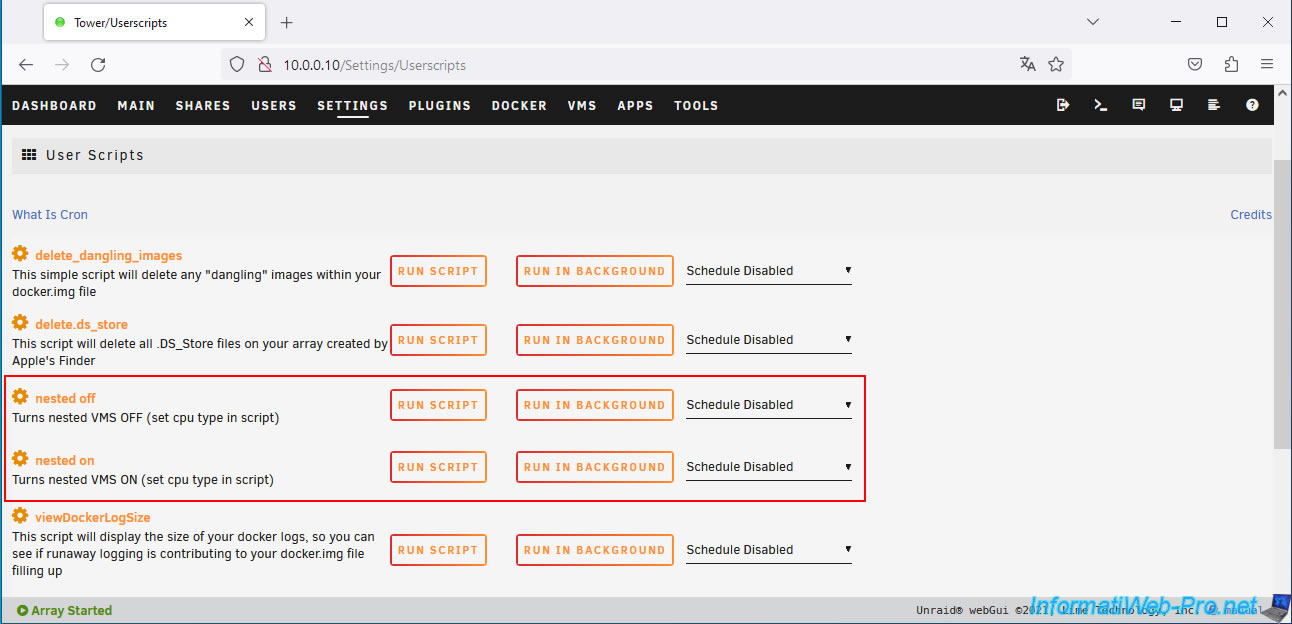
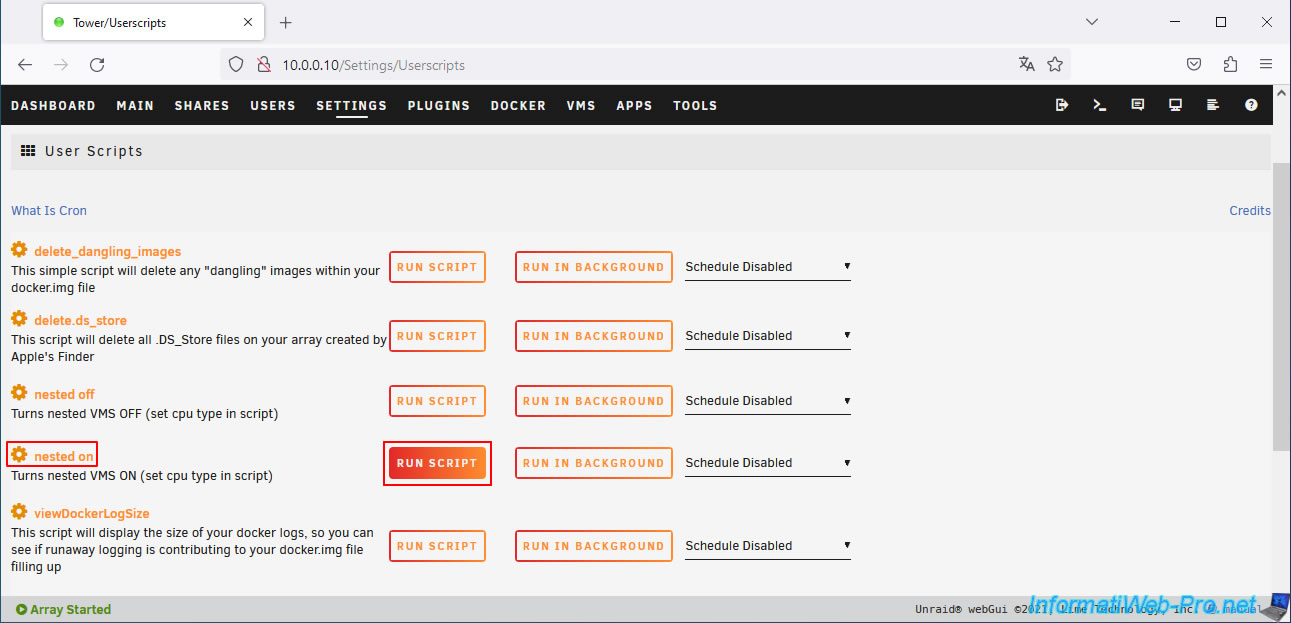
As you can see, both scripts "nested off" and "nested on" appear in the list.
5. Enable nested virtualization on Unraid
Click the "Run script" button to the right of the "nested on" script.
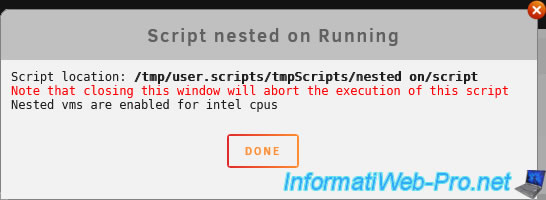
Please wait while the script runs.
Plain Text
Nested vms are enabled for intel cpus.
Once the script has finished running, click: Done.
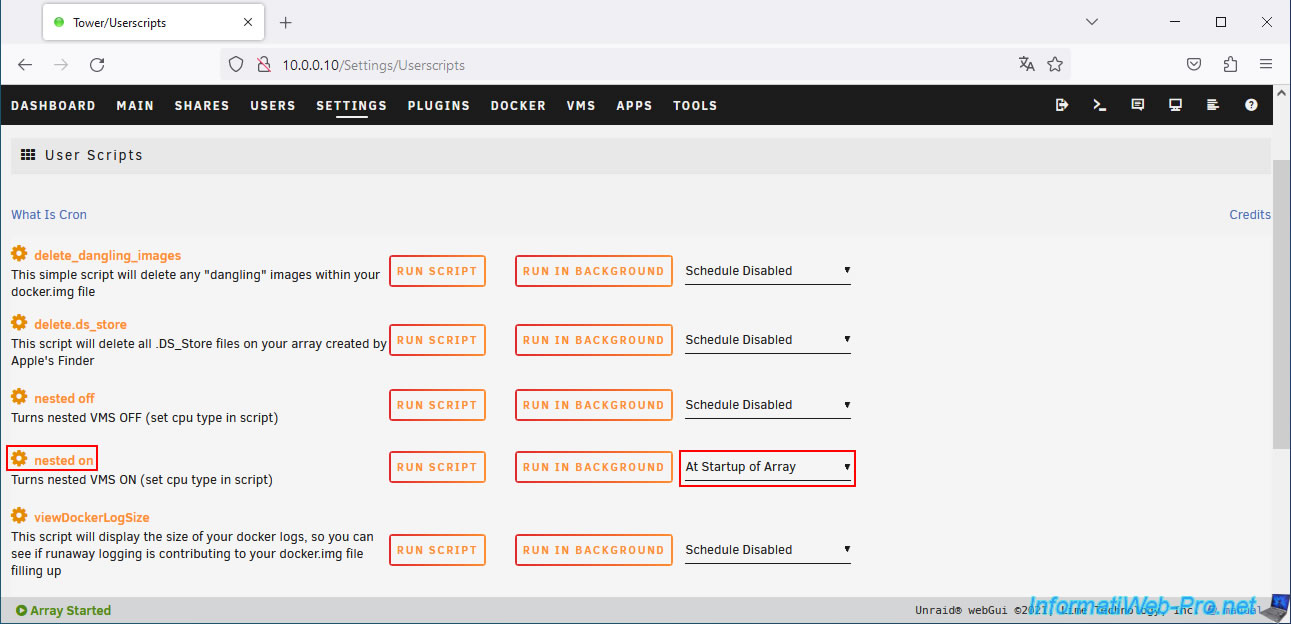
Next, for this "nested on" script, select "At Startup of Array" (on the right) to have this script run every time the array starts.
Note: virtual machines only run if the array is started.
Share this tutorial
To see also
-
NAS 4/23/2026
Unraid 6.9.2 - Docker - Install a media server (Plex)
-
NAS 5/27/2026
Unraid 6.9.2 - SWAG - Use a DDNS client (Duck DNS)
-

NAS 10/1/2026
Unraid 6.9.2 - VMs - Create a gaming virtual machine (with an eGPU)
-
NAS 8/13/2026
Unraid 6.9.2 - VMs - Guest not initialized display (solution)
You must be logged in to post a comment