- NAS
- Unraid
- 28 January 2026 at 14:26 UTC
-


When you install Unraid, you must use at least one physical disk to calculate the parity of the array that will contain all your data.
Indeed, parity allows Unraid to recalculate the missing disk if one of the disks in the array fails.
However, it is also possible for the disk used for parity to fail.
Here's how to replace it and recalculate parity to protect your data again.
Note that losing the disk containing parity does not result in any data loss.
However, if an additional hard drive fails, data will be lost. It is therefore recommended that you replace your parity disk as soon as possible to regain data loss protection.
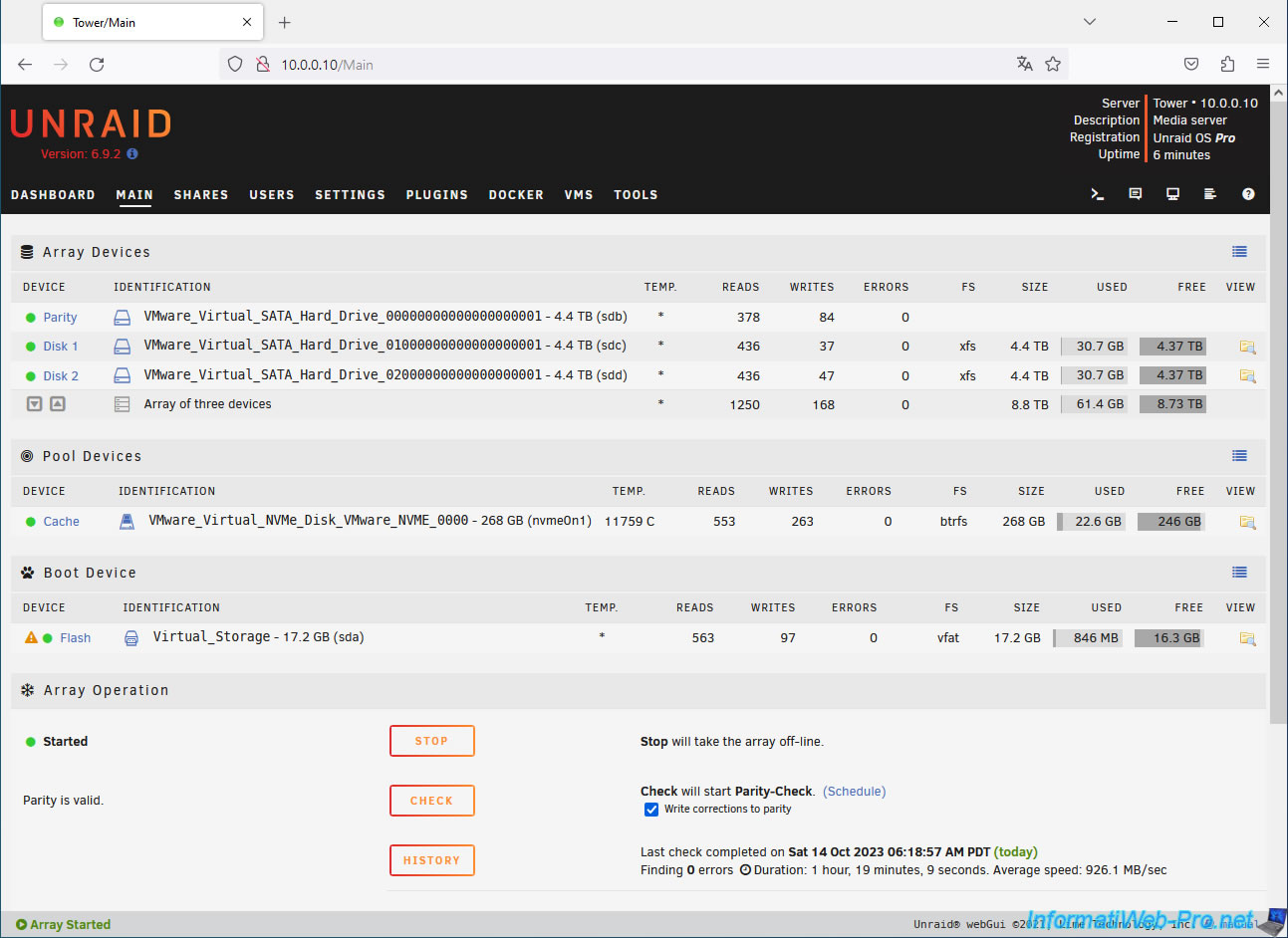
1. Parity OK
Usuallyn your parity disk has a green icon which means it is correct and fully calculated.
2. Missing parity disk
Now, if your parity disk fails and is no longer recognized by your computer/server, you will see that the parity disk is missing.
In this case, Unraid will tell you the make, model, serial number, and capacity of the missing disk.
Important : the new disk you wish to use for parity must have a capacity at least equivalent to the largest disk in the array.
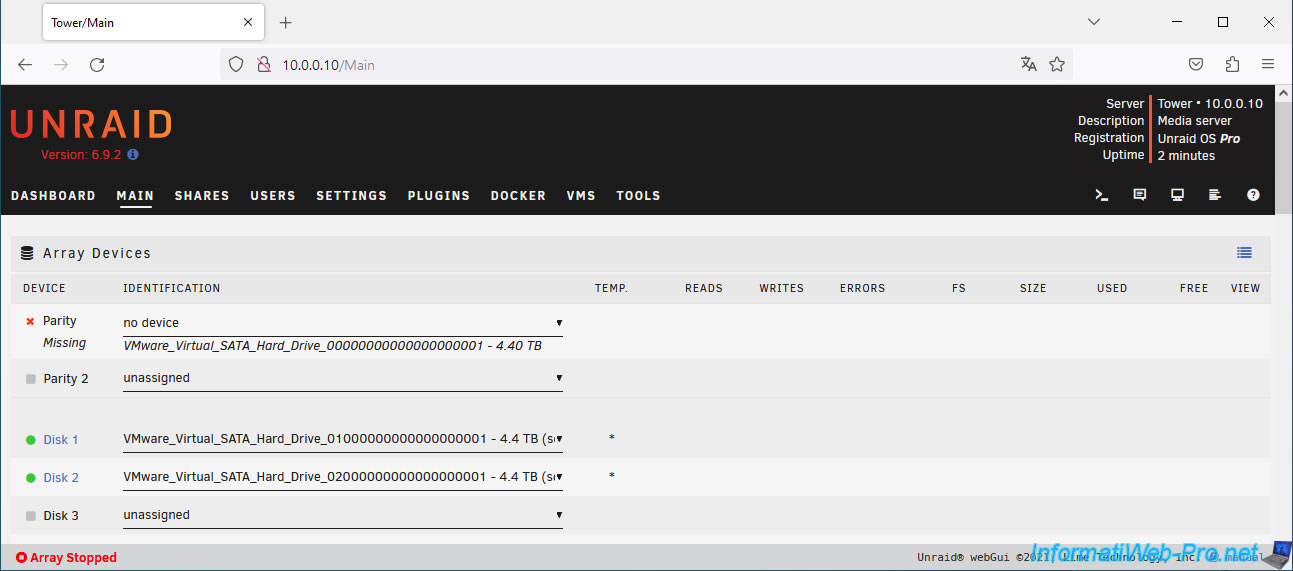
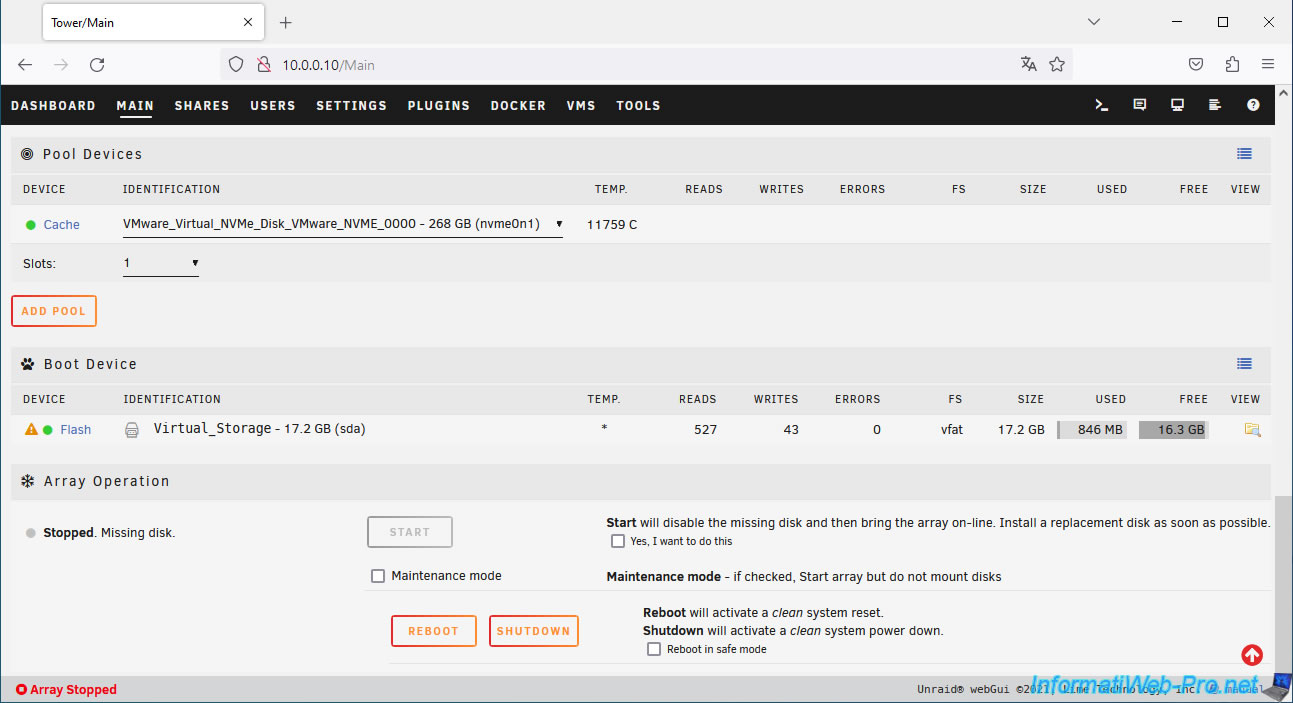
At the bottom of the page, you'll see that the array is Stopped because a disk is missing.
If you can't hot-add a disk (without shutting down the computer/server), click "Shutdown" to stop Unraid.
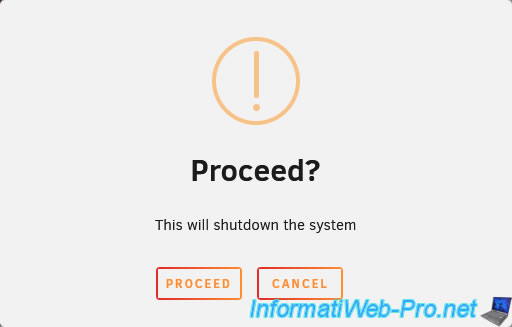
Confirm stopping Unraid by clicking Proceed.
Plain Text
Proceed?
This will shutdown the system.
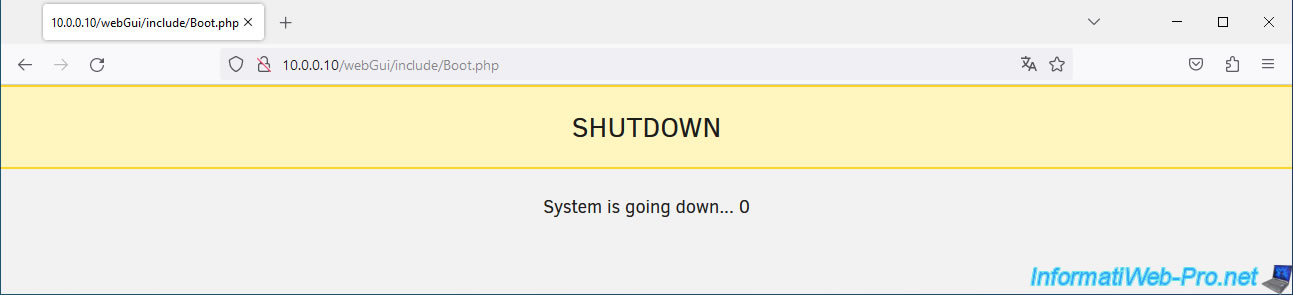
Please wait while Unraid shuts down.
3. Replace the parity disk
Plug a new hard drive into your computer/server, then turn it back on.
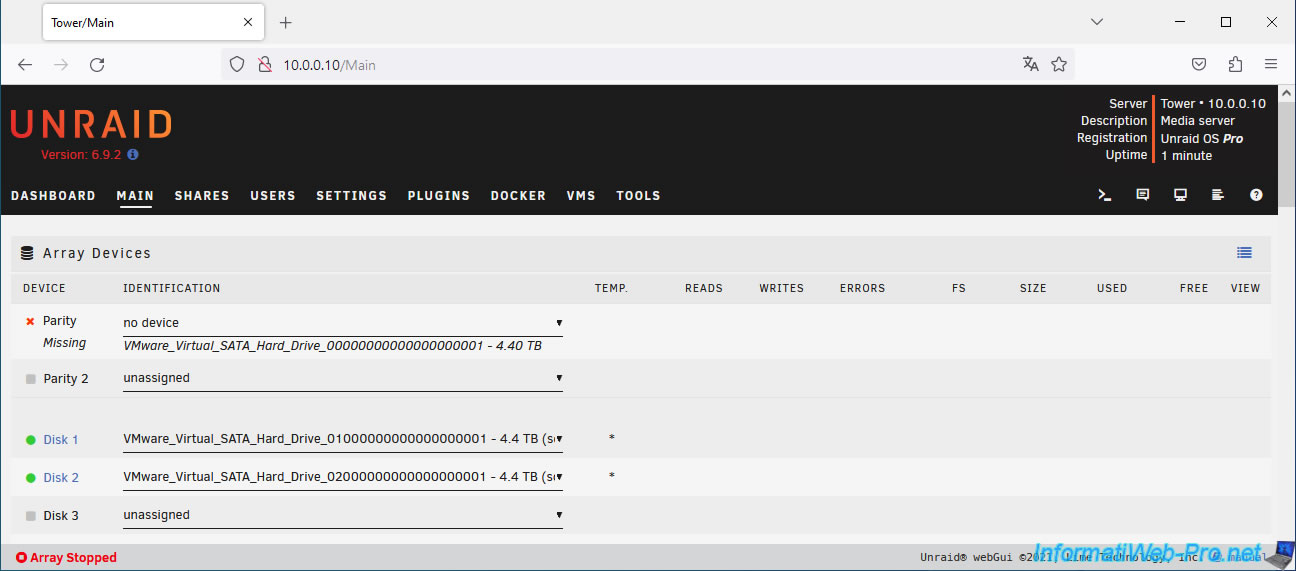
Once the Unraid server is booted, go to the "Main" tab and you'll see that the parity disk is missing again.
At the bottom of the page, you will see an "Unassigned Devices" section appear with your new drive.
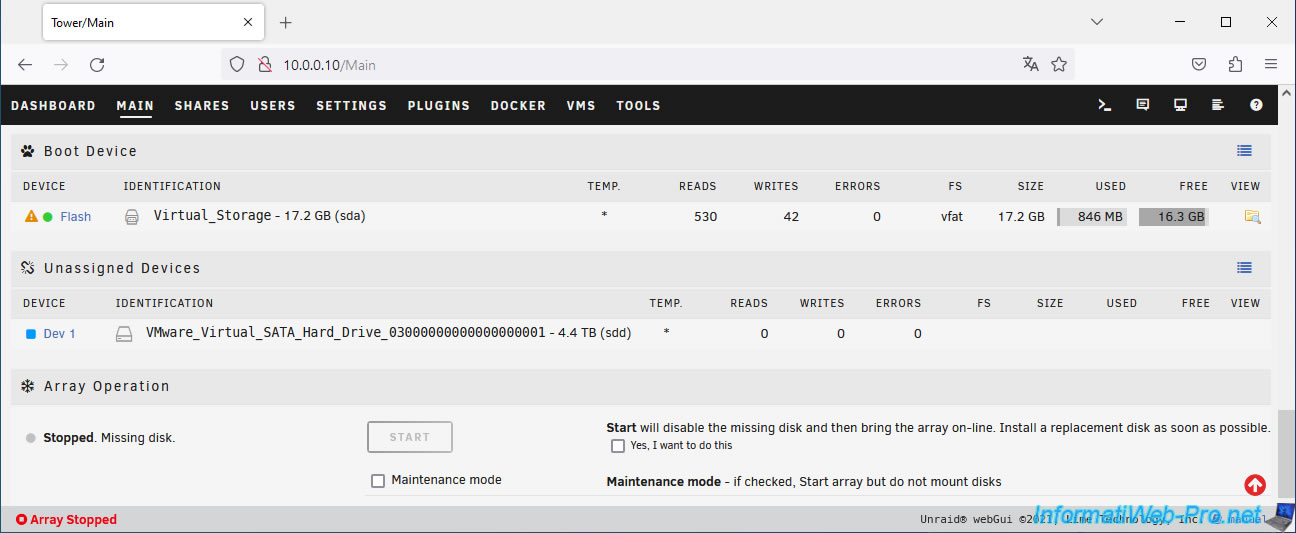
Select your new disk for the parity disk (Device Parity).
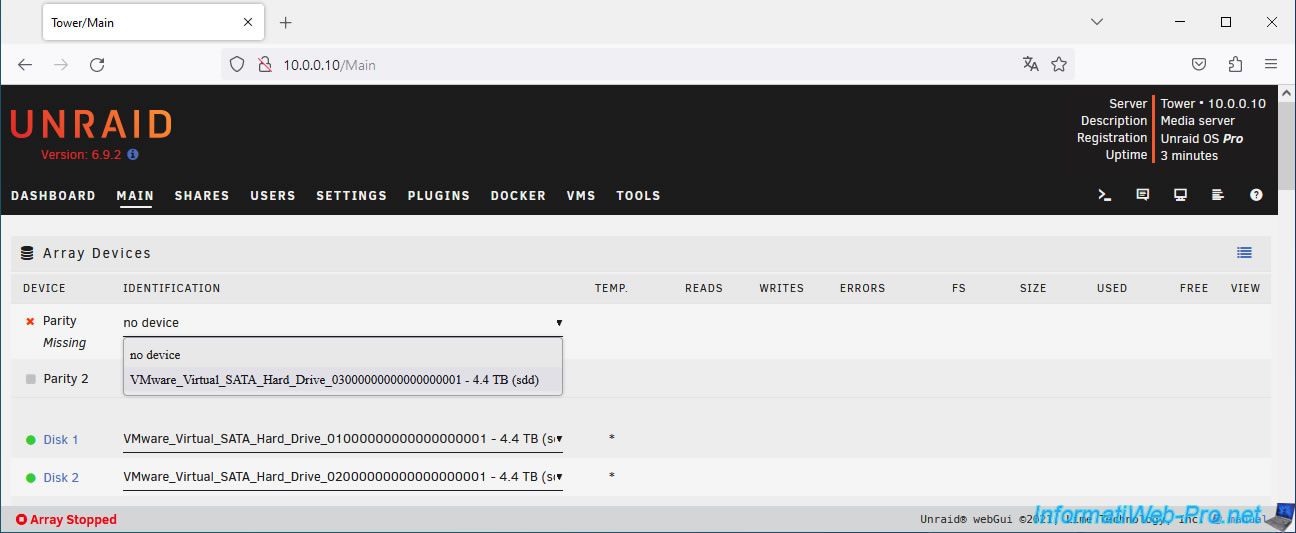
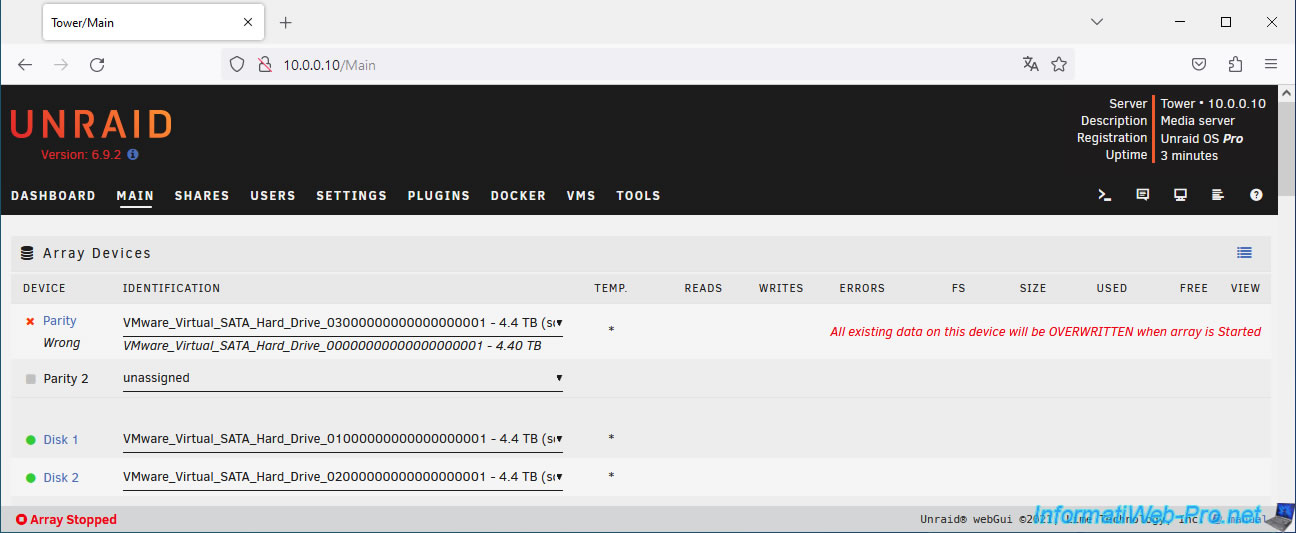
Warning : Unraid tells you that all data on this disk will be overwritten when the array is started.
Plain Text
All existing data on this device will be OVERWRITTEN when array is Started.
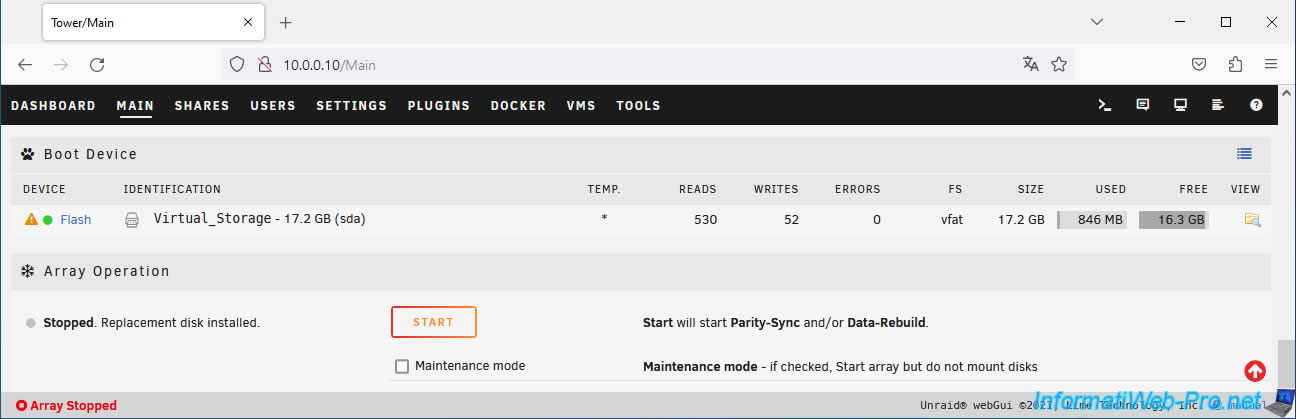
At the bottom of the page, click the "Start" button to start the array and start parity synchronization.
Plain Text
Start will start Parity-Sync and/or Data-Rebuild.
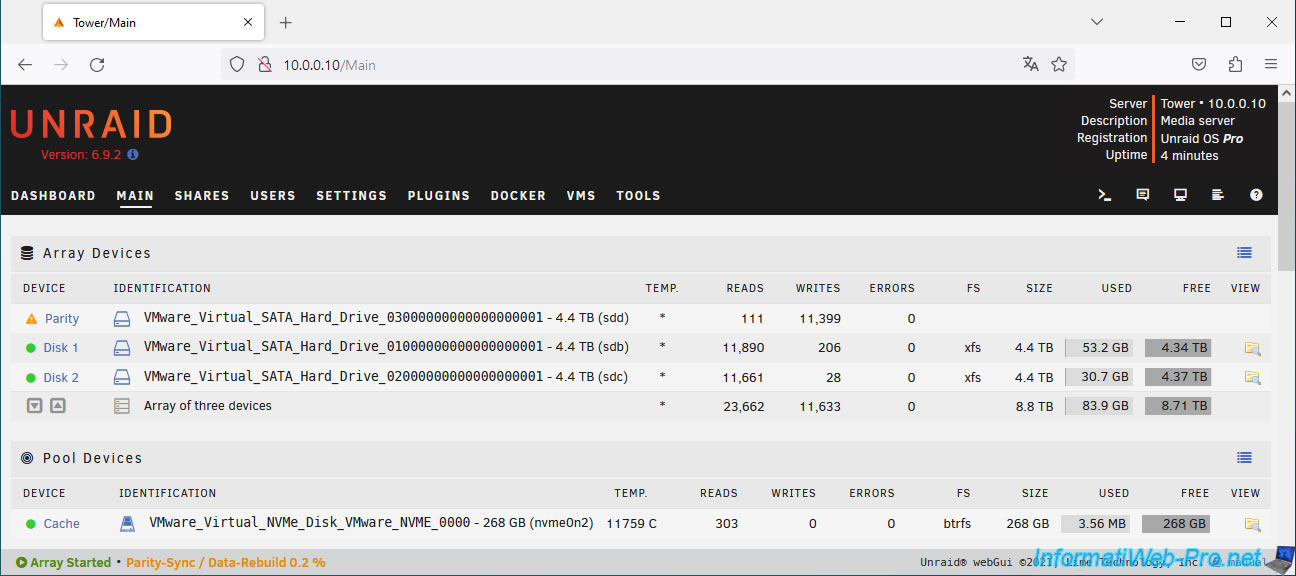
At the top of the page, you'll see an orange triangle appear next to the parity disk (because it's currently being calculated).
At the bottom of the page, you can monitor the parity synchronization status.
Plain Text
Array Started - Parity-Sync / Data-Rebuild 0.2 %.
Then, Unraid may show you warnings (in the form of orange notifications) about the parity disk that is being calculated.
Plain Text
Unraid Parity sync / Data rebuild: ...
Notice [TOWER] - Parity Sync / Data rebuild started.
Size: 4.40 TB.
Plain Text
Unraid Parity disk error: ...
Warning [TOWER] - Parity disk, parity-sync in progress ... (sdd).
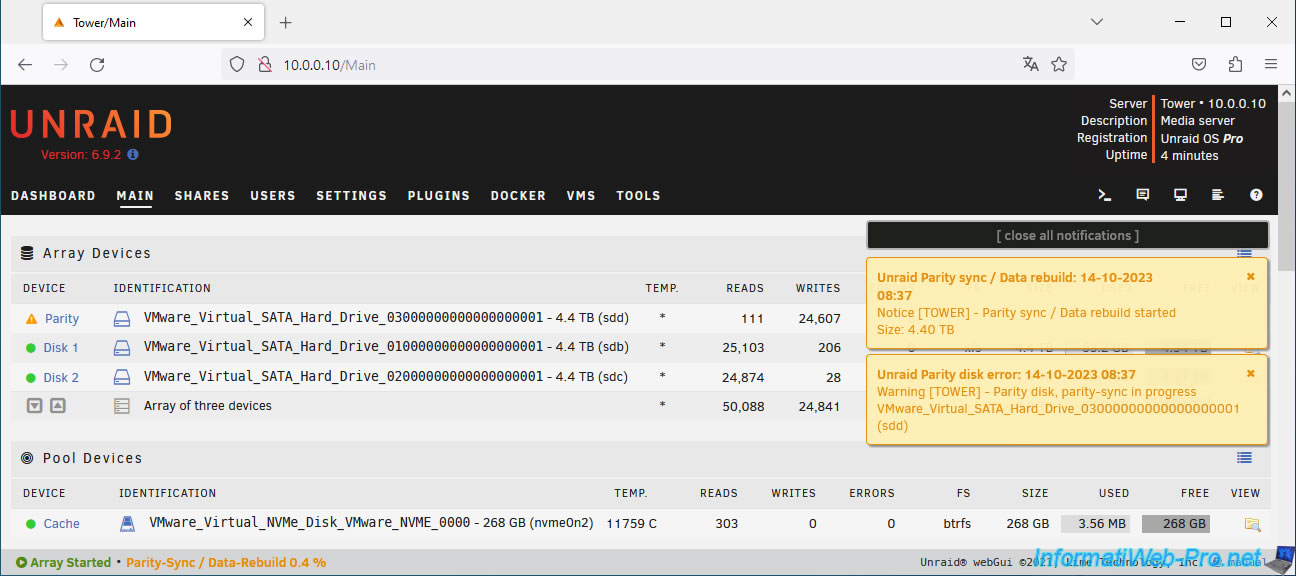
Please wait while your new parity disk is calculated.
This can take a long time depending on your computer/server's performance, your disk's performance, and its capacity.
In our case, it took a little over an hour (as you can see below).
Plain Text
Parity-Sync/Date-Rebuild in progress.
...
Estimated finish: 1 hour, 21 minutes.
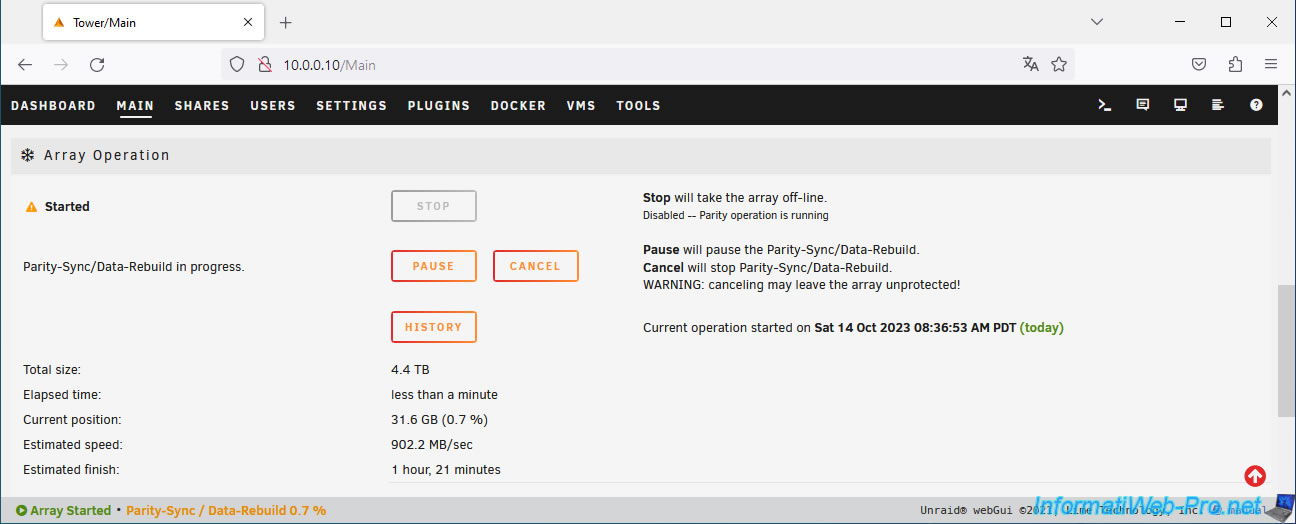
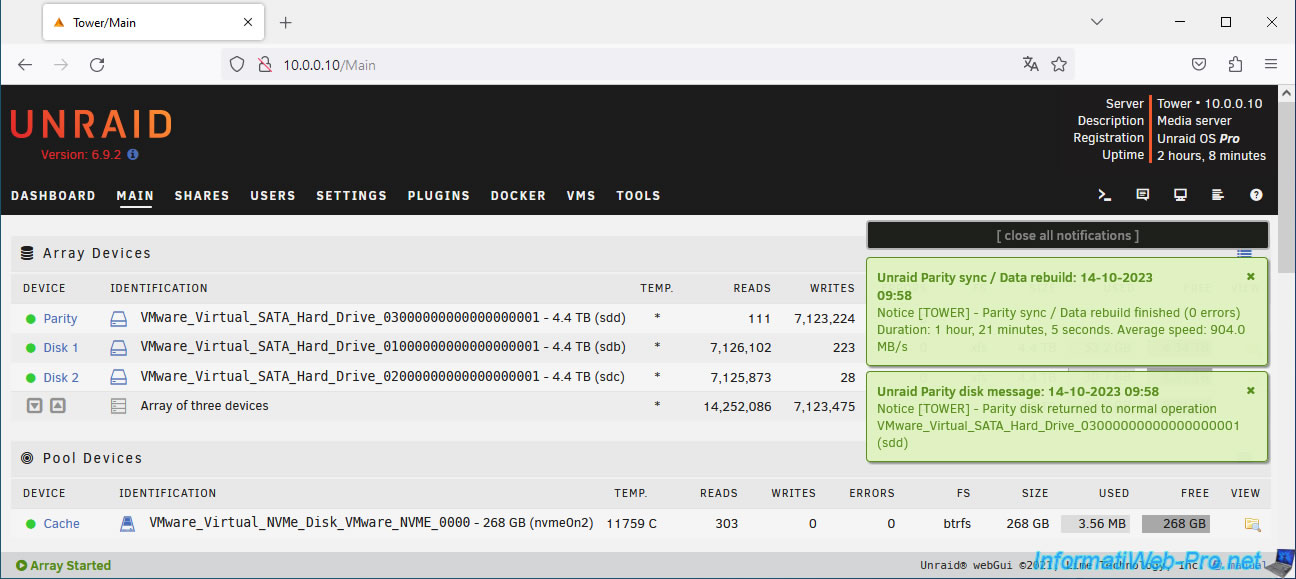
Once the parity disk calculation is complete, Unraid will display green notifications to let you know that the parity synchronization is complete and the parity disk status is back to normal.
Plain Text
Unraid Parity sync / Data rebuild: ...
Notice [TOWER] - Parity Sync / Data rebuild finished (0 errors).
Duration: 1 hour, ...
Plain Text
Unraid Parity disk message: ...
Warning [TOWER] - Parity disk returned to normal operation ... (sdd).
You will also see that the icon to the left of the parity disk is green again.
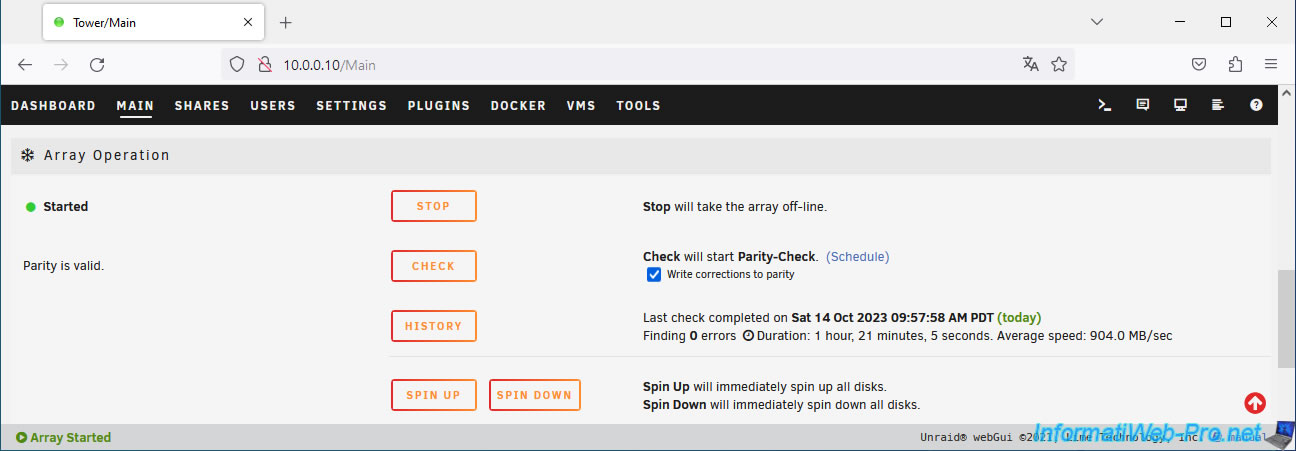
At the bottom of the page, you will see that the array is started and the parity is valid.
Share this tutorial
To see also
-

NAS 1/21/2026
Unraid 6.9.2 - Replace a storage disk
-
NAS 5/20/2026
Unraid 6.9.2 - SWAG - Locally access the reverse proxy (SWAG) via NAT reflection
-

NAS 7/1/2026
Unraid 6.9.2 - SWAG - Use a personal domain with a dynamic WAN IP
-
NAS 7/22/2026
Unraid 6.9.2 - VMs - Backing up a VM manually
You must be logged in to post a comment