- NAS
- Unraid
- 01 January 2026 at 10:47 UTC
-


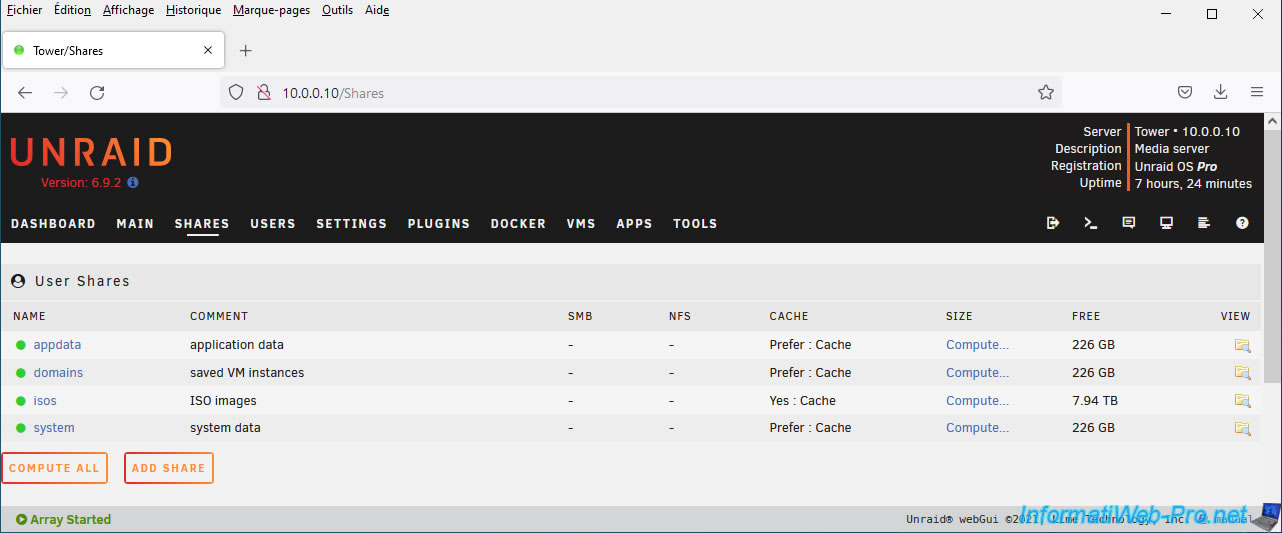
By default, Unraid creates several user shares that can only be used from your Unraid server: appdata, domains, isos, and systems.
By default, these are not accessible from the network.
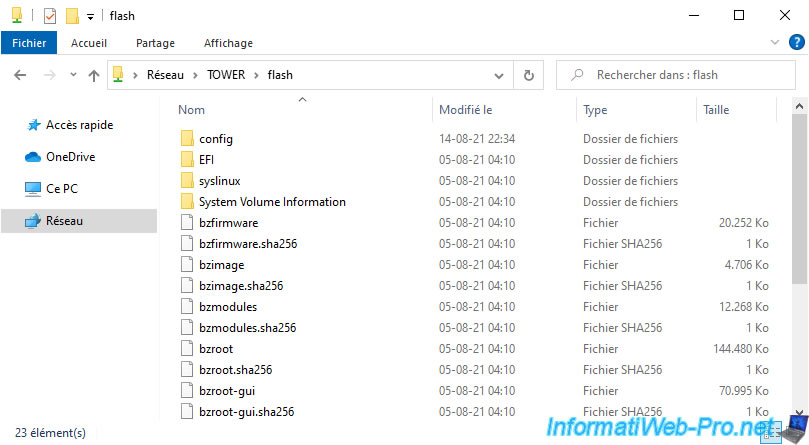
However, if you type "\\tower" or "\\[your Unraid server's IP address]", you'll see that a "flash" network share will be displayed by default.
While this is not one of the user shares shown above.

If you access this "flash" network share, you'll quickly realize that it's the contents of the USB key where Unraid is installed.
It is therefore strongly recommended not to leave this network share visible, especially since it is not write-protected.
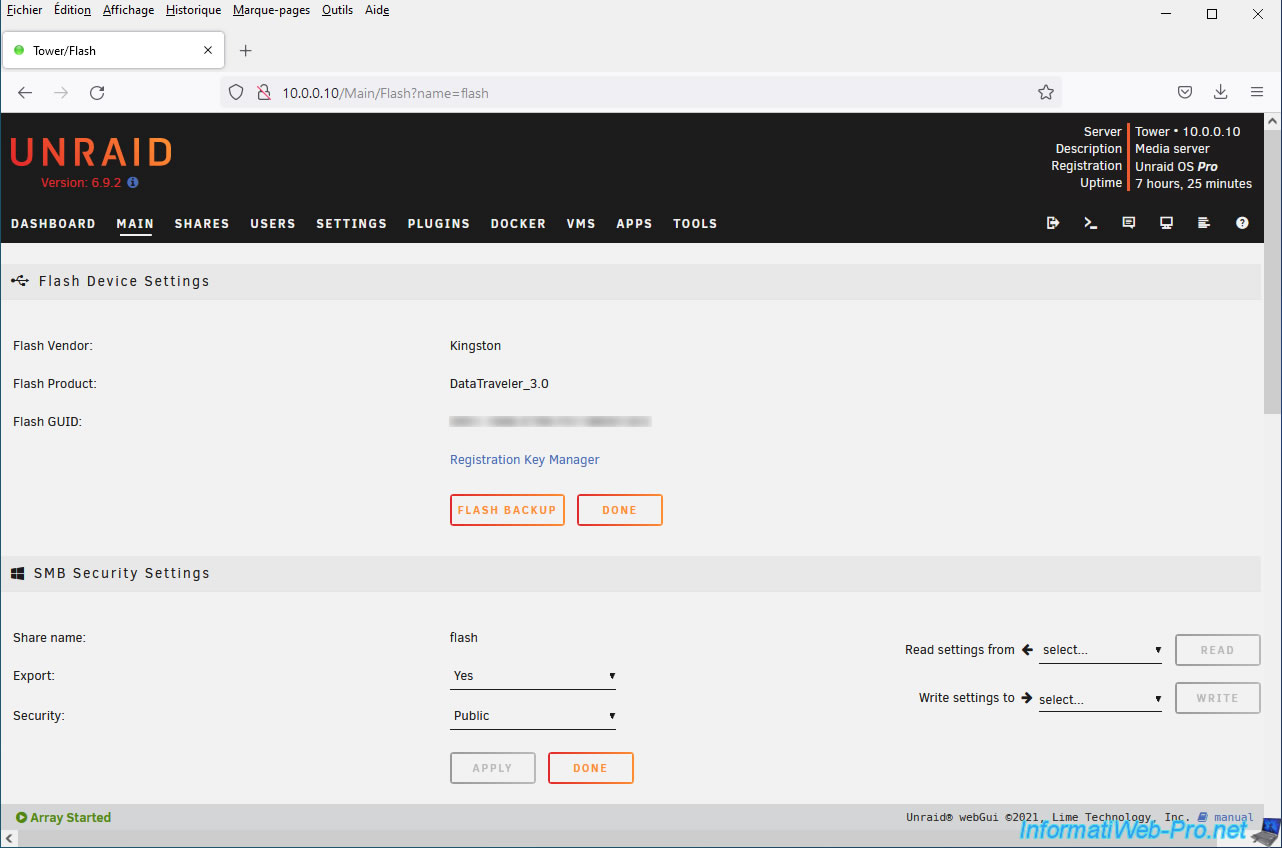
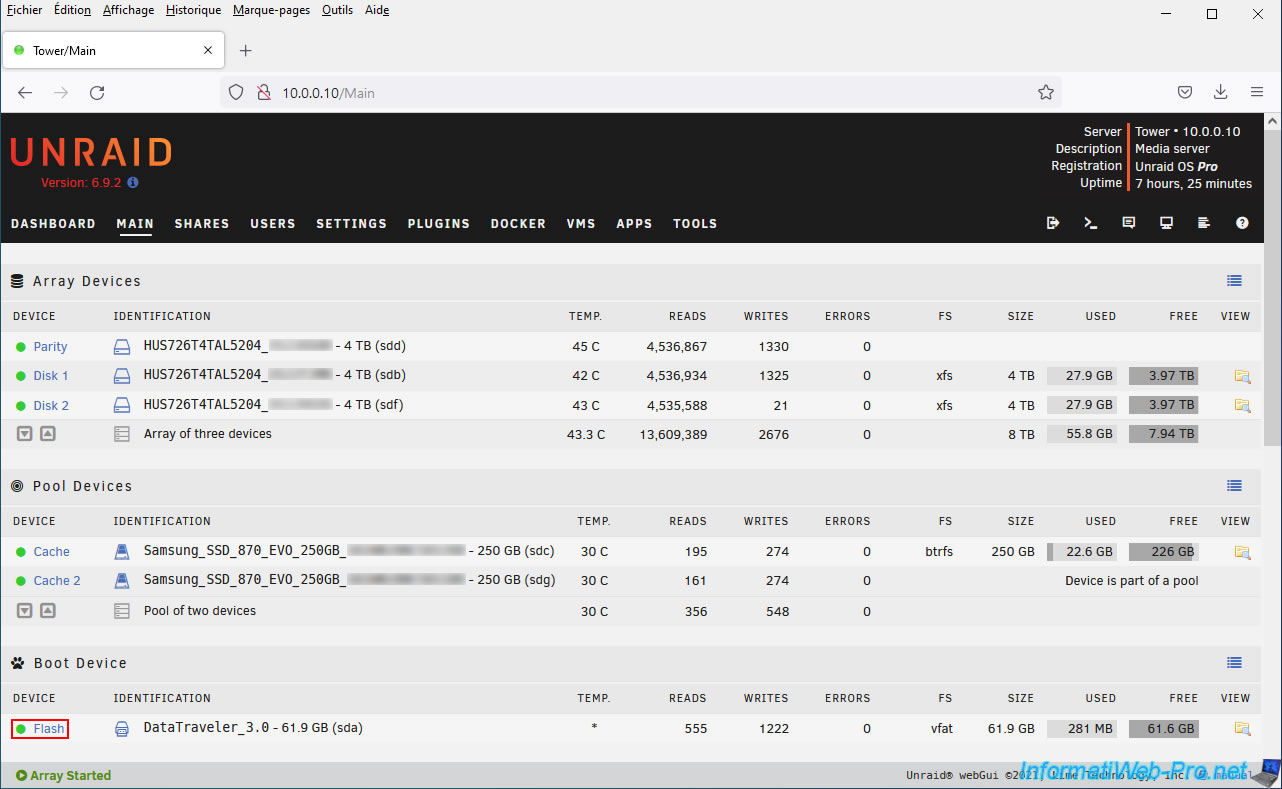
To understand where this network share comes from, you need to go to the "Main" tab of your Unraid server.
On this page, you'll see that the "Flash" device corresponds to the bootable USB key where Unraid is installed.
By default, Unraid displays an orange triangle for this device to indicate a warning.
Click on this "Flash" link.

As you can see in the "SMB Security Settings" section, by default, the settings for this "flash" network share are:
- Export: Yes. This indicates that this share is visible from the network.
- Security: Public. This indicates that anyone can read and write to this network share.
The simplest solution is to block network access to this "flash" share.
To do this, select "Export: No."
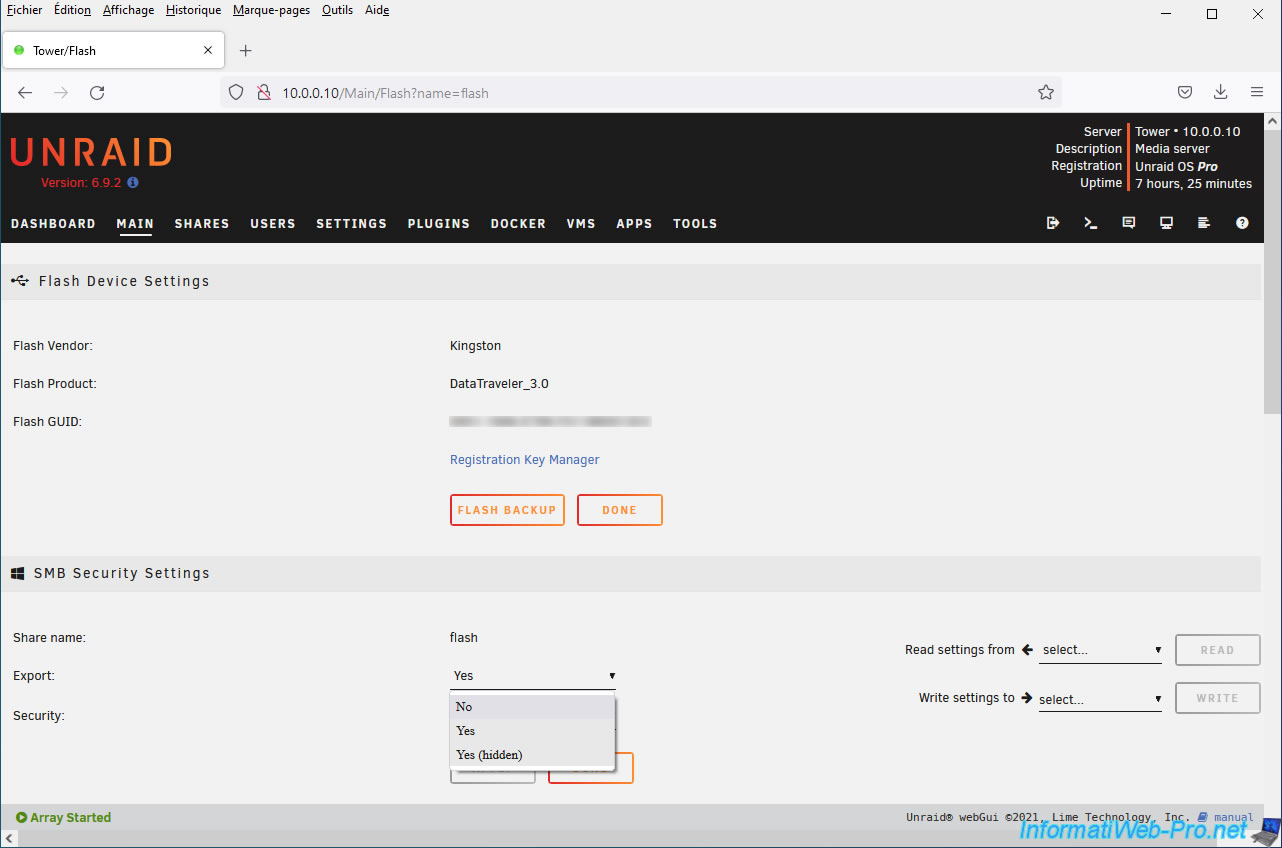
Then, click on "Apply".
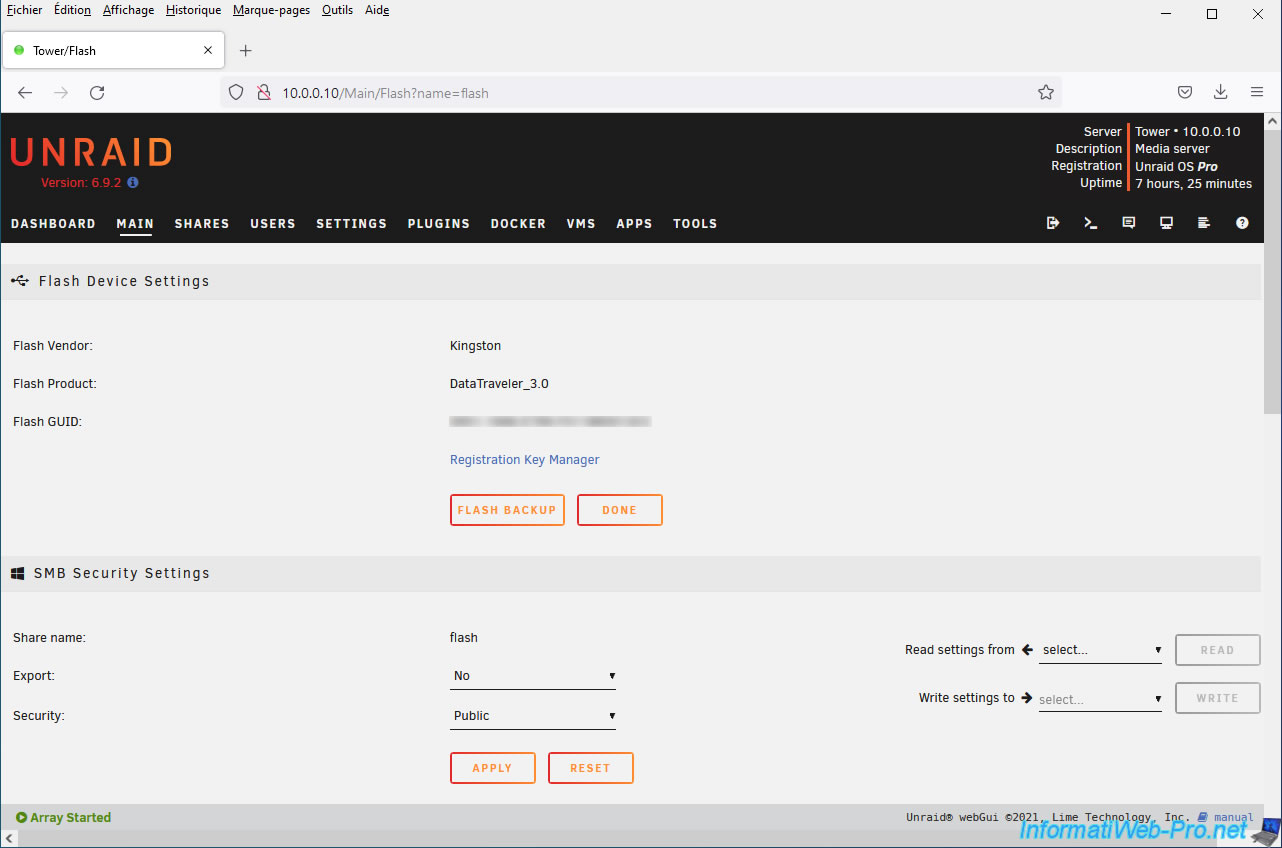
As you can see, this share no longer appears.
Furthermore, it is no longer accessible, even if you manually specify the link to it: \\tower\flash.

As expected, the warning icon for this "Flash" device has disappeared.
Share this tutorial
To see also
-
NAS 2/4/2026
Unraid 6.9.2 - Change or reset root password
-
NAS 6/3/2026
Unraid 6.9.2 - SWAG - Access Jellyfin via reverse proxy and Duck DNS (DDNS)
-

NAS 9/9/2026
Unraid 6.9.2 - VMs - Create a gaming virtual machine (without ACS support)
-
NAS 10/7/2026
Unraid 6.9.2 - VMs - Enable nested virtualization support
You must be logged in to post a comment