Virtualize Unraid 6.9.2 with VMware Workstation 17.5.1
- VMware
- VMware Workstation
- 11 December 2025 at 08:45 UTC
-

- 5/5

8. Install VMware Tools on Unraid
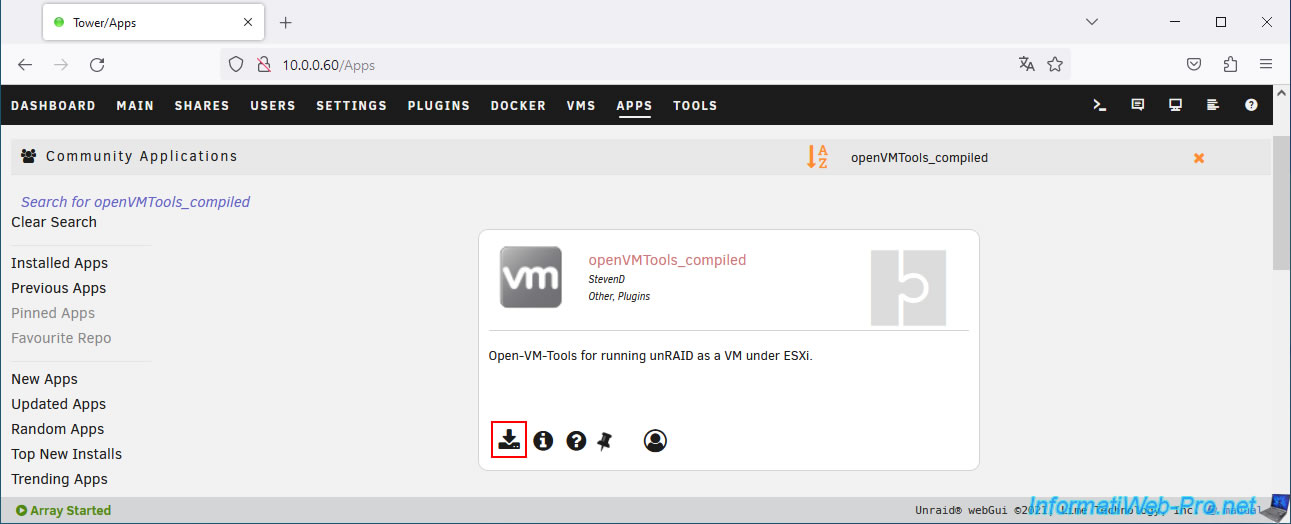
Now that the "Community Applications" plugin is installed, search for the "openVMTools_compiled" plugin via the "Apps" tab that appears.
Then, click the icon to install it.
Warning : it's strongly recommended to install these plugins when virtualizing Unraid on VMware Workstation Pro (or another compatible VMware product).
Otherwise, shutting down the guest OS using VMware Workstation Pro's "Shut Down Guest" option will abruptly cut off power to your virtual machine.
This would cause the Unraid parity disk to be recalculated (which can take a long time depending on its size).
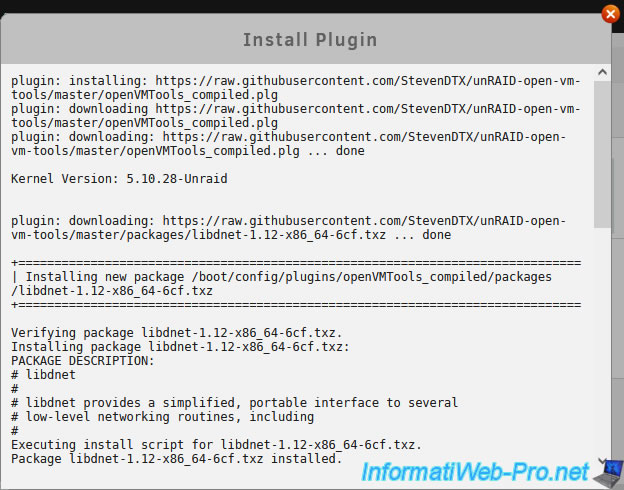
Please wait while this plugin "openVMTools_compiled" is downloaded and installed.
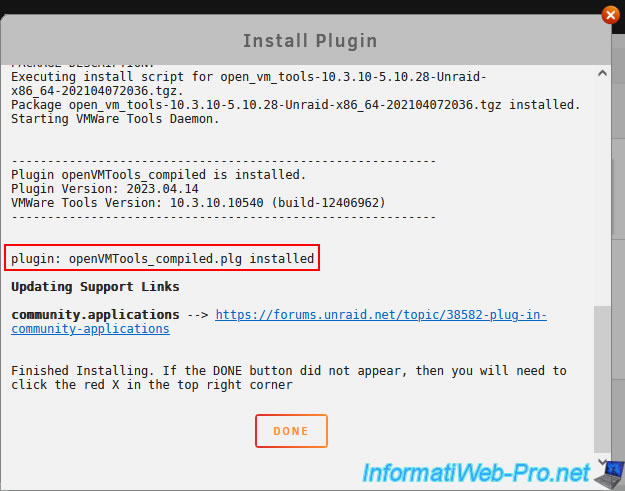
Once the "openVMTools_compiled" plugin is installed, click Done.
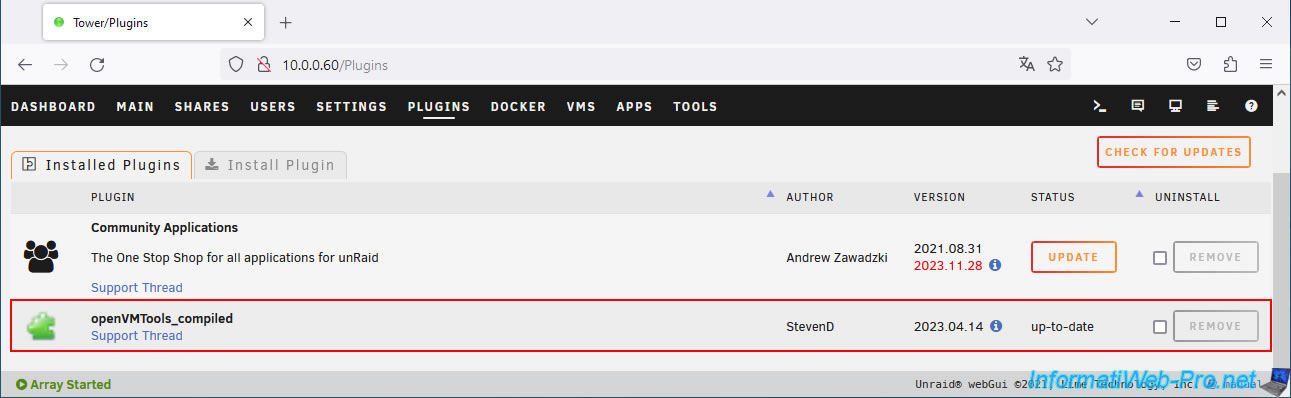
In the "Plugins" tab, you will see that the "openVMTools_compiled" plugin is installed.
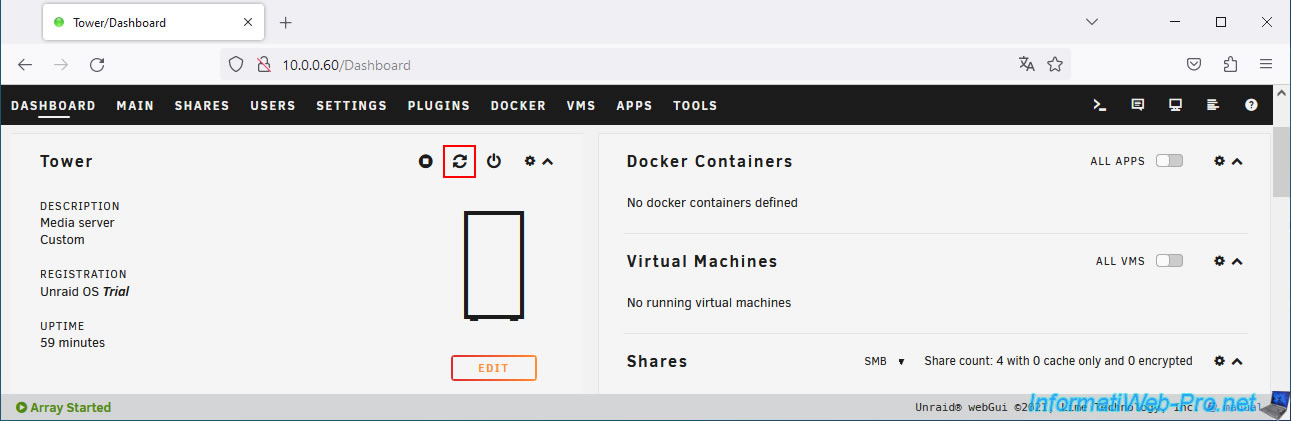
To ensure that VMware Tools are used correctly, we recommend that you restart your Unraid server directly.
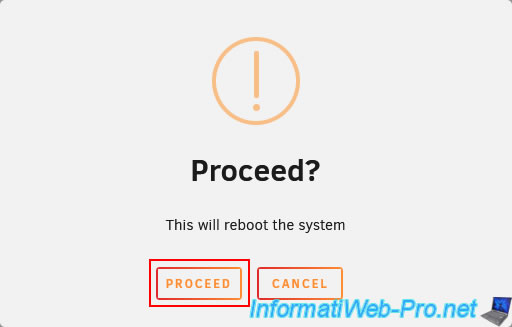
Confirm the restart of your Unraid server by clicking "Proceed".
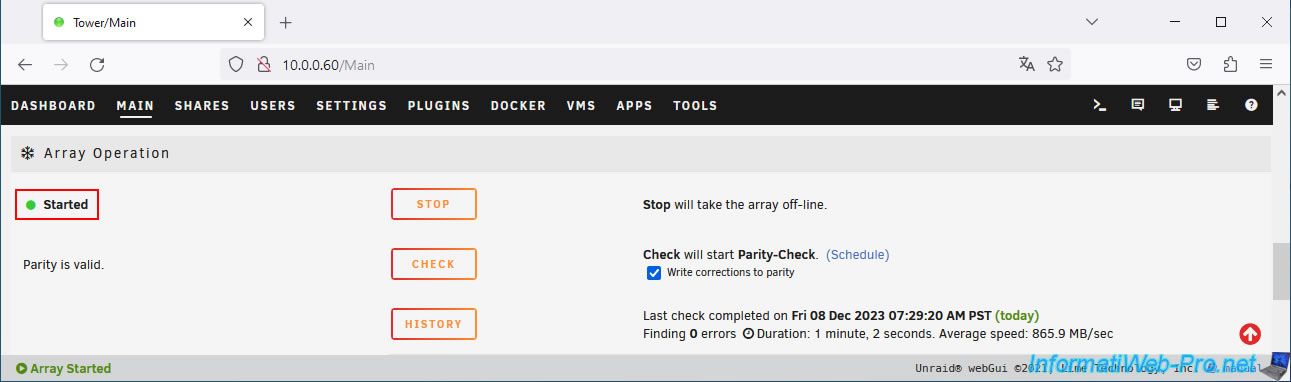
Go to the "Main" tab and click "Start" to start your array.
9. Enable automatic array startup
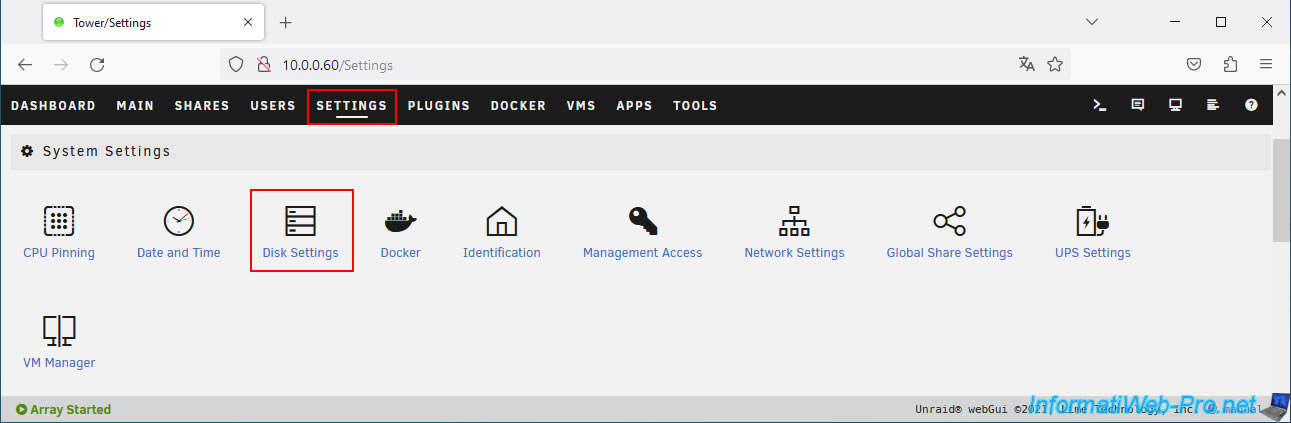
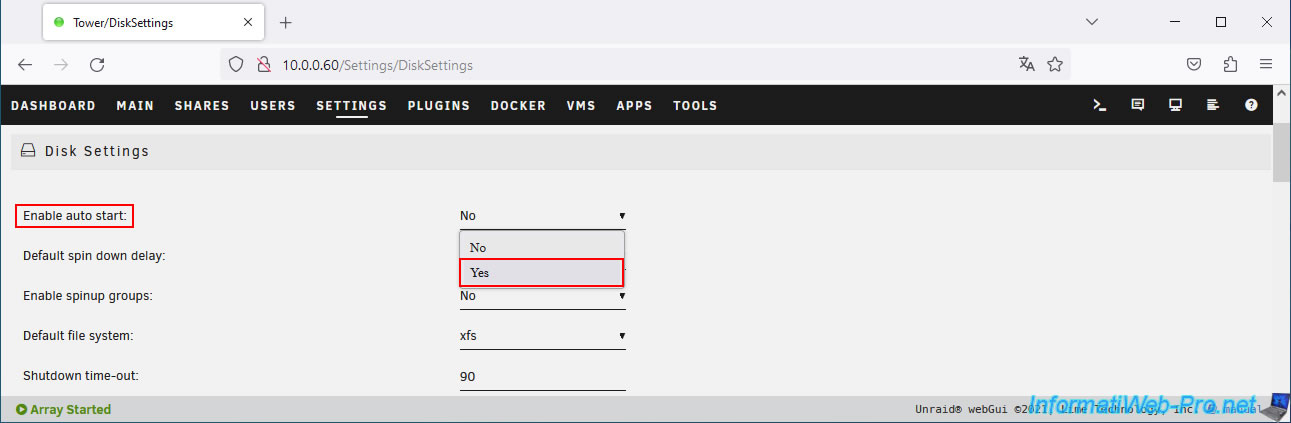
To avoid manually booting your array on Unraid, go to "Settings -> System Settings -> Disk Settings".
Select "Yes" for the "Enable auto start" setting.
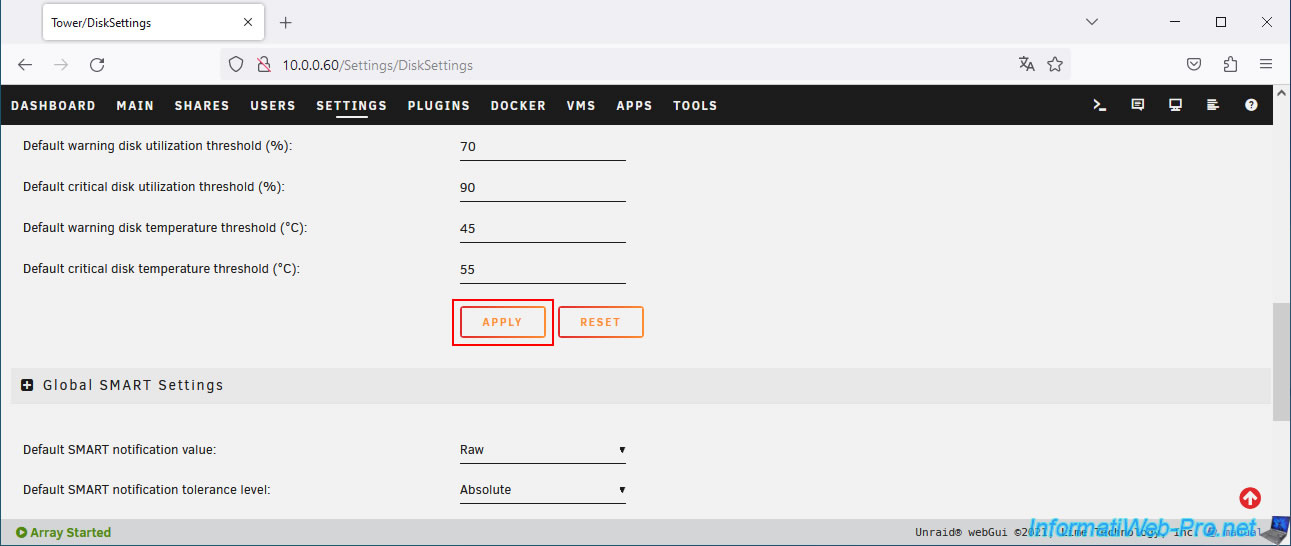
Then, click the "Update" button located at the end of the form (BEFORE the "Global SMART Settings" section).
10. Test VMware Tools
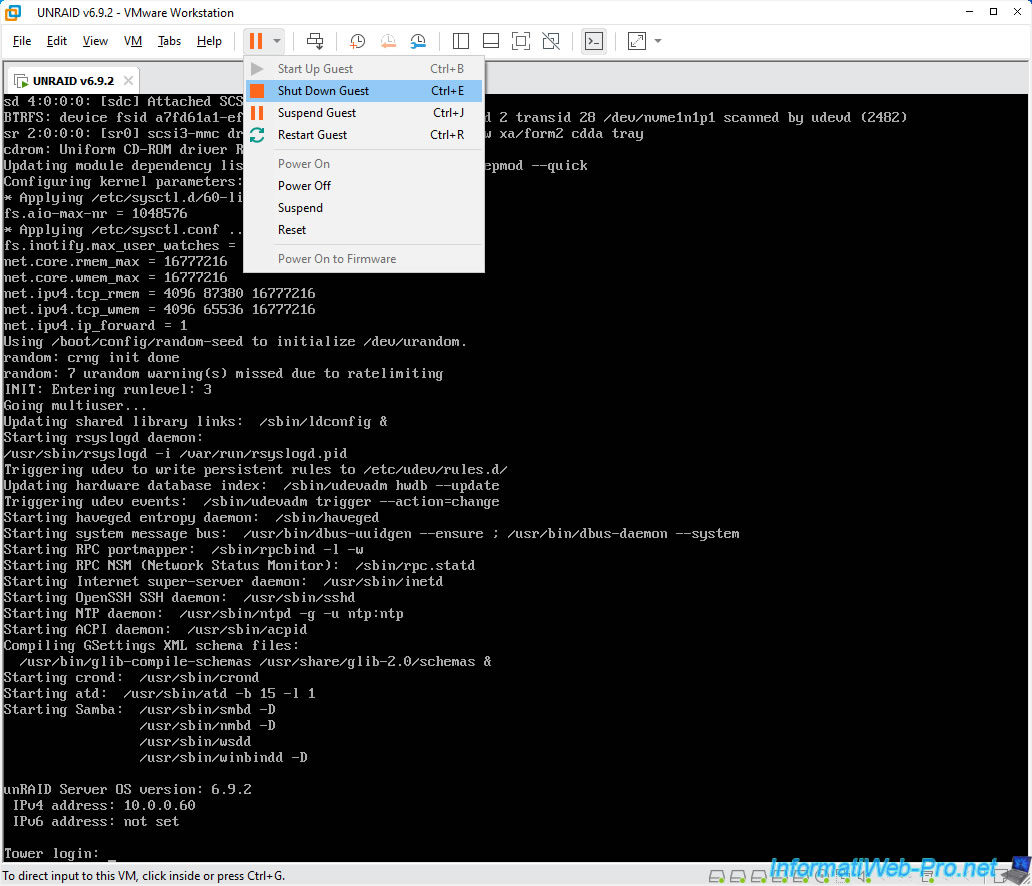
To test if the drivers are properly installed and compatible with your version of VMware, try to shut down the guest operating system (in this case: Unraid) using the "Shut Down Guest" option in VMware Workstation Pro.
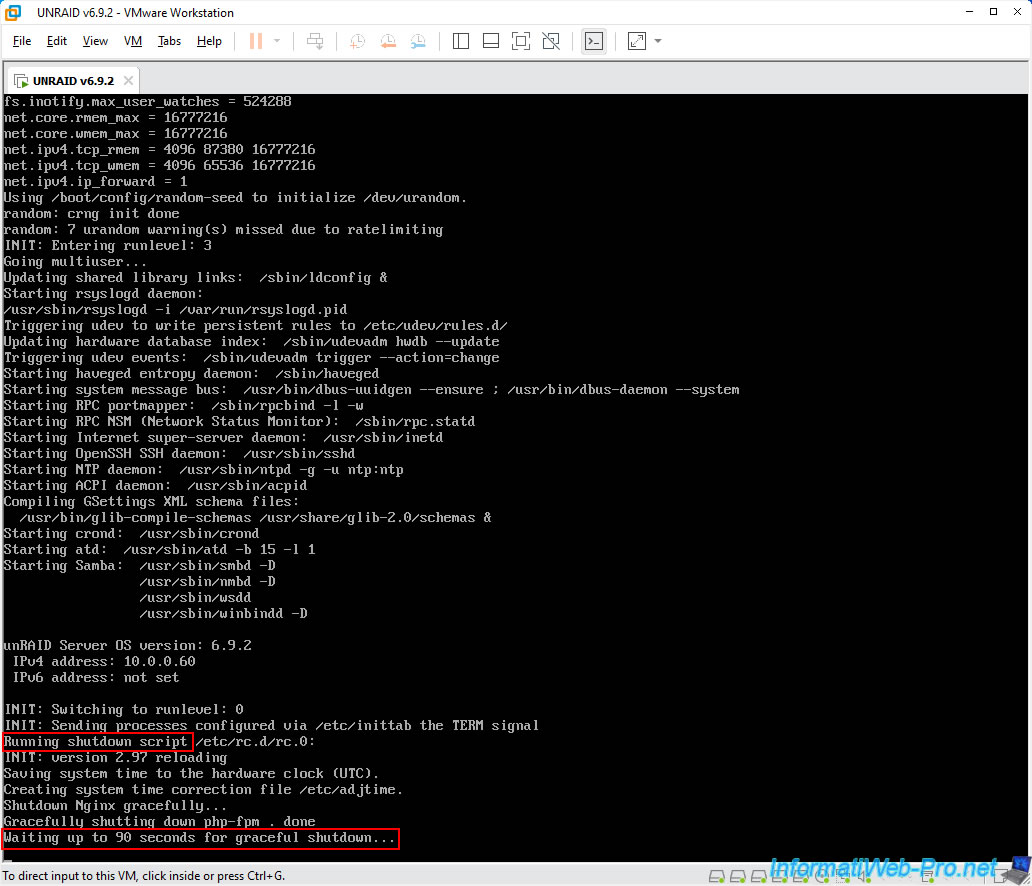
If the drivers are working in your case too, you should see lines appear regarding Unraid shutdown.
Plain Text
Running shutdown script ...
...
Waiting up to 90 seconds for graceful shutdown...
Once Unraid has been shut down properly, the virtual machine will be powered off.
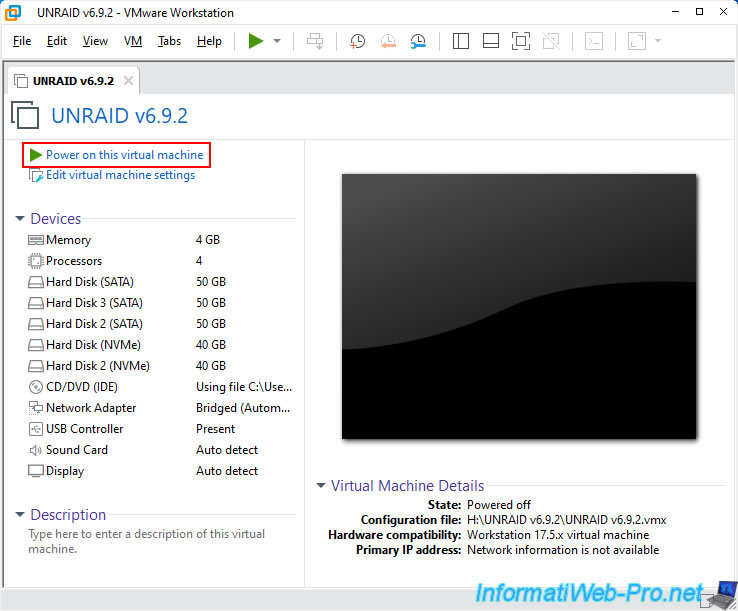
Turn it on by clicking "Power on this virtual machine".
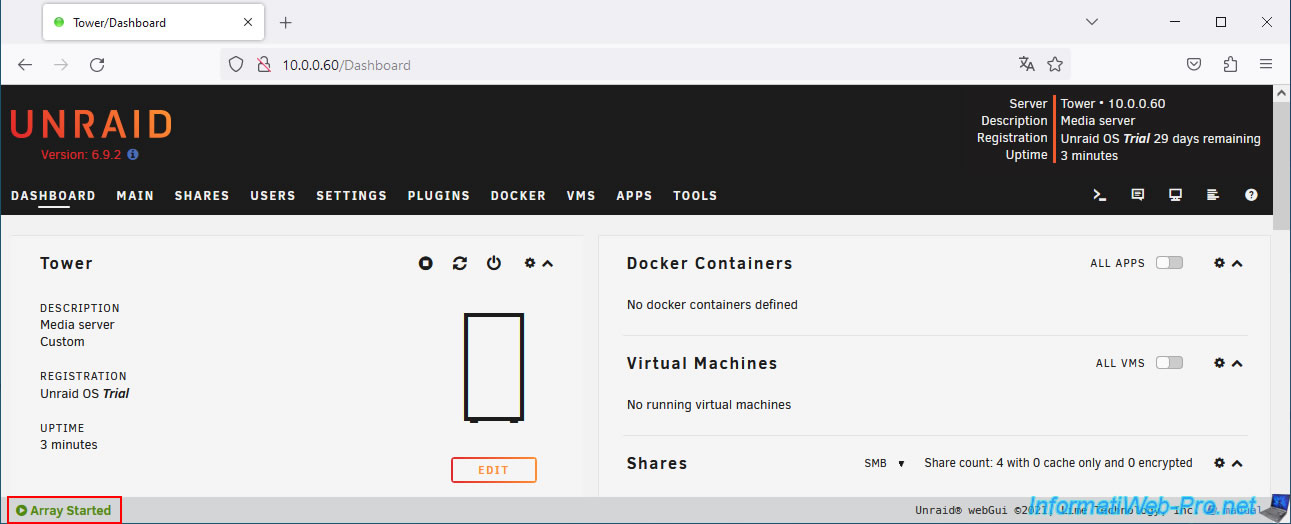
Once you arrive in Unraid, you should only see the status "Array Started" appear at the bottom of the window.
Note: if Unraid is rebuilding the parity disk now, it means the drivers are not installed or there is a problem with them.
Share this tutorial
To see also
-
VMware 9/25/2020
VMware Workstation 16 / 15 - Boot on an USB key
-
VMware 9/18/2020
VMware Workstation 16 / 15 - Change the BIOS / EFI firmware boot order of a VM
-
VMware 12/17/2021
VMware Workstation 16 / 15 - Convert a Hyper-V virtual machine to a VMware VM
-
VMware 5/8/2020
VMware Workstation 16 / 15 - Reclaim space not used by your VMs
No comment