Configure a multi-site Active Directory infrastructure on Windows Server 2022 and 2016
- Windows Server
- 10 November 2025 at 17:31 UTC
-

- 6/11

11.4. Move domain controllers to the correct Active Directory sites
For now, we have defined Active Directory sites, their associated subnet and the site link that connects our Active Directory sites.
However, at this time, all of our domain controllers are still located in the default Active Directory site (Default-First-Site-Name).
This means that for Active Directory, all of our domain controllers are physically located in one place. Which is wrong.
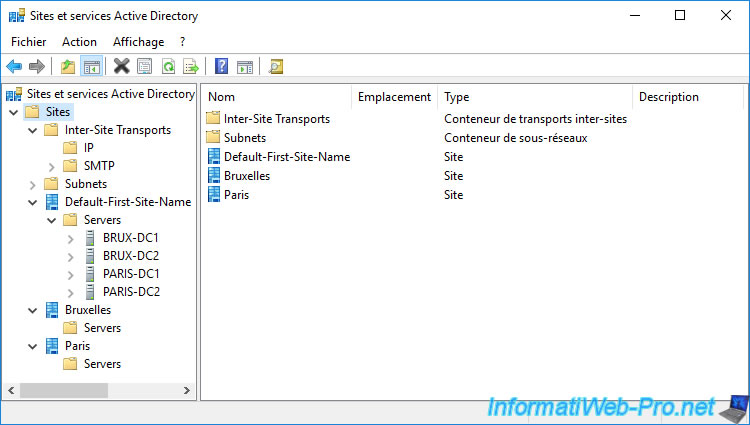
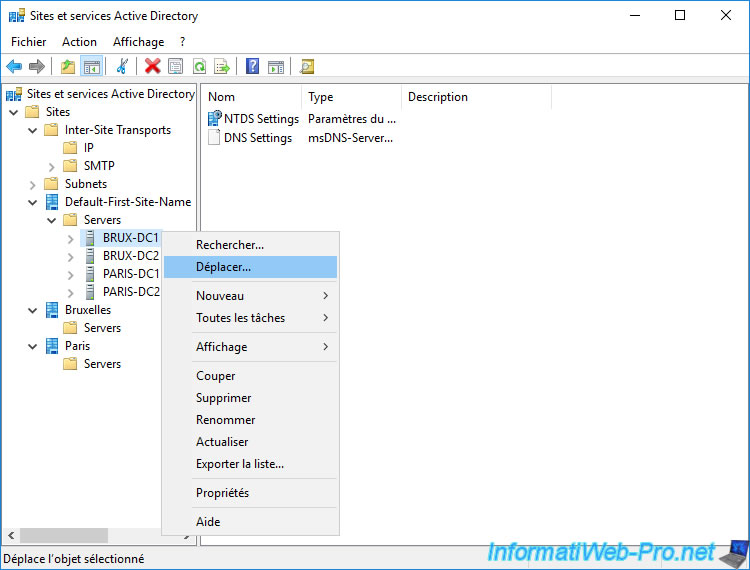
To move a domain controller, right-click on it and click "Move".
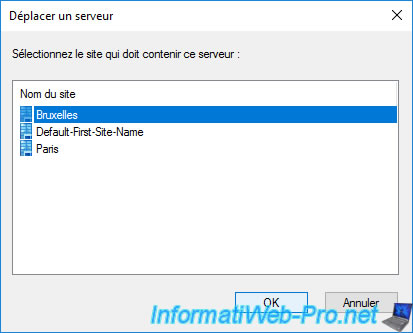
In the "Move Server" window that appears, select the target Active Directory site where you want to move it (virtually).
Note that you can also drag and drop your domain controllers by dragging them to the "Servers" folder of the target Active Directory site.
Now, our domain controllers are associated with the correct Active Directory sites :
- our "BRUX-DC1" and "BRUX-DC2" domain controllers are located at Brussels
- our "PARIS-DC1" and "PARIS-DC2" domain controllers are located at Paris
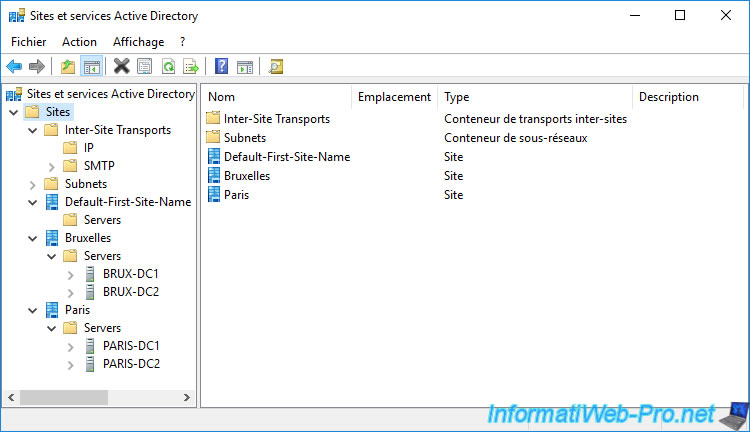
Now that all the servers have been moved to their respective Active Directory sites, you can delete the default Active Directory site (which is empty).
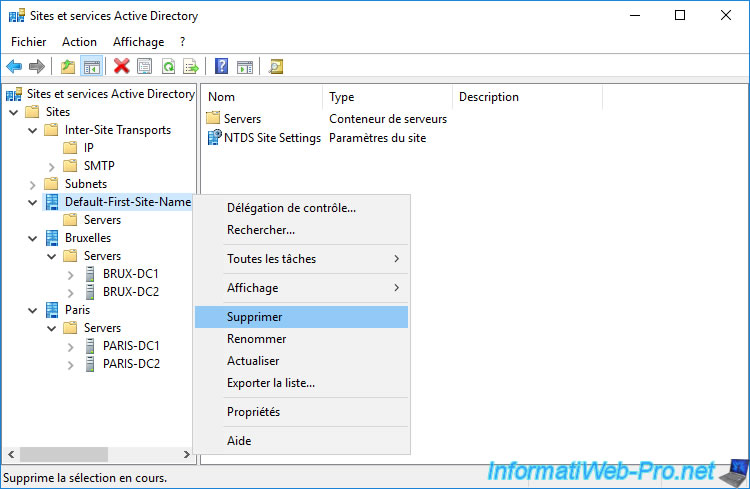
Confirm the deletion of the "Default-First-Site-Name" site by clicking on Yes.
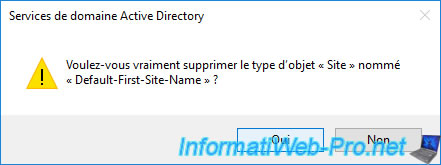
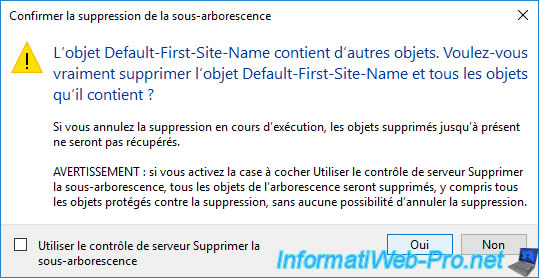
And confirm the deletion of the child objects, since this Active Directory site is empty.
Important : the KCC service, which automatically manages the replication topology transparently, checks every 15 minutes that the replication topology of your Active Directory infrastructure is still suitable for your Active Directory configuration.
It will therefore be necessary to wait up to 15 minutes for this new configuration to be really taken into account. The changes should then be replicated automatically to your other domain controllers.
If you want this new configuration to be taken into account directly, you can force the update of the replication topology by running this command :
Batch
repadmin /kcc
11.5. Manage replication by Active Directory site
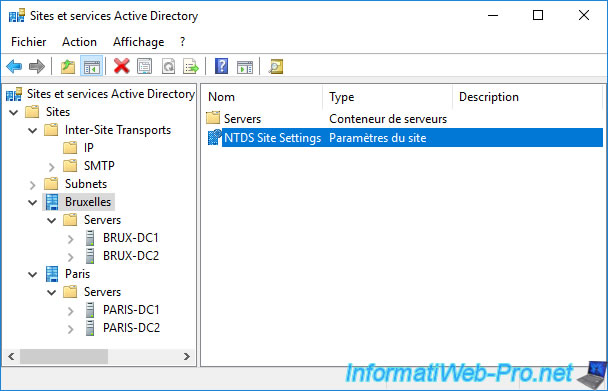
In each Active Directory site, you have :
- a servers container (in other words : a folder containing the list of domain controllers present on this site)
- a "NTDS Site Settings" object which contains various settings for this Active Directory site
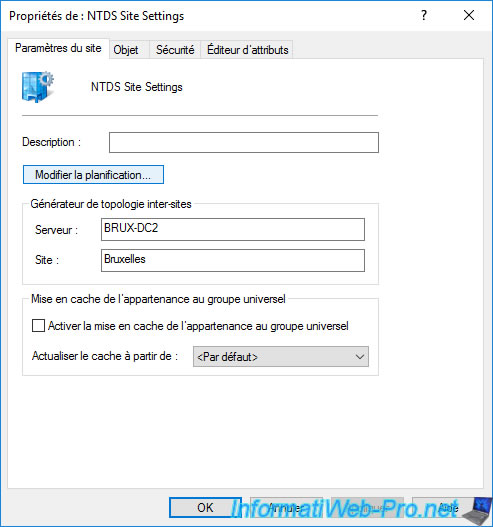
Right click "Properties" on the "NTDS Site Settings" object.
In the "NTDS Settings Properties" window that appears, you can :
- click on the "Change Schedule" button to manage the replication on this site
- enable or disable universal group membership caching
If you have universal groups in your Active Directory infrastructure and no domain controller acts as a "Global Catalog" on your Active Directory site, it's worth checking the "Enable Universal Group Membership Caching" to avoid having to contact a domain controller at a remote site each time.
If you have at least 1 global catalog on this site, you don't need to check this box, as the necessary information can be found by contacting the global catalog located on this Active Directory site.
Important : remember that Microsoft recommends defining at least 1 domain controller as a "Global Catalog" at each geographic site, as explained at the very beginning of our tutorial.
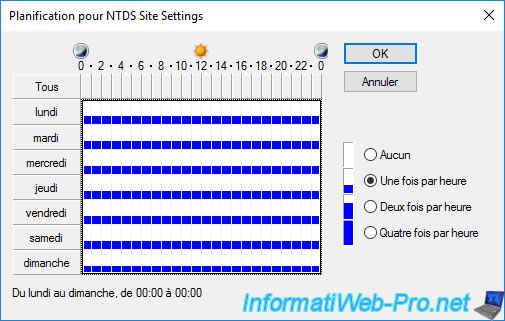
If you click the "Change Schedule" button, a "Schedule for NTDS Site Settings" window will appear.
Thanks to this window, you can choose at what time of the week you want to allow replication and whether the replication should be done once, twice or four times per hour.
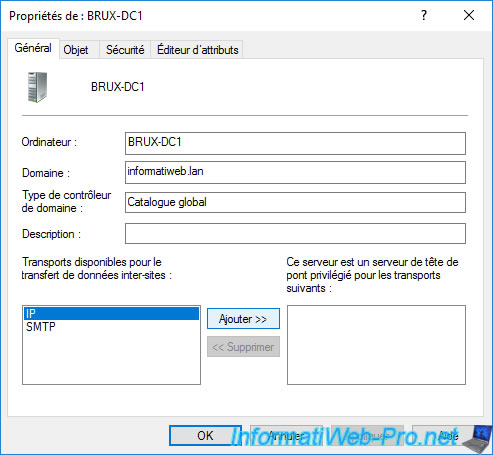
If you display the properties of a server present in the "Servers" folder of the desired site, you can find out :
- his name : BRUX-DC1
- the domain in which it's located : informatiweb.lan
- the type of domain controller : Global Catalog
- its description, if you add one
You will also be able to choose whether this server should be used as the preferred bridgehead for inter-site replications.
To do this, select the "IP" transport and click on "Add".
Now, Active Directory will know that it needs to use this server to replicate between the site where this server is located and the remote site.
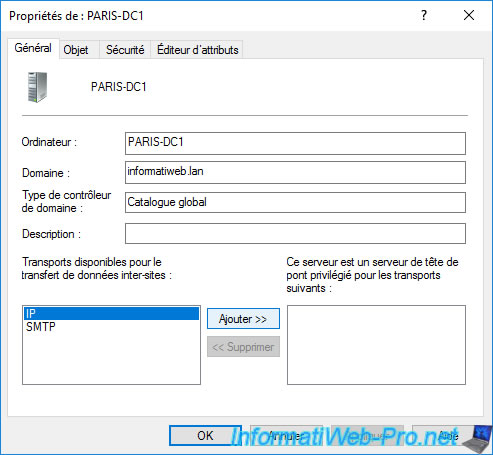
On the remote site, we chose the "PARIS-DC1" server as the bridgehead server.
Active Directory replication between the Brussels site and the Paris site will therefore be carried out between the "BRUX-DC1" server (of Brussels) and the "PARIS-DC1" server (of Paris).
By selecting a domain controller, you will find a "NTDS Settings" object that corresponds to the settings of the domain controller.
Right click "Properties" on it.
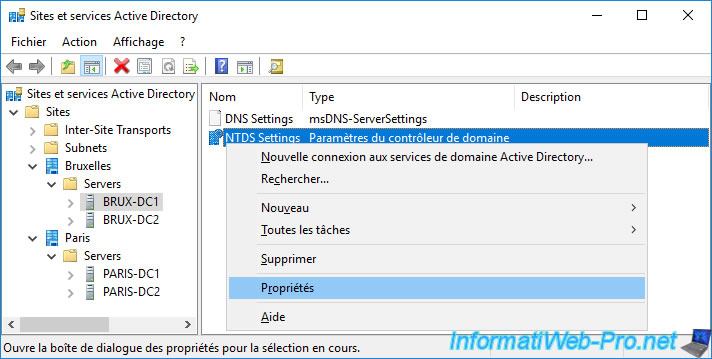
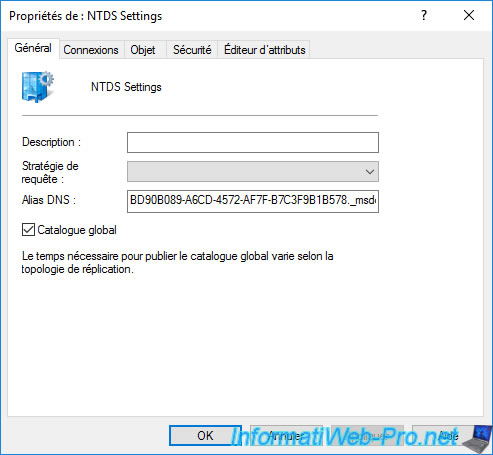
As you can see, this domain controller is already acting as a "Global Catalog".
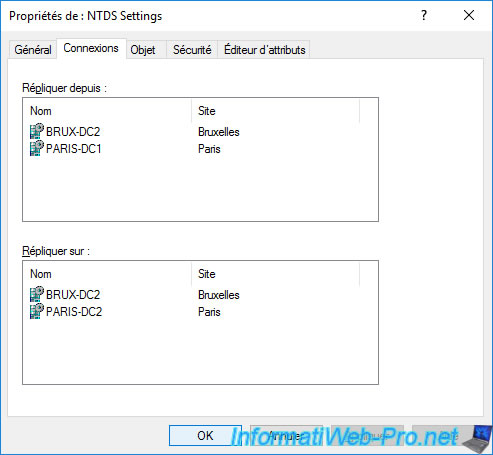
In the "Connection" tab of this "NTDS Settings" object, you will be able to see the connection objects created automatically by KCC.
And as you can see, currently :
- our BRUX-DC1 server replicates data from our 3 other domain controllers
- our BRUX-DC1 server replicates its data on our domain controllers : BRUX-DC2 (of the Brussels site) and PARIS-DC2 (of the Paris site)
Share this tutorial
To see also
-

Windows Server 4/16/2021
Windows Server - AD DS - How Active Directory replication works
-
Windows Server 4/30/2021
Windows Server - AD DS - Overview of Active Directory functional levels
-
Windows Server 4/3/2021
Windows Server - AD DS - The basics of Active Directory
-
Windows Server 5/21/2021
WS 2016 - AD DS - Add a domain controller to an existing AD domain
No comment